
So you recently purchased the DJI Mini 3 Pro, excited to take your drone photography to new heights. However, when you attempted to update the firmware, you encountered an unexpected roadblock – a failed update. Don’t worry, you’re not alone. In this troubleshooting guide, I will walk you through the steps to resolve this issue and get your DJI Mini 3 Pro up and running smoothly. From providing background information on firmware updates to addressing common misconceptions, this article aims to educate and engage drone enthusiasts like you. So, let’s dive in and get your DJI Mini 3 Pro back on track!
Troubleshooting Guide: DJI Mini 3 Pro Firmware Update Failed
Introduction
Recommended Best Deal Products
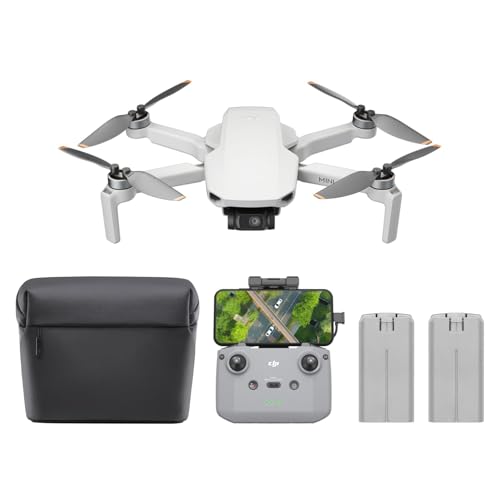


Welcome to this comprehensive troubleshooting guide for the DJI Mini 3 Pro firmware update failure. Firmware updates are an essential part of keeping your DJI Mini 3 Pro drone up to date with the latest features, bug fixes, and improvements. However, sometimes these updates can encounter issues, leading to a failed update process. In this guide, I will walk you through the reasons for firmware update failures, troubleshooting steps to resolve them, as well as tips to prevent future failures.
Prime for Young Adults — 6 Months Free
Exclusive Offer Amazon Prime for Young Adults, Students and 18–24s get six months of Prime free, then half price.
Start 6 Months Free As an Amazon Associate I earn from qualifying purchases.Background
Before we delve into the troubleshooting steps, let’s first understand the importance of firmware updates for drones in general and specifically for the DJI Mini 3 Pro. Firmware is the software embedded in the drone’s hardware that controls its functionalities, flight capabilities, and safety features. Regular firmware updates ensure that your drone operates optimally and efficiently.
Main Points
Recommended Best Deal Products


Reasons for Firmware Update Failure
There can be several reasons why a firmware update for your DJI Mini 3 Pro fails. Some common causes include:
-
Insufficient Battery: The firmware update process requires a sufficient battery level on the drone. If the battery level is too low, the update may fail.
-
Unstable Internet Connection: An unstable or weak internet connection during the update process can lead to interruptions or incomplete downloads, resulting in a failed update.
-
Firmware Compatibility: Sometimes, if the firmware you are trying to install is not compatible with your specific drone model or the controller you are using, the update may fail.
-
Hardware Malfunction: In rare cases, a hardware malfunction or issue with the drone’s internal components can cause a firmware update failure.
Troubleshooting Steps
If your DJI Mini 3 Pro firmware update fails, here are some troubleshooting steps you can follow:
-
Check Battery Level: Ensure that the drone’s battery is adequately charged before initiating the firmware update. If the battery level is low, charge it fully and try again.
-
Stable Internet Connection: To avoid interruptions during the update process, make sure you have a stable and reliable internet connection. Stay within the range of a strong Wi-Fi signal or use a mobile data connection if necessary.
-
Retry the Update: If the update fails, try restarting the update process. Sometimes, temporary glitches can cause failures, and a retry might be successful.
-
Update Controller Firmware: If you are using a separate controller, ensure that both the drone and the controller firmware are up to date. Outdated controller firmware can sometimes interfere with the drone’s firmware update process.
Software and Hardware Compatibility
To avoid firmware update failures, it is crucial to ensure software and hardware compatibility. Always verify that the firmware you are attempting to install is compatible with your DJI Mini 3 Pro model and any connected accessories or controllers. Visit the official DJI website or consult the user manual for the correct firmware version.
Recovering from a Failed Firmware Update
If your DJI Mini 3 Pro firmware update fails, don’t panic. Here’s how you can recover from a failed update:
-
Restart and Retry: Disconnect the drone from the controller and power it off. Restart both the drone and the controller, and then attempt the firmware update again. Sometimes, a fresh restart can resolve temporary issues that caused the initial failure.
-
Reset to Factory Settings: If the restart and retry method doesn’t work, you can try resetting your DJI Mini 3 Pro to factory settings. However, keep in mind that this will erase any customized settings or configurations you have made, so it should be a last resort.
Preventing Firmware Update Failures
While firmware update failures can happen, there are steps you can take to minimize the risk of encountering issues:
-
Stable Power Source: Connect your drone to a stable power source during the update process to ensure uninterrupted power supply. A low or fluctuating power source can disrupt the update and lead to failure.
-
Stable Internet Connection: As mentioned earlier, a stable internet connection is crucial. Whenever possible, use a high-speed and reliable internet connection to prevent interruptions during the download and update process.
-
Read Release Notes: Before initiating any firmware update, read the release notes provided by DJI. These notes often contain crucial information about the update, any known issues, and specific instructions to follow for a successful update.
Examples
Let’s take a look at a common scenario where a DJI Mini 3 Pro firmware update fails:
Prime for Young Adults — 6 Months Free
Exclusive Offer Amazon Prime for Young Adults, Students and 18–24s get six months of Prime free, then half price.
Start 6 Months Free As an Amazon Associate I earn from qualifying purchases.Example: Jane, an enthusiastic drone pilot, recently purchased a DJI Mini 3 Pro. She eagerly downloaded the latest firmware update from the DJI website and attempted to update her drone. However, during the update process, Jane’s internet connection suddenly dropped, causing the update to fail. Frustrated, Jane sought solutions to recover from the failed update and prevent future failures.
Visual Aids
Recommended Best Deal Products


Incorporation of visual aids such as charts, graphs, or images can greatly enhance the understanding of firmware updates for the DJI Mini 3 Pro. These visual aids can illustrate the steps, demonstrate compatibility issues, or showcase the importance of stable power and internet connections during the update process.
Conclusion
Firmware updates for the DJI Mini 3 Pro drone are essential for keeping your device up to date and ensuring optimal performance. While firmware update failures can occur, following the troubleshooting steps outlined in this guide can help you recover from a failed update and prevent future issues. Remember to prioritize stable power and internet connections, verify software and hardware compatibility, and stay informed by reading release notes before initiating any updates.
FAQs
What are the basics one should know about firmware updates for DJI Mini 3 Pro?
Firmware updates for the DJI Mini 3 Pro are software updates that provide new features, bug fixes, and performance improvements for the drone. They are crucial for maintaining the optimal operation and flight capabilities of the drone.
Are there any common misconceptions about firmware updates for DJI Mini 3 Pro?
One common misconception is that firmware updates are optional. However, failing to keep your drone’s firmware up to date can result in compatibility issues, reduced performance, or even safety risks. It is essential to prioritize firmware updates for the DJI Mini 3 Pro.
How is firmware update relevant to the current drone industry?
Firmware updates are significant in the drone industry as they continuously enhance and improve the capabilities of the drones. Manufacturers release firmware updates to address bugs, introduce new features, and ensure compatibility with emerging technologies. Staying updated with firmware is crucial to stay at the forefront of the drone industry.
What are the future prospects or developments expected in firmware updates for DJI Mini 3 Pro?
In the future, we can expect more advanced features and performance improvements through firmware updates for the DJI Mini 3 Pro. These updates may include intelligent flight modes, enhanced obstacle avoidance capabilities, improved camera functionalities, and better integration with other technologies.
Prime for Young Adults — 6 Months Free
Exclusive Offer Amazon Prime for Young Adults, Students and 18–24s get six months of Prime free, then half price.
Start 6 Months Free As an Amazon Associate I earn from qualifying purchases.How can someone get involved or learn more about firmware updates for DJI Mini 3 Pro?
To learn more about firmware updates for the DJI Mini 3 Pro, visit the official DJI website and explore their support resources, user manuals, and forums. Engaging with the DJI community and other drone enthusiasts can provide valuable insights and help you stay informed about the latest firmware updates.
Call to Action
Engage with us in the comments below! Share your experiences with firmware updates for the DJI Mini 3 Pro, ask any further questions you have, or let us know if there are any other drone-related topics you would like us to cover. Don’t forget to subscribe to our newsletter for the latest updates and informative content on drones. Happy flying!