
High-impact drone business cards must visually communicate your technical expertise while establishing immediate professional credibility through certifications. By combining aerial photography backgrounds and interactive QR codes, you can bridge the gap between a physical card and your digital flight portfolio.
🎯 Key Takeaways
- Showcase your skills using a high-resolution aerial photo as the card background.
- Include your FAA Part 107 certification to signal professional and legal authority.
- Integrate a QR code to link clients directly to your video showreel.
- Opt for matte or plastic finishes to reflect a modern, high-tech industry feel.
- Specify your niche, such as thermal imaging, mapping, or real estate photography.
Your business card is often the first physical touchpoint a client has with your brand, and in the drone industry, it needs to function as a mini-portfolio. To stand out, move away from generic templates and use high-contrast drone silhouettes, blueprint-style vectors, or full-bleed aerial photography that showcases your specific flight perspective. A well-designed card proves you have the technical eye required for high-end cinematography or precision data collection.
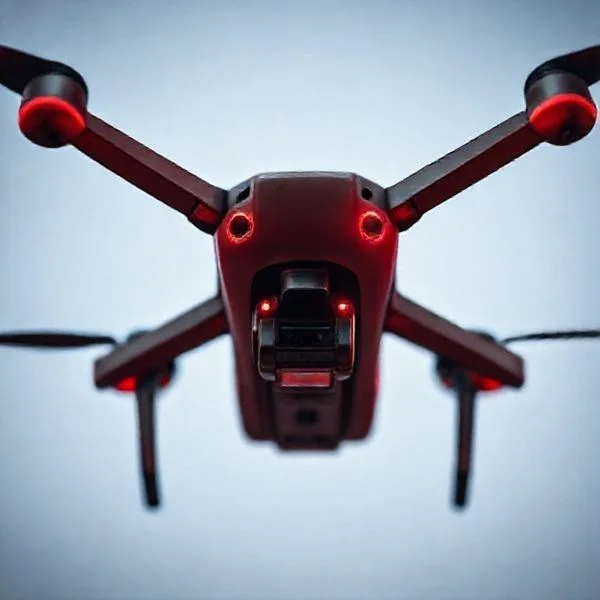
This matters because the drone market is increasingly crowded with hobbyists. When you hand a developer or a real estate agent a card that feels like a premium tech tool, you immediately differentiate yourself as a professional pilot. The right design choices communicate your niche—whether that is industrial inspection, mapping, or creative film—before the client even reads your name.
Prime for Young Adults — 6 Months Free
Exclusive Offer Amazon Prime for Young Adults, Students and 18–24s get six months of Prime free, then half price.
Start 6 Months Free As an Amazon Associate I earn from qualifying purchases.Visual Design Themes: From Minimalist Tech to Aerial Artistry
Recommended Best Deal Products


The visual language of your card should mirror the type of work you do. If you specialize in cinematic videography, your card should feel like a film frame; if you focus on industrial mapping, it should look like a technical schematic. Avoid using stock photos of generic drones, as these can look amateurish to savvy clients who know the equipment.
The “Top-Down” Aerial Background
One of the most effective ways to show your skill is to use a high-resolution, top-down (nadir) photo as the background for one side of your card. This “God’s eye view” is unique to drone work and immediately captures attention. Consider these specific visual treatments:
- Full-Bleed Landscapes: Use a textured shot of a forest, coastline, or urban grid that wraps around the edges of the card.
- Satin or Matte Finish: Apply a soft-touch coating to the photo side to prevent fingerprints and give the card a premium, tactile feel.
- Spot UV Accents: Use a clear, glossy “Spot UV” layer over the drone or specific elements in the photo to make them pop against a matte background.
Minimalist Tech and Vector Silhouettes
For pilots focusing on the “tech” side of the industry—such as 3D modeling or thermal inspections—a minimalist aesthetic often works best. This style uses clean lines and plenty of negative space to suggest precision and reliability. Instead of a photo, use a stylized vector silhouette of your primary aircraft (like a quadcopter or fixed-wing drone).
- Blueprint Aesthetics: Use white or neon cyan lines on a dark navy background to mimic a technical drawing or CAD file.
- Circuit Board Patterns: Subtle, ghosted patterns of circuitry in the background can reinforce the “high-tech” nature of your services.
- Monochromatic Schemes: A simple black card with silver foil or white ink looks sophisticated and authoritative.
Essential Industry Credentials and Content Placement
Visuals get the client’s attention, but your credentials earn their trust. Because the drone industry is heavily regulated, your card must clearly state your legal authority to fly. You have limited real estate, so every word must serve a specific purpose, guiding the client from “Who is this?” to “How do I hire them?” in seconds.
Highlighting Legal Compliance and Specializations
The most important piece of text on your card, aside from your name, is your certification status. For U.S.-based pilots, “FAA Part 107 Certified” is a mandatory inclusion. This tells the client you are a professional who understands airspace laws and carries the necessary insurance. Beyond certification, you must list your specific niches to avoid being seen as a “generalist” who might not be right for a specialized task.
- Certification Placement: Place your Part 107 status or regional equivalent (like EASA or CAA) directly under your job title or in a dedicated corner with a small “certified” badge icon.
- Service List: Include a concise list of 3-4 core services such as “Thermal Roof Inspections,” “Lidar Mapping,” or “Luxury Real Estate Video.”
- Equipment Mention: If you use specialized gear like a Phase One camera or a high-end thermal sensor, listing the hardware can be a major selling point for industrial clients.
Strategic Layout for Fast Communication
Modern drone business cards should act as a bridge to your digital portfolio. Don’t clutter the front of the card with too much text; keep the front for your name, title, and primary contact method. Use the back of the card for the “heavy lifting” like your service list and links to your work. A clean layout suggests you are organized and methodical—traits every client wants in a pilot.
- QR Code Integration: Place a QR code on the back that links directly to your flight reel or a gallery of your best shots. This allows clients to see your work instantly on their phones.
- Whitespace is Your Friend: Leave enough empty space so the card doesn’t feel cramped. This makes the information easier to scan at a glance.
- Contact Hierarchy: List your phone number and email clearly. Only include a physical address if you have a studio; otherwise, list your “Service Area” (e.g., “Serving the Pacific Northwest”).
Premium Materials and Finishes for a Tech-Forward Impression
Recommended Best Deal Products


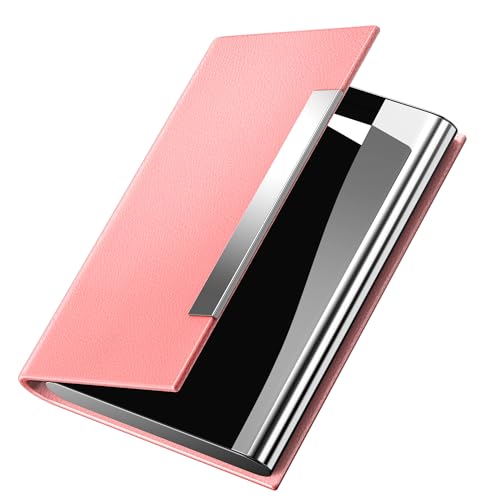
Because drone technology is inherently high-tech and sophisticated, a standard paper business card can sometimes feel a bit underwhelming. To truly stand out, you should consider materials that mirror the advanced nature of the equipment you fly. Using premium finishes not only makes your card more durable for outdoor networking but also signals to potential clients that you invest in high-quality tools and results.
Prime for Young Adults — 6 Months Free
Exclusive Offer Amazon Prime for Young Adults, Students and 18–24s get six months of Prime free, then half price.
Start 6 Months Free As an Amazon Associate I earn from qualifying purchases.Plastic and Metal Alternatives
Moving away from traditional cardstock can immediately differentiate your drone business. These materials are particularly popular in the tech and aerial photography sectors because they feel like a piece of high-end gear. Consider these options:
- Frosted Plastic: These cards offer a sleek, modern aesthetic that mimics a lens or a high-tech heads-up display. They are waterproof and tear-resistant, making them perfect for handing out at rugged field sites.
- Matte Black Cardstock: A heavy-weight, soft-touch matte black card feels luxurious and professional. When paired with silver or gold foil, it creates a “stealth drone” vibe that looks incredibly sharp.
- Brushed Aluminum: While more expensive, metal cards are the ultimate power move. They are heavy, cold to the touch, and practically indestructible—just like a high-performance drone frame.
Tactile Finishes and Textures
The “feel” of your card is just as important as the look. Adding texture can highlight specific elements of your design, such as your logo or the silhouette of a drone. Spot UV coating is a fantastic way to add a glossy, raised layer to your drone’s propellers or camera lens, making them pop against a matte background. Embossing can also be used to give your business name a 3D effect, adding a layer of physical depth that clients will notice the moment they touch the card.
Strategic Use of Interactive Elements and Portfolio Links
A drone pilot’s best selling point is their footage. While a business card is a physical object, its primary goal should be to drive potential clients to your digital portfolio. In an industry where “seeing is believing,” you need to bridge the gap between your physical card and your high-definition aerial reels as quickly as possible.
Dynamic QR Codes
Adding a QR code is no longer just a trend; it is a necessity for visual creators. Instead of a static code that simply leads to your homepage, use a dynamic QR code that you can update without reprinting your cards. This allows you to redirect clients to specific landing pages based on your current marketing focus. For example:
- Real Estate Focus: Link the code directly to a YouTube playlist featuring your best property walkthroughs and neighborhood flyovers.
- Mapping and Surveying: Direct clients to a high-resolution 3D model or a digital orthomosaic map to demonstrate your technical precision.
- VCard Integration: Use a code that automatically adds your contact details, website, and social media links directly into the client’s smartphone contacts.
Showcasing Your Social Presence
For drone pilots, Instagram and TikTok are often more effective portfolios than traditional websites. If your business thrives on social engagement, make your handles a focal point of the design. Use recognizable icons for platforms like YouTube or Vimeo to indicate where your long-form cinematic work lives. Pro tip: Use a “Linktree” or a custom “Link-in-bio” page as your primary URL. This gives the client a menu of options, allowing them to choose whether they want to see your price list, your latest reel, or your FAA certification credentials.
Conclusion
Recommended Best Deal Products


Your business card is often the first “tangible” piece of your brand that a client holds. By choosing a design that reflects the precision of aerial technology and utilizing premium materials like frosted plastic or spot UV finishes, you create an immediate sense of professionalism. Remember to keep the layout clean and use interactive elements like QR codes to lead clients straight to your best flight footage. These small details transform a simple piece of cardstock into a powerful lead-generation tool.
Now is the perfect time to audit your current branding. Take a look at your best aerial shots, choose a high-contrast design, and order a fresh batch of cards that truly represent your skills in the cockpit. Ready to elevate your drone business? Start designing your new professional cards today and make every handshake count!
Prime for Young Adults — 6 Months Free
Exclusive Offer Amazon Prime for Young Adults, Students and 18–24s get six months of Prime free, then half price.
Start 6 Months Free As an Amazon Associate I earn from qualifying purchases.❓ Frequently Asked Questions
How can I make my drone business card look high-tech?
Incorporate dark color palettes like slate or midnight blue with metallic foil accents. Using clean, sans-serif typography and subtle geometric or ‘grid’ patterns can also reinforce a sophisticated technical vibe.
Where is the best place to mention my Part 107 certification?
Place it near your job title or as a small, professional badge in a corner. This ensures clients immediately recognize you as a legitimate, commercially insured operator rather than a hobbyist.
What are the benefits of choosing plastic over paper for drone cards?
Plastic cards are durable and waterproof, which aligns with the rugged nature of field-based drone work. They also feel more like a high-tech tool or ‘membership’ card, making them much harder for a client to throw away.
Should I include a list of services or just my contact info?
Including a brief list of services (e.g., ‘3D Mapping,’ ‘Thermal Inspection,’ ‘Luxury Real Estate’) is vital for niche positioning, as it tells the client exactly what problems you can solve for them.
Can I use a vertical layout for my drone business card?
Yes, a vertical layout is often seen as more modern and mimics the look of a smartphone screen, which can be particularly effective if your target market is tech-savvy real estate agents or marketers.
Is it worth spending extra on spot UV or embossing?
For drone pilots, spot UV on a drone silhouette or your company logo adds a tactile, premium feel that mirrors the high-end technology you operate, helping you justify premium service rates.