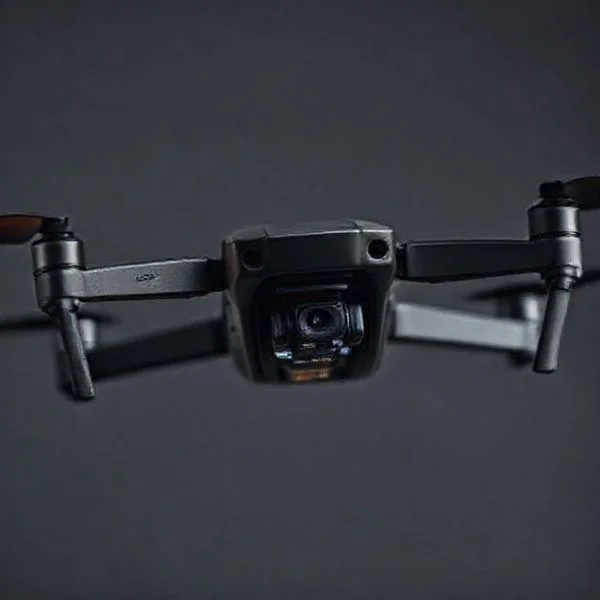
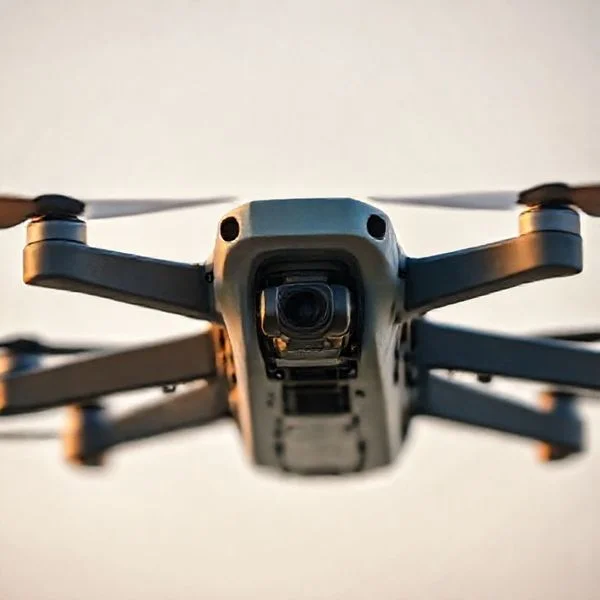
Registration is mandatory for all drones weighing over 250g, costing just $5 for a three-year period via the official FAA DroneZone portal. You must label your drone with your unique registration number and ensure compliance with Remote ID regulations to fly legally in U.S. airspace.
🎯 Key Takeaways
- Use only the official FAA DroneZone website to avoid unnecessary third-party processing fees.
- Drones weighing 0.55 lbs (250g) or more must be registered for recreational use.
- Registration costs $5 and remains valid for three years before requiring renewal.
- You must physically label your drone with the registration number on the exterior.
- Every registered drone must comply with FAA Remote ID broadcast requirements.
To legally fly a drone in the United States, you must register your aircraft through the official FAA DroneZone portal if it weighs more than 250 grams. This registration costs exactly 5 dollars, remains valid for three years, and provides you with a unique registration number that must be physically displayed on your drone. Failing to register can result in civil penalties up to 27,500 dollars and potential criminal fines, making this the most critical administrative step for any new pilot.
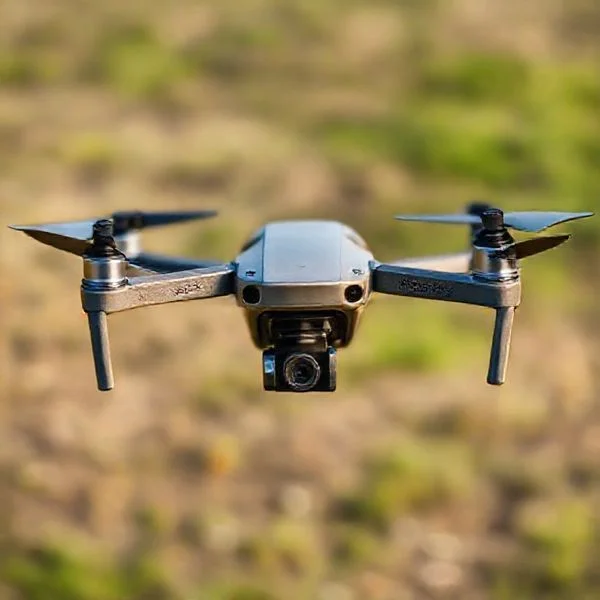
Registering your drone does more than just keep you legal; it integrates you into the national airspace system. It ensures that you have acknowledged the basic safety guidelines and that your drone can be identified by the FAA and law enforcement via Remote ID. Whether you are flying a DJI Mavic for fun or a custom build for a roofing business, the registration process is your first step toward responsible flight. This guide focuses on the 2024 requirements to ensure you don’t waste money on third-party “middleman” sites that overcharge for this simple government service.
Prime for Young Adults — 6 Months Free
Exclusive Offer Amazon Prime for Young Adults, Students and 18–24s get six months of Prime free, then half price.
Start 6 Months Free As an Amazon Associate I earn from qualifying purchases.FAA Registration Requirements: Weight Thresholds and Exemptions
Recommended Best Deal Products
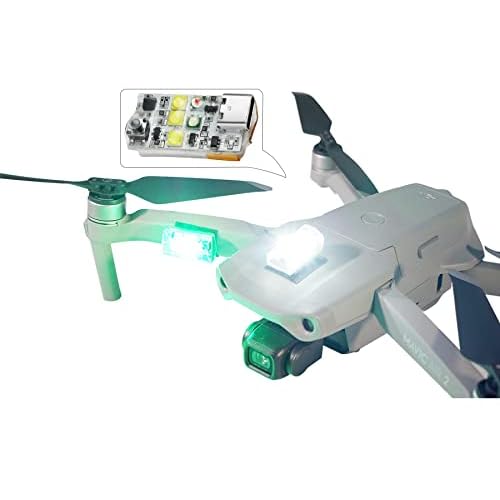


The first step in compliance is determining if your specific drone even requires registration. The FAA uses weight as the primary factor for recreational flyers. If your drone weighs between 0.55 pounds (250 grams) and 55 pounds, you must register. If you are unsure of your drone’s weight, check the manufacturer specifications or use a small kitchen scale to weigh the aircraft with the battery and propellers attached.
The 250-Gram Threshold
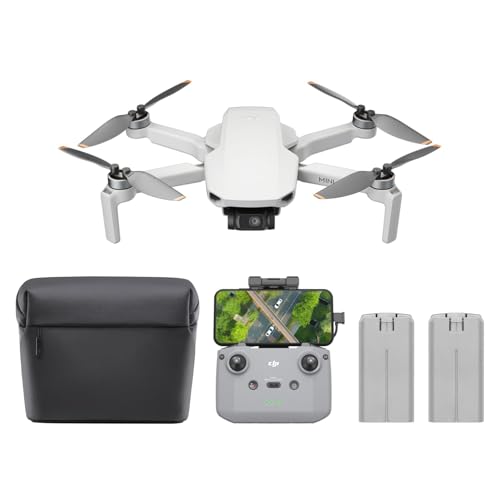
Many popular “mini” drones, such as the DJI Mini 4 Pro, are designed specifically to weigh 249 grams. For recreational flyers, these drones are exempt from registration. However, there is a major catch: if you add any accessories, such as prop guards, a payload, or even a larger battery, and the weight crosses 250 grams, the exemption disappears. You must then register the drone immediately. Furthermore, if you use a sub-250g drone for any commercial purpose, the weight exemption no longer applies, and registration becomes mandatory.
Mandatory Remote ID Integration
As of 2024, most drones required to be registered must also comply with Remote ID rules. When you register your drone through the FAA DroneZone, you will be asked for a Remote ID Serial Number. This is not the same as your drone’s general serial number; it is a specific code (usually starting with 1581) that allows the drone to broadcast its position and identity while in flight. Most drones manufactured after late 2022 have this built-in, but you must ensure this number is correctly entered during your registration to be fully compliant.
- Weight Limit: 0.55 lbs (250g) to 55 lbs.
- Cost: 5 dollars for three years.
- Display: Your FAA number must be visible on the exterior of the drone.
- Age: You must be at least 13 years old to register.
Master FAA Drone Registration in 7 Simple Steps
Navigating the legal landscape of unmanned aircraft systems (UAS) can feel like flying through a thick fog, but registering your drone with the Federal Aviation Administration (FAA) is the most critical step for any pilot. This guide covers the entire process of getting your drone “license plate” through the official FAA DroneZone portal. Whether you are a hobbyist flying for fun or a professional pilot launching a business, following these steps ensures you stay compliant with federal law, avoid hefty fines that can reach thousands of dollars, and contribute to the safety of the national airspace. By the end of this walkthrough, you will have a valid registration certificate and a properly labeled aircraft ready for takeoff.
Step 1: Determine Your Flying Category
What you need: Knowledge of your primary flying purpose and the weight of your drone (measured in grams or pounds).
Instructions: Before you spend a dime, you must identify which FAA regulation you fall under. If you are flying purely for fun, relaxation, or personal enjoyment, you qualify as a “Recreational Flyer” under Exception for Limited Recreational Operations (Section 44809). However, if you are flying for any commercial purpose—including real estate photography, roof inspections, or even monetized YouTube videos—you must register under “Part 107.” Additionally, check your drone’s weight. If your drone weighs less than 250 grams (0.55 lbs) and you are flying strictly for recreation, you are not legally required to register it. However, any drone over 250g, or any drone used for commercial purposes regardless of weight, must be registered immediately.
Pro Tip: When in doubt, register under Part 107. While it requires a remote pilot certificate, it offers more flexibility for future opportunities, whereas recreational registration strictly forbids any form of compensation or business use.
Prime for Young Adults — 6 Months Free
Exclusive Offer Amazon Prime for Young Adults, Students and 18–24s get six months of Prime free, then half price.
Start 6 Months Free As an Amazon Associate I earn from qualifying purchases.Step 2: Gather Essential Device Information
What you need: Your drone’s make, model, and the manufacturer’s serial number, plus a valid credit or debit card.
Instructions: You need specific technical details for every drone you intend to register. Locate the serial number (SN), which is usually found inside the battery compartment, on a sticker on the aircraft’s fuselage, or within the settings menu of your flight controller app (like DJI Fly or Autel Sky). If your drone is equipped with Remote ID—which is now mandatory for most flights—you will also need the Remote ID serial number. In many cases, this is the same as the aircraft serial number, but some manufacturers add a prefix. Have your physical mailing address and a valid email address ready, as the FAA will use these for official correspondence and to send your digital certificate.
Pro Tip: Take a clear photo of the serial number sticker with your phone. These numbers are often printed in tiny, 4-point font and are easy to misread; zooming in on a high-resolution photo prevents “0” vs. “O” or “1” vs. “I” transcription errors.
Step 3: Create an Official FAA DroneZone Account
What you need: A computer or smartphone with internet access and a secure email account.
Instructions: Head to the official FAA DroneZone website (faadronezone-access.faa.gov). Be extremely cautious of third-party websites that look official but charge “service fees” of $50 or more; the FAA only charges a flat $5 fee. Click on “Create Account” and enter your name and email. You will receive a verification email shortly after. Click the link in that email to verify your identity and set a strong password. Once logged in, you will be prompted to choose your service. Select “I am a Recreational Flyer” or “I am a Part 107 Dashboard” based on the determination you made in Step 1. You will then be taken to your specific dashboard where you can manage your “inventory.”
Pro Tip: Use a permanent personal email rather than a work email. Since registration lasts for three years, you want to ensure you still have access to the account when it comes time for renewal, even if you change jobs.
Step 4: Enter Your Drone Details into the Inventory
What you need: The make, model, and serial numbers gathered in Step 2.
Prime for Young Adults — 6 Months Free
Exclusive Offer Amazon Prime for Young Adults, Students and 18–24s get six months of Prime free, then half price.
Start 6 Months Free As an Amazon Associate I earn from qualifying purchases.Instructions: In your dashboard, click on “Add Device” or “Manage Device Inventory.” You will be asked if your drone is Remote ID compliant. Most modern drones (produced after September 2022) have built-in Remote ID. Select “Yes” and enter the serial number. You must also specify the “Device Type,” which is usually “UAS” (Unmanned Aircraft System). Enter the manufacturer (e.g., DJI, Skydio, Parrot) and the specific model (e.g., Mavic 3 Pro, Anafi). If you are a recreational flyer, you only register once for $5 and apply that one registration number to all your drones. If you are a Part 107 pilot, you must register each individual drone separately for $5 each.
Pro Tip: If you are flying a home-built drone that doesn’t have a manufacturer serial number, you may need to provide a custom ID or indicate that it is a “Homebuilt” aircraft in the description fields provided by the FAA.
Step 5: Complete the Checkout and Payment
What you need: A credit or debit card for the $5.00 registration fee.
Instructions: Once your inventory is updated, proceed to the “Shopping Cart” or “Checkout” section. Review your information carefully; ensure your physical address is correct, as this is a legal federal document. You will be redirected to a secure payment gateway (usually via Pay.gov). Enter your payment details. The fee is currently $5.00 USD for a three-year registration period. After the transaction is processed, do not close the window until you are redirected back to the FAA DroneZone. You should receive a confirmation screen and an automated receipt via email almost immediately. This payment covers the administrative costs of maintaining the database and the Remote ID infrastructure.
Pro Tip: If your payment fails, check if your browser is blocking pop-ups. The Pay.gov interface sometimes opens in a new window or uses scripts that strict ad-blockers might flag, preventing the transaction from completing.
Step 6: Download and Print Your Certificate
What you need: A printer or a mobile device with storage for PDF files.
Instructions: Once payment is confirmed, go back to your DroneZone dashboard. Look for a button or tab labeled “Download Certificate” or “View Inventory.” Your registration will have a unique number starting with “FA” (for recreational) or a unique alphanumeric string (for Part 107). Open the PDF document. You are legally required to have this certificate in your possession whenever you are operating your drone. You can print a physical copy to keep in your drone’s carrying case, or you can save a digital copy to your smartphone. If a law enforcement officer or FAA representative asks to see your registration, showing them the PDF on your phone is generally acceptable.
Pro Tip: Laminate your printed certificate. Drone flying often happens in humid, dusty, or outdoor environments where paper can easily degrade. A small laminated card fits perfectly in a battery slot or side pocket of your gear bag.
Step 7: Mark Your Drone with the Registration Number
What you need: A permanent marker, a label maker, or custom-ordered vinyl stickers.
Instructions: Federal law requires your FAA registration number to be visible on the exterior of the aircraft. It cannot be hidden inside a battery compartment or under a cover. The markings must be legible and permanent (or at least semi-permanent, like a high-quality sticker). Most pilots use a label maker with black-on-clear tape to keep the drone looking professional. Place the label on the main body of the drone (the fuselage) where it won’t interfere with sensors, propellers, or cooling vents. The numbers must be written in English and use Roman numerals/Arabic digits. If you have multiple drones as a recreational flyer, use the same registration number on every aircraft in your fleet.
Pro Tip: Place your phone number on the drone alongside the FAA registration. While the FAA number helps the government, a phone number helps a fellow citizen return your drone to you if it ever crashes or gets lost in a “flyaway” situation.
✅ Final Checklist
- Verify that your registration number starts with “FA” (for recreational) or is the unique 107 code.
- Ensure the registration number is applied to the EXTERIOR of the drone and is clearly legible.
- Confirm you have a digital or physical copy of your certificate in your drone bag.
- Check the expiration date (exactly three years from the date of registration).
- If you are a recreational flyer, ensure you have also taken the TRUST (The Recreational UAS Safety Test) and have that certificate as well.
Important Notes:
- Safety First: Registration does not grant you permission to fly anywhere. Always check “B4UFLY” or a similar LAANC-enabled app to ensure you are not in restricted airspace.
- Renewal: You must renew your registration every three years. The FAA usually sends a reminder email 60 days before expiration.
- Privacy: Be aware that your name and city may be searchable in the public FAA database via your registration number.
- Cost: The total cost is $5.00 for a 3-year period. Total time to complete these steps is approximately 15–30 minutes.
Recreational vs. Commercial (Part 107) Registration Differences
Recommended Best Deal Products


The FAA categorizes drone pilots into two distinct groups. Choosing the wrong category during registration is a common mistake that can lead to legal issues later. Your registration type is defined by the intent of your flight, not the type of drone you own or whether you are actually making money at that exact moment.
Flying for Fun: The Recreational Flyer
If you are flying strictly for personal enjoyment, you fall under the Exception for Limited Recreational Operations (Section 44809). For recreational flyers, the FAA offers a “blanket” registration. You pay 5 dollars once, and that single registration number applies to all the drones in your personal fleet. You do not need to register each drone individually. You simply mark every drone you own with the same FAA registration number. This is the most cost-effective path for hobbyists who own multiple aircraft.
Flying for Business: Part 107 Commercial
If you use your drone to further a business, take photos for a real estate listing, or perform inspections, you are a commercial pilot under Part 107. Under these rules, every single drone must be registered individually. Even if you have five identical drones, you must pay 5 dollars for each one and receive five unique registration numbers. There is no “fleet” discount for commercial pilots. It is also important to note that you must have a Remote ID serial number for every individual aircraft registered under Part 107.
Starting the FAA DroneZone Process
To begin the registration, you must create an account on the official FAA DroneZone website. Avoid any site that asks for more than 5 dollars per drone; these are third-party services that are not necessary. Follow these steps to set up your account correctly:
- Navigate to the official FAA DroneZone portal.
- Click on “Create Account” and provide a valid email address.
- Verify your email through the link the FAA sends you.
- Select your service: “Inventory” for Part 107 or “Manage” for Recreational.
- Complete the “User Profile” with your physical address and contact information.
Ensure that your profile information matches your legal ID, as this data is used to verify your registration during any potential ramp checks by FAA officials or local law enforcement. Once your account is active, you are ready to enter your specific drone details and Remote ID information.
Essential Documentation and Hardware Information for Success
Hunting Down Your Serial Number
Before you even open the FAA DroneZone portal, you need to have your hardware details ready. The most critical piece of information is your drone’s unique serial number. This isn’t the same as the box’s UPC or a part number; it is a specific string of alphanumeric characters assigned to your individual aircraft. For most modern drones, like those from DJI or Autel, you can find this tucked inside the battery compartment, printed on a small sticker on the airframe, or located within the “About” section of your flight controller app.
Pro Tip: Take a clear photo of the serial number with your smartphone. It’s much easier to zoom in on a photo than it is to squint at tiny text inside a dark battery bay while you’re trying to type on your computer.
Weight Matters: The 250-Gram Threshold
Understanding your drone’s weight is essential because it dictates your legal requirements. In the eyes of the FAA, the 250-gram mark is the magic number. If you are flying for purely recreational purposes and your drone weighs less than 250 grams (like a DJI Mini series), you aren’t strictly required to register it. However, if you plan to use that same lightweight drone for any commercial work—even just a quick photo for a real estate friend—registration becomes mandatory under Part 107 rules.
- Recreational: Registration required for drones 250g and over.
- Commercial (Part 107): Registration required for ALL drones, regardless of weight.
- Accessories: Remember that adding prop guards or a larger battery might push a “mini” drone over the 250g limit!
Post-Registration Compliance: Remote ID and Physical Labeling
Recommended Best Deal Products


Visibility Rules: Labeling Your Aircraft
Once you’ve received your FAA registration number, your job isn’t finished. You must physically display that number on the exterior of your drone. The FAA is very specific about this: the number must be legible and visible on a permanent part of the aircraft. You cannot hide it inside a battery compartment or under a removable plate. This ensures that if your drone is found or inspected, the owner can be identified quickly by authorities.
For a clean look, many pilots use a handheld label maker with clear adhesive tape. If you’re in a pinch, a fine-tip permanent marker works, though it might decrease the resale value of your gear. Whatever method you choose, make sure the text is high-contrast. For example, use white ink on a dark drone or black ink on a light-colored frame. Avoid placing the label over sensors, vents, or moving parts like gimbals.
Remote ID: Your Digital Handshake
In 2024, registration and physical labeling are joined by a third requirement: Remote ID. Think of this as a digital license plate that broadcasts your drone’s location and identification while in flight. Most drones manufactured in the last two years have this technology built-in. During the registration process, you will be asked for your Remote ID serial number—which is often the same as your aircraft serial number, but not always.
- Check Compatibility: Verify on the FAA’s website if your drone has built-in Remote ID.
- Add-on Modules: If you are flying an older “legacy” drone, you may need to purchase a separate Remote ID broadcast module to stay legal.
- Stay Updated: Always keep your drone’s firmware current, as manufacturers often push Remote ID compliance updates via software.
The Path to Legal Flight
Registering your drone with the FAA is more than just a legal hurdle; it is a commitment to the safety of our shared airspace. By gathering your documentation, labeling your craft correctly, and ensuring your Remote ID is active, you are doing your part to keep the skies open for everyone. Remember that laws can evolve, so staying informed is just as important as keeping your batteries charged.
Now that you understand what is required, your next step is to head over to the official FAA DroneZone website and complete your filing. Once your registration is confirmed and your labels are applied, you can fly with the peace of mind that you are fully compliant. Safe flying, and enjoy the view from above!
❓ Frequently Asked Questions
What happens if I fly an unregistered drone?
Failure to register can result in significant civil penalties up to $27,500 and potential criminal fines or imprisonment for serious violations.
Can I register multiple drones under one account?
Recreational flyers pay a single $5 fee to cover all their drones, while commercial Part 107 flyers must pay $5 for each individual aircraft registered.
What is the age requirement for drone registration?
You must be at least 13 years old to register a drone in your own name; if the pilot is younger, a parent or guardian must handle the registration.
Does registration include the TRUST test for recreational flyers?
No, registration is a separate requirement from the TRUST (The Recreational UAS Safety Test), which all recreational flyers must also complete and carry proof of.
How do I find my drone’s serial number for registration?
The serial number is typically located inside the battery compartment, on the original packaging, or found within the ‘About’ section of the drone’s flight control app.
What is the difference between a ‘Modeler’ and ‘Non-Modeler’ account?
The FAA DroneZone uses ‘recreational flyer’ for hobbyists and ‘Part 107’ for commercial pilots; ensure you select the correct ‘Inventory’ type during the setup process.