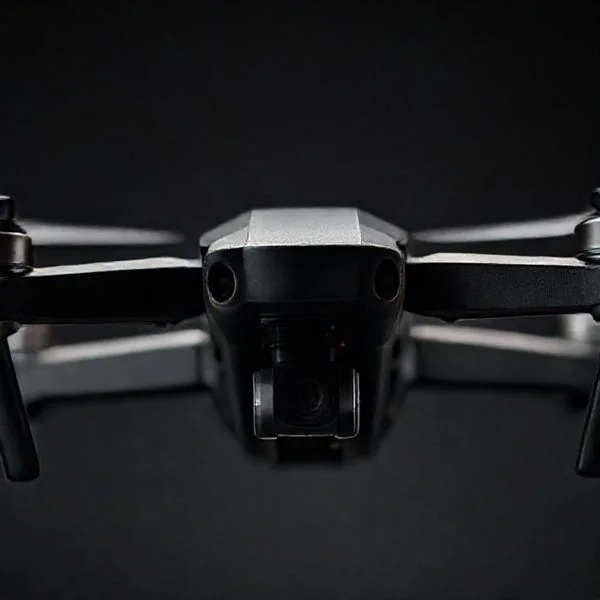
Drones fly by using varying motor speeds to create lift and control direction based on Newton’s Third Law. The Flight Controller acts as the brain, processing sensor data to maintain stability and execute pilot commands. By tilting and rotating, drones achieve precise aerial movement through complex physics.
🎯 Key Takeaways
- Drones use propellers to push air down, creating upward thrust.
- Opposite propeller rotations cancel out torque to prevent spinning.
- Changing individual motor speeds allows for pitch, roll, and yaw.
- The flight controller makes thousands of adjustments per second for stability.
- Gyroscopes and accelerometers provide real-time orientation data to the drone.
A quadcopter stays airborne by balancing four distinct physical forces: lift, weight, thrust, and drag. By independently varying the speed of four individual motors, your drone manipulates the air to move in three-dimensional space. It is not just about spinning blades; it is about high-speed calculations that adjust motor RPM thousands of times per second to maintain stability and execute commands.
Recommended Best Deal Products

Understanding these mechanics is essential if you want to master manual flight or troubleshoot performance issues. When you know how motor thrust translates into movement, you can better predict how your drone will react to wind or weight changes from accessories like heavier batteries or cinema cameras. This knowledge allows you to fly with more precision and safety.
The Physics of Lift and Newton’s Third Law
At its core, a drone is a flying illustration of Newton’s Third Law of Motion: for every action, there is an equal and opposite reaction. As the propellers spin, their curved airfoil shape creates a pressure difference. They push a mass of air downward, and in return, the air pushes the drone upward. This upward force is what we call lift. To stay in the air, the motors must generate enough lift to perfectly offset the force of gravity pulling the drone down.
Propeller Pitch and Thrust Generation
The “pitch” of your propeller—the angle of the blades—determines how much air is moved per rotation. A steeper pitch moves more air but requires more torque from the motor. When the total lift generated by all four rotors exceeds the total weight of the drone, the aircraft ascends. The flight controller manages this by sending specific voltage signals to the Electronic Speed Controllers (ESCs).
- Hovering: Total thrust equals the drone’s total weight.
- Ascending: All four motors increase RPM simultaneously to produce thrust greater than weight.
- Descending: All four motors decrease RPM, allowing gravity to pull the drone down.
Counteracting Torque with Rotation
If all four propellers spun in the same direction, the drone’s body would spin uncontrollably in the opposite direction due to torque. To solve this, quadcopters use two propellers spinning clockwise (CW) and two spinning counter-clockwise (CCW). These opposing forces cancel each other out, keeping the drone’s chassis stable. This configuration is why you must always match the correct “A” or “B” propeller to the corresponding motor during maintenance.
The Ultimate Drone Flight Dynamics Walkthrough
To the casual observer, a drone seems to defy gravity with effortless grace. However, behind every smooth hover and sharp bank is a complex symphony of physics, electronics, and rapid-fire software calculations. This guide breaks down the sophisticated mechanisms of quadcopter flight, moving from the raw electrical power of the battery to the aerodynamic principles that keep the craft airborne. Understanding these steps is essential for anyone looking to master piloting, troubleshoot mechanical failures, or even build their own unmanned aerial vehicle (UAV) from scratch.
Step 1: Harvesting Energy from the Power Distribution System
What you need: A high-discharge Lithium Polymer (LiPo) battery, a Power Distribution Board (PDB), and heavy-gauge silicone wiring.
Instructions: The process of flight begins with the storage and regulated release of electrical energy. Most drones utilize LiPo batteries because they offer a high energy-to-weight ratio and can discharge current rapidly. The battery connects to the Power Distribution Board (PDB), which acts as the drone’s “circulatory system.” This board takes the raw voltage from the battery (typically 11.1V for a 3S battery or 14.8V for a 4S battery) and splits it among the four Electronic Speed Controllers (ESCs). It also often steps down the voltage to 5V or 12V to power the flight controller and various sensors. Without a stable and sufficient flow of current, the motors cannot generate the torque required to spin the propellers fast enough to overcome the force of gravity.
Pro Tip: Always check your battery’s “C-rating.” A higher C-rating allows the drone to pull more current during aggressive maneuvers, preventing “voltage sag” which can cause the flight controller to reboot mid-air.
Step 2: Converting Signals via Electronic Speed Controllers (ESCs)
What you need: Four high-amp ESCs (30A-50A recommended) and a digital communication protocol like DShot or Multishot.
Instructions: The ESCs are the translators of the drone. They receive low-voltage signals from the flight controller and convert them into high-power, three-phase AC pulses for the brushless motors. This is a highly dynamic process; an ESC may change the motor speed hundreds of times every second. By varying the frequency and timing of these electrical pulses, the ESC controls the RPM (revolutions per minute) of each individual motor. This precise control is the secret to a drone’s stability. If the drone tilts slightly to the left due to a gust of wind, the ESCs on the left side instantly increase the motor speed to generate more lift and level the craft back out before the pilot even notices the shift.
Pro Tip: Ensure your ESCs have adequate airflow. They generate significant heat during flight, and an overheated ESC can “thermal throttle,” causing a sudden loss of power to one motor and an immediate crash.
Step 3: Generating Thrust through Brushless Motor Rotation
What you need: Four brushless outrunner motors (measured in KV, such as 2300KV or 1700KV) and mounting hardware.
Instructions: Drones use brushless motors because they are more efficient and durable than brushed alternatives. Inside the motor, permanent magnets are attached to the outer “bell,” while copper coils sit on the inner “stator.” As the ESC sends electricity through the coils, it creates an electromagnetic field that pushes against the magnets, causing the bell to spin. The speed of rotation is determined by the motor’s KV rating (RPM per volt). A higher KV motor spins faster but provides less torque, whereas a lower KV motor handles larger propellers. These motors are responsible for the raw mechanical force needed to move air, turning the electrical energy into kinetic energy that will eventually result in lift.
Pro Tip: Periodically check for “bent bells” or “notchy” bearings by spinning the motors by hand. Even a tiny vibration can confuse the flight controller’s sensors and lead to “washout” during turns.
Step 4: Leveraging Aerodynamics with Propeller Pitch
What you need: Two clockwise (CW) and two counter-clockwise (CCW) propellers, usually identified by “R” or “P” markings.
Instructions: Propellers are essentially rotating wings. As they spin, the curved shape of the blades creates a pressure difference (Bernoulli’s Principle) and pushes air downward (Newton’s Third Law). This downward movement of air creates an equal and opposite upward force called lift. In a quadcopter, the propellers are arranged in a specific pattern: the front-left and back-right spin clockwise, while the front-right and back-left spin counter-clockwise. This configuration is vital because it cancels out the “torque effect.” If all propellers spun in the same direction, the body of the drone would spin uncontrollably in the opposite direction. By balancing these opposing rotational forces, the drone can remain perfectly stationary in the air.
Pro Tip: Never mix up your CW and CCW propellers. If you install them on the wrong motors, the drone will push itself into the ground instead of taking off, or flip over violently the moment you apply throttle.
Step 5: The Flight Controller and the Inertial Measurement Unit (IMU)
What you need: A flight controller (FC) with an F4, F7, or H7 processor and a built-in gyroscope/accelerometer chip.
Instructions: The Flight Controller is the “brain” of the drone. It contains a sensor called an Inertial Measurement Unit (IMU), which consists of a gyroscope (to measure rotation) and an accelerometer (to measure linear movement). The FC runs firmware (like Betaflight or ArduPilot) that calculates the drone’s orientation in 3D space. It compares the pilot’s stick inputs with the actual data from the sensors. If the pilot wants the drone to stay level, but the sensors detect a 5-degree tilt to the right, the FC calculates exactly how much to increase the speed of the right-side motors to correct the error. This “PID loop” (Proportional, Integral, Derivative) happens thousands of times per second (typically 8kHz), making the flight feel smooth and responsive.
Pro Tip: Mount your flight controller on rubber “soft mounts” or vibration-dampening gummies. This prevents mechanical noise from the motors from reaching the gyro, which significantly improves flight stability.
Step 6: Executing Maneuvers via Pitch, Roll, and Yaw
What you need: A 2.4GHz or 900MHz Radio Transmitter (Controller) and a compatible receiver on the drone.
Instructions: To move in any direction, the drone alters the relative speeds of its four motors. To “Pitch” forward, the rear motors spin faster while the front motors slow down, tilting the drone forward and directing its thrust backward. To “Roll” to the right, the left motors speed up. “Yaw” (rotating on the vertical axis) is achieved by speeding up the two motors spinning in one direction and slowing down the other two; the resulting torque imbalance causes the drone to rotate without gaining or losing altitude. Finally, “Throttle” is simply the simultaneous increase or decrease of speed across all four motors to control vertical movement. This coordination of four independent thrust vectors allows for 360-degree maneuverability in 3D space.
Pro Tip: Practice “Throttle Management” first. Beginners often “punch” the throttle too hard, causing the drone to skyrocket, followed by a panic-induced cut of power that results in a hard crash.
✅ Final Checklist
- Verify that the propeller direction matches the motor rotation direction (CW vs. CCW).
- Ensure the Flight Controller is oriented correctly (the arrow on the board should point toward the front).
- Check that the battery is securely strapped and the center of gravity is balanced in the middle of the frame.
- Confirm the ESCs are calibrated so all four motors start spinning at the exact same throttle percentage.
- Test the fail-safe mechanism to ensure the motors stop immediately if the radio signal is lost.
Important Notes:
- Safety: Always remove propellers when working on the drone while the battery is plugged in. A motor “glitch” can cause serious injury.
- Professional Help: If your drone vibrates excessively despite tuning software, you may have a hardware “noise” issue that requires an oscilloscope or advanced filtering knowledge to diagnose.
- Estimated Time and Cost: Learning the physics of flight takes a few hours of study. Building/Configuring a flight-ready drone typically takes 4–10 hours and costs between $200 and $600 for a standard hobbyist kit.
Understanding Directional Control: Pitch, Roll, and Yaw
Directional control in a drone is achieved through “differential thrust.” Unlike an airplane that uses moving flaps or a helicopter that uses a complex swashplate, a quadcopter changes direction simply by making some motors spin faster than others. This creates an intentional imbalance that tilts the craft, allowing it to move along different axes.
Pitch: Moving Forward and Backward
To move forward, your drone needs to tilt its nose down. The flight controller accomplishes this by increasing the speed of the two rear motors while simultaneously decreasing the speed of the two front motors. This imbalance creates more lift at the back than the front, causing the drone to pitch forward.
- Forward Pitch: Rear motors spin faster; front motors spin slower.
- Backward Pitch: Front motors spin faster; rear motors spin slower.
This tilt redirects a portion of the upward lift backward. Because the force is now pushing at an angle, the drone is propelled forward across the ground. The steeper the angle of the pitch, the faster the drone will travel, though it requires more total power to maintain its altitude while tilted.
Roll: Moving Left and Right
Roll works on the same principle as pitch but uses the side-to-side motor pairs. To roll to the right, the drone increases the RPM of the two left-side motors and decreases the RPM of the two right-side motors. This imbalance causes the drone to “lean” to the right, sliding it horizontally through the air without changing the direction the camera is pointing. This is critical for “strafing” shots in cinematography or navigating tight gaps in FPV racing.
Yaw: Rotating the Heading
Yaw is the movement that rotates the drone’s nose to face a different compass heading. This maneuver relies entirely on torque rather than tilting. To rotate the drone’s nose to the left, the flight controller increases the speed of the two propellers spinning clockwise and decreases the speed of the two spinning counter-clockwise. Because the torque is no longer balanced, the body of the drone rotates in the opposite direction of the faster-spinning pair to conserve angular momentum. This allows you to turn the drone without moving it from its current coordinates in the sky.
The Role of the Flight Controller and Internal Sensors
If the motors are the muscles of the drone, the Flight Controller (FC) is undoubtedly the brain. A quadcopter is inherently unstable; without a computer making thousands of micro-adjustments every second, the craft would tumble out of the sky the moment it encountered a light breeze. The FC interprets your stick inputs and translates them into specific motor speeds to keep the flight smooth and predictable.
The IMU: Maintaining Perfect Equilibrium
The core of the flight controller is the Inertial Measurement Unit (IMU). This tiny chip contains a gyroscope and an accelerometer. The gyroscope measures rotation (tilt), while the accelerometer measures linear acceleration. Together, they tell the drone exactly which way is “up” and whether it is drifting off-course. When you let go of the controller sticks, the FC uses this data to automatically level the drone back to a horizontal hover.
Advanced Sensors for Precision Flight
Modern drones utilize more than just basic tilt sensors. Depending on the model, your flight controller might also interact with:
- Barometer: Measures air pressure to maintain a consistent altitude without the pilot needing to touch the throttle.
- Magnetometer: Acts as a digital compass, helping the drone maintain its heading and assisting with GPS-based navigation.
- GPS Module: Provides coordinates that allow the drone to “lock” its position in space, resisting wind drift entirely.
Practical Tip: Always perform a compass calibration if you travel to a new flying location. External magnetic interference can confuse the sensors, leading to “toilet bowl effect” where the drone circles uncontrollably.
Torque Management and Propeller Configuration
You might have noticed that your drone propellers aren’t all the same. In a quadcopter setup, two motors spin clockwise (CW) while the other two spin counter-clockwise (CCW). This isn’t an accident; it is a fundamental requirement based on Newton’s Third Law of Motion: for every action, there is an equal and opposite reaction.
Canceling Out the Spin
When a motor spins a propeller, it creates torque that wants to spin the body of the drone in the opposite direction. If all four propellers spun the same way, your drone would simply spin wildly in circles on the ground. By having diagonal pairs spin in opposite directions, the torque from the CW motors cancels out the torque from the CCW motors. This creates a state of rotational equilibrium, allowing the drone to stay pointed in one direction.
How a Drone Turns (Yaw Control)
To turn (or “yaw”) the drone, the flight controller intentionally creates a torque imbalance. If the drone needs to turn right, it increases the speed of the two counter-clockwise motors and slows down the clockwise motors. The total lift remains the same, so the drone doesn’t lose altitude, but the unequal torque forces the drone’s body to rotate. It’s a delicate balancing act that happens instantly behind the scenes.
- Propeller Markings: Most props are labeled “A” or “B” or have specific notches to indicate their rotation direction.
- Visual Check: Ensure the “leading edge” (the thicker, higher side) of the blade is the side moving forward as the motor spins.
- Specific Tip: Using high-quality, balanced propellers reduces “jello” in your video footage. Unbalanced props create vibrations that can confuse the onboard gyroscope.
Conclusion: Mastering the Skies
Understanding the physics of quadcopter flight transforms you from a casual operator into a more capable pilot. By balancing the four forces of flight and leveraging the incredible processing power of the flight controller, drones achieve a level of agility that was impossible just a few decades ago. From the torque-canceling spin of the propellers to the constant data stream from the IMU, every component works in harmony to keep your craft airborne.
To put this knowledge into practice, try these next steps:
- Observe the Yaw: Find a safe, open space and practice slow rotations to see how the drone maintains altitude while turning.
- Inspect Your Gear: Check your propellers for nicks or bends, as even small physical changes can disrupt the delicate physics we’ve discussed.
Ready to take your flight experience to the next level? Explore our range of high-performance propellers and flight accessories to ensure your drone is always operating at peak efficiency!
❓ Frequently Asked Questions
How do drones achieve ‘lift’ against gravity?
Drones achieve lift by spinning propellers at high speeds to create a pressure difference, pushing air downward. According to Newton’s Third Law, this downward force generates an equal upward force (thrust) that overcomes the drone’s weight.
What is the difference between Pitch, Roll, and Yaw?
Pitch tilts the drone forward or backward, Roll tilts it left or right, and Yaw rotates the drone’s nose to the left or right. These movements are achieved by varying the relative speeds of specific motor pairs.
Why is the flight controller considered the ‘brain’ of the drone?
The flight controller processes data from the GPS, gyroscope, and accelerometer to make micro-adjustments to motor speeds. It ensures the drone remains stable and follows the pilot’s input despite external factors like wind.
How does a drone rotate without moving in a specific direction?
To yaw (rotate), the drone increases the speed of the two propellers spinning in the desired direction and decreases the others. This creates a torque imbalance that turns the frame while maintaining constant total lift.
What role does the ‘IMU’ play in drone flight?
The Inertial Measurement Unit (IMU) combines gyroscopes and accelerometers to track the drone’s orientation and acceleration. This data is critical for the flight controller to correct unwanted tilting and maintain a level hover.
Why are brushless motors preferred for drones?
Brushless motors offer higher efficiency, better reliability, and faster response times compared to brushed motors. This allows for the rapid speed changes necessary to maintain stability and perform complex maneuvers.