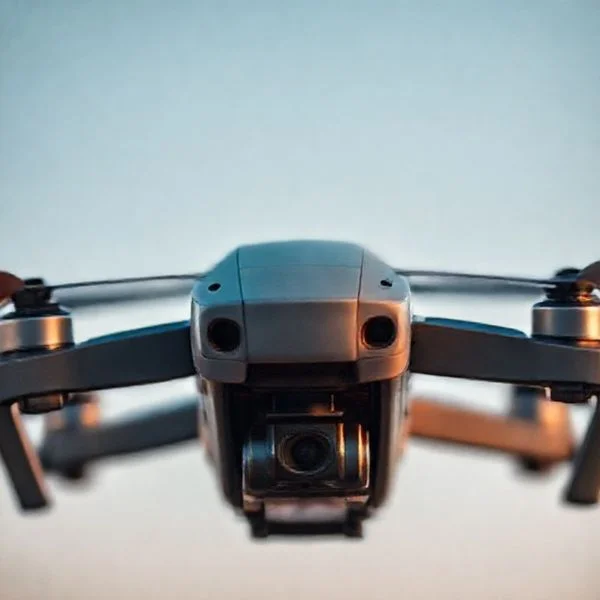
To safely bring a drone down, pilots must prioritize emergency landing protocols and flight controller overrides to prevent crashes. For drones already stuck, specialized retrieval tools like throw lines are essential, while interfering with others’ drones remains a serious federal offense.
🎯 Key Takeaways
- Use Return-to-Home (RTH) as the primary emergency landing response.
- Manual overrides are essential for preventing flyaways during GPS loss.
- Arborist throw lines are the safest tool for tree retrievals.
- Disabling another person’s drone violates federal aviation laws and regulations.
- Angled descents prevent ‘Vortex Ring State’ during rapid emergency landings.
To bring a drone down safely during a flight crisis, you must master three primary methods: initiating a manual Return-to-Home (RTH) override, executing a “Force Land” command via the flight app, or performing a Combination Stick Command (CSC) to cut motor power immediately. Whether you are dealing with a critical battery level, a sudden flyaway, or a localized signal jam, the goal is to stabilize the descent before the craft becomes a kinetic hazard. Efficiently managing these protocols ensures you protect your expensive hardware and maintain compliance with local airspace safety regulations.
Prime for Young Adults — 6 Months Free
Exclusive Offer Amazon Prime for Young Adults, Students and 18–24s get six months of Prime free, then half price.
Start 6 Months Free As an Amazon Associate I earn from qualifying purchases.Practical retrieval isn’t just about software; it also involves physical intervention when a drone becomes lodged in a tree or structure. Understanding the mechanical overrides of your specific flight controller allows you to dictate where and how the drone hits the ground, rather than leaving it to gravity. This guide focuses on the technical tools and hardware maneuvers necessary to regain control when your standard flight path is compromised.
Critical Flight Controller Features for Emergency Descents
Recommended Best Deal Products


Your flight controller is the brain of your unmanned aircraft system (C-UAS) technologies”>aircraft. It has built-in failsafes designed to bring the craft down when things go wrong. Most modern drones use specific software triggers to manage emergency landings. If you lose visual line of sight or experience a flyaway, your first move should be the RTH (Return-to-Home) trigger. However, you must know how to modify its behavior in real-time to avoid obstacles.
Mastering the Force Land and RTH Overrides
When your battery hits a critical threshold (usually below 10%), most drones initiate an automatic landing. You can often override the landing spot by holding the throttle stick up. This pauses the descent while you maneuver the drone to a clear area. If the drone is drifting or acting erratically, use the following steps:
- Cancel RTH: If the drone flies toward an obstacle during its return, tap the “X” on your screen. You can also press the RTH button once to regain manual control.
- Engage Landing Protection: Ensure your downward sensors are active. This feature detects if the ground is suitable. It will hover the drone at 0.5 meters until you confirm the final descent.
- Manual Descent Rate: In high winds, push the left stick (in Mode 2) fully down. Most controllers limit descent speed to 3-4 m/s to prevent “vortex ring state,” which causes wobbling.
The Emergency Motor Kill (CSC)
The Combination Stick Command (CSC) is your “nuclear option.” This command stops the motors mid-air, causing the drone to fall like a stone. Use this only if the drone is about to hit a person or enter restricted airspace. For most DJI and similar controllers, you pull both sticks to the bottom inner or outer corners simultaneously. This is a hard-coded hardware override that bypasses software glitches. Using this at high altitudes will likely result in total hull loss, but it prevents the drone from traveling miles away in a dangerous flyaway scenario.
How to Land Your Drone Like a Pro: A Practical Walkthrough
Bringing a drone down safely is arguably the most critical skill any pilot can master. While taking off is often as simple as a button press, the descent and touchdown phase involve navigating wind currents, battery fluctuations, and surface hazards. This guide covers everything from routine landings to emergency grounding procedures, ensuring that both your expensive equipment and the people around you remain safe. Whether you are a hobbyist or a commercial pilot, following a standardized landing protocol prevents “fly-aways” and mechanical damage, extending the lifespan of your aircraft significantly.
Step 1: Selecting and Clearing the Landing Zone
What you need: A flat surface (at least 3×3 feet), a portable landing pad (optional but recommended), and a clear line of sight to the landing area.
Instructions: Before you even begin your descent, you must identify a “Home Point” that is free of obstacles. Look for a flat, dry surface away from tall grass, sand, or loose gravel, which can be sucked into the motors or scratch the camera lens. If you are in a public space, ensure you are at least 15–20 feet away from bystanders to account for sudden gusts of wind. If you are using a landing pad, secure it with pegs so the drone’s downwash doesn’t blow it away. Always scan upward to ensure there are no overhanging tree branches or power lines that could interfere with a vertical descent.
Prime for Young Adults — 6 Months Free
Exclusive Offer Amazon Prime for Young Adults, Students and 18–24s get six months of Prime free, then half price.
Start 6 Months Free As an Amazon Associate I earn from qualifying purchases.Pro Tip: Avoid landing on metallic surfaces like manhole covers or car roofs, as the metal can interfere with the drone’s internal compass, causing “toilet bowl” circling during the final descent.
Step 2: Managing Battery Levels and Signal Strength
What you need: Your flight controller or tablet display and a basic understanding of your drone’s “Return to Home” (RTH) settings.
Instructions: You should begin the process of bringing the drone down when your battery reaches the 25–30% threshold. Flying until the battery is critically low (below 10%) is dangerous because the voltage can drop suddenly, causing the drone to initiate an uncontrolled “forced landing” wherever it happens to be. Check your telemetry data to ensure you have a strong GPS lock (usually 10+ satellites) and a stable radio link. If you see signal bars dropping, immediately rotate the drone so its antennas are facing you and begin moving it toward your position before it enters a failsafe state.
Pro Tip: Calibrate your “Low Battery Warning” in your app settings to 30% to give yourself a generous “buffer” for unexpected headwinds during the return flight.
Step 3: Executing the Controlled Descent
What you need: Standard dual-stick flight controller (Mode 2 is most common).
Instructions: Position the drone directly above your landing zone at an altitude of approximately 20 feet. Using the left stick (throttle), apply a gentle and consistent downward pressure. Avoid “slamming” the stick down, as rapid descents can lead to a state called “Vortex Ring State” (VRS), where the drone falls into its own turbulent wake and loses lift. Instead, descend at a rate of about 2–3 meters per second. As the drone lowers, use the right stick to make tiny “pitch” and “roll” corrections to keep it centered over the landing pad. Watch the drone itself rather than the screen during the final 10 feet of flight.
Pro Tip: If the drone starts to wobble during descent, stop the downward movement and fly forward slightly to get into “clean” air before continuing the landing.
Prime for Young Adults — 6 Months Free
Exclusive Offer Amazon Prime for Young Adults, Students and 18–24s get six months of Prime free, then half price.
Start 6 Months Free As an Amazon Associate I earn from qualifying purchases.Step 4: Navigating the Ground Effect Zone
What you need: Visual focus and steady hands on the control sticks.
Instructions: When the drone is within 1–2 feet of the ground, it will enter the “Ground Effect” zone. This is where the air pushed down by the propellers bounces off the surface and creates a high-pressure cushion, making the drone feel “floaty” or unstable. The drone may drift horizontally more than usual here. Do not panic or jerk the sticks. Maintain a steady, slow downward pressure. If your drone has downward-facing vision sensors, it will likely recognize the ground and automatically slow its descent speed to a crawl for a soft touchdown. Hold the throttle stick down until the motors completely stop spinning.
Pro Tip: On windy days, it is often safer to land slightly faster to “punch through” the ground effect turbulence rather than hovering right above the surface where a gust could flip the craft.
Step 5: Hand-Catching for Difficult Terrain
What you need: Protective gloves (optional but recommended) and a drone small enough to be gripped safely from the bottom.
Instructions: In scenarios where the ground is covered in deep snow, tall grass, or mud, a “hand catch” is the safest way to bring the drone down. Hover the drone at eye level, approximately 5 feet away from you. Slowly walk toward the drone and reach out with your palm flat. Command the drone to descend into your hand. As soon as the drone’s sensors detect your hand as the “ground,” it will land. Once you have a firm (but not crushing) grip on the undercarriage, pull the throttle stick down and hold it until the motors disarm. Never reach over the top of the drone or near the spinning propellers.
Pro Tip: Practice this in an open field on a calm day first. Hand-catching is an advanced maneuver and should only be used when a ground landing is impossible.
Step 6: Emergency “Kill” and Forced Landing Procedures
What you need: Knowledge of your specific controller’s “Combination Stick Command” (CSC).
Instructions: Sometimes, you need to bring a drone down immediately to avoid a collision or because of a mechanical failure. Most drones have a “Kill Switch” command (often pulling both sticks to the inner or outer bottom corners). Use this ONLY if the drone is a threat to people or about to fly into restricted airspace, as it will stop the motors mid-air and cause the drone to fall like a stone. For a less drastic emergency, use the “Land” button on your app. This overrides your manual inputs and uses the onboard sensors to find the nearest flat spot to touch down immediately. Use this if you lose video feed but still have telemetry data.
Pro Tip: If your drone is caught in a tree, do not attempt to fly it out. Use the “Find My Drone” feature to locate it, and use a pole or ladder to retrieve it manually to prevent motor burnout.
Step 7: Post-Landing Inspection and Power Down
What you need: A microfiber cloth and a basic drone maintenance kit.
Instructions: Once the propellers have stopped completely, the landing process is not finished until the aircraft is powered down. Approach the drone, turn off the battery first, and then turn off the remote controller; this prevents the drone from potentially trying to “reconnect” to a ghost signal. Inspect the propellers for any small nicks or green stains from grass, which can cause vibrations in future flights. Check the motor bells for heat; they should be warm but not hot to the touch. Finally, wipe down the camera lens and sensors to ensure they are clear for your next mission. Log your flight time and battery usage in your pilot logbook.
Pro Tip: If you landed in a dusty environment, use a can of compressed air to blow out the motors to prevent grit from grinding down the bearings over time.
✅ Final Checklist
- Verify the landing area is clear of people, pets, and obstacles within a 15-foot radius.
- Ensure the battery level is above 15% upon touchdown to prevent cell damage.
- Check that the “Home Point” was updated and the drone landed within 3 feet of the target.
- Confirm all motors are fully disarmed and the battery is physically removed or turned off.
- Inspect propellers and gimbal for any debris or physical damage incurred during the descent.
Important Notes:
- Safety Warning: Never attempt to grab a falling drone with your bare hands if it is tumbling; the carbon fiber propellers can cause severe lacerations.
- Professional Help: Seek a certified technician if the drone makes a “grinding” noise after landing or if the gimbal fails to calibrate upon the next startup.
- Estimated Time: A standard landing procedure takes 60–90 seconds from 100 feet altitude.
- Estimated Cost: $0 (standard procedure), though a high-quality landing pad typically costs between $15 and $30.
Specialized Equipment for High-Altitude Drone Retrieval
Sometimes bringing a drone down involves physical recovery from trees or rooftops. When the software fails or the drone is already stuck, you need mechanical leverage. High-altitude retrieval requires specialized accessories that extend your reach. These tools help you recover the craft without causing further damage to the gimbal or delicate motor arms.
Telescopic Poles and Hook Attachments
The most effective tool for a drone stuck under 50 feet is a heavy-duty telescopic pole. These are often repurposed from the window cleaning or arboriculture industries. Carbon fiber poles are preferred because they are lightweight and rigid. This prevents the “whip” effect that makes grabbing a drone difficult at height. Carbon fiber stays stiff even when fully extended.
- Reach Capacity: Look for poles that extend at least 30 to 40 feet for typical residential tree heights.
- Hook Geometry: Use a wide-gap “J-hook” or a “C-hook” attachment. These allow you to loop around the drone’s landing gear or motor arms safely.
- Non-Conductive Materials: Always use fiberglass or insulated poles if there is any chance of proximity to electrical wires. Never use aluminum near power lines.
Arborist Throw Lines and Weighted Bags
If the drone is stuck higher than a pole can reach, a throw line is your best option. This method involves throwing a weighted bag over the branch holding the drone and gently shaking it loose. Professional drone pilots often carry a kit consisting of a 12oz throw weight and 150 feet of polyethylene line. The goal is not to hit the drone directly, but to loop the supporting branch.
By creating a pulley system with the line, you can vibrate the branch until the drone dislodges. This is much safer than climbing. Always have a “spotter” with a landing net or a soft blanket held out below. They will catch the craft as it falls to prevent impact damage. This technique is highly effective for drones caught in “vines” or thin outer branches where poles cannot reach.
Legal Implications of Counter-Drone Measures and Interference
Before you even think about physically intervening with a drone, it is crucial to understand the legal minefield involved. In the United States, the Federal Aviation Administration (FAA) classifies drones as aircraft. This means they are protected by many of the same federal laws that apply to a Boeing 747. Taking “aggressive” action against a drone—no matter how annoying it might be—can lead to serious legal consequences, including heavy fines or even imprisonment.
Federal Regulations and Private Property Rights
There is a common misconception that owning land means you own the sky above it. While you have a reasonable expectation of privacy, your property rights typically do not extend into the navigable airspace. Attempting to bring down a drone that is simply passing over your property can be seen as an act of federal interference. Key legal considerations include:
- Aircraft Sabotage: Damaging a drone can be prosecuted under 18 U.S.C. § 32, which deals with the destruction of aircraft.
- Civil Liability: If you cause a drone to crash, the owner can sue you for the replacement cost, which often reaches thousands of dollars for professional-grade equipment.
- Local Privacy Laws: Instead of physical interference, most legal experts recommend documenting the drone’s behavior and reporting it to local law enforcement or the FAA.
The Risks of Signal Jamming and Hijacking
Using technology to “hack” or jam a drone’s signal is just as legally risky as using a physical net or projectile. The Federal Communications Commission (FCC) strictly prohibits the use of signal jammers. These devices don’t just stop drones; they can disrupt emergency frequencies, cell signals, and GPS navigation for other nearby aircraft. Never use unapproved electronic countermeasures, as the fines for unauthorized radio frequency use are astronomical and often come with mandatory jail time.
Environmental Hazards and Risks During Retrieval Efforts
Once a drone has come down, the retrieval process presents its own set of challenges. Whether the drone landed in a dense forest or a suburban backyard, you must be aware of the environmental impact and personal safety risks. A drone is a collection of sensitive electronics and high-energy batteries that can become hazardous the moment the flight ends unexpectedly.
Battery Stability and Fire Hazards
Most modern drones use Lithium Polymer (LiPo) batteries. These are incredibly powerful but also highly volatile if damaged. A rough landing can puncture the battery casing, leading to what is known as “thermal runaway.” Keep these safety tips in mind during retrieval:
- Monitor for Smoke: If you see smoke or smell a sweet, metallic odor, do not touch the drone immediately.
- Carry a Fire-Safe Bag: If you find the battery is swollen or warm to the touch, place it in a specialized LiPo battery bag for transport.
- Dry Environments: Be extra cautious in dry grass or wooded areas, as a damaged battery can easily spark a fast-moving brush fire.
Navigating Difficult Terrain and Ecosystems
Drones have a knack for landing in the most inaccessible places, such as high tree canopies or wetlands. Safety should always be your first priority—no piece of equipment is worth a fall or a dangerous encounter with local wildlife. For example, drones stuck in trees often attract the attention of nesting birds or territorial insects. Always use proper gear, like reach poles or climbing harnesses, and avoid disturbing sensitive ecosystems or nesting grounds during your recovery efforts. If a drone lands in a body of water, be mindful of water currents and the potential for battery chemicals to leak into the environment.
Conclusion
Bringing a drone down safely requires a balance of technical knowledge, legal awareness, and environmental respect. By understanding the federal regulations that protect aircraft and the physical risks associated with battery damage and difficult terrain, you can handle retrieval situations with confidence. Remember that the goal is always a controlled outcome that minimizes damage to the drone, the surroundings, and yourself. Safe flying (and landing) is a responsibility every operator and bystander should take seriously.
As a next step, take a moment to review your local drone ordinances and ensure your equipment is labeled with your FAA registration. Check out our latest collection of landing gear and retrieval accessories to make your next flight even safer!
💬 Quick Questions & Answers
Can I use a signal jammer to bring a drone down?
No, using signal jammers is illegal for civilians and strictly violates FCC regulations.
What is the fastest way for a pilot to land?
Pushing the throttle down or initiating an Emergency Motor Cutoff are the fastest descent methods.
Is it legal to shoot down a drone over my yard?
No, drones are aircraft protected under federal law; damaging one is a felony offense.
How do I get a drone out of a tall tree?
Use a weighted arborist throw line or a telescopic pole to gently dislodge the aircraft.
What if my drone stops responding to the remote?
Toggle the flight mode switch or hold the Return-to-Home button to trigger failsafe protocols.
❓ Frequently Asked Questions
What should I do if my drone starts a flyaway?
Immediately switch to ATTI or manual mode to override the GPS and attempt a manual landing. If communication is still active, trigger the Return-to-Home function or navigate toward a clear landing zone before the battery expires.
Are there legal ways to stop a drone over my property?
You cannot legally disable the drone yourself; the best approach is to document the flight, record the drone’s ID if possible, and contact local law enforcement or the FAA. Taking physical action against the drone can lead to federal prosecution.
What tools are safest for retrieving a drone from a building roof?
Using a second drone with a ‘grabber’ attachment or a long telescopic pole with a padded hook is ideal. Avoid using ladders on unstable ground or climbing structures that aren’t professionally secured and rated for weight.
How does the ‘Force Landing’ feature work on most drones?
Most modern drones trigger an automatic descent when the battery reaches a critical percentage (usually 10%). While the drone will descend automatically, pilots can usually still steer the aircraft horizontally to avoid obstacles.
Can a drone be brought down using water or nets?
While specialized net guns exist for security personnel, they are typically restricted to law enforcement and can cause significant property damage or personal injury if used incorrectly in civilian settings.
What are the risks of a rapid vertical descent?
Attempting to bring a drone down too quickly in a straight vertical line can lead to ‘Vortex Ring State,’ where the drone sinks into its own prop wash and loses lift. Descending at a slight forward angle is a much safer practice.