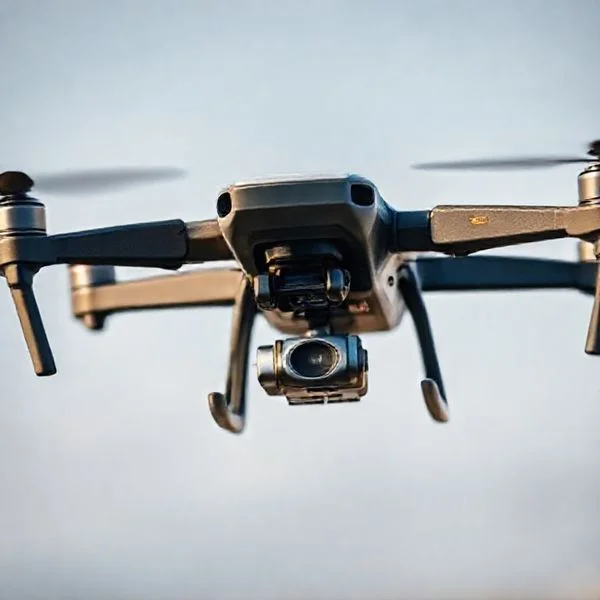
Walmart drone delivery costs a flat fee of $3.99 per order for standard customers, while Walmart+ members can enjoy the service for free. Deliveries are currently limited to a 10-pound weight maximum and must be within a 6-mile radius of participating stores.
🎯 Key Takeaways
- Standard drone delivery carries a flat fee of $3.99 per flight.
- Walmart+ members receive free drone delivery on eligible orders.
- A strict 10-pound weight limit applies to all drone shipments.
- Service is restricted to customers within 6 miles of participating hubs.
- Drones only operate during daylight hours and favorable weather conditions.
Walmart drone delivery costs a flat fee of $3.99 per order for standard customers. This price applies regardless of whether you are ordering a single bottle of ibuprofen or a few pounds of groceries. However, if you are looking to eliminate delivery fees entirely, Walmart+ members receive drone delivery for free on all eligible orders over $35. This makes the service one of the most affordable high-speed delivery options currently available in the retail market.
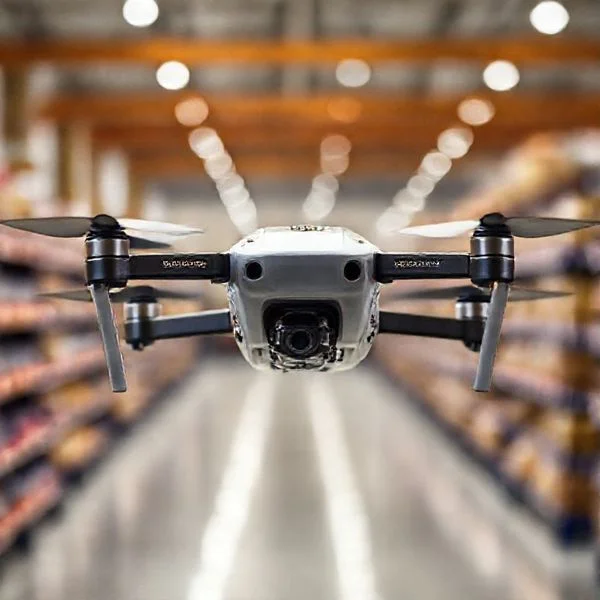
Understanding these costs is vital because drone delivery is built for speed, often arriving in under 30 minutes. When you factor in the price of gas, the value of your time, and the convenience of staying home, the $3.99 fee is remarkably competitive. Whether you are a casual user or a frequent shopper, knowing how to navigate these fees ensures you never pay more than necessary for your “need-it-now” items.
Prime for Young Adults — 6 Months Free
Exclusive Offer Amazon Prime for Young Adults, Students and 18–24s get six months of Prime free, then half price.
Start 6 Months Free As an Amazon Associate I earn from qualifying purchases.Understanding Walmart Drone Delivery Pricing and Memberships
Recommended Best Deal Products

Amazon Prime — 30-Day Free Trial
Free fast delivery on this order and everything else for 30 days.
Try Prime FreeThe pricing structure for Walmart’s drone service is intentionally simple. Walmart currently partners with providers like Wing and Zipline to handle the logistics, but the billing happens directly through your Walmart app. You won’t see “surge pricing” or fluctuating rates based on the time of day. The consistency of the $3.99 fee allows you to budget for quick deliveries without worrying about hidden costs or service markups that often plague third-party delivery apps.
The $3.99 Flat Fee vs. Walmart+ Savings
For the occasional user, the $3.99 flat fee is the most direct path. You simply shop the “Drone Delivery” section of the app, and the fee is added at checkout. There are no additional per-mile charges or “small order” penalties beyond the base fee. However, the math changes quickly if you plan to use the service frequently. A Walmart+ membership costs $12.95 per month or $98 per year. If you use drone delivery at least four times a month, the membership pays for itself solely through waived drone fees.
- Standard Fee: $3.99 per delivery.
- Walmart+ Benefit: $0 delivery fee on orders over $35.
- Tipping: Currently, tipping is not required or even an option in the app for drone deliveries, further keeping costs down compared to traditional courier services.
- No Hidden Service Fees: Unlike many food delivery platforms, Walmart does not add a “service fee” on top of the delivery charge.
Return on Investment for Frequent Shoppers
When you consider the cost of drone delivery, it is helpful to look at the total value of your time. A round trip to the store might take 30 to 45 minutes. For a busy parent or a professional working from home, spending $3.99 to save nearly an hour of time is a high-value trade. For Walmart+ members, that value increases because the “cost” of the delivery becomes zero after the initial membership investment. If you frequently find yourself missing one or two ingredients for dinner, the subscription model offers the best financial advantage.
Everything You Need to Know About Walmart Drone Delivery Costs
Walmart’s expansion into the world of aerial logistics has revolutionized how we receive household essentials, but navigating the financial aspect of this high-tech service can be confusing. This guide provides a comprehensive breakdown of the fees, membership requirements, and hidden costs associated with Walmart drone delivery. By following these steps, you will understand exactly how much you can expect to pay per flight, how to minimize those costs through memberships, and how the weight of your items directly impacts your final bill. Whether you are ordering a last-minute ingredient or an emergency supply of diapers, knowing the cost structure ensures you get the best value for your convenience.
Step 1: Verify Your Eligibility and Service Provider
What you need: A smartphone or computer, the Walmart app, and your primary delivery zip code.
Instructions: Before calculating costs, you must determine if your specific address is served. Walmart partners with different drone operators like DroneUp, Zipline, and Flytrex, and costs can vary slightly by region and provider. Open the Walmart app and enter your address to see if the “Drone Delivery” icon appears in your fulfillment options. Currently, the service is concentrated in states like Texas, Florida, Arizona, and Arkansas. If your address is outside the 1-2 mile radius of a participating “Drone Hub” store, the service will not be available, and you will see standard delivery pricing instead. Checking this first prevents you from building a cart only to find the service is unavailable at your location.
Pro Tip: Drone delivery radius is strictly enforced; even being 100 yards outside the flight path can disqualify your address, so double-check the map pin for precision.
Prime for Young Adults — 6 Months Free
Exclusive Offer Amazon Prime for Young Adults, Students and 18–24s get six months of Prime free, then half price.
Start 6 Months Free As an Amazon Associate I earn from qualifying purchases.Step 2: Identify the Standard Per-Delivery Fee
What you need: A list of items totaling less than 10 pounds and a payment method.
Instructions: For most users without a premium membership, Walmart typically charges a flat delivery fee for drone services. This fee is generally set at $3.99 per delivery. Unlike traditional courier services that might use dynamic surge pricing based on traffic, drone fees remain relatively stable. During the checkout process, after selecting “Drone” as your delivery method, you will see this $3.99 charge added to your subtotal. This fee covers the pilot’s oversight, the drone’s energy consumption, and the specialized packaging required for aerial transport. Ensure your order meets the minimum requirement (if any) for your specific hub, as some locations may waive the fee for orders over a certain amount during promotional windows.
Pro Tip: Keep an eye on the “Delivery” section of the app, as Walmart occasionally runs “Free Drone Friday” promotions where the $3.99 fee is waived entirely.
Step 3: Evaluate the Walmart+ Membership Impact
What you need: A Walmart+ membership or a 30-day free trial subscription.
Instructions: One of the most effective ways to manage drone delivery costs is by subscribing to Walmart+. The membership costs approximately $12.95 per month or $98 per year. For members, the $3.99 drone delivery fee is often waived for orders that meet the $35 minimum threshold. If you plan on using drone delivery more than three times a month, the membership pays for itself. To apply this, ensure you are logged into your Walmart+ account during checkout. The system should automatically deduct the delivery fee, leaving you to pay only for the items and applicable taxes. This step is crucial for frequent users who prioritize speed and want to avoid “per-trip” financial friction.
Pro Tip: Use the free 30-day trial of Walmart+ specifically during a month when you know you will need multiple quick deliveries to test the ROI of the service.
Step 4: Account for Weight and Volume Constraints
What you need: A digital scale (optional) or awareness of item weights in your digital cart.
Prime for Young Adults — 6 Months Free
Exclusive Offer Amazon Prime for Young Adults, Students and 18–24s get six months of Prime free, then half price.
Start 6 Months Free As an Amazon Associate I earn from qualifying purchases.Instructions: Drone delivery costs are intrinsically linked to the weight of your package. Most Walmart drones have a total payload capacity of approximately 10 pounds. If your order exceeds this weight limit or is too bulky for the drone’s cargo compartment (like a large pack of paper towels), your order may be split into two separate drone flights or shifted to a traditional vehicle. If it is split into two flights, you may be charged the $3.99 delivery fee twice if you are not a Walmart+ member. To avoid unexpected costs, keep your total order weight under 8-9 pounds to account for the weight of the cardboard box and the protective “cradle” the drone uses to lower the package.
Pro Tip: Avoid ordering liquids like multiple gallons of milk or heavy canned goods via drone, as they quickly consume the weight limit and trigger extra fees.
Step 5: Understand the Tipping Policy for Drone Delivery
What you need: Knowledge of Walmart’s current digital tipping interface.
Instructions: A significant cost-saving factor of drone delivery compared to DoorDash or UberEats is the tipping policy. Currently, Walmart drone deliveries are largely automated or managed by remote pilots at a central hub. Consequently, the Walmart app does not prompt for a tip for drone deliveries. This can save you anywhere from $5 to $15 per order compared to traditional gig-economy delivery services. When reviewing your final cost breakdown at checkout, you will notice the “Driver Tip” section is either absent or grayed out. This makes the $3.99 flat fee even more competitive when compared to the 15-25% tip expected for human-driven deliveries. Do not feel obligated to find a way to tip, as the drone operators are salaried professionals.
Pro Tip: Reinvest the money you save on tips into a Walmart+ membership to further reduce your per-order delivery costs over the long term.
Step 6: Factoring in Item Markups and Service Fees
What you need: Comparison of in-store prices vs. app prices.
Instructions: While the delivery fee is explicit, you should check for any “convenience markups” on items. Generally, Walmart maintains price parity between in-store items and those available for drone delivery. However, some fragile items that require specialized drone-safe packaging might see slight variations or additional small “handling fees” in certain markets. Before finalizing your order, compare the prices in your drone cart with the standard “In-store” price listed on the product page. If you notice a discrepancy, it may be a regional service fee applied to the item itself to offset the cost of the drone hub operations. In 95% of cases, the prices will be identical, but it is a necessary check for the budget-conscious shopper.
Pro Tip: Large fragile items like eggs require special “drone-ready” packaging which is usually included in the price, but checking the subtotal for “bagging fees” is a smart move.
Step 7: Check for “Surge” or Peak Time Variations
What you need: A clock and the ability to schedule orders.
Instructions: While Walmart drone delivery is mostly a flat-fee service, the “cost” can sometimes be measured in time and availability. During peak hours—such as Sunday mornings or before major sporting events—slots can fill up. While Walmart hasn’t broadly implemented “Surge Pricing” for drones yet, some third-party partners have experimented with higher fees during high-demand windows. To ensure you pay the lowest possible rate, check the app during “off-peak” hours (Tuesday through Thursday). Additionally, check if there are “delivery minimums” that change based on time of day. Usually, the $3.99 fee remains constant, but the availability of a $0 delivery for Walmart+ members may be restricted if the drone fleet is at capacity.
Pro Tip: If the drone fee looks higher than usual, wait 15 minutes and refresh the app; it may be a temporary glitch or a shift in fleet availability.
Step 8: Monitor Weather-Related Cancellation Costs
What you need: A local weather app or a look out the window.
Instructions: Weather is the biggest variable in drone delivery. High winds (typically over 20-25 mph), heavy rain, or lightning will ground the fleet. If your order is canceled due to weather, Walmart will refund the $3.99 delivery fee and the cost of the items. However, the “hidden cost” here is the missed opportunity and the need to re-order via a more expensive traditional method if you need the item immediately. To avoid the frustration of “pending charges” on your bank statement from a canceled flight, do not place a drone order if a storm is within a 30-minute window of your location. Always check the refund status in your app under “Purchase History” to ensure the delivery fee was properly credited back to your account.
Pro Tip: Drone delivery is most reliable on clear, calm mornings; ordering during these times minimizes the risk of cancellation and stuck funds.
✅ Final Checklist
- Confirmed the delivery address is within the 1-2 mile radius of a Walmart Drone Hub.
- Verified the $3.99 flat fee is listed in the checkout subtotal.
- Ensured the total package weight is under the 10-pound limit to avoid multi-drone fees.
- Checked if Walmart+ membership is active to potentially waive the delivery charge.
- Confirmed that no tip has been added, as drone delivery is an automated service.
Important Notes:
- Safety: Never attempt to grab the package while the drone is still hovering or lowering the line; wait until the package is on the ground and the line has retracted.
- Seeking Help: If a package is damaged during the drone drop, contact Walmart Customer Service via the app immediately for a full refund of the item and the delivery fee.
- Estimated Time: 15 to 30 minutes from order placement to backyard landing.
- Estimated Cost: $3.99 per delivery for non-members; $0 for Walmart+ members (on qualifying orders).
Weight Limits and Package Dimension Restrictions
While the price is low, there are physical constraints that dictate what that $3.99 fee covers. You cannot order a television or a 40-pound bag of birdseed for drone delivery. The service is specifically optimized for small, lightweight packages. Understanding these limits prevents the frustration of getting to your digital cart only to find your items are ineligible for flight.
The 10-Pound Payload Limit
The primary restriction for Walmart drone delivery is a total weight limit of 10 pounds. This includes the weight of the items, the packaging material, and the delivery box itself. While 10 pounds sounds generous for a drone, it fills up quickly with liquids or dense grocery items. For example, a gallon of milk weighs about 8.6 pounds, which would take up nearly your entire weight allowance for a single flight.
- Weight Ceiling: 10 pounds maximum per delivery.
- Multiple Drones: In some markets, if your order exceeds 10 pounds, the system may split it into two drone flights, though this may result in multiple delivery fees if you aren’t a Walmart+ member.
- Common Items: A typical 10-pound order could include a rotisserie chicken, a bag of salad, a carton of eggs, and a small bottle of laundry detergent.
Fitting the “Drone Box” Dimensions
Even if an item is light, it must fit inside the standardized delivery box used by the drone. These boxes are roughly the size of a large shoebox. This means that long or oddly shaped items—like a broom, a large box of diapers, or a full-sized baguette—are typically excluded from drone delivery. The items must be compact enough to be secured inside the compartment to ensure the drone maintains a proper center of gravity during flight. When you shop in the Walmart app, the system automatically filters out items that are too bulky for the drone, so you only see what can actually be delivered to your yard.
If you attempt to add an item that exceeds the dimensions, the app will prompt you to switch to standard vehicle delivery. To maximize your $3.99 fee, focus on high-density, high-necessity items like pharmacy products, fresh produce, or emergency household supplies. This ensures you are getting the most utility out of the weight and space restrictions allowed by the technology.
Geographic Availability and Operational Constraints
While the $3.99 delivery fee is a bargain, you can only take advantage of it if you live in specific “drone-active” zones. Walmart has rapidly expanded its aerial network, but it isn’t nationwide yet. Currently, the service is concentrated in major hubs across states like Texas, Florida, Arizona, Arkansas, Virginia, and Utah. Even within these states, you generally need to reside within a 3-to-6-mile radius of a participating Supercenter to qualify for flight.
The “Drone-Ready” Service Areas
Walmart partners with providers like Wing and Zipline to cover thousands of households. However, geographic availability is the biggest “hidden cost” because if you are outside the geofence, the option simply won’t appear in your app. Proximity to the store determines not just the availability, but also the speed. Most orders arrive in under 30 minutes, making the small delivery fee feel like a steal for the time saved.
Operational Limits That Affect Your Order
Beyond where you live, there are physical constraints that might limit your ability to use the service. Drones cannot carry your entire weekly grocery haul. To keep costs low and operations safe, Walmart enforces strict physical limits:
- Weight Capacity: Most drones are limited to 10 pounds or less. If your cart exceeds this, you’ll be prompted to switch to ground delivery.
- Weather Constraints: High winds, heavy rain, or lightning will grounded the fleet. During these times, drone delivery is temporarily “out of stock.”
- Package Dimensions: Items must fit within a specialized delivery box. Think of a standard loaf of bread or a carton of eggs as the baseline for size.
- Daylight Hours: Currently, most drone deliveries are restricted to daylight hours for safety and visibility reasons.
Cost Comparison: Drone Delivery vs. Express Ground Shipping
When you need an item immediately, you are usually choosing between a drone and Walmart’s Express Delivery (ground courier). Understanding the cost difference helps you decide which “fast” option is actually the best value for your specific situation. While drones have a flat fee, ground delivery costs can fluctuate based on demand and driver availability.
Speed vs. Price: Is the Drone Worth It?
Standard Express Ground delivery typically costs $10.00 on top of any existing delivery fees. In contrast, the drone delivery fee is significantly lower at $3.99. If you only need a single bottle of children’s medicine or a missing ingredient for dinner, the drone saves you over $6.00 compared to a traditional courier. Furthermore, drones don’t get stuck in 5:00 PM traffic, meaning the $3.99 often buys you a faster arrival time than the $10.00 ground option.
Comparing Fees and Tip Expectations
One major cost advantage of drone delivery that shoppers often overlook is the driver tip. When you order via ground delivery (DoorDash or Spark drivers), it is standard practice to tip $5.00 to $10.00 for their time and gas. Drones do not require tips.
- Drone Total: $3.99 (Fee) + $0.00 (Tip) = $3.99 total cost.
- Express Ground Total: $10.00 (Fee) + $7.00 (Suggested Tip) = $17.00 total cost.
Using a drone is not just a futuristic gimmick; it is a legitimate way to save 75% or more on “on-demand” delivery expenses. However, remember that ground shipping is still superior for heavy items like 24-packs of water or large bags of dog food that a drone simply cannot lift.
Final Thoughts on Walmart Drone Delivery Costs
Walmart drone delivery is one of the most cost-effective ways to get household essentials in a hurry. With a standard fee of $3.99—which is often waived for Walmart+ members on orders over $35—it beats out traditional ground-based express shipping in both price and speed. While you are limited by weight and geographic location, the lack of a required tip and the flat-rate pricing make it an incredibly transparent service for tech-savvy shoppers.
Ready to see if you can skip the traffic? Open your Walmart app today and enter your zip code to check for drone availability. If you are in a supported zone, try a small order of “must-have” items to experience the convenience firsthand!
❓ Frequently Asked Questions
Does Walmart drone delivery cost more than standard shipping?
At $3.99, drone delivery is often cheaper than ‘Express’ ground delivery, which typically costs $10. It provides a middle-ground price point between free standard shipping and premium rapid ground delivery.
Are there any hidden service fees for drone orders?
No, Walmart maintains a transparent pricing model where you pay either the $3.99 flat fee or $0 if you are a Walmart+ member. Standard taxes on items still apply as usual.
What happens to my fee if the drone cannot deliver due to weather?
If a delivery is cancelled by Walmart due to high winds, rain, or technical issues, your delivery fee will be fully refunded. You will usually be notified via the app to choose an alternative delivery method.
Can I order multiple 10-pound boxes for one delivery fee?
Currently, the $3.99 fee covers a single drone flight. If your order requires multiple drones due to weight or size, you may be charged per flight or required to use ground transport.
Is the drone delivery fee the same in every state?
Yes, Walmart currently maintains a standardized $3.99 fee across its active drone hubs in states like Texas, Florida, and Arizona. Membership benefits also remain consistent nationwide.
How do I know if the drone fee applies to my specific address?
You can check eligibility by entering your address in the Walmart app or on the DroneUp/Wing partner sites. If you are within the 6-mile radius, the drone option and its cost will appear at checkout.