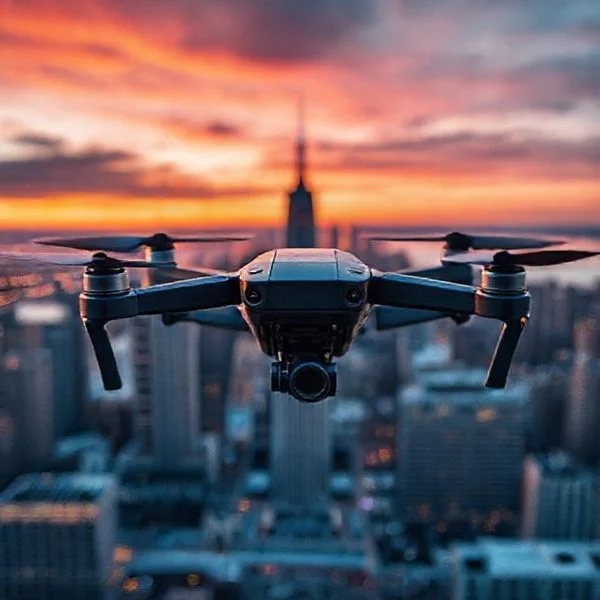
To get Amazon Prime Air drone delivery, you must reside in a supported service area and have a backyard that meets specific safety and landing zone requirements. Currently, items must weigh less than five pounds and be categorized as drone-eligible within the Amazon store during daylight hours.
🎯 Key Takeaways
- Check availability in active zones like College Station, TX, or Tolleson, AZ.
- Maintain a clear, flat 2×2 meter landing area in your yard.
- Only purchase items weighing under five pounds for drone transport.
- Ensure delivery is scheduled during daylight and clear weather conditions.
- Identify eligible items by the Prime Air icon on product pages.
To get an Amazon Prime Air delivery, you must currently reside in a designated service zone in Texas, California, or Arizona and possess a yard that meets strict safety and clearance standards. Your eligibility is not determined solely by your Prime membership status. Instead, it depends on your specific street address and whether Amazon’s flight path software has mapped your property for a safe autonomous approach. If you are eligible, you can receive items weighing under five pounds in less than an hour.

Understanding these requirements is essential because drone delivery is the fastest logistics tier Amazon offers. Unlike traditional van deliveries, drones require a “delivery zone” that is free of physical obstructions. By confirming your location and prepping your yard, you can transition from standard shipping to ultra-fast aerial drops. This guide focuses on the exact physical and geographical criteria you need to meet today to use the service.
Current Amazon Prime Air Service Locations and Expansion
Amazon Prime Air is currently operating in a handful of high-density testing and launch markets. You cannot simply request a drone delivery anywhere in the country; the service is tied to specific “Same-Day Delivery” sites that have been upgraded with drone launch pads. Currently, the most active service areas are centered around College Station, Texas and Tolleson, Arizona (the Phoenix West Valley area). While Lockeford, California, was an initial launch site, Amazon is currently shifting its focus toward integrating drone hubs directly into its existing fulfillment network.
How to Verify Your Zip Code Eligibility
Proximity to a hub is the first hurdle. Generally, you must live within a 3.7 to 4-mile radius of an active Prime Air fulfillment center. This range ensures the drone has enough battery capacity to complete a round trip while carrying your package. To see if your specific house is covered, follow these steps:
- Open your Amazon mobile app and ensure you are logged in.
- Navigate to your account settings and check your primary delivery address.
- Look for a Prime Air badge or notification on the home screen or product pages.
- If your address is eligible, the app will prompt you to complete a one-time “onboarding” survey to map your landing zone.
The Integration with Same-Day Sites
Amazon is moving away from standalone drone airports. Instead, they are placing drone operations at existing delivery stations. This means if you live near a large Amazon logistics hub in the Phoenix or College Station areas, your chances of eligibility are significantly higher. In these regions, thousands of everyday items—from cold medicine to batteries—are stocked specifically for drone dispatch. If you live outside these small geographic pockets, the Prime Air option will not appear at checkout, even if you are a Prime member.
Amazon Drone Delivery Made Easy: Your Essential Action Plan
Amazon Prime Air is a cutting-edge delivery system designed to get packages to customers in 60 minutes or less using highly advanced, autonomous drones. While this technology sounds like science fiction, it is currently being rolled out in select locations across the United States and internationally. Following this guide is crucial because drone delivery has very specific safety requirements, weight limitations, and geographical restrictions that differ significantly from standard van deliveries. By understanding these nuances, you can ensure your property is ready for a seamless aerial drop-off and avoid the frustration of a canceled flight due to environmental or technical hurdles.
Step 1: Verify Your Geographical Eligibility
What you need: A computer or mobile device with the Amazon app, your primary shipping address, and a stable internet connection.
Instructions: Prime Air is not yet available globally; it is currently restricted to specific “launch nodes” such as College Station, Texas, and Tolleson, Arizona, with more locations in the UK and Italy being added regularly. To check if you are eligible, log into your Amazon account and navigate to your address settings. You can also search for “Prime Air” in the Amazon search bar. If you live within a designated flight radius—typically within 3.7 to 9 miles of a Prime Air fulfillment center—you will see a promotional banner or an option to sign up for the service. If you are outside these zones, you can opt-in for notifications to be alerted when the service expands to your zip code.
Pro Tip: Keep your Amazon app updated to the latest version. Geographic geofencing for drone delivery is extremely precise; even being one block outside the approved flight path can prevent the Prime Air option from appearing at checkout.
Step 2: Audit Your Property for a Safe Landing Zone
What you need: A measuring tape, a clear view of the sky, and a smartphone camera.
Instructions: Amazon drones, specifically the new MK30 model, require a clear, unobstructed path to descend. Walk to your backyard or driveway and look for a flat area at least 2 meters (roughly 6.5 feet) in diameter. This area must be free of “vertical obstacles” such as overhanging tree branches, power lines, telephone wires, or roof eaves. The drone uses onboard sensors to detect obstacles, and if it senses anything within its safety perimeter, it will abort the delivery. Ensure the ground is relatively level; while the drone does not land (it hovers and drops the package), a steep slope can confuse the downward-facing sensors during the release phase.
Pro Tip: Avoid choosing a spot near large metal structures or high-voltage transformers, as these can occasionally interfere with the drone’s GPS and electromagnetic sensors during the final descent phase.
Step 3: Ensure Your Prime Membership is Active
What you need: An active Amazon Prime subscription and a valid payment method on file.
Instructions: Prime Air is an exclusive benefit for Amazon Prime members. If you are not currently a member, you will need to sign up for either a monthly or annual subscription. Go to the “Prime” section of your account and verify that your membership is in good standing. Drone delivery is often offered at no additional cost for eligible items to Prime members in the test zones, but this is subject to change as the program scales. Ensure your “Default Address” is set to the specific location where you have confirmed drone eligibility, as the system filters available shipping methods based on your primary delivery coordinates.
Pro Tip: If you are a student or qualify for government assistance, check for discounted Prime memberships (Prime Student or Prime Access) to get the same drone delivery benefits at a lower monthly rate.
Step 4: Identify and Filter for Drone-Eligible Items
What you need: Knowledge of product weight and dimensions (found in product details).
Instructions: Not everything on Amazon can fly. The current generation of Prime Air drones is limited to carrying payloads that weigh 5 pounds (2.2 kg) or less. This covers roughly 85% of the items sold on Amazon, including household essentials, beauty products, and small electronics. When browsing, look for the “Prime Air” icon or a delivery estimate that specifies “Delivery by Drone.” Items must also fit within the specialized aerodynamic delivery box used by the drone. Common eligible items include bottles of ibuprofen, charging cables, toothbrushes, or light pantry snacks. Avoid searching for bulky items like multi-pack paper towels or heavy liquids, as these will automatically default to ground transport.
Pro Tip: If you have multiple items in your cart, the drone delivery option might disappear. Try checking out with a single eligible item to ensure the drone shipping method is triggered in the system.
Step 5: Select the Prime Air Delivery Option at Checkout
What you need: A finalized shopping cart and your mobile device for real-time notifications.
Instructions: Once you have selected an eligible item, proceed to the checkout screen. Under “Shipping Options,” you will see the standard options like “Overnight” or “Two-Day Shipping,” but if you are eligible, you will see a specific “Prime Air” or “Drone Delivery” toggle. Select this option. You will be asked to confirm that your landing zone is clear of people, pets, and obstacles. Pay close attention to the estimated delivery window, which is usually between 30 and 60 minutes from the time of order. Once confirmed, place your order and keep your phone nearby for status updates and flight tracking.
Pro Tip: Check the weather before hitting “Place Order.” Amazon will automatically disable drone delivery if there is heavy rain, high winds (typically over 15-20 mph), or low visibility, even if you are in a valid delivery zone.
Step 6: Prepare the Landing Site for Arrival
What you need: Clear access to your yard and a way to secure pets or children.
Instructions: About 5 to 10 minutes before the drone arrives, you will receive a push notification on your phone stating that the drone is “Inbound.” At this stage, it is critical to ensure the landing zone is completely clear. Bring dogs, cats, and small children inside. While the drone uses “sense and avoid” technology to stay away from living beings, safety protocols dictate that the area should be vacant. Remove any temporary obstacles like lawn chairs, garden hoses, or toys that might have been moved into the landing area since your initial audit. The drone will descend to a height of approximately 12 feet (4 meters) to release the package, so the air space below that height must be perfectly clear.
Pro Tip: Do not attempt to “help” the drone or stand near it to take a video. The drone’s sensors are highly sensitive to movement, and your presence could cause it to return to the station without dropping the package.
Step 7: Monitor the Automated Package Release
What you need: A window or safe vantage point to observe the delivery.
Instructions: As the drone arrives, you will hear a distinctive humming sound—the MK30 is designed to be much quieter than previous models, but it is still audible. The drone will hover over the designated spot, verify the ground is clear using its downward-facing cameras, and then slowly lower the package using a tether or a controlled drop mechanism. Once the package touches the ground and is released, the drone will immediately climb back to its cruising altitude (usually between 150 and 400 feet) and head back to the fulfillment center. Do not approach the package until the drone has completely cleared the airspace above your yard.
Pro Tip: If you notice the drone hovering but not dropping the package, it may have detected a “transient obstacle” like a bird or a gust of wind. Be patient; it will usually attempt to stabilize for a few seconds before either completing the drop or returning to base.
Step 8: Retrieve Your Package and Provide Feedback
What you need: The Amazon app for delivery confirmation.
Instructions: After the drone departs, walk to the landing zone and retrieve your package. The box is specifically designed to withstand the short drop and protect the contents. Open the box and ensure the items are intact. Amazon heavily relies on user feedback during this phase of the Prime Air rollout. Open your order history in the app and rate the delivery experience. If there were any issues with the landing spot accuracy or the condition of the package, provide detailed notes. This data helps Amazon refine their flight algorithms and expand the service to more neighborhoods.
Pro Tip: Save the specialized Prime Air packaging if you need to make a return; while you can’t return items via drone yet, the sturdy box is excellent for standard return shipping.
✅ Final Checklist
- Verified that your shipping address is within an active Prime Air “launch node” zip code.
- Confirmed your backyard or driveway has a 2-meter diameter clearing with no overhead obstructions.
- Selected an item weighing less than 5 pounds that displays the Prime Air delivery icon.
- Ensured all pets and people are indoors or at a safe distance during the delivery window.
- Checked that the weather conditions (wind and rain) are within safe flight parameters.
Important Notes:
- Safety First: Never attempt to touch, throw objects at, or interfere with a delivery drone. They are equipped with multiple cameras and sensors, and interference may be subject to federal aviation laws.
- Professional Help: If your drone delivery fails repeatedly due to “site obstructions,” you may need to consult with a landscaper to trim overhanging branches or clear a more permanent landing pad.
- Estimated Time and Cost: Delivery typically takes 30–60 minutes. Currently, there is often no additional fee for Prime Air in active test markets, though a standard Amazon Prime membership ($14.99/month or $139/year) is required.
Property and Safety Criteria for Drone Landing Zones
Even if you live next door to a drone hub, your property must pass a physical safety inspection. Amazon uses high-resolution satellite imagery and onboard drone sensors to evaluate your yard. The drone does not land on your porch or driveway like a traditional courier. Instead, it hovers at a safe height (usually around 12 feet) and drops the package onto a pre-validated target area. For this to work, your yard must meet several non-negotiable criteria.
The “Clear Zone” Dimensions
The primary requirement is a dedicated clear space, often referred to as the landing zone. This area must be a flat, level surface that is free of any obstacles. While the drone itself is compact, the safety buffer required for flight is substantial. You should aim for a clear area with at least a 5-meter (approximately 16 feet) diameter. This ensures that even in windy conditions, the drone can maintain a stable hover during the drop sequence.
- Surface Type: Grass, pavement, or flat gravel are ideal. Avoid areas with tall weeds or decorative garden features that could snag a descending package.
- Ground Level: The area should be relatively flat. A slope of more than 10 degrees may cause the package to tumble or prevent the drone’s sensors from accurately calculating the drop height.
- Permanent Fixtures: Your landing zone must be at least 15 feet away from the actual structure of your house, sheds, or fences.
Identifying and Removing Obstructions
Overhead obstructions are the most common reason for property disqualification. Amazon’s drones use sophisticated “detect and avoid” technology, but they will abort a delivery if they sense any risk of entanglement or collision. You must look up and clear the flight path of the following items:
- Power Lines and Cables: The landing zone cannot be directly under or adjacent to utility lines.
- Tree Canopies: Overhanging branches are a major hazard. Ensure there is a clear vertical “chimney” from the ground up to the sky.
- Temporary Hazards: On the day of delivery, the zone must be clear of unpredictable obstacles. This includes pets, children’s toys, lawn furniture, and vehicles.
- Awnings and Overhangs: Do not attempt to have a drone deliver to a covered patio or under a gazebo. The drone requires a direct line of sight to the sky at all times.
During the initial setup, Amazon may ask you to place a specialized “landing marker” in your yard, though newer models like the MK30 rely more on computer vision to identify safe spots. If the drone’s sensors detect any movement in the landing zone—such as a dog running toward the aircraft—it will immediately climb back to a safe altitude and return to the station, canceling your delivery for safety reasons.
Technical Constraints: Weight Limits and Eligible Categories
Even if you live in a supported zip code, not every item in your cart is ready for takeoff. Amazon Prime Air is specifically designed for small, light, and urgent purchases. The current generation of delivery drones, like the MK30, is built for speed and agility rather than heavy lifting. This means your shopping habits need to align with the drone’s physical capabilities.
The 5-Pound Threshold
The golden rule for drone delivery is the five-pound weight limit. Amazon has stated that the vast majority of their packages weigh less than this, making them perfect candidates for flight. If your order exceeds this limit, the system will automatically revert to traditional van delivery. Keep in mind that this weight includes the specialized, lightweight packaging used to secure the item during transit.
What You Can Actually Order
Drones are ideal for “need it now” scenarios. While you won’t be getting a microwave via drone anytime soon, several categories are already optimized for flight. Consider these common eligible items:
- Household Essentials: Toothpaste, batteries, and lightbulbs.
- Health and Beauty: Sunscreen, over-the-counter medicine, and skincare products.
- Tech Accessories: Small drone parts, charging cables, and SD cards.
- Snacks and Pantry: Energy bars, coffee pods, and small bags of treats.
Practical Tip: When browsing, look for the “Prime Air” icon next to the product. If you are ordering multiple items, the system may split your shipment if the combined weight exceeds the drone’s capacity.
Environmental and Regulatory Factors Affecting Flight
Unlike a delivery van that can drive through a light drizzle, drones are highly sensitive to their environment. Amazon’s drones are packed with “sense and avoid” technology, but nature and government regulations still dictate when and where they can fly. Safety is the absolute priority, which means certain external factors can temporarily pause the service.
Weather and Visibility Conditions
Amazon drones are sophisticated, but they aren’t all-weather vehicles yet. High winds, heavy rain, and extreme temperatures can ground the fleet. Because the drones rely on visual sensors to identify obstacles like power lines or pets, they typically only operate during daylight hours. If a sudden storm rolls in after you’ve placed an order, Amazon may delay the flight or switch to a ground-based delivery method to ensure the package arrives safely.
Yard Layout and Obstacle Clearance
The FAA (Federal Aviation Administration) has strict rules regarding where drones can land. To receive a package, your delivery area—usually your backyard or driveway—must be clear of obstructions. The drone’s onboard AI looks for a safe landing zone that is free from:
- Overhead Obstructions: Low-hanging tree branches and telephone wires.
- Ground Hazards: Patio furniture, trampolines, and moving vehicles.
- Living Obstacles: People and pets must remain at a safe distance during the descent.
Practical Tip: Keep your designated “delivery spot” clear of clutter. If the drone’s sensors detect an unexpected object in the landing zone, it will abort the delivery and return to the fulfillment center for your safety.
Conclusion: The Future of Your Front Yard
Getting your Amazon packages delivered by drone is no longer a sci-fi dream, but it does require a specific set of conditions to work perfectly. From living in the right location to ensuring your order stays under the five-pound limit, understanding these requirements is the first step toward high-speed delivery. As Amazon continues to refine its MK30 technology and expands into more cities, the list of eligible homes and products will only continue to grow.
To get started, double-check your address in the Amazon app and keep your orders light. If you are a drone enthusiast or a frequent shopper, stay tuned for updates as this technology scales up. Are you ready to clear a landing spot in your yard? Keep an eye on your local news to see when Prime Air is landing in your neighborhood!
❓ Frequently Asked Questions
How do I know if my address is eligible for Amazon drone delivery?
Eligibility is determined by your ZIP code and property layout; you can check your status by entering your address on the Amazon Prime Air portal or checking for the drone option at checkout.
What types of products can be delivered via drone?
Thousands of everyday items like household essentials, beauty products, and tech accessories are eligible, provided they fit within the weight and size constraints.
Do I have to be home to receive a drone delivery?
No, you do not need to be present, but the designated landing area must remain clear of people, pets, and obstacles for the duration of the delivery window.
How high do Amazon drones fly during transit?
The drones typically fly at an altitude between 40 and 120 meters to stay well above obstacles like trees and power lines while remaining clear of other aircraft.
What happens if the drone encounters an obstacle in my yard?
Amazon’s drones use sophisticated ‘sense and avoid’ technology; if a safe landing path is blocked by a new obstacle, the drone will safely return to the delivery center.
Are more cities being added to the Prime Air program soon?
Yes, Amazon is actively working with the FAA to expand service to more U.S. cities and international locations in the UK and Italy throughout 2024 and 2025.