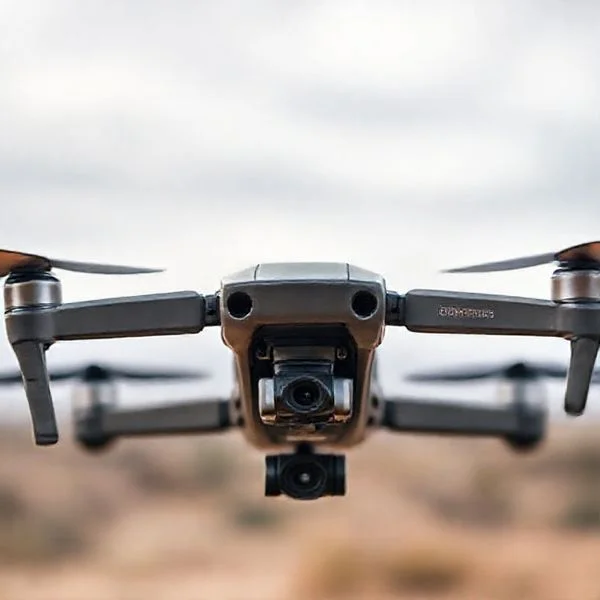
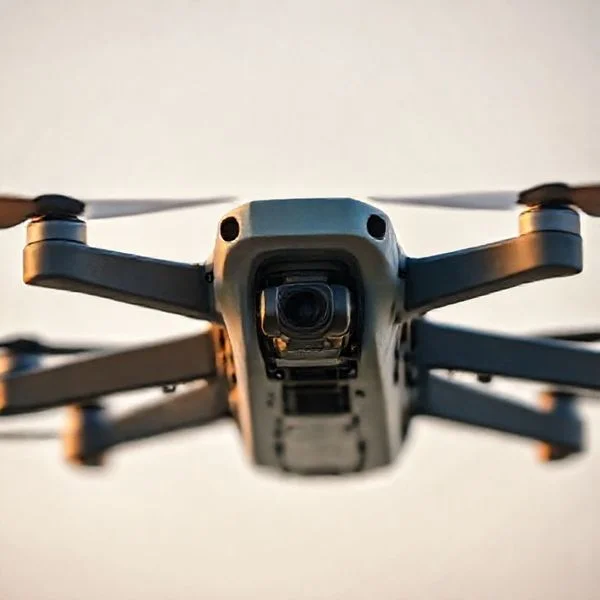
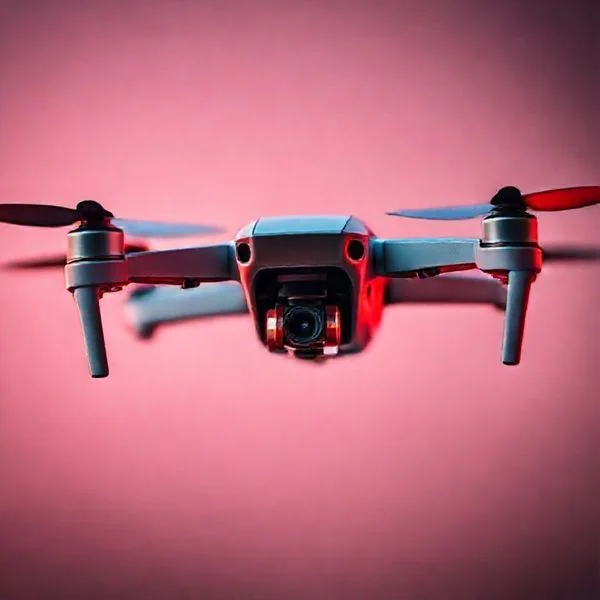
Identifying a drone involves analyzing its unique flight behavior, high-pitched acoustic signature, and specific strobe or navigation light patterns. Modern technology like Remote ID apps now allows anyone with a smartphone to track a drone’s position and registration details in real-time.
🎯 Key Takeaways
- Look for green, red, or white strobes that blink independently from aircraft lights.
- Drones produce a high-pitched buzzing sound compared to low airplane engine hums.
- Use Remote ID scanner apps to detect digital broadcasts from nearby drones.
- Observe flight behavior like stationary hovering or rapid vertical movement to confirm identity.
- Check found drones for FAA registration numbers or serials inside the battery compartment.
Identifying a drone requires a combination of spotting specific flight behaviors, recognizing standardized lighting patterns, and listening for the unique high-pitched whine of high-RPM motors. Unlike airplanes or birds, drones can hover perfectly still, move laterally without banking, and emit a sound often described as a “swarm of bees.” If you see an object in the sky that remains stationary for long periods before suddenly darting in a straight line, it is almost certainly a multi-rotor UAV.

Mastering these identification techniques is essential for maintaining your privacy and ensuring safety in your immediate airspace. Whether you are concerned about a drone hovering near your property or you are a hobbyist trying to track a lost craft, knowing the difference between a distant bird and a sophisticated quadcopter allows you to react appropriately. By using a mix of visual cues and digital scanning tools, you can pinpoint a drone’s model and even the location of its pilot with surprising accuracy.
Prime for Young Adults — 6 Months Free
Exclusive Offer Amazon Prime for Young Adults, Students and 18–24s get six months of Prime free, then half price.
Start 6 Months Free As an Amazon Associate I earn from qualifying purchases.Visual and Acoustic Signatures of Modern Drones
Recommended Best Deal Products


Drones possess distinct physical characteristics that set them apart from any other aerial object. During the day, look for an “X” or “H” shaped silhouette. Most consumer drones, like the DJI Mavic series, have four arms extending from a central body. Unlike birds, drones do not flap their wings, and unlike helicopters, they lack a large visible tail rotor. Their movement is the biggest giveaway; drones can stop instantly and rotate on a vertical axis, a maneuver impossible for fixed-wing aircraft.
Identifying Drones in Day and Night Conditions
Daytime identification relies heavily on movement patterns, while nighttime identification depends on FAA-mandated lighting. If you are trying to spot a drone in the dark, look for these specific light configurations:
- Navigation Lights: Most drones use a standard aviation color scheme. You will typically see solid or blinking red lights on the front “arms” and green lights on the rear.
- Anti-Collision Strobes: To fly legally at night, pilots must use a high-intensity strobe visible for at least three statute miles. These are usually bright white or red and flash rapidly (40 to 100 times per minute).
- Status Indicators: Look for a single blinking light on the rear of the drone’s body. This light often changes color (yellow, green, or red) to tell the pilot about GPS strength or battery levels.
- Gimbal Lights: Some high-end drones have a small white or blue light near the camera lens, which may look like a tiny, focused star moving across the sky.
The Sound of Propellers: Frequency and Pitch
The acoustic profile of a drone is often heard before the craft is seen. Drones use small, high-velocity propellers that spin at thousands of rotations per minute (RPM). This creates a high-frequency “whining” or “buzzing” sound that is fundamentally different from the low-frequency “thumping” of a helicopter or the steady “roar” of a jet engine. At a distance of 100 feet, a standard consumer drone produces roughly 70-75 decibels, which is equivalent to a vacuum cleaner.
Environmental factors significantly impact how you hear a drone. On a quiet, windless day, you can hear a medium-sized drone from up to 500 feet away. However, wind can mask this sound or carry it in specific directions. If the pitch of the sound changes rapidly, it indicates the drone is maneuvering or fighting against wind gusts to stay level. FPV (First Person View) racing drones are even easier to identify by sound, as they produce a much higher, aggressive “scream” due to their extreme power-to-weight ratios.
The Ultimate Drone Identification Walkthrough
Identifying an Unmanned Aerial Vehicle (UAV) in the sky or on the ground requires a systematic approach that combines visual observation, acoustic analysis, and technological tools. Whether you are a security professional, a concerned homeowner, or an aviation enthusiast, accurately distinguishing between different types of drones is essential for safety and privacy. This guide covers the physical characteristics, flight behaviors, and electronic signatures used to identify a drone with high precision, ensuring you can differentiate a hobbyist quadcopter from a commercial fixed-wing aircraft or even a potential security threat.
Step 1: Analyze the Airframe Morphology
What you need: Clear line of sight, 8×42 binoculars (optional), and basic knowledge of aircraft shapes.
Instructions: The first step is to categorize the drone by its physical structure. Look for the number of rotors. If it has four arms in an “X” or “H” configuration, it is a quadcopter, the most common consumer drone. If it looks like a traditional airplane with a single set of wings, it is a fixed-wing drone, often used for long-range mapping or agricultural surveys. Note the body’s thickness; racing drones (FPVs) are usually small and “skeletal,” while photography drones like the DJI Mavic series have a bulkier, more aerodynamic fuselage. Observe if there is a gimbal-mounted camera hanging beneath the nose or belly, which indicates a surveillance or cinematography purpose.
Prime for Young Adults — 6 Months Free
Exclusive Offer Amazon Prime for Young Adults, Students and 18–24s get six months of Prime free, then half price.
Start 6 Months Free As an Amazon Associate I earn from qualifying purchases.Pro Tip: Most consumer drones are between 250 grams and 2 kilograms. If the craft appears larger than a seagull and moves with mechanical rigidity, it is almost certainly a commercial-grade UAV.
Step 2: Decode the Lighting and Navigation Patterns
What you need: Low-light conditions or night-vision goggles for enhanced visibility.
Instructions: Drones are required by the FAA and other international bodies to have specific lighting for night operations. Look for anti-collision strobes; these are usually high-intensity white or red lights that flash at a specific interval (typically 40 to 100 cycles per minute). Position lights are also a key indicator: look for a red light on the left (port) and a green light on the right (starboard). Many consumer drones, like those from Autel or DJI, use proprietary lighting sequences—such as solid green for a GPS lock or flashing yellow for a lost signal. If you see a drone with no lights at night, it may be operating illegally or in a “stealth” mode used by tactical units.
Pro Tip: Use a long-exposure photograph on your smartphone to “trace” the light path; drones move in straight, calculated lines that distinguish them from the erratic flight of bats or birds.
Step 3: Evaluate the Acoustic Signature
What you need: A quiet environment and a basic understanding of propeller frequencies.
Instructions: Listen closely to the sound emitted by the craft. Small consumer drones produce a high-pitched, “angry bee” buzzing sound due to their high-RPM motors. Larger professional drones, such as the Matrice series, produce a much deeper, lower-frequency “thrum” or “growl” because of their larger propellers (13-17 inches). If the sound is constant and steady, the drone is likely in a hover or GPS-assisted flight. If the pitch changes rapidly and aggressively, it is likely a First Person View (FPV) drone being flown manually. Note the volume; at 400 feet (the legal ceiling in many regions), a standard drone is often barely audible against ambient city noise.
Pro Tip: Wind direction affects sound travel. If the drone is upwind, you will hear it much sooner than if it is downwind, where the sound may be completely masked until it is directly overhead.
Prime for Young Adults — 6 Months Free
Exclusive Offer Amazon Prime for Young Adults, Students and 18–24s get six months of Prime free, then half price.
Start 6 Months Free As an Amazon Associate I earn from qualifying purchases.Step 4: Observe Flight Behavior and Maneuverability
What you need: A clear view of the horizon and a stopwatch or timer.
Instructions: Analyze how the object moves through the air. Drones equipped with GPS and GLONASS will hold a “rock-solid” hover, even in moderate winds, which is a movement no bird can replicate. Watch for sudden 90-degree turns or instant vertical ascents; drones can change their Z-axis (altitude) rapidly without the wide turning radius required by manned helicopters. If the drone is flying a precise “lawnmower” pattern (back and forth in parallel lines), it is likely performing an automated photogrammetry mission. If it is hovering near windows or specific structures for long periods, it is likely being used for inspection or surveillance.
Pro Tip: Check the speed. Most consumer drones top out at 30-45 mph, but racing drones can exceed 100 mph, making them appear as a blur to the naked eye.
Step 5: Utilize Remote ID Detection Apps
What you need: A smartphone with Bluetooth/Wi-Fi capabilities and a “Remote ID” scanner app (e.g., DroneScanner or Dronetag).
Instructions: As of 2026, most modern drones are required to broadcast a “Digital License Plate” via Remote ID. Open a detection app on your smartphone while the drone is in range (usually within 1 kilometer). The app will scan for Bluetooth Legacy, Bluetooth Long Range, and Wi-Fi Beacon signals. If a signal is detected, the app will display the drone’s serial number, its current latitude/longitude, altitude, and the location of the pilot. This is the most definitive way to identify a drone and its operator. If the drone is flying but does not appear on the app, it is either an older model, a home-built kit without a module, or a pilot intentionally bypassing regulations.
Pro Tip: Keep your phone’s GPS and Bluetooth turned on for maximum scanning accuracy; some apps require a few seconds of “listening” to lock onto a broadcast signal.
Step 6: Identify Branding via Optical Zoom
What you need: A DSLR camera with a 200mm+ telephoto lens or a high-end smartphone with periscope zoom.
Instructions: If the drone is close enough, try to capture a high-resolution image to identify brand-specific markings. DJI drones (the most popular) are typically light gray or white with a compact, folding arm design. Autel drones are often bright orange, making them highly visible. Look for specific model names printed on the arms or the side of the fuselage. Note the camera shape; a square, rugged camera is likely a GoPro mounted on a custom drone, while a rounded, integrated sphere is characteristic of the DJI Phantom or Mavic series. Pay attention to the color of the propellers; some brands use distinctive silver or gold tipped blades for their “Pro” or “Enterprise” lineups.
Pro Tip: If you can see a “Registration Number” (e.g., FA12345678), this is the FAA registration which can be used by law enforcement to identify the owner.
✅ Final Checklist
- Identified the airframe type (Multi-rotor vs. Fixed-wing).
- Verified the lighting configuration (Strobes and Nav lights).
- Cross-referenced the acoustic pitch with known motor sizes.
- Checked for a Remote ID broadcast via a smartphone app.
- Observed movement patterns for GPS-assisted stability or autonomy.
Important Notes:
- Safety Warning: Never attempt to physically interfere with or “shoot down” a drone; they are considered “aircraft” under federal law, and interfering with them is a felony.
- Privacy Concerns: If you believe a drone is being used for illegal surveillance, document its flight path and contact local law enforcement rather than confronting the pilot.
- Seeking Professional Help: For high-security facilities, consider installing dedicated RF (Radio Frequency) or Radar-based drone detection systems.
- Estimated Time: 1 to 5 minutes for visual identification.
- Cost Range: $0 (Visual/App-based) to $500+ (High-end binoculars or specialized scanners).
Remote ID Technology and Digital Tracking Solutions
Recommended Best Deal Products


Modern drone identification has moved beyond the naked eye and now includes digital “license plates.” Under current FAA regulations, most drones must broadcast Remote ID (RID) information. This is a digital signal that contains the drone’s serial number, its current position, altitude, and the location of the ground station (the pilot). This technology was designed specifically to help the public and law enforcement identify drones that are flying in restricted areas or violating privacy.
How Remote ID Works as a Digital License Plate
Remote ID functions like a continuous digital broadcast. The drone sends out data packets via Bluetooth or Wi-Fi frequencies that can be intercepted by standard smartphones. This broadcast is “open,” meaning you don’t need a special password or a government clearance to see the basic identification data. There are two main types of Remote ID you should know about:
- Standard Remote ID: This is built directly into the drone’s hardware. It broadcasts the drone’s ID and the pilot’s location from takeoff until power-down.
- Broadcast Modules: These are small, battery-powered devices strapped to older drones that don’t have built-in RID. They broadcast the drone’s position but may not always show the pilot’s exact location.
Using Scanning Apps and RF Sensors
You can use your smartphone to “see” the digital footprint of a drone hovering nearby. Several free apps, such as Drone Scanner or OpenSky, utilize your phone’s Bluetooth and Wi-Fi antennas to pick up Remote ID signals. When you open these apps, they provide a map interface showing the flight path of any broadcasting drones within range (typically up to 3,000 feet depending on your phone’s antenna).
For a more professional approach, specialized RF (Radio Frequency) sensors can be used. These devices scan the 2.4 GHz and 5.8 GHz bands for the specific control links used by manufacturers like DJI or Autel. Unlike mobile apps, these sensors can often detect drones that are not broadcasting Remote ID by identifying the unique radio “handshake” between the controller and the craft. This is particularly useful for identifying older models or “home-built” drones that may not comply with the latest digital standards.
Physical Identification Marks and Registration Requirements
When a drone is stationary or within close range, the most reliable identification methods are physical. Regulatory bodies like the FAA in the United States or EASA in Europe have implemented strict labeling requirements to ensure accountability in the skies. Knowing where to look for these marks can tell you a lot about the drone’s origin and its operator.
Remote ID and Regulatory Decals
Modern drones are increasingly required to utilize “Remote ID,” which acts as a digital license plate. However, physical decals are still the primary way to identify a drone’s registration status. If you find a grounded drone, look for a series of alphanumeric characters displayed prominently on the exterior of the craft.
- FAA Registration Numbers: These are often found on the fuselage or arms of the drone. They must be visible without opening a battery compartment, according to current regulations.
- Remote ID Modules: On older or custom-built models, you might see a small, third-party electronic box attached to the frame. These modules broadcast the drone’s location and serial number via Bluetooth or Wi-Fi.
- Manufacturer Plates: Most professional-grade drones feature a small metal or plastic plate listing the model name, weight, and battery specifications, which can help you identify the drone’s capabilities.
Identifying Popular Consumer Models
Familiarizing yourself with the aesthetics of major brands can help you identify a drone from a distance. For example, the DJI Mavic series is known for its grey, foldable arms and compact profile, while Autel drones often feature a bright orange chassis for high visibility.
- FPV Drones: These often look “naked” compared to consumer drones, featuring exposed wires, carbon fiber frames, and large antennas designed for high-speed racing.
- Commercial Drones: If the drone is large, has more than four rotors (hexacopters), or carries a specialized thermal camera, it is likely being used for industrial or emergency services.
- Toy Drones: These are typically very small, lightweight, and often lack the sophisticated GPS sensors found on higher-end models.
Differentiating Drones from Planes, Satellites, and Stars
Recommended Best Deal Products


At night or at high altitudes, the sky can be deceptive. It is common for people to mistake a distant drone for a star or a commercial aircraft. However, drones have unique flight behaviors and light signatures that set them apart from other objects in the atmosphere.
Light Patterns and Colors
Navigational lights are the biggest giveaway. While planes and satellites follow very specific lighting protocols, drones often display more localized and varied patterns. If you see lights that don’t match the standard white-and-red flashing of a high-altitude plane, you might be looking at a drone.
- Solid Green and Red: Many consumer drones use solid (non-blinking) red lights on the front and green lights on the back to help the pilot maintain orientation.
- Custom LED Sequences: Unlike commercial aircraft, drone pilots can often change their LED colors to blue, purple, or yellow, which are rarely seen on traditional planes or satellites.
- Anti-Collision Strobes: Professional drones often mount high-intensity white strobes that flash much faster than the slow, rhythmic pulse of a passenger jet.
Movement and Hovering Capabilities
The most defining characteristic of a drone is its ability to remain perfectly still in the air. Neither a plane nor a satellite can hover. If you see a light in the sky that stays in the exact same position for several minutes before suddenly moving in a different direction, it is almost certainly a drone.
- Sudden Changes in Direction: Drones can perform 90-degree turns or reverse their path instantly, movements that are physically impossible for fixed-wing aircraft.
- Satellite Comparison: Satellites move in a perfectly straight, unwavering line across the sky and do not blink. They generally take several minutes to cross the horizon and never change speed.
- Altitude Perception: Drones usually fly much lower than planes (under 400 feet). If the object appears to be moving between trees or buildings, it is a drone.
Conclusion
Identifying a drone is a skill that combines visual observation, audio cues, and an understanding of modern aviation regulations. By looking for specific light patterns, listening for the distinct high-pitched hum of rotors, and checking for digital or physical registration marks, you can quickly demystify what is flying overhead. Whether you are concerned about privacy or simply a curious tech enthusiast, knowing these identifiers helps foster a safer and more transparent drone community.
The next time you spot something in the sky, try using a flight tracking app or a Remote ID scanner to see if any local signals appear. If you found these tips helpful, share this post with your fellow hobbyists or leave a comment below with your own drone-spotting stories!
❓ Frequently Asked Questions
Why do drones have different colored lights?
Navigation lights help pilots determine the drone’s orientation; red usually indicates the front, while green indicates the rear. Anti-collision white strobes are required by the FAA for night flying to ensure visibility from three miles away.
Can I find out who owns a drone flying over my house?
If the drone is equipped with Remote ID, you can use a scanning app to see its identification number and location. For non-compliant drones, you may need to contact law enforcement who can access the FAA’s private registration database.
How does drone flight behavior differ from birds or planes?
Drones exhibit mechanical movements such as perfect stationary hovering, sharp 90-degree turns, and rapid vertical climbs. Unlike birds, they do not glide or flap, and unlike planes, they can stop mid-air without stalling.
What is Remote ID and how does it help with identification?
Remote ID is a ‘digital license plate’ system where drones broadcast their ID, location, and altitude. This allows the public and authorities to identify nearby drones through specialized receiver apps on mobile devices.
Where should I look for identification if I find a crashed drone?
Look for a small sticker displaying an FAA registration number, often starting with ‘FA.’ If that is missing, remove the battery to find the manufacturer’s serial number or look for an FCC ID on the frame.
Are there specific apps recommended for drone identification?
Drone Scanner and OpenSky are popular options that utilize your phone’s sensors to pick up Remote ID broadcasts. These apps show the drone’s flight path and unique ID number if the drone is broadcasting legally.