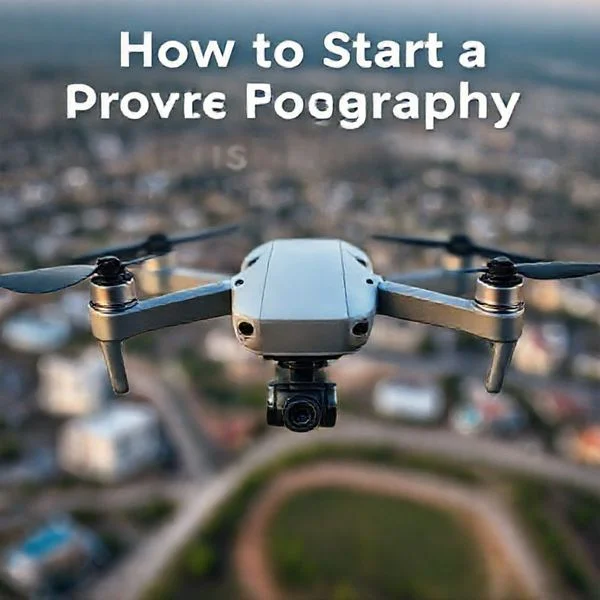
Drone registration is mandatory for all aircraft weighing over 0.55 lbs (250g) and must be completed through the official FAA DroneZone portal. Pilots must carry their registration certificate at all times and ensure their drone is physically labeled and Remote ID compliant.
🎯 Key Takeaways
- Register exclusively via FAA DroneZone to avoid high-priced third-party registration scams.
- Drones under 250g require registration only if flown for commercial purposes.
- Registration costs $5 and remains valid for a period of three years.
- The registration number must be displayed on the exterior of the aircraft.
- Remote ID serial numbers are now a mandatory part of the registration profile.
To register your drone, you must use the official FAA DroneZone website. This is the only legal portal for federal drone registration in the United States. The process costs $5, remains valid for three years, and applies to nearly every drone pilot, whether you are flying a DJI Mini for fun or a heavy enterprise rig for work. Failing to register can result in civil penalties of up to $27,500 and even criminal fines for serious violations.
Prime for Young Adults — 6 Months Free
Exclusive Offer Amazon Prime for Young Adults, Students and 18–24s get six months of Prime free, then half price.
Start 6 Months Free As an Amazon Associate I earn from qualifying purchases.
This registration is not just a formality; it links your physical aircraft to your identity within the national airspace. It is a critical safety step that ensures you are accountable for your flight path and compliant with Remote ID requirements. This guide cuts through the confusion and provides the direct path to getting your drone legal today without the fluff of generic aviation history.
Drone Weight Thresholds and Mandatory Registration Criteria
The FAA determines registration necessity primarily based on the “takeoff weight” of your aircraft. This is the total weight of the drone at the moment it leaves the ground. If your drone weighs more than 0.55 pounds (250 grams) and less than 55 pounds, federal law requires you to register it before your first outdoor flight. This weight includes the drone body, the battery, propellers, and any payload like an external camera or lighting kit.
The 250-Gram Threshold Explained
If your drone weighs exactly 250 grams or less, you are exempt from registration—but only if you are flying exclusively for recreational purposes. However, the moment you use that same “micro-drone” for any commercial activity, the weight exemption is void. For example, if you fly a DJI Mini 4 Pro (249g) for a hobby, you don’t need to register. If you use that same drone to take a photo for a real estate listing, you must register it under Part 107 immediately. Additionally, adding accessories like prop guards or a “Plus” high-capacity battery often pushes these small drones over the 250g limit, making registration mandatory even for hobbyists.
Mandatory Eligibility and Documentation
Before you begin the application, ensure you meet the legal requirements to be a registered drone owner in the U.S. You must be at least 13 years old; if the pilot is younger, a parent or guardian must handle the registration. You also need to be a U.S. citizen or a legal permanent resident. To complete the form, have the following ready:
- A valid email address for account verification.
- A physical mailing address and a primary phone number.
- The specific make and model of your drone.
- The Remote ID serial number provided by the manufacturer (this is often found in the battery compartment or the flight control app).
- A credit or debit card for the $5.00 processing fee.
The Ultimate Drone Registration Walkthrough
Welcome to the essential guide for getting your unmanned aircraft system (UAS) legally ready for flight. Whether you have just unboxed a high-end photography drone or a small hobbyist quadcopter, registration is a critical legal requirement in most jurisdictions, particularly under the Federal Aviation Administration (FAA) in the United States. Following these steps ensures that you stay compliant with federal laws, contribute to the safety of the national airspace, and avoid significant fines that can reach thousands of dollars. This guide provides a comprehensive path from determining your drone’s category to physical labeling and final verification.
Step 1: Determine Your Drone’s Weight and Purpose
What you need: A digital kitchen scale (if the manufacturer weight is unclear) and a clear understanding of your flying intentions.
Instructions: Before you even visit a website, you must determine if your drone requires registration. In the United States, any drone weighing between 0.55 pounds (250 grams) and 55 pounds (25 kilograms) must be registered with the FAA. This weight includes everything on board at the time of takeoff, such as propellers, batteries, and any mounted cameras or lights. If your drone is under 250g and you are flying strictly for fun (recreational use), you may be exempt. However, if you plan to use that same lightweight drone for any commercial purpose—including real estate photography or monetized YouTube videos—registration is mandatory regardless of the weight. Always check the manufacturer’s specifications for the “Takeoff Weight” to be certain.
Prime for Young Adults — 6 Months Free
Exclusive Offer Amazon Prime for Young Adults, Students and 18–24s get six months of Prime free, then half price.
Start 6 Months Free As an Amazon Associate I earn from qualifying purchases.Pro Tip: If your drone weighs exactly 249 grams, it was likely designed to bypass registration for hobbyists. However, if you add a prop guard or a larger battery, you will likely cross the 250g threshold and must register it immediately.
Step 2: Create an Official FAA DroneZone Account
What you need: A valid, frequently checked email address and a secure password.
Instructions: Navigate to the official FAA DroneZone website (faadronezone-access.faa.gov). It is vital to ensure you are on the “.gov” domain. There are many third-party “scam” sites that look official but charge $50 to $100 for a service that costs only $5. Once on the official site, click on “Create Account.” You will be asked to provide your name, email address, and a password. After submitting, you must check your email for a verification link to activate the account. This account will serve as your permanent portal for renewing registrations, reporting accidents, and managing your fleet of drones in the future.
Pro Tip: Avoid using a work-related email that you might lose access to if you change jobs. Use a personal, permanent email address so you don’t lose your registration history.
Step 3: Select Your Flying Category (Part 107 vs. Recreational)
What you need: An understanding of the difference between “Section 44809” and “Part 107” regulations.
Instructions: Once logged into the DroneZone, you will be prompted to choose a service. You must choose between the “Tactical Operations” (Part 107) dashboard or the “Exception for Limited Recreational Operations” dashboard. Choose Part 107 if you are a commercial pilot or if you intend to use your drone for work at any point. Choose Recreational if you only fly for personal enjoyment. Note that the registration process is slightly different for each: Recreational flyers register themselves as a “pilot” and receive one number for all their drones. Part 107 flyers must register every individual drone separately by its unique serial number.
Pro Tip: When in doubt, register under the Part 107 dashboard if you have a Remote Pilot Certificate. It provides more flexibility for how you use your aircraft.
Prime for Young Adults — 6 Months Free
Exclusive Offer Amazon Prime for Young Adults, Students and 18–24s get six months of Prime free, then half price.
Start 6 Months Free As an Amazon Associate I earn from qualifying purchases.Step 4: Locate and Record Your Drone’s Serial Number
What you need: Your drone, a bright light or magnifying glass, and the drone’s mobile app (optional).
Instructions: You cannot complete the registration without the manufacturer’s serial number (SN). This is typically found in one of three places: on the original packaging box, inside the battery compartment of the drone, or within the “About” section of the flight controller app (like DJI Fly or Autel Sky). The serial number is a long string of alphanumeric characters. Be careful not to confuse the flight controller serial number with the aircraft serial number—the FAA specifically requires the aircraft SN. If your drone is equipped with Remote ID (which is now a requirement for most drones), the serial number may be labeled as the “Remote ID Serial Number.”
Pro Tip: Take a clear photo of the serial number with your smartphone. This allows you to zoom in to read small characters and ensures you have a record if the sticker on the drone fades over time.
Step 5: Provide Aircraft Information and Payment
What you need: Credit card, debit card, or a PayPal account and the drone’s make/model details.
Instructions: Enter the drone’s details into the DroneZone form. You will need to specify the “Make” (e.g., DJI), the “Model” (e.g., Air 3), and the “Remote ID” capability. If the drone has built-in Remote ID, select “Yes” and enter the Remote ID serial number. After verifying the data, you will proceed to the payment screen. The registration fee is $5.00 USD per drone (or per person for recreational flyers). This registration is valid for three years. The payment is processed through Pay.gov, which is the secure government portal. Ensure you receive a confirmation email once the transaction is complete.
Pro Tip: If the website asks for more than $5.00 for a single registration, you are likely on a third-party site. Exit immediately and return to the official .gov portal.
Step 6: Physical Labeling of the Aircraft
What you need: A permanent marker, a label maker, or an engraved plate.
Instructions: Once your registration is processed, the FAA will issue you a registration number (starting with FA or ending in a series of digits depending on the category). By law, this number must be displayed on the exterior surface of the drone. It cannot be hidden inside a battery compartment. The label must be legible, durable, and visible without the use of tools. You can use a fine-tip permanent marker, but a label maker with weather-resistant tape is preferred for a professional look. If you have multiple drones under a recreational registration, you must apply the same registration number to every drone in your fleet.
Pro Tip: Place the label on a flat, non-moving part of the fuselage. Avoid putting it on the battery if you have multiple batteries, as you might forget to label one of them.
Step 7: Download and Store Your Certificate
What you need: A printer or a smartphone with storage space.
Instructions: After the registration is finalized, the FAA DroneZone will generate a digital Certificate of Aircraft Registration. You are legally required to have this certificate in your possession whenever you are operating the drone. You can print a physical copy and keep it in your drone carrying case, or you can save a digital PDF version on your smartphone. If an FAA official or law enforcement officer asks to see your registration, you must be able to produce it immediately. Ensure the “Valid To” date is clearly visible and that the information matches the drone you are currently flying.
Pro Tip: Set a calendar reminder on your phone for 2 years and 11 months from today so you remember to renew your registration before it expires.
Step 8: Complete the TRUST Test (Recreational Only)
What you need: 30 minutes of quiet time and an internet connection.
Instructions: If you registered as a recreational flyer, your registration is only one half of the legal requirement. You must also take The Recreational UAS Safety Test (TRUST). This is a free online test provided by FAA-approved partners. It covers basic safety rules and airspace knowledge. Once you pass (you can retake questions you get wrong), you will receive a TRUST completion certificate. Like your drone registration, you must carry this certificate with you whenever you fly. Commercial pilots do not need this, as they must pass the more rigorous Part 107 aeronautical knowledge exam.
Pro Tip: Print the TRUST certificate and the Drone Registration back-to-back and laminate them. This creates a single “pilot’s card” that is waterproof and easy to carry in your pocket.
✅ Final Checklist
- Registration number is clearly visible on the exterior of the drone.
- The $5 fee has been paid and a confirmation email was received.
- A digital or physical copy of the registration certificate is in the flight kit.
- The drone’s serial number entered into the system matches the hardware exactly.
- (Recreational Flyers Only) The TRUST safety test has been completed and the certificate is on hand.
Important Notes:
- Safety Warning: Never fly your drone near airports, over crowds, or near emergency response efforts (like wildfires) regardless of registration status.
- Seek Professional Help: If your drone weighs over 55 lbs, you cannot use the standard DroneZone; you must use the FAA’s Paper-Based Registration process.
- Estimated Time: 20–40 minutes.
- Cost Range: $5.00 (Standard FAA fee).
Differentiating Recreational Flyers vs. Part 107 Commercial Requirements
The FAA divides drone pilots into two distinct legal buckets. Choosing the wrong category during registration is a common mistake that can lead to compliance issues. You must decide if you are registering under the Exception for Limited Recreational Operations or Part 107 (Commercial) based on the “intent” of your flight, not just your skill level.
The Recreational Flyer (Section 44809)
This category is strictly for pilots flying for purely personal enjoyment. If your flight has any purpose other than fun, it does not qualify as recreational. Under this category, the registration process is simplified and more affordable for those with multiple aircraft.
- Fee Structure: You pay $5 for a three-year registration that covers your entire fleet. You receive one registration number to stick on every drone you own.
- Testing: You must take the free TRUST (The Recreational UAS Safety Test) online, but you do not need a commercial pilot certificate.
- Example: Taking sunset photos of your own house to show friends or flying a racing drone at a local park.
The Part 107 Commercial Flyer
If you plan to use your drone in any way that furthers a business, you must register under Part 107. The FAA defines commercial work broadly; it includes any flight where you are compensated or where the footage is used to promote a service or product. Even “pro bono” work for a non-profit or posting monetized videos to YouTube usually falls under Part 107.
- Fee Structure: You must pay $5 per drone. Each aircraft receives its own unique registration number and a separate certificate.
- Remote ID Requirements: Commercial drones must be Remote ID compliant. You will be required to enter the serial number for each specific aircraft during the online checkout.
- Certification: You must eventually earn a Remote Pilot Certificate by passing an FAA knowledge test, though you can register your hardware before you sit for the exam.
- Example: Roof inspections, wedding videography, real estate marketing, or using a drone to check crops on a commercial farm.
Can You Switch Categories?
It is important to note that you cannot simply “switch” a recreational registration to a commercial one. If you own a drone that you use for both fun and work, you must register it as a Part 107 aircraft. The commercial registration covers you for both types of flight, whereas the recreational registration is legally insufficient for any commercial task. If there is any chance you will use your drone for business, start with the Part 107 path to ensure total legal coverage from day one.
Registration Fees, Validity Periods, and Renewal Information
Understanding the financial and temporal commitments of drone registration is straightforward, but it is essential to stay on top of the dates to avoid potential fines. For most pilots, the cost of entry is remarkably low, making compliance an easy choice for anyone serious about their new hobby or career.
Breaking Down the Costs
The FAA keeps registration fees accessible to encourage widespread compliance. Currently, the fee is $5 per drone for Part 107 (commercial) pilots and $5 for a three-year period for recreational flyers. While a commercial pilot must register every individual aircraft they intend to fly for work, recreational hobbyists are in a unique position where a single registration number can be applied to their entire fleet of drones.
- Commercial Flyers: Each specific drone requires a unique $5 registration and receives its own ID number.
- Recreational Flyers: One $5 fee covers the pilot, who then applies the same registration number to all their personal aircraft.
- Beware of Scams: Always ensure you are using the official FAA DroneZone website. Third-party “filing services” often charge $50 or more for the same $5 registration you can do yourself in minutes.
Managing Your Three-Year Window
Once your registration is finalized, it remains valid for three years. It is a “set it and forget it” system until the expiration date approaches. You are eligible to renew your registration starting 180 days before it expires, and the renewal fee remains the same as the initial registration. If you decide to sell your drone during this period, remember to log into your account and “de-register” that specific aircraft to ensure the new owner can register it under their name without conflict.
Post-Registration Compliance: Labeling and Remote ID Standards
Receiving your registration number is only half the battle. To be fully compliant with FAA regulations, your drone must be physically marked, and it must meet modern technological standards for identification while in the air. These rules ensure that if a drone is lost or involved in an incident, it can be traced back to the responsible party.
Proper Labeling Techniques
The FAA requires your registration number to be displayed on the exterior surface of the aircraft. Years ago, pilots were allowed to hide the number inside a battery compartment, but current rules demand that the number be visible without the use of tools. The label must be legible and durable enough to withstand weather conditions and flight vibrations.
- Permanent Markers: Using a fine-tip permanent marker is the simplest method for smaller drones.
- Vinyl Stickers: Many pilots prefer custom-ordered vinyl decals that match the drone’s aesthetic while providing a professional, clean look.
- Engraving: For a more permanent solution, some pilots choose to lightly engrave the number onto a non-structural part of the drone frame.
- Label Makers: A standard industrial label maker is a favorite among fleet managers for its speed and readability.
Remote ID: The Digital License Plate
Beyond physical labels, most modern drones must now comply with Remote ID (RID) requirements. Think of RID as a digital license plate that broadcasts your drone’s location and registration information to nearby receivers. Most newer drones from major manufacturers have this technology built-in, but if you are flying an older model or a home-built kit, you may need to purchase a Remote ID broadcast module. This small piece of hardware attaches to your drone and ensures you are broadcasting the necessary signal to stay legal in controlled airspace.
Pro Tip: Before you fly, check your drone’s mobile app settings. Most manufacturers include a “Remote ID” status indicator that will tell you if the system is functioning correctly and broadcasting your ID as required by law.
Conclusion: Ready for Takeoff
Registering your drone is one of the most important steps in becoming a responsible pilot. By spending just five dollars and a few minutes of your time, you ensure that you are operating within the law, protecting yourself from significant fines, and contributing to a safer airspace for everyone. Remember that compliance doesn’t end at the computer screen; keeping your labels visible and ensuring your Remote ID is active are the final pieces of the puzzle.
Now that you understand the costs, validity, and labeling requirements, your next step is to head to the FAA DroneZone and finalize your paperwork. Once your stickers are applied and your registration is active, you can take to the skies with confidence. Safe flying!
❓ Frequently Asked Questions
What are the penalties for flying an unregistered drone?
Operating an unregistered drone can lead to civil penalties up to $27,500 and potential criminal fines reaching $250,000 depending on the severity of the violation.
Do I need to register a drone that weighs less than 250 grams?
For recreational use, registration is not required for drones under 250g. However, if you use the drone for any commercial purposes under Part 107, it must be registered regardless of weight.
How do I physically label my drone after registering?
The registration number must be maintained in a condition that is legible and visible on the external surface of the aircraft. It cannot be hidden inside a battery compartment.
What information do I need to provide during the registration process?
You will need a valid email address, physical mailing address, the make and model of your drone, and the Remote ID serial number if applicable.
Does my registration expire, and how do I renew it?
FAA drone registration expires every three years. You can renew it by logging into your DroneZone account within 180 days of the expiration date and paying the renewal fee.
Can I fly my drone immediately after registering online?
Yes, once you complete the online process and receive your digital registration certificate, you are legally cleared to fly, provided you have labeled your drone appropriately.