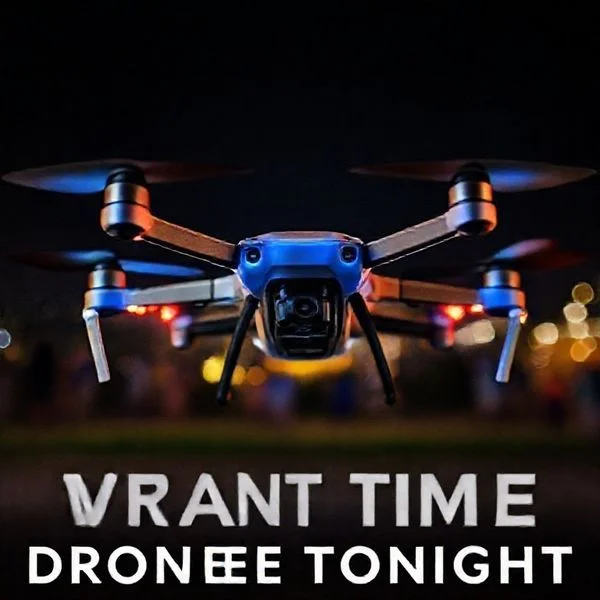
Taking down a drone physically is illegal in most jurisdictions because they are classified as aircraft under federal law. The safest and most effective way to handle a nuisance drone is to document the flight, identify the operator via Remote ID, and contact local authorities.
🎯 Key Takeaways
- Drones are legally classified as aircraft; damaging them is a federal crime.
- Prioritize reporting to law enforcement over taking direct physical action.
- Use Remote ID broadcast signals to identify the drone’s owner.
- Professional anti-drone tools like net guns are strictly for security personnel.
- Documenting flight paths with video helps authorities build a legal case.
The most important thing you need to know about taking a drone down is that, in the eyes of the law, it is almost always illegal for a private citizen to do so. In the United States, the Federal Aviation Administration (FAA) classifies even small consumer drones as aircraft. This means that “taking down” a drone is legally equivalent to attacking a commercial jetliner. If you damage or disable a drone, you are not just destroying someone’s toy; you are potentially committing a federal felony that carries significant prison time and massive fines.

Understanding these boundaries is critical for property owners and security professionals alike. While a drone hovering over your backyard feels like a direct violation of your privacy, your legal options for physical intervention are extremely limited. Before you reach for a net gun, a signal jammer, or a projectile, you must understand the federal statutes that protect these devices. Navigating the “wild west” of drone law requires a clear head to avoid turning a nuisance into a life-changing criminal record.
Prime for Young Adults — 6 Months Free
Exclusive Offer Amazon Prime for Young Adults, Students and 18–24s get six months of Prime free, then half price.
Start 6 Months Free As an Amazon Associate I earn from qualifying purchases.Legal Ramifications of Physically Disabling a Drone
Recommended Best Deal Products

When you see a drone over your property, your first instinct might be to knock it out of the sky. However, doing so triggers a cascade of federal and state legal consequences. Under 18 U.S.C. § 32, the “destruction of aircraft” is a federal crime. Because the FAA defines Unmanned Aircraft Systems (UAS) as aircraft, this statute applies directly to drones. Damaging, destroying, or disabling a drone can lead to a federal investigation, even if the drone was technically trespassing on your airspace.
The Trap of Federal vs. Local Laws
Many people mistakenly believe that “stand your ground” or private property laws allow them to destroy drones. In reality, federal law almost always supersedes local property rights when it comes to the sky. Even if a local police officer agrees that the drone shouldn’t be there, they cannot protect you from federal prosecution. If you disable a drone, you face several specific risks:
- Federal Felony Charges: Violating 18 U.S.C. § 32 can result in up to 20 years in federal prison.
- Civil Liability: You will likely be sued for the replacement cost of the drone, which can range from $500 to $20,000 for high-end thermal imaging models.
- FAA Fines: The FAA can levy civil penalties exceeding $25,000 for interfering with aircraft operations.
- Local Weapon Charges: Discharging a firearm, air rifle, or even a slingshot in many residential areas is a crime in itself, regardless of the target.
Specific Legal Precedents
There have been several high-profile cases where homeowners shot down drones they believed were spying on their families. In almost every instance, the shooter faced arrest. While some local judges have dismissed “criminal mischief” charges, the FAA maintains its right to pursue federal action. The legal consensus is clear: you do not own the navigable airspace above your home to the extent that you can legally destroy aircraft passing through it.
Your Complete DIY Guide to Grounding and Recovering Drones
Whether you are a hobbyist pilot who has lost control of your aircraft, a property owner concerned about privacy, or a security professional tasked with airspace management, knowing how to safely and effectively take a drone down is a critical skill. This guide covers the technical, physical, and electronic methods used to ground unmanned aerial vehicles (UAVs) while minimizing damage to the equipment and ensuring the safety of those on the ground. Understanding these steps is essential because an uncontrolled drone represents a significant kinetic hazard; following a structured protocol prevents legal complications and physical injury.
Step 1: Visual Identification and Threat Assessment
What you need: High-powered binoculars (8×42 or better), a polarized lens filter, and a clear line of sight to the aircraft.
Instructions: Before attempting to ground the drone, you must identify its make, model, and flight behavior. Observe the LED light patterns: a rapid red flash often indicates a low battery or system error, while steady green usually signifies a strong GPS lock. Determine if the drone is a commercial “off-the-shelf” model (like a DJI Mavic) or a custom-built FPV (First Person View) racing drone. Commercial drones usually have automated “Return to Home” (RTH) features that can be exploited, while custom drones require more aggressive physical or electronic intervention. Estimate the drone’s altitude; most consumer drones hover between 50 and 150 feet when performing surveillance. Note the wind direction, as this will affect where the drone will drift if power is cut.
Pro Tip: Look for the presence of a gimbal-mounted camera. If the camera is tilted downward at a 90-degree angle, the operator is likely focused on a specific ground target, making the drone more predictable in its hovering pattern.
Prime for Young Adults — 6 Months Free
Exclusive Offer Amazon Prime for Young Adults, Students and 18–24s get six months of Prime free, then half price.
Start 6 Months Free As an Amazon Associate I earn from qualifying purchases.Step 2: Triggering Automated Return-to-Home (RTH) Protocols
What you need: A high-gain directional antenna (if authorized) or a signal-shielding barrier (like a Faraday cage or mesh screen).
Instructions: Most modern drones are programmed to return to their takeoff point if they lose contact with the pilot’s controller. To take the drone “down” at its source, you need to interrupt the 2.4GHz or 5.8GHz control signal. If you are the pilot and the app has frozen, hold the physical RTH button on the transmitter for three full seconds. If you are dealing with an unresponsive drone, creating a localized signal shadow using a physical barrier can sometimes trigger the drone’s failsafe mode. Once the signal is lost, the drone will typically ascend to a pre-programmed “RTH Altitude” (usually 30-50 meters) before flying back to its launch site. This effectively removes the drone from your immediate airspace without crashing it.
Pro Tip: Be aware that if the drone has “Low Battery RTH” triggered, it may bypass your commands and land immediately wherever it is currently hovering to save power.
Step 3: Deploying Pneumatic Net Capture Systems
What you need: A handheld or tripod-mounted drone net launcher, CO2 canisters (16g or 25g), and a weighted high-tensile polyethylene net (mesh size approx. 2 inches).
Instructions: When a drone must be physically stopped but not destroyed, a net is the most effective tool. Aim the launcher approximately 2-3 feet ahead of the drone’s flight path to account for travel time. When the drone is within a range of 10 to 15 meters, discharge the pneumatic launcher. The net is designed to expand mid-air, tangling the fast-spinning propellers instantly. This causes “motor stall,” and the drone will drop. If the net is equipped with a small parachute, it will drift slowly to the ground; otherwise, ensure the landing zone is clear of people. This method is particularly effective against multi-rotor drones that rely on aerodynamic lift from all four or six blades.
Pro Tip: Avoid using “fishing line” launchers, as thin mono-filament can be difficult to see and may cause the drone to spin wildly rather than dropping straight down.
Step 4: Mechanical Recovery from Elevated Obstructions
What you need: A telescopic carbon fiber pole (reaching 30-50 feet), an arborist throw line (1.75mm thickness), and an 8oz or 12oz throw weight.
Prime for Young Adults — 6 Months Free
Exclusive Offer Amazon Prime for Young Adults, Students and 18–24s get six months of Prime free, then half price.
Start 6 Months Free As an Amazon Associate I earn from qualifying purchases.Instructions: If the drone has already been “taken down” but is stuck in a tree or on a ledge, you must recover it carefully. Do not climb the structure. Instead, use the arborist throw line. Swing the weighted bag in a vertical arc and release it so it loops over the branch holding the drone. Once the line is over, gently shake the branch. If the drone is wedged, use the telescopic pole with a hook attachment to snag the landing gear. Slowly lower the aircraft, ensuring the battery does not become punctured by sharp twigs, which could lead to a lithium-polymer (LiPo) fire. If the drone is high-voltage, ensure the pole is non-conductive.
Pro Tip: Always have a second person holding a “catch sheet” or a large blanket underneath the drone to cushion its fall if it suddenly breaks loose from the branch.
Step 5: Electronic Frequency Disruption (Mitigation)
What you need: A localized RF (Radio Frequency) disruptor or “jammer” (Note: usage is strictly regulated by the FCC and local authorities).
Instructions: For security personnel, taking a drone down often involves jamming the GPS and control frequencies simultaneously. Point the disruptor’s directional antenna at the drone. By flooding the 2.4GHz, 5.8GHz, and GNSS (GPS/GLONASS) bands with “white noise,” the drone loses its ability to navigate or receive pilot input. Most drones are programmed to perform a “controlled descent” or “land in place” when both GPS and control signals are lost. Maintain the aim of the disruptor until the drone has touched the ground and the propellers have stopped spinning. This prevents the drone from “snapping back” to its flight path if the signal is momentarily restored.
Pro Tip: Jamming can interfere with local Wi-Fi and emergency communications; only use this method in designated “No Fly Zones” where you have explicit legal authorization.
Step 6: Hand-Capture and Manual Disarmament
What you need: Heavy-duty leather reinforced gloves (Kevlar lined is preferred) and eye protection.
Instructions: If a drone is hovering low and must be seized manually, approach from the rear to stay out of the camera’s field of view. Reach up and firmly grasp the landing gear or the main chassis from underneath. Immediately flip the drone upside down. Most modern flight controllers (like those in DJI or Autel drones) feature an “emergency motor cutoff” when the internal gyroscope detects a tilt greater than 90 degrees. The motors will stop instantly. Keep your fingers away from the top of the drone where the propellers are located, as high-speed carbon fiber blades can cause deep lacerations even through standard work gloves.
Pro Tip: Never attempt a hand-catch on a racing drone (FPV) that does not have a “leveling” mode, as these will not auto-disarm when flipped and may “throttle up” in an attempt to correct their orientation.
Step 7: Post-Downing Safety and Data Securing
What you need: A LiPo-safe fire bag, a precision screwdriver set, and a micro-SD card reader.
Instructions: Once the drone is on the ground, the first priority is power. Locate the battery release and remove the LiPo pack immediately. Check the battery for “puffing” or heat; if it is hot to the touch, place it in the LiPo-safe bag to prevent a fire. Next, remove the micro-SD card from the side slot to preserve any flight logs or footage that could explain why the drone went down or who was operating it. Use the screwdriver set to check if any internal components are loose. If the drone was taken down due to a malfunction, these logs are vital for warranty claims or FAA incident reports. Clean any debris from the motors using compressed air before attempting to restart the unit later.
Pro Tip: If the drone was submerged in water, do NOT power it on. Remove the battery and submerge the chassis in silica gel or 99% isopropyl alcohol to displace moisture from the circuit boards.
✅ Final Checklist
- Visual confirmation that all propellers have completely stopped spinning.
- Physical battery disconnection to prevent accidental motor restart or fire.
- Retrieval of the micro-SD card for flight log analysis and incident documentation.
- Inspection of the landing site for any dropped debris or damage to third-party property.
- Verification of local drone laws to ensure the grounding method used was legally compliant.
Important Notes:
- Safety Warning: Never use firearms or projectiles to take down a drone in a residential area; this is highly illegal and extremely dangerous.
- Legal Notice: In many jurisdictions, drones are considered “aircraft.” Interfering with a drone in flight can carry federal penalties unless you are authorized security or the owner of the aircraft.
- Professional Help: If a drone is caught in high-tension power lines, do NOT attempt recovery. Contact your local utility company immediately.
- Estimated Cost: Recovery tools range from $50 (throw lines/poles) to over $2,000 for professional pneumatic net systems.
Authorized Anti-Drone Technology and Security Hardware
Since physical destruction is off the table for civilians, security professionals and government agencies rely on specialized hardware. These “counter-UAS” (C-UAS) systems are designed to neutralize threats without creating dangerous falling debris or violating federal aviation statutes. However, even these tools are heavily regulated. In the U.S., the use of most active countermeasure technology is restricted to federal agencies like the Department of Justice or the Department of Homeland Security.
Electronic Countermeasures: Jamming and Spoofing
The most common way to take a drone down without physical impact is through its command and control link. Signal jammers work by blasting noise on the frequencies the drone uses to communicate with its pilot (usually 2.4GHz or 5.8GHz). This triggers the drone’s “Return to Home” protocol or forces it to land immediately.
- RF Jamming: Interrupts the radio frequency connection between the controller and the drone.
- GPS Spoofing: Sends a fake GPS signal to the drone, tricking it into thinking it is in a “No Fly Zone,” which causes it to land.
- Protocol Manipulation: Sophisticated systems can “hijack” the drone’s software and give it new commands.
Note: Using a jammer as a private citizen is a violation of the Communications Act of 1934. The FCC prohibits the marketing, sale, or use of jammers because they can interfere with emergency communications, Wi-Fi, and cellular networks.
Physical Interception and Wildlife Solutions
In high-security environments like airports or prisons, specialized physical interceptors are used. Net-launchers are a popular choice because they entangle the rotors, bringing the drone down in a controlled manner. Some security firms use “interceptor drones” that fire nets at other drones, while others use ground-based net cannons.
In a more unique approach, some European police forces have experimented with birds of prey. Trained eagles and hawks can be taught to identify a drone as prey, snatch it out of the air, and bring it to a secure location. This method is highly effective because the bird naturally avoids the spinning rotors and can neutralize the drone without it falling onto a crowd below. However, this requires years of specialized training and is rarely used outside of government-sanctioned security operations.
Understanding Remote ID and Operator Identification
In the past, identifying who was flying a drone over your property felt like a guessing game. You might see the aircraft hovering, but the pilot could be hidden blocks away behind a fence or inside a vehicle. Thankfully, the regulatory landscape has shifted to provide more transparency for property owners and the public. Remote ID is the cornerstone of this shift, acting as a digital solution to an identification problem.
The Role of the Digital License Plate
Think of Remote ID as a digital license plate for the sky. The FAA now requires most drones operating in United States airspace to broadcast identification and location information. This system is designed to help law enforcement and the FAA distinguish between compliant hobbyists and those who might be operating unsafely or illegally. While the broadcast doesn’t share the pilot’s personal home address with the public, it provides a unique ID that authorities can use to hold the operator accountable.
Tools for Real-Time Identification
You don’t need to be a tech expert or a government official to identify a drone near you. If you feel a drone is encroaching on your space, you can use several tools to gather information before deciding on your next move. These tools turn your smartphone into a detection device.
- Smartphone Detection Apps: Applications like DroneScanner or OpenSky allow you to use your phone’s Bluetooth and Wi-Fi sensors to pick up Remote ID signals. These apps show you the drone’s altitude, speed, and serial number.
- Visual Markers: Many commercial drones are required to have FAA registration numbers displayed on the exterior. If a drone is low enough, a high-quality photo might capture this number.
- Signal Analysis: For those in more sensitive areas, dedicated hardware receivers can monitor local frequencies to alert you the moment a drone enters a specific radius.
By using these identification methods, you shift the power dynamic. Instead of being a passive observer, you become an informed citizen capable of providing concrete data to the authorities.
Reporting Procedures for Nuisance or Illegal Drone Flights
When a drone becomes more than just a minor annoyance—perhaps it is hovering near your windows or flying dangerously low over your children—it is time to move from identification to action. “Taking down” a drone legally often means ending the illegal flight operation through official channels rather than physically touching the aircraft.
Knowing Which Authority to Contact
One of the biggest hurdles for people dealing with drone threats is knowing who to call. The right choice depends entirely on the type of threat you are facing. Local police are often the fastest responders, but they may not always be familiar with specific aviation laws. The FAA, on the other hand, handles the regulatory side but moves at a slower pace.
- Local Law Enforcement: Call the police if there is an immediate threat to your safety, a breach of privacy (like Peeping Tom scenarios), or if the pilot is trespassing on your physical property.
- The FAA: Use the FAA DroneZone portal to report technical violations, such as flying at night without lights, flying above 400 feet, or operating in restricted airspace near an airport.
- Property Managers: If the flight is occurring over a private complex or a business park, the management may have specific “no-fly” policies that allow them to issue trespassing warnings to the pilot.
The Power of Proper Documentation
If you decide to file a report, the quality of your evidence will determine the outcome. Authorities are much more likely to act on a detailed log than a vague complaint. For example, if a drone is repeatedly bothering a neighborhood, a collective log from several neighbors can demonstrate a pattern of harassment.
When documenting an incident, focus on gathering the 4 Ws: Who (the pilot’s description or vehicle), What (the drone’s appearance and serial number), Where (the flight path and your location), and When (the exact time and duration). Having a video of the drone’s behavior is often the “smoking gun” that allows investigators to issue a fine or a cease-and-desist order.
Conclusion
Dealing with an intrusive drone is a modern challenge that requires a modern, legal response. While the urge to physically intercept a drone can be strong, the legal and financial consequences of doing so are rarely worth it. By mastering the use of Remote ID technology and knowing exactly how to report illegal flights to the proper authorities, you can protect your privacy and safety without putting yourself at legal risk. Effectively “taking down” a drone threat is about being smarter and more prepared than the pilot behind the controller.
Your immediate next steps should be to download a drone detection app to see what is flying in your area and to look up your local city ordinances regarding privacy and surveillance. Stay informed, stay calm, and always choose the legal path to peace and quiet!
❓ Frequently Asked Questions
Why is it illegal to take down a drone on my own property?
The FAA classifies drones as aircraft, meaning any physical interference is treated as a federal crime similar to sabotaging a commercial plane.
What tools do security professionals use to stop drones?
Professionals use sophisticated signal spoofers, trained birds of prey, and specialized net-launchers designed to capture drones without causing a dangerous crash.
Can I use a garden hose to ground a low-flying drone?
No, using water to disable a drone is still considered intentional property damage and a violation of federal aviation safety laws.
How does Remote ID help me deal with a nuisance drone?
Remote ID acts as a digital license plate, broadcasting the drone’s location and the pilot’s ground station coordinates to help authorities identify the owner.
What information do I need to report a drone flight?
You should record the date, time, duration of flight, drone description, and any identifying marks or Remote ID data you can capture.
What are the penalties for interfering with a drone flight?
Interference can lead to massive FAA fines, civil lawsuits for property damage, and potential criminal charges for endangering the National Airspace System.