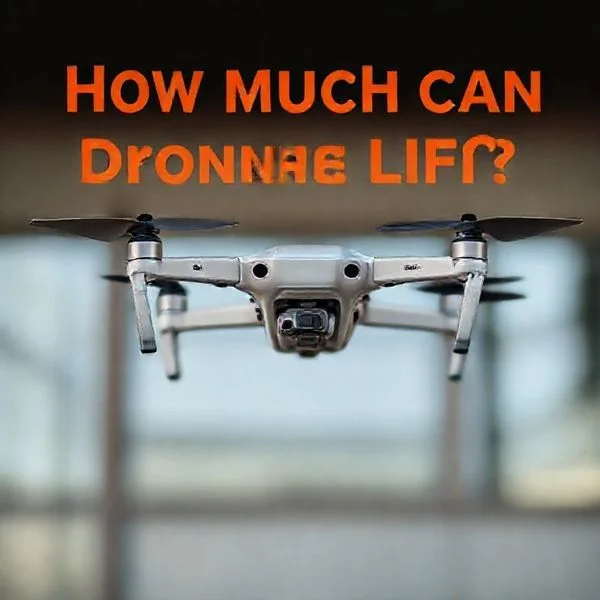
To identify if a drone is watching you, monitor for sustained hovering and observe if the camera gimbal is tilted directly toward your position. You can also utilize WiFi analyzer apps to detect the specific radio frequencies emitted by a pilot’s remote controller nearby.
🎯 Key Takeaways
- Watch for a camera gimbal that tilts and follows your movement consistently.
- Sustained hovering at low altitudes often indicates active surveillance or photography.
- Nighttime drones use specific red and green LED patterns for FAA compliance.
- Use WiFi scanning apps to detect Unmanned Aerial Vehicle signals in your vicinity.
- Document the drone’s flight path before reporting privacy violations to local authorities.
Identifying if a drone is actively monitoring you comes down to spotting three specific behaviors: prolonged stationary hovering, the angle of the camera gimbal, and flight paths that mirror your own movements. While many drones pass through residential areas for photography or mapping, a drone “watching” you will typically maintain a fixed orientation toward your position for more than 30 seconds. Knowing these physical and technical cues allows you to differentiate between a hobbyist flying nearby and a targeted privacy intrusion.
Prime for Young Adults — 6 Months Free
Exclusive Offer Amazon Prime for Young Adults, Students and 18–24s get six months of Prime free, then half price.
Start 6 Months Free As an Amazon Associate I earn from qualifying purchases.Practical detection is essential because modern consumer drones can record high-definition video from hundreds of feet away. By understanding how pilots position their aircraft for surveillance, you can take immediate steps to protect your privacy. This guide focuses on the specific physical signatures and auditory patterns that give away a drone’s presence, even when the pilot is attempting to remain discreet from a distance.
Visual Indicators and Flight Behavior Patterns
Recommended Best Deal Products


The most reliable way to tell if a drone is watching you is to analyze its flight path. Most casual pilots fly in “transit,” meaning the drone moves steadily from point A to point B. If a drone is monitoring a specific target, its behavior changes significantly. It will often adopt a “loitering” pattern, where it stays in a confined pocket of airspace for an extended period.
Analyzing Hovering and Loitering Patterns
A drone that is recording a specific person or property will almost always hover. Unlike a plane that must stay in motion, a quadcopter can remain perfectly still using GPS lock. Pay close attention to how the drone sits in the air. If the “nose” or the front of the drone is constantly pointed toward your window or backyard, it is likely using its camera to track you. Look for these specific flight maneuvers:
- The Stationary Hover: The drone stays at a fixed altitude and position for several minutes, often at a 45-degree angle from your location.
- The Orbit: The pilot sets a “Point of Interest” (POI) mode. The drone circles you in a perfect radius while keeping the camera centered on you.
- Strafing: The drone moves slowly side-to-side (rolling) rather than moving forward, which is a common technique for getting wide-angle surveillance footage of a building or yard.
- Consistent Altitude: Surveillance drones usually maintain an altitude of 100 to 200 feet—high enough to be less intrusive, but low enough for the camera to resolve faces.
Decoding LED Light Sequences and Camera Orientation
Most consumer drones, such as those made by DJI or Autel, have navigation lights. Under FAA regulations, these are required for night flight, but they also provide clues about the drone’s activity. While pilots can often turn these lights off in the app, many leave them on for safety. By looking at the colors and blinking patterns, you can determine which way the drone is facing and if it is actively recording.
- Solid Red Lights: These typically indicate the “front” or “nose” of the drone. If the red lights are facing you, the camera is also pointed in your direction.
- Green/Yellow Blinking: This usually signifies a healthy GPS connection or that the drone is in a standard flight mode.
- The Gimbal Tilt: If you can see the drone clearly, look at the small camera housing underneath. If the gimbal is tilted downward at an angle rather than pointing straight ahead, it is capturing ground-level footage.
- Rapid Red Blinking: In many models, a change in light patterns (like rapid flashing) can indicate that the internal storage is active or the pilot has triggered a specific recording function.
Everything You Need to Know About Detecting Unwanted Drone Surveillance
In an era where consumer technology has advanced at a lightning-fast pace, the presence of Unmanned Aerial Vehicles (UAVs), commonly known as drones, has become a regular occurrence in our skies. While most drone pilots are hobbyists following the law, the potential for privacy invasion is a legitimate concern for many homeowners and individuals. This guide is designed to provide you with a comprehensive, multi-layered approach to identifying whether a drone is actively monitoring your activities or simply passing through the neighborhood. By following these steps, you will learn how to use your senses, common household tools, and specialized software to protect your privacy and regain peace of mind.
Step 1: Listening for Specific Acoustic Signatures
What you need: A quiet environment and, optionally, a high-gain directional microphone if you are in a noisy urban area.
Instructions: Drones are powered by high-RPM (rotations per minute) brushless motors and rapidly spinning propellers, which produce a very distinct “whirring” or “buzzing” sound. Unlike the deep rumble of a distant airplane or the rhythmic thumping of a helicopter, a consumer drone typically sounds like a large, angry swarm of bees or a high-pitched lawnmower. To detect one, stop what you are doing and listen for a sound that changes pitch based on the wind or the drone’s movement. If the sound remains stationary or oscillates in volume while staying in one general area, it is likely a drone hovering nearby. On a calm day, a standard consumer drone like a DJI Mavic can be heard from up to 300 to 500 feet away. If you hear a high-pitched mechanical whine that persists for more than a few minutes without moving away, you should begin a visual search.
Prime for Young Adults — 6 Months Free
Exclusive Offer Amazon Prime for Young Adults, Students and 18–24s get six months of Prime free, then half price.
Start 6 Months Free As an Amazon Associate I earn from qualifying purchases.Pro Tip: Use the “cupping” method with your hands behind your ears to amplify incoming sound waves and turn your head slowly to triangulate the direction of the noise.
Step 2: Scanning for Navigation and Anti-Collision Lights
What you need: A pair of 10×42 or 8×42 binoculars and a clear line of sight to the sky.
Instructions: If you suspect a drone is watching you at night, its lights are your biggest giveaway. Federal aviation regulations usually require drones to have anti-collision lighting that is visible for at least three statute miles. Most consumer drones feature a combination of solid and blinking LEDs. Look for small, intense points of light that are red, green, or white. Typically, the front lights are solid (often red) to help the pilot determine orientation, while the rear lights may blink. Unlike stars, which twinkle steadily, or satellites, which move in a constant, straight line at high speed, a drone will “jitter” in the air as it fights the wind to stay hovering. Use your binoculars to inspect any suspicious “low-hanging stars.” If the light source moves erratically, hovers for long periods over your property, or descends toward the horizon, it is almost certainly a drone.
Pro Tip: Avoid looking directly at bright streetlights while scanning, as the “ghost images” in your vision can be mistaken for moving drones.
Step 3: Monitoring for Radio Frequency (RF) and Wi-Fi Interference
What you need: A smartphone with a Wi-Fi analyzer app (available on most app stores) or a dedicated RF signal detector.
Instructions: Most consumer drones operate on the 2.4GHz and 5.8GHz radio frequency bands to communicate between the controller and the aircraft. They also frequently use Wi-Fi protocols to transmit a live video feed to the pilot’s phone or tablet. Open a Wi-Fi analyzer app on your smartphone while standing in the area where you suspect surveillance. Look for new, unnamed, or unusually strong Wi-Fi signals that appear and disappear or have names that include “DJI,” “Autel,” “Parrot,” or “UAV.” Additionally, if you notice your own Wi-Fi connection suddenly dropping or your wireless baby monitor experiencing static and “snow” only when you hear a buzzing outside, this is a strong indicator of localized RF interference from a nearby drone’s high-powered transmission system.
Pro Tip: Walk around your perimeter; if the signal strength (measured in dBm) becomes less negative (e.g., moves from -70dBm to -40dBm), you are moving closer to the drone or its operator.
Prime for Young Adults — 6 Months Free
Exclusive Offer Amazon Prime for Young Adults, Students and 18–24s get six months of Prime free, then half price.
Start 6 Months Free As an Amazon Associate I earn from qualifying purchases.Step 4: Utilizing Remote ID Tracking Applications
What you need: A smartphone with Bluetooth and Location services enabled, and a “Remote ID” scanner app (e.g., Drone Scanner or OpenSky).
Instructions: As of recent FAA regulations in the United States (and similar rules in other regions), most modern drones are required to broadcast “Remote ID” information. This is essentially a digital license plate that transmits the drone’s serial number, position, altitude, and the location of the pilot. Download a reputable Remote ID tracking app. When you suspect a drone is nearby, open the app and let it scan the local airspace via Bluetooth and Wi-Fi beacons. If a compliant drone is watching you, it will appear on the map in the app, often showing its exact flight path and current GPS coordinates. This is the most definitive way to prove a drone is in your vicinity and provides you with the digital evidence needed if you choose to contact the authorities regarding a privacy violation.
Pro Tip: Not all older drones have Remote ID enabled, so if the app shows nothing but you still hear or see a drone, it may be an older model or a non-compliant operator.
Step 5: Detecting Lens Glint and Optical Reflections
What you need: A high-powered LED flashlight (at least 1000 lumens) or a dedicated “hidden camera detector” that uses infrared (IR) LEDs.
Instructions: Drone cameras use glass lenses that are highly reflective. This is especially useful for detecting a drone that is “dark”—meaning it has its navigation lights turned off to avoid detection. During the twilight hours or at night, stand in the area you believe is being watched and slowly sweep a high-powered flashlight across the sky and treeline. Look for a tiny, brilliant pinprick of light reflecting back at you. This is known as “retro-reflection,” where the light bounces off the camera’s sensor and lens elements. If you use an IR-based hidden camera detector, look through the red viewfinder; a drone camera lens will appear as a bright, glowing red dot even if the drone itself is matte black and difficult to see against the night sky.
Pro Tip: Be careful not to shine high-powered lights directly at the drone for extended periods if you are not certain of its intent, as this could be interpreted as interference with an aircraft in some jurisdictions.
Step 6: Identifying Suspicious Flight Patterns
What you need: A notebook or a smartphone camera to record observations.
Instructions: Not every drone in the air is watching you. To determine intent, you must observe the flight pattern. A hobbyist traveling from point A to point B will usually fly in a relatively straight line at a consistent altitude. A photographer or surveyor will often fly in a “lawnmower” pattern (back and forth in parallel lines). However, a drone that is watching you will exhibit “loitering” behavior. This involves hovering in a fixed position for several minutes, often with the camera gimbal tilted downward at a 45 to 90-degree angle toward your windows, backyard, or vehicle. Another red flag is “orbital” flight, where the drone circles a specific point (you or your home) while keeping its camera centered on that point. If the drone mimics your movements—moving when you move and stopping when you stop—it is a clear sign of active surveillance.
Pro Tip: Use your phone to record a video of the drone’s flight path. This serves as visual proof of the “loitering” behavior if you need to file a harassment report later.
Step 7: Using Thermal Imaging for Heat Detection
What you need: A smartphone-compatible thermal camera (like a FLIR ONE or Seek Thermal attachment).
Instructions: Drones generate a significant amount of heat. The lithium-polymer batteries and the four (or more) electric motors become quite warm during flight, typically reaching temperatures 20 to 50 degrees Fahrenheit above the ambient air temperature. If you suspect a drone is hidden against a dark background, such as a leafy tree or a building facade, a thermal camera will make it stand out instantly. Turn on your thermal camera and scan the area. The drone will appear as a bright “heat signature” (usually white or orange on the display) against the cooler background of the sky or foliage. This method is nearly impossible for a pilot to circumvent, as they cannot mask the heat generated by the propulsion system while the drone is in flight.
Pro Tip: Thermal imaging works best after sunset when the ground and trees have cooled down, making the drone’s heat signature much more prominent.
✅ Final Checklist
- Confirm the sound: Did you hear a high-pitched, persistent buzzing or whirring that matches drone motor frequencies?
- Visual verification: Did you spot navigation lights (Red/Green) or a physical object loitering in a fixed position?
- Signal check: Did a “DJI” or “UAV” Wi-Fi signal appear on your analyzer, or did you find a Remote ID broadcast?
- Intent analysis: Did the drone stay over your property for more than 3-5 minutes rather than passing through?
- Documentation: Have you recorded the time, date, estimated altitude, and a video of the drone’s behavior?
Important Notes:
- Legal Warning: Never attempt to shoot down, throw objects at, or use “jammers” on a drone. In many countries, including the US, drones are considered aircraft, and interfering with them is a federal crime that carries heavy fines and potential imprisonment.
- Privacy Laws: Familiarize yourself with local “Peeping Tom” and “Expectation of Privacy” laws. Most jurisdictions prohibit drones from filming individuals in areas where they have a reasonable expectation of privacy (like inside a home or a fenced backyard).
- When to Seek Help: If the surveillance is persistent (occurring multiple times a week) or if the drone is flying dangerously low (under 50 feet), contact your local police department and the FAA (or your country’s aviation authority).
- Estimated Cost: $0 (using senses) to $300 (for thermal attachments/specialized detectors).
- Estimated Time: Detection usually takes 5-10 minutes of active observation once the drone is heard or seen.
Auditory Cues and Sound Signature Recognition
Recommended Best Deal Products


Drones are notoriously loud, but their sound profile changes based on what they are doing. A drone’s propellers create a distinct “whine” or “buzz” caused by the rapid displacement of air. At a distance of 100 feet, a standard consumer drone produces about 70-80 decibels of sound, which is roughly equivalent to a vacuum cleaner. Learning to hear the drone before you see it is often your first line of defense.
Identifying Frequency and Pitch Variations
The pitch of a drone can tell you how hard the motors are working. A steady, high-pitched hum indicates a stable hover—the classic sign of a drone that is watching a fixed point. If the pitch fluctuates wildly (rising and falling), the drone is likely just passing through or performing maneuvers. You can identify different types of drones by their sound signatures:
- High-Pitched “Bumblebee” Buzz: Usually indicates a small, lightweight “mini” drone (under 250g). These are hard to see but easy to hear in quiet environments.
- Lower, Heavy Hum: Indicates a larger professional drone (like a DJI Mavic or Phantom). These have larger propellers that move more air, creating a deeper sound that carries further.
- The “Wobble” Sound: If the sound seems to pulse, the drone is fighting wind to stay in one spot. This is a primary indicator that the pilot is trying to keep the camera steady on a specific target despite atmospheric conditions.
Directional Sound Tracking Techniques
Because drone sound is high-frequency, it is highly directional. You can often locate a hidden drone by using your ears to find the “acoustic center.” If you hear a buzz but cannot see the craft, move toward a wall or a large flat surface. Sound reflects off buildings, and by positioning yourself with your back to a wall, you can better isolate where the sound is coming from.
- The Doppler Effect: If the pitch of the buzz gets higher, the drone is moving toward you. If it drops, it is moving away. A constant pitch means it is maintaining a fixed distance.
- Obstruction Muffling: Drones are much quieter when they are behind trees or buildings. If the sound suddenly cuts out but you haven’t seen the drone fly away, it may have dropped in altitude to hide behind an obstacle while still recording.
- Propeller Slap: When a drone stops suddenly or changes direction to follow someone, you will hear a sharp “slapping” or “popping” sound as the motors rapidly change RPM to provide counter-thrust.
Technological Methods for Signal and RF Detection
While your eyes and ears are your first line of defense, high-tech tools offer a more definitive way to spot a hidden drone. Drones rely on radio frequencies (RF) to communicate with their pilots, and these signals leave a “digital footprint” you can track. By tapping into these signals, you can detect a drone’s presence long before it enters your visual range.
Using RF Scanners and Dedicated Detectors
Professional-grade RF detectors are designed to pick up the specific 2.4 GHz and 5.8 GHz frequencies that most consumer drones use for control and video transmission. These devices alert you when a strong, sustained signal is detected nearby, even if the drone is hovering silently behind a tree or building. Some advanced handheld detectors can even identify the manufacturer of the drone by analyzing the unique signal pattern of the transmission.
- Signal Strength Spikes: Look for “bursts” on a scanner that intensify as you move toward the suspected drone.
- Directional Antennas: Use these to pinpoint exactly which direction the transmission is coming from by rotating the device.
- Broadband Receivers: These can monitor a wide range of frequencies to catch drones using non-standard or modified bands.
Remote ID and Smartphone Detection Apps
Under current FAA regulations, most modern drones are required to broadcast “Remote ID” information. This is essentially a digital license plate that transmits the drone’s location, altitude, and serial number. You can download specialized apps on your smartphone that act as receivers for these signals. While these apps won’t show every “toy” drone, they are incredibly effective for identifying commercial or high-end hobbyist drones that may be loitering in your vicinity.
Legal Frameworks and Privacy Rights Regarding Surveillance
Recommended Best Deal Products


Identifying a drone is only half the battle; knowing what the operator is legally allowed to do is just as important. Privacy laws are evolving rapidly to keep up with drone technology, but several core principles remain consistent across most jurisdictions regarding what constitutes an invasion of privacy.
The Concept of “Reasonable Expectation of Privacy”
In the eyes of the law, your privacy rights are strongest inside your home. A drone hovering outside a second-story bedroom window is likely violating “Peeping Tom” or voyeurism statutes. However, the legal line becomes blurrier when you are in your yard. Most states protect the “curtilage”—the area immediately surrounding your home—but laws vary on how high a drone can fly over your property before it is considered trespassing rather than just using public airspace.
- State Statutes: Many states have passed specific “anti-paparazzi” drone laws that prohibit recording individuals in private moments without consent.
- FAA Regulations: While the FAA controls the “highways in the sky,” they prohibit any drone operation that is “reckless or hazardous” to people on the ground.
- Local Ordinances: Check your city’s specific rules, as many local municipalities have banned drone takeoffs and landings in residential zones to curb surveillance.
Navigating Civil and Criminal Recourse
If you feel threatened or believe your privacy is being systematically invaded, it is vital to document the encounter. Avoid the temptation to take matters into your own hands—interfering with or shooting down a drone is a federal crime in many regions, regardless of why it is there. Instead, focus on gathering evidence. Take photos of the drone and try to locate the pilot, as having a physical description or a vehicle license plate is essential if you decide to file a police report or a civil harassment suit.
Conclusion
Detecting a drone requires a combination of situational awareness and the right technological tools. Whether you are listening for the distinctive “angry bee” buzz of propellers, scanning the horizon for blinking navigation lights, or using RF detectors to track hidden signals, you have several effective ways to maintain your privacy. Remember that while most drone pilots are hobbyists following the rules, your right to feel secure in your own home is paramount.
If you suspect you are being watched, the best next step is to document the drone’s behavior and verify your local privacy ordinances. Staying informed is your best defense in the modern age of aerial technology. For more tips on drone safety and the latest in detection hardware, explore our other articles and accessory reviews to stay one step ahead!
💬 Quick Questions & Answers
Do drones always have lights on at night?
Most commercial drones use blinking LEDs, typically red and green, for safety and pilot orientation.
Can I see a drone’s camera moving from the ground?
Yes, if the drone is at a low altitude, you can see the motorized gimbal tilting or panning to track subjects.
Can smartphone apps really detect nearby drones?
Certain apps can detect WiFi signals and Remote ID broadcasts emitted by the drone and its controller.
Is it legal for a drone to fly over my backyard?
Airspace is generally public, but persistent hovering to peer into private spaces is often a legal privacy violation.
What does a surveillance drone sound like?
It produces a distinctive high-pitched buzzing sound that changes in frequency as the motors adjust for hovering.
❓ Frequently Asked Questions
What is the significance of different LED light colors on a drone?
Standard configurations use red lights to indicate the front and green lights for the rear; rapid flashing usually indicates status changes like recording or low battery.
How can I tell if a drone is recording or just passing through?
Drones passing through maintain a steady speed and linear path, while recording drones often circle, hover, or make frequent small adjustments to maintain a frame.
Are there specific apps that help with drone detection?
Apps like DroneScanner or WiFi analyzers can identify the digital signatures and Remote ID signals that modern drones are required to broadcast.
How far away can a high-end drone camera see clearly?
Advanced consumer drones with 4K zoom lenses can capture clear details from over 300 feet away, even if the drone looks like a small speck.
What should I do if I confirm a drone is spying on me?
Avoid damaging the drone; instead, record the drone’s behavior with your phone and report the incident to local law enforcement or the FAA.
Can thermal imaging drones see through my home’s walls?
Standard thermal cameras detect surface temperatures and cannot see through solid walls or glass, though they can identify heat leaks or people through very thin fabric.