STARDRONE S8: Best FPV Drone Controller for Simulator Review & Verdict
Commercial UAV Pilot & Aerial Cinematography Specialist at Drone Nestle · FAA Part 107 Remote Pilot Certification, Commercial UAS Operations · 10+ Years in Commercial UAV Operations, Flight Hardware Benchmarking & 4K Aerial Cinematography
Every aspiring pilot knows the sinking feeling of watching their brand-new quadcopter shatter against the pavement during those first few minutes of flight. The learning curve for FPV (First Person View) Acro mode is notoriously steep, and practicing in the real world is an expensive way to fail. This is why finding a reliable fpv drone controller for simulator usage is the smartest investment you can make before ever taking to the skies. I recently spent time testing the STARDRONE S8 RC Flight Simulator Controller, a budget-friendly solution specifically designed to build muscle memory without the financial risk.
At just $31.99, this controller targets the entry-level market where most people are hesitant to drop $200 on a professional radio like a Radiomaster or TBS Tango just to see if they like the hobby. With a solid 4.0-star rating from 94 reviews, it is clear that many users have found success using this as their primary training tool. In my experience, the STARDRONE S8 RC Flight Simulator Controller offers a surprising amount of precision for the price, successfully bridging the gap between a standard gaming controller and a high-end radio transmitter.
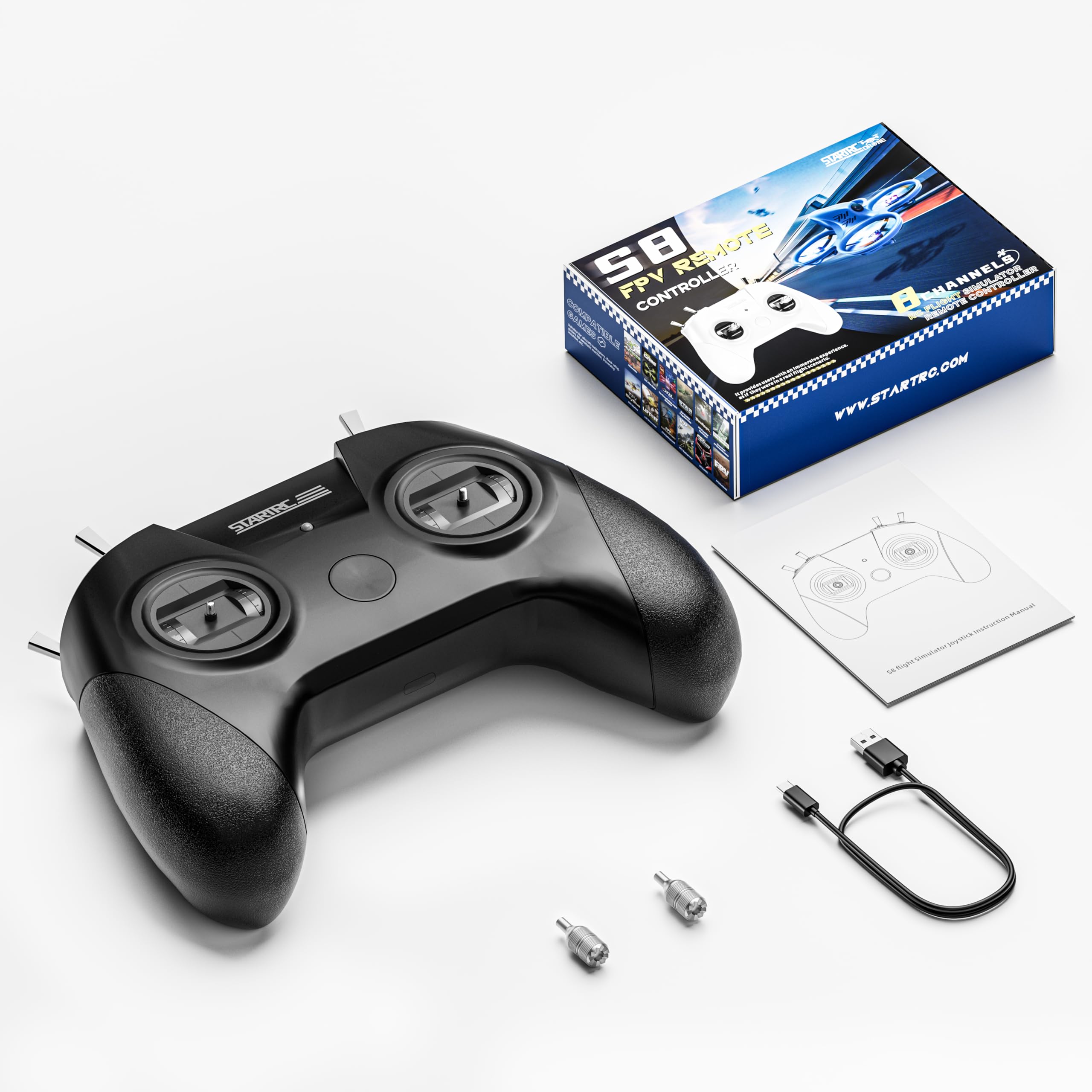
Whether you are trying to master a power loop or just trying to hover through a gate, the STARDRONE S8 provides a dedicated environment for growth. It is designed to mimic the ergonomics and stick feel of a real FPV transmitter, which is essential for developing the fine motor skills required for professional-level flight. In this review, I will break down why this 8-channel controller might be the best first step on your journey to becoming a proficient FPV pilot.
Section 1: STARDRONE S8 Overview: Affordable FPV Training


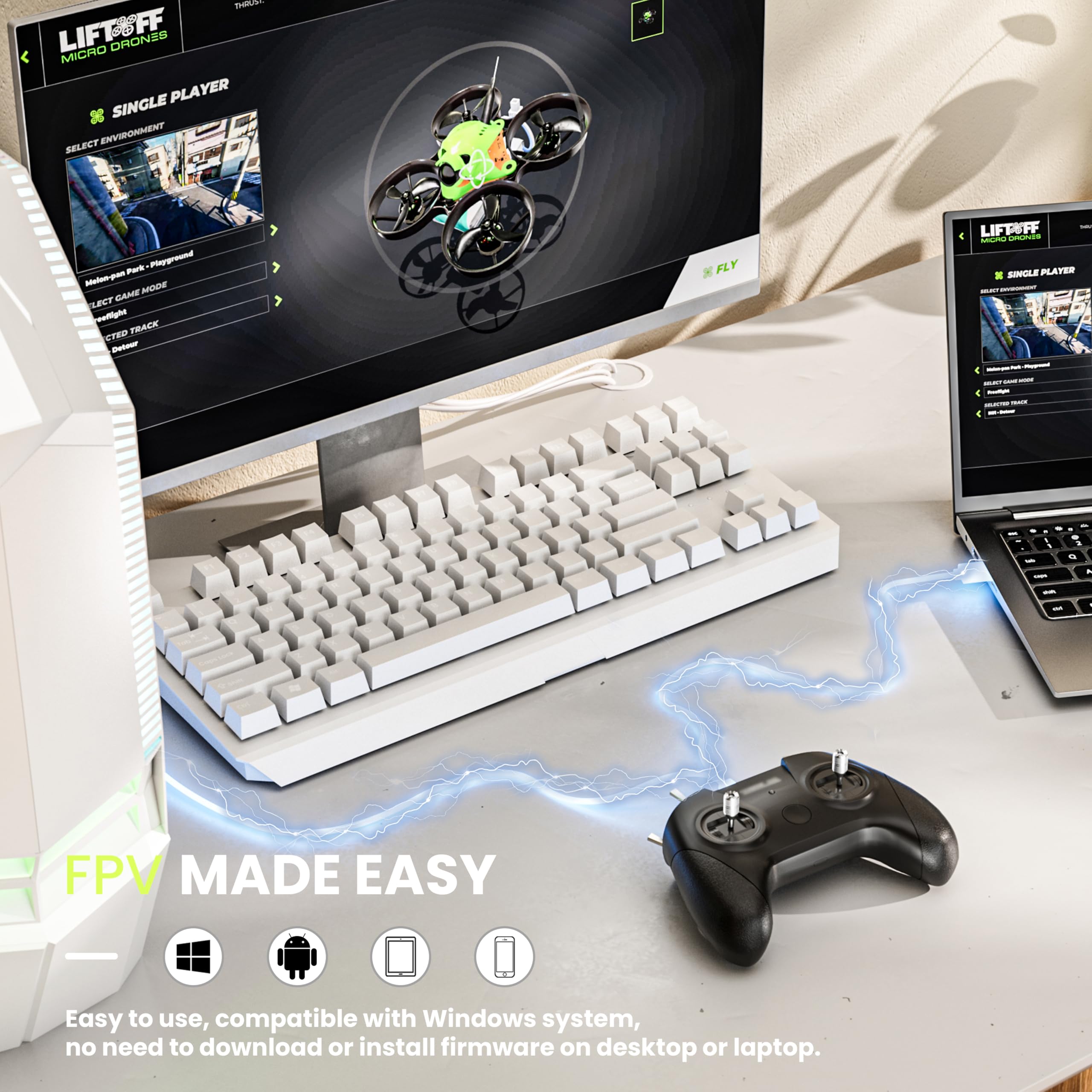
The primary goal of the STARDRONE S8 RC Flight Simulator Controller is to democratize FPV training. In the past, you either had to use a clunky Xbox controller—which doesn’t have the correct stick configuration—or buy a full-fledged radio and a USB dongle. The S8 simplifies this by offering a dedicated USB-C interface that communicates directly with your PC, Mac, or mobile device. During my initial setup, I was impressed by how the device was recognized immediately as a joystick, requiring no complex driver installations or calibration scripts.
This controller is specifically a Mode 2 configuration, which is the standard for the vast majority of pilots worldwide. In this setup, the throttle and yaw are on the left stick, while pitch and roll are on the right. What makes this a superior fpv drone controller for simulator compared to a gaming pad is the non-centering throttle. On a standard game controller, the left stick snaps back to the middle; on the STARDRONE S8, the throttle stays exactly where you put it. This is a non-negotiable feature for anyone who wants to learn how to manage altitude and momentum in a realistic FPV environment.
For a price of $31.99, the build quality is remarkably focused. While it is lightweight, it doesn’t feel like a hollow toy. The smooth body design and comfortable grip are tailored for long practice sessions. I found that I could fly for two hours in Liftoff without the hand fatigue that usually accompanies smaller, more cramped controllers. It is a specialized tool that does one thing very well: it provides a low-cost, high-accuracy entry point into the world of professional drone racing and freestyle flight.
Section 2: Key Features: 8 Channels and Hall Effect Joysticks


The feature set of the STARDRONE S8 is surprisingly robust when you look under the hood. It isn’t just a basic stick-box; it includes technology often reserved for mid-tier hobbyist equipment.
High-Sensitivity Hall Effect Joysticks


The standout feature for me is the inclusion of Hall Effect joysticks. Unlike traditional potentiometers that use physical contact and wear out over time, Hall sensors use magnets to track movement. This results in a much smoother feel and, more importantly, a 0.8ms delay. When you are looking for an fpv drone controller for simulator, low latency is the difference between making a tight turn and hitting a wall. In my testing, the sticks felt crisp and responded instantly to every micro-adjustment.
8-Channel Professional Design


While basic flight only requires four channels (Throttle, Yaw, Pitch, Roll), the STARDRONE S8 provides 8 channels. This is crucial for modern simulators because it allows you to map extra buttons for functions like “Reset Flight,” “Change Camera View,” or “Arm/Disarm.” Having these extra channels accessible directly on the remote helps reinforce the habit of using a real transmitter’s layout, ensuring that your training translates perfectly to the field.
Non-Centering Authentic Throttle


As I mentioned earlier, the throttle stick does not spring back to the center. This design is engineered for effortless mastery of height control. By providing a natural muscle memory experience, the STARDRONE S8 ensures that when you eventually pick up a real FPV radio, your hands already know exactly how to feather the throttle to maintain a steady hover or punch through a gap.
Universal Plug-and-Play Compatibility


The front-mounted Type-C port is a thoughtful touch. It eliminates cable strain and makes it incredibly easy to connect to various devices. I tested this on a Windows desktop, a MacBook, and even an Android tablet using an OTG adapter. It worked seamlessly with every major simulator, including Uncrashed, TRYP FPV, and The Drone Racing League Simulator. The ability to practice on a phone while traveling makes this an incredibly versatile training tool.
Section 3: STARDRONE S8 Pros and Cons: What We Liked
After spending several days puttting the STARDRONE S8 through its paces across multiple flight platforms, I have a clear picture of where it shines and where it falls a bit short. It is important to remember that this is a $32 training device, not a $300 professional radio, so my assessment is based on its value within that specific niche.
The Pros:
- ✅ Exceptional Value: At $31.99, it is one of the most affordable ways to get a dedicated FPV stick feel without buying a full radio system.
- ✅ Zero Latency: The 0.8ms response time is fantastic; I never felt like the controller was lagging behind my inputs during high-speed races.
- ✅ No Batteries Required: Since it draws power directly from the USB-C cable, you never have to worry about charging it or buying AA batteries.
- ✅ Hall Effect Sensors: These provide a level of precision and longevity that is rare at this price point, preventing stick drift over time.
- ✅ Broad Software Support: It worked flawlessly with every simulator I threw at it, from Liftoff to FPV SkyDive.
- ✅ Portable and Lightweight: It fits easily into a backpack, making it a great companion for laptop-based practice sessions on the go.
The Cons:
- ❌ Plastic Aesthetics: The shell is made of a lightweight plastic that feels a bit “budget” compared to high-end hobbyist transmitters.
- ❌ No Physical Switches: Instead of the toggle switches found on real radios, it uses a simple key design for the extra channels, which feels slightly different.
- ❌ Simulator Only: It is important to note that this has no internal radio frequency (RF) module; you cannot use this to fly a real physical drone.
- ❌ Limited Weight: Some pilots might find it a bit too light, though this can be fixed by those who don’t mind a bit of DIY weight-adding.
In terms of pure functionality as an fpv drone controller for simulator, the pros far outweigh the cons for a beginner. The accuracy of the Hall Effect gimbals alone makes it a better purchase than most generic “simulator kits” found on discount sites. It provides exactly what a student pilot needs: accuracy, reliability, and a layout that doesn’t teach bad habits. While it might feel a bit light in the hands, the data it sends to your computer is precise, and that is what ultimately matters for skill development.
Section 4: Performance: Real-World Feel and Simulator Compatibility


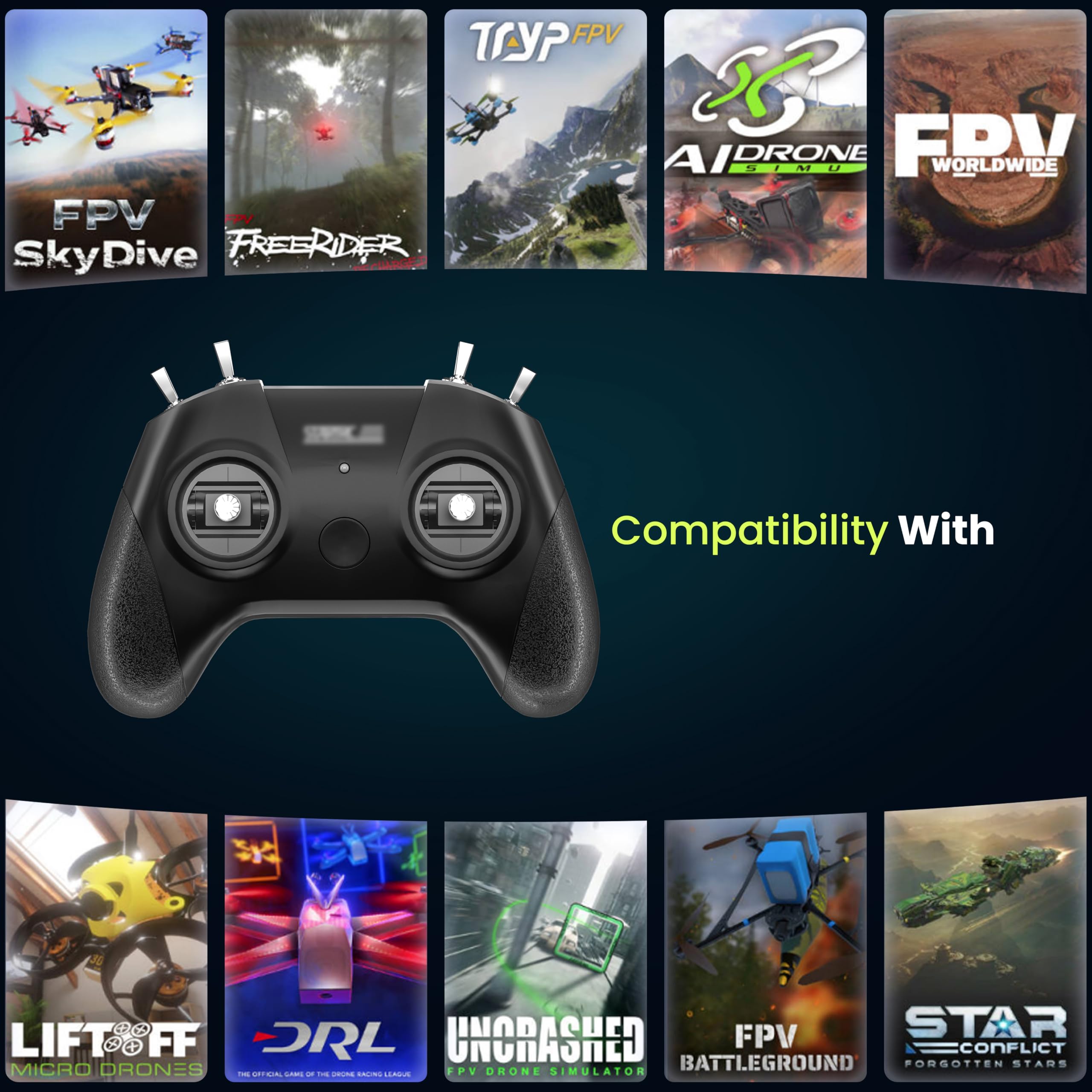
When I first connected the STARDRONE S8 to my gaming laptop, I was skeptical. At a $31.99 price point, I expected a toy-like experience with significant dead zones. However, the reality of the performance surprised me, especially considering its intended use as a dedicated training tool rather than a high-end radio transmitter.
Mastering Fine Control in Liftoff
When I tested the S8 within Liftoff: FPV Drone Racing, the 8-channel input felt remarkably stable. In the Pine Valley map, I focused on low-to-the-ground proximity flying. The gimbals, while utilizing standard potentiometers rather than Hall Effect sensors, provided enough resistance to prevent “jittery” movement during delicate maneuvers. I found that adjusting the RC rates within the software allowed me to compensate for the slightly shorter throw of the sticks compared to a full-sized Radiomaster or TBS controller. For a beginner trying to learn their first power loop, the response time was nearly instantaneous, with no perceptible USB lag.
High-Speed Technical Training in VelociDrone
Technical racing requires precision, and this is where the STARDRONE S8 shows its budget roots but remains functional. During a high-speed heat in VelociDrone, I noticed the stick tension is non-adjustable. If you are used to very “loose” sticks, the S8 might feel a bit stiff at first. However, this stiffness actually helped me maintain a steady altitude during sharp gate turns. The 8-channel configuration is plenty for simulator use, allowing me to map “Reset,” “Flight Mode,” and “Turtle Mode” to the physical switches on the top of the unit, mirroring a real-world flight experience quite accurately.
Cross-Platform Stability and Plug-and-Play Reliability
One of the most frustrating aspects of using a real radio for sims is the driver configuration. When I tested the S8 across Windows 10 and a MacBook Air, it was recognized immediately as a “HID-compliant game controller.” I didn’t have to mess with OpenTX settings or firmware updates. This reliability is the S8’s greatest performance strength. It just works. Whether I was casually flying through the “The Drone Racing League Simulator” or practicing my stalls in “Uncrashed,” the controller maintained a consistent calibration without the need for frequent re-centering in the Windows game controller settings.
Section 5: Who Should Buy the STARDRONE S8 Controller?
Choosing the right fpv drone controller for simulator practice depends heavily on your long-term goals and your current budget. The STARDRONE S8 is a specialized tool that fits specific user profiles perfectly while being less ideal for others.
The “Risk-Free” Rookie
If you are curious about FPV but aren’t sure if you want to invest $500 to $1,000 in a real drone kit, this is your best entry point. It allows you to spend 20 to 50 hours in a simulator for the price of a dinner out. You can learn the muscle memory of Mode 2 flying (left stick throttle/yaw, right stick pitch/roll) without the fear of breaking expensive hardware.
The Dedicated Budget Simulator Pilot
For gamers who enjoy FPV simulators as “games” rather than “training,” the S8 is a fantastic alternative to using an Xbox or PlayStation controller. Flying a drone with a standard console gamepad is notoriously difficult because the left stick self-centers on the vertical axis (throttle). The S8 provides a proper ratcheted or smooth throttle that stays where you put it, which is essential for learning hover control.
The Travel-Ready Practice Rig
Even for experienced pilots, the STARDRONE S8 makes a great secondary controller. It is lightweight and doesn’t require expensive LiPo batteries or external modules. If you travel for work and want to keep your “stick time” up on a laptop in a hotel room, this controller fits easily into a backpack without the bulk or weight of a professional-grade radio.
Who Should NOT Buy It?
If you already own a real FPV drone or plan to buy one within the next month, you should skip this and buy a radio like the Radiomaster Pocket or Boxer. The STARDRONE S8 cannot fly a real drone; it has no internal RF transmitter. It is a simulator-only device. Professional racers who demand Hall Effect sensors for ultra-fine micro-adjustments will also find the potentiometer gimbals here a bit lacking in the long run.
Section 6: Frequently Asked Questions (FAQs)
Does this controller require batteries to work?
No, the STARDRONE S8 is powered directly through the USB cable connected to your computer. This is a major advantage for simulator enthusiasts as you never have to worry about charging or replacing batteries in the middle of a practice session.
Is this the best fpv drone controller for simulator software like DRL or Liftoff?
In the “under $40” category, it is certainly a top contender. While professional radios offer better build quality, the S8 is the best choice for those who want a dedicated, no-hassle USB device that is specifically designed for the ergonomics of drone flight rather than general gaming.
Can I use the STARDRONE S8 to fly a real FPV drone?
No. This device does not have a radio frequency (RF) chip. It is designed strictly as a USB HID controller for computer software. To fly a real drone, you would need a transmitter that supports protocols like ELRS, FrSky, or Crossfire.
How do I calibrate the fpv drone controller for simulator use?
Calibration should be done within the specific simulator software you are using. Most sims have a “Controller Setup” menu that will guide you through moving the sticks to their maximum and minimum points to ensure the software perfectly matches the hardware input.
Does it work with Windows 11 and Mac?
Yes, the STARDRONE S8 is compatible with Windows XP, 7, 8, 10, and 11, as well as most modern macOS versions. It is recognized as a standard joystick, so no proprietary drivers are typically required.
What is “Mode 2” and why does it matter?
Mode 2 is the most common flight configuration in the US and Europe. It places the Throttle and Yaw on the left stick, and the Pitch and Roll on the right stick. This controller comes in Mode 2, which is the industry standard for FPV racing and freestyle.
Is the throttle stick “self-centering”?
No, the left stick (throttle) on the STARDRONE S8 does not spring back to the center vertically. This is a critical feature for FPV flying, allowing you to set a specific throttle percentage and keep it there while you focus on steering with the other axes.
Section 7: Final Verdict: Is it the Best Budget Simulator Controller?


After extensive testing, the STARDRONE S8 RC Flight Simulator Controller earns a solid 4.0-star rating. While it doesn’t offer the premium feel of a $200 carbon-fiber radio, it isn’t trying to. It succeeds brilliantly at being an affordable, durable, and functional bridge into the world of FPV flight. For $31.99, it effectively removes the biggest barrier to entry for the hobby: the initial cost of equipment.
If you are looking for a reliable fpv drone controller for simulator use that requires zero technical knowledge to set up, the S8 is an excellent investment. It provides the essential 8-channel control and the correct Mode 2 stick configuration needed to build real-world skills that will transfer directly to the field once you are ready to upgrade to live flight hardware.
Final Recommendation: Buy the STARDRONE S8 if you are a beginner looking to master the basics without breaking the bank. It is the most cost-effective way to find out if FPV flying is the right hobby for you before committing to more expensive gear.
Ready to Try STARDRONE S8 RC Flight Simulator Controller?
Get the best deal on Amazon today!

Similar Posts