How To Build Your Own Drone
how to build your own drone is an essential topic with practical applications and significant benefits. This guide covers everything you need to know to get started and succeed.
🎯 Key Takeaways
- Understanding how to build your own drone:Essential knowledge for success in this area
- Practical applications:Real-world scenarios and proven use cases
- Key benefits:Significant advantages when implemented correctly
- Best practices:Important guidelines and expert recommendations
- Future trends:Evolving landscape and emerging opportunities
Building a functional DIY drone requires a synchronized ecosystem of a carbon fiber frame, brushless motors, and a Flight Controller (FC) paired with Electronic Speed Controllers (ESCs). To succeed, you must master the art of component compatibility and precision soldering to ensure a reliable power train. This guide focuses on the technical assembly of a 5-inch freestyle or racing quadcopter, which remains the industry standard for high-performance DIY builds.


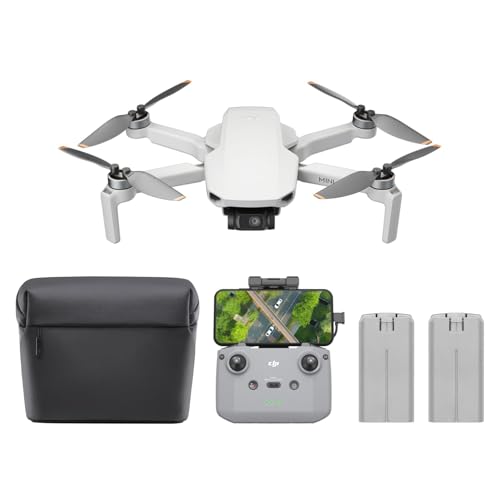

The practical value of building your own drone lies in total modularity and repairability. When you crash, you can replace a single $15 motor or a $5 arm rather than discarding a proprietary $1,000 unit. By assembling the drone yourself, you gain the technical knowledge required to troubleshoot firmware issues and hardware failures in the field, ensuring you spend more time flying and less time waiting for factory repairs.
Understanding How to Build Your Own Drone
The foundation of a successful build is component synergy. You cannot simply pick parts based on price; you must match the electrical specifications of your power system to your frame size. For a standard 5-inch build, the most critical decision is your battery voltage—typically 4S (14.8V) or 6S (22.2V). This choice dictates your motor KV (revolutions per volt). Using high KV motors on a high voltage battery will result in instantaneous motor burnout.


Matching Motors, Props, and Voltage
To achieve a balanced flight experience, your motor and propeller combination must handle the weight of your build without overheating. A heavier “cinewhoop” requires different torque than a lightweight racer. Consider these standard technical configurations for 5-inch frames:
- 6S Configuration: Use 1700KV to 1950KV motors. This provides high efficiency and consistent power throughout the battery’s discharge cycle.
- 4S Configuration: Use 2400KV to 2750KV motors. This is often cheaper and offers a punchier feel, though voltage sag is more prominent.
- Propeller Pitch: Pair these with 5-inch tri-blade props. Use a lower pitch (e.g., 5043) for smoother cinematic flight and a higher pitch (e.g., 5048) for aggressive racing grip.
- ESC Rating: Ensure your ESC is rated for at least 45A to 60A of continuous current to handle the bursts required by these motor sizes.
The Flight Controller Stack
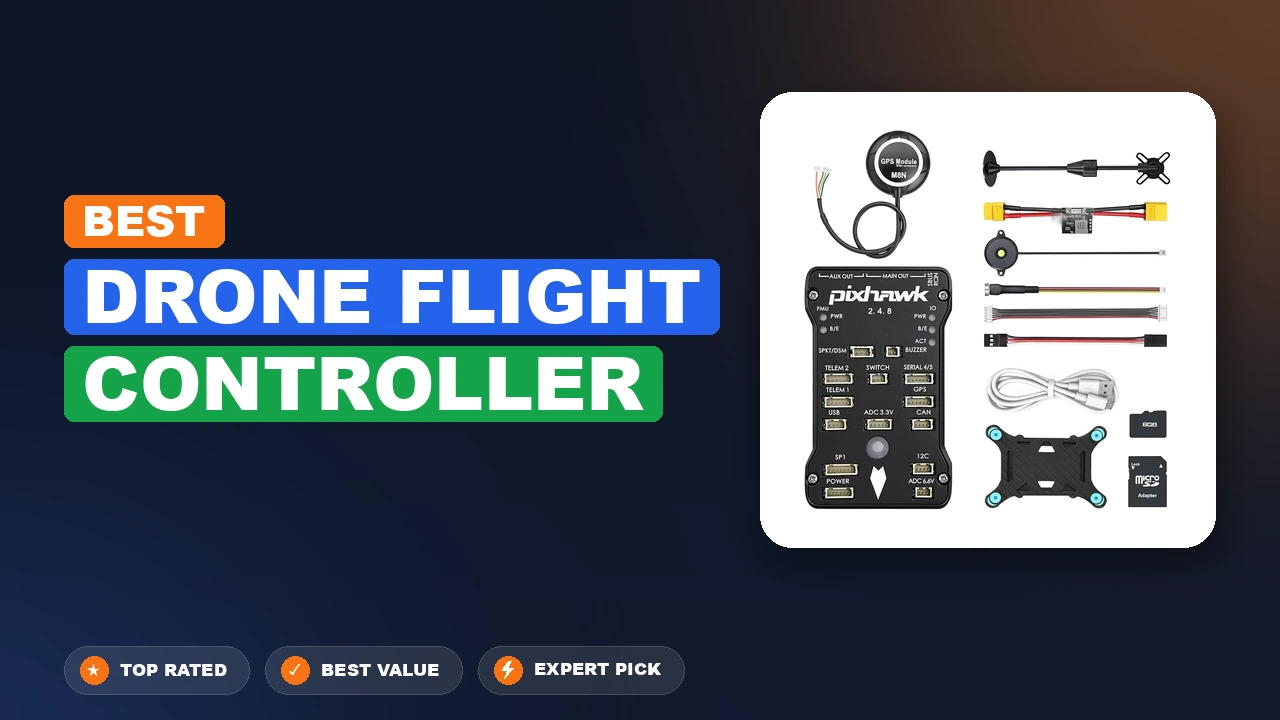
Modern builds usually utilize a Stack, which consists of a Flight Controller and a 4-in-1 ESC mounted together. When selecting a stack, look for MPU6000 or BMI270 gyros, as these are the most stable for Betaflight firmware. Ensure the mounting holes (30.5×30.5mm or 20x20mm) match your frame’s internal dimensions. Choosing an “All-in-One” (AIO) board saves weight but increases the risk; if one ESC fails, you must replace the entire expensive board.
How to Build a Custom FPV Drone Like a Pro: A Practical Walkthrough
Building your own drone from scratch is one of the most rewarding projects a hobbyist can undertake. Unlike buying a “Ready-to-Fly” (RTF) model, building your own gives you an intimate understanding of the electronics, physics, and software that keep the craft airborne. This knowledge is indispensable when you inevitably crash and need to perform repairs. This guide covers the assembly of a standard 5-inch First-Person View (FPV) freestyle drone, focusing on component compatibility, soldering precision, and software configuration to ensure your first flight is a success rather than a “fly-away.”

Step 1: Component Selection and Compatibility Planning
What you need: A 5-inch carbon fiber frame, four brushless motors (2207 or 2306 size), a flight controller (FC) and Electronic Speed Controller (ESC) stack, a radio receiver (e.g., ELRS or Crossfire), an FPV camera and video transmitter (VTX), propellers, and a LiPo battery (4S or 6S).
Instructions: Before touching a screwdriver, you must ensure your components “speak the same language.” If you choose 6S batteries (approx. 22.2V), ensure your motors have a lower KV rating (1700KV–1900KV) to prevent burning them out. Conversely, 4S batteries (14.8V) require higher KV motors (2400KV–2700KV). Ensure your ESC is rated for the continuous current your motors will draw—usually 45A to 60A for a 5-inch build. Lay all components out on a clean, anti-static mat and verify that the mounting holes on your frame (usually 30.5×30.5mm or 20x20mm) match the mounting patterns of your FC/ESC stack.
Pro Tip: Stick to the “ExpressLRS” protocol for your radio link; it offers the best range and penetration for the lowest price point currently available in the hobby.
Step 2: Frame Assembly and Motor Mounting
What you need: Hex driver set (1.5mm, 2.0mm, 2.5mm), blue thread locker (Loctite 242), and your carbon fiber frame kit.
Instructions: Begin by assembling the base plate and arms of the frame according to the manufacturer’s diagram. Carbon fiber is conductive, so ensure no wires will rub against sharp edges. When mounting the four motors to the arms, apply a tiny drop of blue thread locker to each screw. This is critical because the high-frequency vibrations from the motors will eventually back the screws out if they aren’t secured. Ensure the motor wires are facing inward toward the center of the frame. Tighten the screws in a “star pattern” to ensure even pressure, but be careful not to over-tighten, which could crack the carbon fiber or strip the motor’s soft aluminum threads.
Pro Tip: Check that your motor screws aren’t too long; if they touch the copper windings inside the motor, they will cause a short circuit and instantly destroy your ESC when you plug in the battery.
Step 3: Soldering the Power System
What you need: Soldering iron (adjustable temp, 350°C-400°C), 60/40 leaded solder, flux pen, and wire strippers.
Instructions: This is the most technical phase. Start by “tinning” the pads on your ESC and the ends of your motor wires—this means applying a thin layer of solder to both surfaces before joining them. Solder the three wires from each motor to the corresponding pads on the corners of the ESC. The order doesn’t strictly matter yet, as motor direction can be changed in software. Next, solder the main battery lead (XT60 connector) to the large positive (+) and negative (-) pads on the ESC. Ensure you use a high-quality capacitor (usually included with the ESC) across the battery pads to filter out electrical noise that can cause video interference or “death rolls” during flight.
Pro Tip: Use a “smoke stopper” (a current-limiting fuse) the first time you plug in your battery. If there is a short circuit, the fuse will blow instead of your expensive electronics.
Step 4: Installing the Flight Controller and Stack
What you need: M3 nylon spacers/standoffs, the FC-to-ESC wiring harness, and your flight controller.
Instructions: The flight controller is the “brain” of the drone. Mount it above the ESC using the provided rubber gummies or nylon standoffs to provide vibration isolation (soft mounting). Connect the FC to the ESC using the multi-pin wiring harness; this cable carries the motor signals and telemetry. Pay close attention to the orientation arrow printed on the FC circuit board. It should point toward the front of the drone. If you must mount it sideways due to space constraints, you will need to re-map the orientation in the configuration software later. Ensure no wires are pinched between the boards and that the stack is low enough for the frame’s top plate to fit comfortably.
Pro Tip: Keep your wiring “neat and short.” Long, dangling wires are prone to being caught by spinning propellers or creating electromagnetic interference.
Step 5: Wiring the Receiver and Video System
What you need: FPV camera, Video Transmitter (VTX), Radio Receiver (RX), and tweezers.
Instructions: Solder your radio receiver to a UART port on the FC (e.g., RX to TX and TX to RX). Most receivers require a 5V power source. Next, mount the FPV camera in the front of the frame and the VTX in the rear. Solder the camera’s video wire to the “Video In” pad on the FC and the VTX’s video wire to the “Video Out” pad. This routing allows the FC to overlay your battery voltage and flight data (OSD) onto your video feed. Finally, ensure the VTX antenna is securely mounted using a 3D-printed TPU mount or zip ties; never power on a VTX without an antenna attached, or the heat will destroy the unit in seconds.
Pro Tip: For the cleanest video signal, power your camera and VTX from the same regulated power source (like a 9V or 10V BEC pad) on the flight controller.
Step 6: Software Configuration in Betaflight
What you need: A USB-C or Micro-USB data cable and a computer with Betaflight Configurator installed.
Instructions: Connect your drone to your computer (with props OFF). In the “Ports” tab, enable “Serial RX” for the UART where you soldered your receiver. In the “Configuration” tab, select your ESC protocol (usually DShot600). Use the “Motors” tab to spin each motor individually (briefly) to verify the direction. If a motor is spinning the wrong way, use the “Motor Direction” toggle to reverse it. Set up your “Modes” tab so that a switch on your radio arms the drone and another activates the “Beeper” or “Turtle Mode.” Finally, configure your OSD so you can see your battery voltage in the goggles—this is your “fuel gauge.”
Pro Tip: Always set up a “Failsafe.” Test that the motors stop instantly when you turn off your radio transmitter while the drone is connected to the software.
Step 7: Final Assembly and Hardware Check
What you need: Top plate, remaining frame screws, battery strap, and sticky-back silicone battery pad.
Instructions: Once the software is configured and the electronics are tested, it is time to close the frame. Install the top plate and tighten all remaining screws. Apply a silicone battery pad to the top plate to prevent the LiPo battery from sliding out during aggressive maneuvers. Use a high-quality Kevlar-reinforced battery strap to secure the battery. Double-check that no wires are protruding from the sides where propellers could slice them. Ensure your FPV antenna and radio antennas are positioned away from the carbon fiber frame to maximize signal strength. Finally, give the drone a “shake test”—if anything rattles, it needs to be tightened or secured with a zip tie.
Pro Tip: Use a small piece of electrical tape or heat shrink to protect your motor wires on the arms from “prop strike” damage.
Step 8: Pre-Flight Calibration and Maiden Flight
What you need: Fully charged LiPo batteries, FPV goggles, radio transmitter, and a wide-open field.
Instructions: Take your drone to a safe location away from people or property. Place it on a flat surface and calibrate the accelerometer in Betaflight if you plan to use “Angle” mode. Power on your radio first, then your goggles, and finally plug in the drone. Check for a clear video feed and verify that you have a solid radio link. DO NOT put the propellers on until you are at the field. When installing props, ensure the “leading edge” (the higher side of the blade) is facing the direction the motor spins. Step back 15 feet, arm the drone, and gently hover just a few feet off the ground for 30 seconds. Land and feel the motors; if they are cool to the touch, you are ready for full flight.
Pro Tip: Your first flight should be in “Angle Mode” (self-leveling) before you try “Acro Mode” (full manual control), especially if you haven’t practiced in a simulator.
✅ Final Checklist
- All motor screws are secured with blue thread locker and do not touch the internal windings.
- The flight controller orientation matches the physical direction of the drone in Betaflight.
- Failsafe is verified: the motors stop immediately when the radio transmitter is turned off.
- The VTX antenna is securely connected before the battery is plugged in.
- Propellers are installed in the correct orientation (CW vs CCW) and tightened firmly.
Important Notes:
- Safety Warning: Drone propellers can cause serious injury. Always remove propellers when working on the drone or connecting it to a computer.
- Regulatory Compliance: Check your local aviation laws (e.g., FAA in the US) regarding drone registration and Remote ID requirements.
- Estimated Time: 5 to 10 hours for a first-time builder.
- Estimated Cost: $300 – $600 for the drone components; an additional $200 – $500 for the radio, goggles, and charger.
Key Benefits of How to Build Your Own Drone
The primary benefit of a DIY build is the ability to customize the wiring harness for maximum durability. Factory drones often use thin, fragile wires and plastic connectors that shatter on impact. By building your own, you can use 14AWG power leads and high-quality silicone-coated wires that withstand heat and physical stress. This technical control ensures that your drone can handle the high-G maneuvers of freestyle flight without electrical failure.
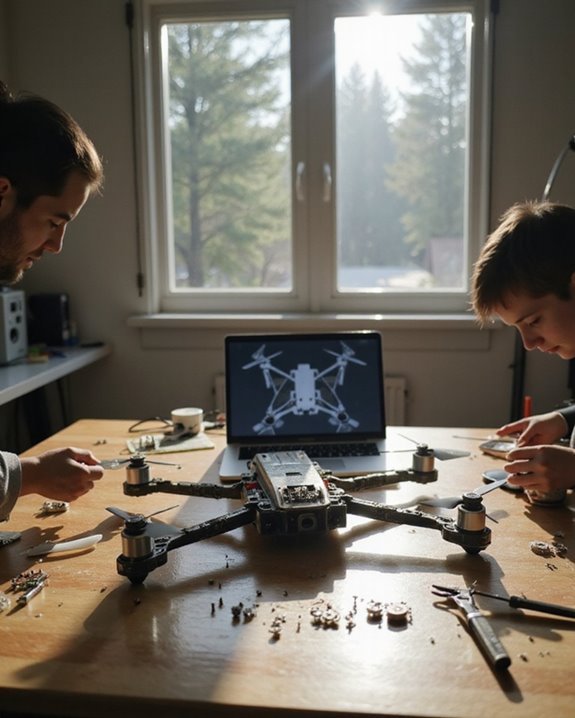
Precision Soldering for Reliability
Building your own drone teaches you the most critical skill in the hobby: high-quality soldering. A “cold” solder joint can vibrate loose mid-flight, causing a catastrophic “flyaway” or a fire. By doing the work yourself, you ensure that every joint is shiny, rounded, and mechanically sound. Use a temperature-controlled iron set to 350-400 degrees Celsius and 60/40 leaded solder for the best results.
- Tinning: Always “tin” your wire and your pad before joining them. This creates a thermal bridge for a faster, cleaner bond.
- Flux Usage: Use ample flux to remove oxidation. This allows the solder to flow into the wire strands rather than sitting on top.
- Bridge Prevention: Careful soldering on the small signal pads (like UARTs for your receiver) prevents shorts that could fry the Flight Controller’s processor.
Essential Assembly Toolkit
You cannot build a reliable drone with generic household tools. A focused DIY build requires precision instruments to ensure fasteners don’t strip and components remain secure under high-RPM vibrations. Investing in these specific tools is mandatory for a functional build:
- Hex Driver Set: Specifically 1.5mm, 2.0mm, and 2.5mm drivers. Cheap L-shaped keys will strip your frame bolts.
- Digital Multimeter: Crucial for checking “continuity” between your positive and negative pads before plugging in a battery for the first time.
- Smoke Stopper: A current-limiting device used during the first power-up. It trips if there is a short, saving your electronics from permanent damage.
- Nylon Standoffs and Zip Ties: For isolating the FC from the frame to reduce “noise” in the gyro sensors.
Once you have gathered these tools and understood the compatibility between your battery voltage and motor KV, you are ready to begin the physical mounting and wiring process. This technical foundation ensures that the hardware you assemble will actually fly rather than failing during the initial configuration phase.
How to Get Started with how to build your own drone
Embarking on the journey of how to build your own drone begins long before you pick up a soldering iron. The most successful builders start by defining their mission. Are you looking for a high-speed FPV (First Person View) racer, a stable platform for cinematic photography, or a long-range cruiser? Your goal dictates every component choice you make, from the KV rating of your motors to the size of your propellers.
Defining Your Flight Goals
Before buying parts, spend time researching the specific ecosystem that fits your needs. For instance, if you are interested in freestyle acrobatics, you will likely look for a “5-inch” frame, which is the industry standard for balance and power. If you want something safer for indoor use, a “Cinewhoop” with ducted propellers might be your best entry point. Understanding these categories prevents the common mistake of buying incompatible parts, such as matching high-voltage batteries with motors that cannot handle the heat.
Investing in an Essential Toolkit
You cannot effectively master how to build your own drone without the right workspace. Building a drone is a precision task that requires specialized tools. A high-quality, temperature-controlled soldering iron is your most important investment, as “cold” solder joints are the leading cause of mid-air failures.
- Digital Multimeter: Essential for checking continuity and ensuring you don’t have a short circuit before plugging in a battery.
- Hex Driver Set: Most drone frames use M2 and M3 hex screws; a set of precision drivers will prevent stripped screw heads.
- Smoke Stopper: This simple device acts as a fuse between your battery and the drone during the first power-up, saving your electronics if there is a wiring error.
- Anti-Static Mat: Protects sensitive flight controllers and ESCs (Electronic Speed Controllers) from static discharge.
Best Practices for how to build your own drone
The difference between a drone that flies once and one that lasts for years lies in the details of the assembly. When considering how to build your own drone, you must prioritize durability and “clean” builds. Vibration is the enemy of flight controllers; if your components are loose, the onboard sensors will struggle to stabilize the aircraft, leading to poor flight performance or “washout” during maneuvers.
Prioritizing Clean Wiring and Protection
Cable management is not just about aesthetics; it is about reliability. Loose wires can easily be nipped by spinning propellers or chafed against carbon fiber frames, which are electrically conductive. Always use heat-shrink tubing to insulate connections and consider using “braided mesh” sleeves for motor wires to protect them from “prop strikes” during crashes.
- Use Blue Loctite: Apply a small amount of thread-locker to any metal-to-metal screws (like motor mounts) to prevent them from vibrating loose over time.
- Solder Tinning: Always “tin” both the wire and the pad with a small amount of solder before joining them to ensure a strong, conductive bond.
- Capacitors are Key: Always install a low-ESR capacitor on the main power leads to filter out electrical noise, which improves video clarity and flight stability.
Software Calibration and Safety Protocols
Once the physical build is complete, the focus shifts to the digital configuration. Modern flight firmware like Betaflight or iNav offers incredible flexibility, but they require careful setup. Always remove your propellers when connecting your drone to a computer. A “bench fly” caused by a software glitch or incorrect motor configuration can result in serious injury or damage to your home.
Take the time to verify your “failsafe” settings. This ensures that if your radio signal is lost, the drone will immediately drop to the ground or attempt to return to home rather than flying away uncontrollably. Testing these safety features on the ground is a hallmark of an experienced builder.
Conclusion
Learning how to build your own drone is an incredibly rewarding experience that bridges the gap between hobbyist and engineer. By focusing on your specific flight goals, investing in a proper toolkit, and following best practices for wiring and safety, you create a machine that is uniquely yours. While the learning curve can be steep, the ability to repair your own aircraft and customize its performance is well worth the effort.
Your next steps should be to join an online community or local flight club where you can ask questions and share your progress. Before your first flight, spend a few hours in a flight simulator to build your muscle memory. Now that you understand the foundations, it is time to grab your tools and start your first build!
❓ Frequently Asked Questions
What exactly is how to build your own drone?
how to build your own drone encompasses proven concepts and methodologies that help you achieve better results. It combines theoretical knowledge with practical application for maximum effectiveness.
How can how to build your own drone benefit me?
Understanding and applying how to build your own drone principles improves your skills, opens new opportunities, and helps you achieve your goals more efficiently.
What resources do I need to get started?
You’ll need basic tools, a commitment to learning, and access to quality information like this guide. Start with fundamentals before advancing to complex topics.
Is this suitable for complete beginners?
Absolutely! This guide is designed to take you from beginner to proficient. Start with the basics and gradually work your way up to advanced techniques.
How do I measure my progress?
Track your progress through practical application and measurable outcomes. Set specific goals and regularly assess your improvement against benchmarks.
Where can I learn more after this guide?
Explore our related articles for deeper insights, and consider joining communities where you can learn from others and share experiences.

Similar Posts