How to Tether a Drone: A Guide to Continuous Power Systems
Commercial UAV Pilot & Aerial Cinematography Specialist at Drone Nestle · FAA Part 107 Remote Pilot Certification, Commercial UAS Operations · 10+ Years in Commercial UAV Operations, Flight Hardware Benchmarking & 4K Aerial Cinematography
Tethering a drone enables unlimited flight time by replacing traditional batteries with a continuous power supply delivered through a specialized cable. This process requires a ground-based power station and a precise air-side power management module to convert high-voltage DC into stable flight energy.
🎯 Key Takeaways
- Use a power management module to replace the internal battery for weight efficiency.
- Ensure the ground station output matches the drone’s specific voltage requirements.
- Account for cable weight when calculating the drone’s total payload capacity.
- Maintain proper cable tension using an automated winch to prevent entanglement.
- Keep a small onboard battery as a failsafe for emergency landings.
Tethering a drone involves replacing the standard internal LiPo battery with a specialized on-board power module connected to a high-tension umbilical cable. This cable runs down to a ground-based power station, which converts AC grid power or generator output into a continuous DC stream for the aircraft. By bypassing the physical energy limits of a standalone battery, you can keep a drone airborne for hours or even days at a time rather than the typical twenty-minute flight window.
This setup is essential for operations that require a permanent “eye in the sky” without the downtime of battery swaps. Practically, this means you can maintain a constant perimeter for security, provide persistent lighting for emergency scenes, or host a temporary cellular relay station. To do this correctly, you must understand how to balance the heavy power requirements of the motors with the physical weight of the cable and the thermal demands of constant energy conversion.


Core Components of a Tethered Drone System
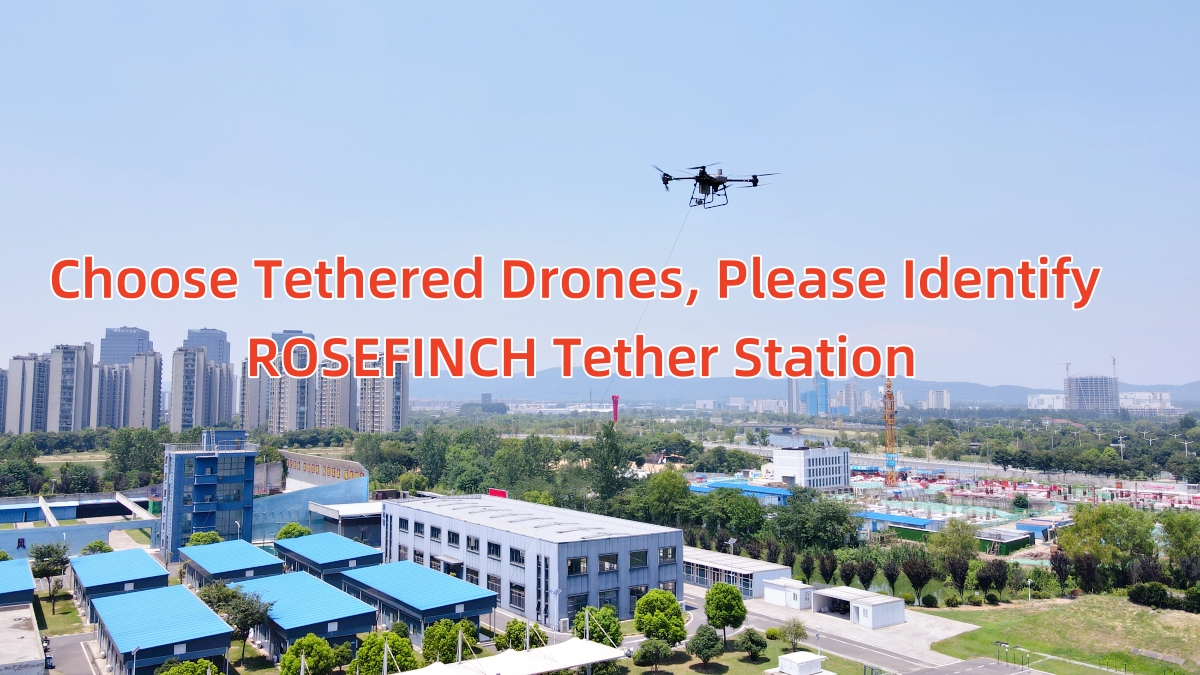
A functional tether system is not just a long extension cord; it is an integrated ecosystem designed to manage high-voltage energy over distance. The system begins at the Ground Power Unit (GPU). This station takes raw power from a 110V/220V AC outlet or a portable gas generator. It then steps that voltage up significantly—often to 300V or 400V DC—to minimize energy loss as it travels up the thin wire. A high-quality GPU will also include an automated winch system that maintains constant tension on the cable to prevent it from tangling in the propellers.
The Umbilical Cable and Winch System
The tether cable is the most critical mechanical link. It must be incredibly light to avoid dragging the drone down, yet strong enough to handle the tension of wind gusts. Most professional cables are made of silver-plated copper or specialized alloys, wrapped in a high-strength aramid fiber (like Kevlar) for tensile strength. When selecting or setting up your cable, consider these specifications:

- Weight-to-Power Ratio: Most cables weigh between 10g and 25g per meter. For a 100-meter flight, the drone must have at least 2.5kg of spare payload capacity just to lift the wire.
- Data Integration: Higher-end tethers use hybrid cables that include a fiber-optic core. This allows you to send 4K video and control signals through the wire, making the drone immune to radio frequency (RF) interference.
- The Smart Winch: The winch must be “active.” This means it uses sensors to detect the drone’s altitude and automatically reels in or lets out slack. This prevents the “pendulum effect” where a sagging cable pulls the drone off-station.
The On-Board Power Module (OPM)
At the drone end, you replace the battery with an On-Board Power Module (OPM). This is a lightweight DC-DC converter that slides directly into the drone’s existing battery bay. It takes the high voltage coming from the tether and steps it down to the drone’s native operating voltage (usually 22.2V for 6S systems or 44.4V for 12S systems). You must ensure the OPM is securely latched, as any physical disconnection mid-flight will result in an immediate crash unless a backup battery is present.
Master Drone Tethering in 8 Simple Steps
Tethering a drone is a specialized technique used to provide persistent aerial surveillance, extended broadcasting, or localized communications by connecting the aircraft to a ground-based power source via a high-strength cable. Unlike traditional battery-operated flights that last 20 to 30 minutes, a tethered system allows for hours or even days of continuous operation. This guide will walk you through the technical process of converting a standard drone setup into a tethered powerhouse, ensuring you maintain both physical security and electrical stability throughout your mission. Following these steps is critical to prevent flyaways, manage heat dissipation, and protect your expensive hardware from electrical surges or mechanical stress.
Step 1: Selecting the Appropriate Tether System and Power Supply
What you need: A high-voltage ground power station (GPS), a compatible micro-tether cable (usually Kevlar-reinforced), and an estimate of your drone’s maximum current draw at peak thrust.

Instructions: Before you begin, you must match your drone’s power requirements with a ground station capable of delivering sufficient wattage. For a standard enterprise drone, you typically need a station that converts AC power (110V/220V) into high-voltage DC (300V-400V) to minimize transmission loss over the cable. Calculate your drone’s “hover power” and “peak power” in watts. Ensure your tether cable is rated for the total weight of the drone plus the wind resistance it will encounter. A micro-tether should be thin enough to minimize drag but strong enough to act as a physical restraint. Choosing an undersized power unit will result in a voltage drop that could cause the drone to fall mid-flight.
Pro Tip: Always choose a tether system that offers at least 20% more power than your drone’s maximum burst requirement to account for environmental factors like high winds.
Step 2: Preparing the Drone Hardware and Battery Eliminator
What you need: An Onboard Power Module (BEM/Battery Eliminator Module), a soldering iron (if not plug-and-play), and a secure mounting bracket for the drone’s underside.
Instructions: To run a drone off a tether, you must replace the standard LiPo battery with a lightweight power module that converts the high-voltage DC from the tether back down to the drone’s native voltage (e.g., 12V, 24V, or 48V). Install the power module into the battery bay or mount it securely to the frame using carbon fiber plates. Ensure the module is positioned near the center of gravity to maintain flight stability. If your drone uses proprietary “smart” batteries, you may need a data-link emulator to fool the flight controller into thinking a healthy battery is present. Secure all electrical connections with high-grade connectors like XT90 or specialized locking industrial plugs to prevent vibration-induced disconnects.
Pro Tip: Ensure the power module has adequate airflow or heat-sinking, as converting high voltage generates significant heat during long-duration flights.
Step 3: Setting Up the Ground Station and Winch System
What you need: An automated tension-controlled winch, a stable ground anchor (like a weighted base or vehicle mount), and a reliable AC power source or industrial generator.
Instructions: Position your ground station on a flat, level surface at least 15 feet away from any overhead obstructions. The winch system is the most critical mechanical component; it must be able to automatically retract or release the tether cable based on the drone’s altitude and movement. Set the tension sensitivity on the winch so that it provides just enough “tug” to keep the cable from sagging or tangling in the propellers, but not so much that it fights the drone’s motors. Plug the ground station into a dedicated circuit or a pure sine wave generator. If using a generator, ensure it has enough fuel for the intended flight duration and is placed downwind to avoid exhaust interference with the drone’s sensors.
Pro Tip: Ground the station using a copper rod if you are operating in an area prone to static buildup or near high-tension power lines.
Step 4: Establishing the Physical and Data Connection
What you need: Strain-relief clamps, the micro-tether cable, and if applicable, an Ethernet-over-power (EoP) or fiber optic link for secure data transmission.
Instructions: Connect the tether cable to the onboard power module. It is vital to use a strain-relief mechanism—this is usually a loop of cable secured to the drone’s frame with a carabiner or high-strength clip. This ensures that any sudden gusts of wind pull on the drone’s chassis rather than the electrical pins. If your tether includes a data core, connect the Ethernet or fiber line to the drone’s payload or flight controller. This allows you to fly “radio silent,” preventing signal jamming and providing a zero-latency video feed. Double-check that the cable exit point does not interfere with the gimbal’s range of motion or the landing gear’s operation. Ensure the cable is free of kinks before the final power-up.
Pro Tip: Use a bright-colored sleeve on the first 10 feet of the tether cable to make it highly visible to any people or wildlife near the launch site.
Step 5: Configuring Flight Controller Software and Safety Limits
What you need: A laptop with flight configuration software (like DJI Assistant, ArduPilot Mission Planner, or QGroundControl) and the drone’s remote controller.
Instructions: Connect your drone to the configuration software to adjust the “Failsafe” settings. Since the drone is now tethered, you must disable the “Low Battery Return to Home” (RTH) feature, as the voltage levels reported by the power module may fluctuate differently than a battery. Set a maximum altitude limit (Geofence) in the software that is exactly 10% less than the total length of your tether cable. For example, if you have a 100-meter tether, set your altitude cap to 90 meters. This prevents the drone from reaching the end of the line and “jerking” the cable, which could damage the winch or the drone’s internal electronics. Additionally, verify that the drone’s GPS hold is active to prevent it from drifting and pulling the cable horizontally.
Pro Tip: Set a “soft” warning for voltage levels to alert you if the ground station is struggling to keep up with the power demand during aggressive maneuvers.
Step 6: Performing the Pre-Flight Tension and Power Test
What you need: Handheld anemometer (wind gauge) and a multimeter.
Instructions: Before liftoff, perform a static power test. Turn on the ground station and verify with a multimeter (if the station has test points) that the output voltage is stable. Check the wind speed; most tethered operations should not exceed 20-25 knots depending on the cable thickness. Manually pull some slack from the winch to ensure the spool moves freely and the motor engages to retract the slack. Check the drone’s telemetry on your ground control station to ensure the “battery” percentage is stable at 100% or the designated “full” voltage. Ensure all bystanders are clear of the “tether radius”—the circle around the ground station where the cable could potentially swing if the drone moves rapidly.
Pro Tip: Listen for any unusual humming or clicking from the winch, which could indicate a misalignment in the spooling mechanism.
Step 7: Executing the Tethered Launch and Ascent
What you need: A spotter and the drone’s remote controller.
Instructions: Initiate a manual takeoff rather than an automated one. Slowly increase throttle to hover the drone at approximately 5 to 10 feet. Observe the winch: it should automatically adjust and keep the cable vertical. Gradually increase altitude in 10-foot increments, pausing at each level to ensure the tether is deploying smoothly and the drone is maintaining a stable hover. Your spotter should keep their eyes on the cable to ensure it doesn’t snag on any ground equipment or nearby vegetation. If the drone begins to oscillate (the “pendulum effect”), slightly decrease altitude and wait for the GPS to stabilize the position. Once you reach your mission altitude, engage “Position Hold” mode and monitor the power levels for the first five minutes to ensure thermal stability.
Pro Tip: If the drone starts to wobble at high altitudes, it may be due to “cable sail”—the wind pushing the cable into an arc. Reducing altitude slightly often fixes this.
Step 8: Monitoring and Safe Landing Procedures
What you need: Monitoring equipment (tablet/monitor) and a clear landing pad.
Instructions: Throughout the flight, keep a close watch on the ground station’s temperature and the winch’s spooling pattern. To land, begin a slow, steady descent. Do not descend faster than the winch can retract the cable, as loose cable on the ground can become a tripping hazard or get caught in the drone’s propellers during the final touchdown. At 10 feet, pause to ensure the landing area is completely clear. Once on the ground, do not immediately power off the station; let the drone’s cooling fans run for a minute to dissipate any heat built up in the power module. Finally, power down the ground station, disconnect the tether, and inspect the cable for any signs of fraying or heat damage before storage.
Pro Tip: After landing, wipe down the tether cable with a microfiber cloth as you manually spool it back if the automatic winch didn’t pack it tightly; this removes dirt that could degrade the cable over time.
✅ Final Checklist
- Power module is securely mounted and center of gravity is verified.
- Strain-relief loop is attached to the frame, not the power port.
- Altitude geofence is set lower than the maximum tether length.
- Winch tension is tested and responding to manual cable pulls.
- Ground station is connected to a stable, surge-protected power source.
Important Notes:
- Safety Warning: Tether systems involve high-voltage electricity; never touch exposed wires or attempt to plug/unplug the system while the ground station is powered on.
- Professional Help: If you are not comfortable with soldering or high-voltage DC electronics, purchase a pre-certified “Turnkey” tether system rather than building a DIY battery eliminator.
- Estimated Time: Initial setup and configuration take 2–3 hours; subsequent deployments take 15–20 minutes.
- Cost Range: DIY components can cost $500–$1,500, while professional industrial tether stations range from $5,000 to over $20,000.
Power Management: DC-DC Conversion and Voltage Stability
Managing power for a tethered drone is a balancing act between high voltage and heat dissipation. Because the cable has electrical resistance, voltage drops as it travels toward the sky. If you sent only 24V from the ground, the drone would receive significantly less by the time the current reached 50 meters, causing the motors to stall. To solve this, tether systems use High-Voltage DC (HVDC) transmission. By sending 400V at lower amperage, you can use a much thinner, lighter wire while still delivering several thousand watts of power to the rotors.

Stepping Down Voltage at the Aircraft
Once the high voltage reaches the drone, the On-Board Power Module (OPM) must convert it back to a usable level. This conversion process is highly efficient but not perfect; about 5-10% of the energy is lost as heat. For a heavy-lift drone drawing 3000 watts, that is 300 watts of heat generated right inside the battery bay. Effective setup requires:
- Heat Sinking: Ensure the OPM has adequate airflow. Many operators mount the OPM in the direct path of the prop wash to use the downwash for active cooling.
- Voltage Regulation: The OPM must provide a “clean” output. Rapid changes in throttle (like when fighting a wind gust) cause massive current spikes. The power station must respond in milliseconds to prevent a brownout.
- Redundancy: Professional setups always include a small “buffer” battery. This is a low-capacity LiPo that sits between the OPM and the drone. If the ground cable is severed or the generator fails, this battery provides 2-3 minutes of flight time for a controlled emergency landing.
Managing Thermal Loads and Payload Capacity
When you tether a drone, you are trading payload capacity for flight time. You must calculate the Maximum Take-Off Weight (MTOW) carefully. Subtract the weight of the OPM and the total weight of the extended cable from your drone’s lift capacity. For example, if your drone has a 5kg payload limit and your 100m cable weighs 2kg, you only have 3kg left for cameras or sensors. Operating at the edge of this limit causes the motors to run at higher RPMs, which generates more heat in the OPM. Monitor your OPM temperature via telemetry; if it exceeds 80°C (176°F), you risk a thermal shutdown and a total loss of the aircraft.
Operational Constraints: Payload, Drag, and Cable Management
When you transition from free-flight to tethered operations, the physics of your mission change significantly. You are no longer just managing the drone; you are managing a physical connection to the earth that possesses its own weight and aerodynamic properties. Understanding these constraints is vital for maintaining stability and preventing motor burnout over hours of continuous use.
The Weight of the Tether: Payload Trade-offs
Every foot of cable adds weight to the aircraft’s total take-off mass. This means that a drone capable of carrying a heavy thermal camera in free-flight might struggle when paired with a 200-foot power cable. The tether itself becomes a primary “payload” that consumes a portion of the drone’s lifting capacity.
- The Catenary Effect: As the cable hangs, it forms a curve. The lower the tension, the more the cable sags, which can pull the drone downward or sideways.
- Altitude Limits: Most commercial tether systems have a maximum height (often 150 to 300 feet) because the cumulative weight of the cable eventually exceeds the drone’s thrust capabilities.
- Motor Strain: Since the drone is fighting the weight of the cable constantly, the motors run at a higher RPM than usual, generating more heat.
Aerodynamics and Cable Drag
In windy conditions, the tether acts like a long, thin sail. This “drag” can be more challenging than the weight of the cable itself. A gust of wind hitting the cable can pull the drone out of position or cause it to tilt aggressively to compensate. For example, in a 15-knot breeze, the lateral force on a 100-foot cable can be significant enough to trigger “over-current” warnings on the drone’s flight controller. Precision cable management systems that use active tensioning help mitigate this by keeping the line taut, reducing the surface area affected by the wind.
Safety Protocols for Long-Duration Tethered Missions
Safety in tethered flight isn’t just about preventing a crash; it is about managing a high-voltage system that remains active for hours at a time. Because tethered drones are often used over crowds or in sensitive industrial sites, the margin for error is slim. Implementing a rigorous safety protocol ensures that your “eye in the sky” doesn’t become a liability.
+(1).jpg "Safety Protocols for LongDuration Tethered Mission")
Power Redundancy and Battery Management
The most critical safety feature of any tethered system is the onboard backup battery. While the ground station provides the primary power, the drone should always carry a small “buffer” battery. This serves two purposes: it handles peak power demands during sudden maneuvers and provides a “fail-safe” if the tether is severed or the ground power source fails.
- Emergency Landing Time: Ensure the backup battery has enough charge to allow for a controlled 2-3 minute descent from maximum altitude.
- Heat Dissipation: During multi-hour flights, check the temperature of the onboard power converter. Excessive heat is the leading cause of component failure in continuous systems.
- EMI Shielding: High-voltage cables can create electromagnetic interference. Always use shielded cables to prevent the power supply from disrupting your GPS or C2 links.
Site Security and Environmental Monitoring
Because the drone is physically anchored, the ground station becomes a permanent fixture during the mission. This requires a dedicated “Safety Zone” around the reel system. A tripping hazard for a passerby could result in a catastrophic jerk on the aircraft. Furthermore, long-duration missions are susceptible to changing weather. You might launch in clear skies, but two hours later, a shift in wind or an approaching thunderstorm could make the tethered line a lightning rod. Always use a dedicated anemometer at the ground station to monitor real-time wind speeds at the drone’s specific altitude.
Final Thoughts on Persistent Flight
Tethering a drone fundamentally changes the way we think about aerial operations. By trading the freedom of long-range travel for the stability of persistent, continuous power, you unlock capabilities that standard batteries simply cannot match. Whether you are providing overwatch for a music festival or monitoring a construction site, the key to success lies in understanding the physical limitations of your cable and prioritizing thermal and electrical safety.
If you are ready to implement a tethered system, your next steps should be to audit your drone’s payload capacity and invest in a high-quality ground station with active tensioning. Remember, the goal of a tethered system is reliability—treat the cable with as much respect as the drone itself, and you’ll enjoy hours of uninterrupted flight. Happy flying!
❓ Frequently Asked Questions
What hardware is essential for a drone tethering setup?
The setup requires a ground power station (GPS) to convert energy, a high-strength micro-tether cable, and an air-side power management system that replaces the drone’s battery to regulate incoming voltage.
How does tethering affect the drone’s flight performance?
The tether adds weight and aerodynamic drag, which reduces agility and increases motor load. Pilots must ensure the drone’s thrust-to-weight ratio remains high enough to handle the cable’s tension and weight at max altitude.
Is it possible to DIY a drone tethering system?
While possible, it is highly complex due to the need for high-voltage DC transmission (often 300V+) to minimize power loss over long cables, which requires sophisticated cooling and conversion hardware.
What happens if the ground power fails during flight?
Most professional tether systems include a ‘battery backup’ feature where a small onboard battery takes over immediately, providing 1-2 minutes of power for a safe, controlled descent.
Are there specific legal regulations for tethered drones?
In many jurisdictions, tethered drones are treated differently than free-flying drones because they are physically ‘moored,’ but you must still comply with altitude limits and local aviation authority rules.
How do you manage heat during indefinite flights?
Extended flight times can lead to motor and ESC overheating. It is critical to monitor telemetry data and ensure the drone has adequate cooling, as it lacks the ‘rest periods’ of battery-swapping operations.

Similar Posts