Troubleshooting DJI Fly App Crashing Issues
Having trouble with your DJI Fly app crashing? Look no further! In this article, I’ll provide you with the essential troubleshooting tips to solve this frustrating issue. Whether you’re a seasoned drone pilot or just starting out, crashes can happen to anyone. We’ll delve into the reasons behind app crashes, explore common misconceptions, and discuss the relevance of this topic in the current drone industry. With clear and concise explanations, helpful examples, and engaging visuals, we’ll guide you through the process of troubleshooting the DJI Fly app. So, sit tight, stay tuned, and let’s get your app back up and running smoothly in no time!


Introduction

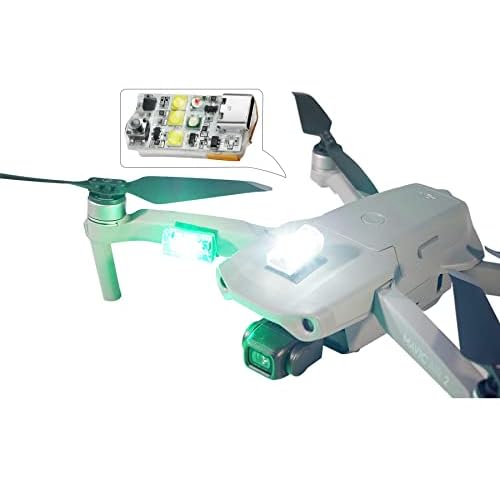

In the world of drones, the DJI Fly app is an essential tool for pilots. It allows them to control their drones, access important flight data, and capture stunning aerial footage. However, like any app, the DJI Fly app is not immune to issues. One common problem that many users experience is the app crashing unexpectedly. This can be frustrating and can even prevent pilots from flying their drones. In this article, I will provide you with a comprehensive guide to troubleshooting DJI Fly app crashing issues, so you can get back to enjoying your drone flights without any interruptions.
Background


Before diving into the troubleshooting process, it’s important to understand why the DJI Fly app may crash in the first place. There can be several factors contributing to this issue, ranging from app issues to device compatibility problems. By understanding the causes, we can better address the problem and find effective solutions.

Main Points


Troubleshooting DJI Fly App
When it comes to troubleshooting DJI Fly app crashing issues, there are several steps you can take. In this section, I will cover each of these steps in detail, explaining how they can help resolve the problem.
Common Causes of DJI Fly App Crashing


To effectively troubleshoot the DJI Fly app, it’s important to be aware of the common causes that can lead to app crashes. These causes may include outdated app versions, insufficient storage space on your device, or even conflicting background apps running simultaneously. Understanding these common causes can help you address the issue more efficiently.


Checking for App Updates


One common reason for app crashes is using an outdated version of the DJI Fly app. Developers regularly release updates to address bugs and improve app performance. By checking for updates and installing the latest version of the app, you can potentially resolve crashing issues.
Clearing App Cache


Another troubleshooting step you can take is clearing the cache of the DJI Fly app. App caches can become cluttered over time, leading to performance issues, including crashes. Clearing the cache can help alleviate these problems and improve the overall stability of the app.



Closing Background Apps
Simultaneously running multiple apps in the background can cause conflicts and strain the resources of your device, potentially leading to app crashes. By closing unnecessary background apps, you can free up system resources and provide the DJI Fly app with the necessary space to function smoothly.
Restarting Mobile Device
Sometimes, simply restarting your mobile device can solve app crashing issues. This helps refresh the device’s system processes and can resolve any temporary glitches that may be causing the problem.
Checking Device Compatibility
In some cases, app crashes may occur due to compatibility issues between the DJI Fly app and your mobile device. It’s important to ensure that your device meets the minimum system requirements specified by DJI. Checking the compatibility and ensuring your device meets those requirements can help eliminate compatibility-related crashes.
Checking Storage Space
Insufficient storage space on your mobile device can hinder the smooth functioning of the DJI Fly app. It’s crucial to regularly check your device’s storage space and ensure that there is enough space available for the app to run without any issues.
Reinstalling DJI Fly App
If all else fails, you may consider reinstalling the DJI Fly app. This can help resolve any corrupt files or errors that might be causing the crashing problem. However, it’s important to note that reinstalling the app will result in losing any personalized settings or flight logs, so make sure to back up any important data beforehand.


Contacting DJI Support
If you’ve exhausted all troubleshooting steps and the DJI Fly app continues to crash, it may be necessary to seek assistance from DJI Support. They have a team of experts who can provide further guidance and assistance in resolving the issue.
Examples


Let’s consider an example to understand how these troubleshooting steps can be applied. Imagine you’re an avid drone pilot, and you’ve been experiencing frequent app crashes with the DJI Fly app. After checking for updates and clearing the app cache, you realize that your mobile device’s storage space is nearly full. By deleting unnecessary files and making more storage available, you successfully resolve the app crashing issue and continue to enjoy seamless drone flights.
Visual Aids
Include an informative chart comparing various troubleshooting steps and their effectiveness in resolving DJI Fly app crashing issues. This chart can help readers visualize the potential impact of each step and make informed decisions about which steps to prioritize.
Conclusion
In conclusion, the DJI Fly app crashing can be a frustrating issue that prevents drone pilots from enjoying their flights. However, by following the troubleshooting steps outlined in this article, you can effectively address and resolve these crashing issues. Whether it’s checking for app updates, clearing app cache, or restarting your mobile device, each step plays a crucial role in ensuring the stability and smooth functioning of the DJI Fly app. Remember, if you encounter persistent crashing issues despite these troubleshooting steps, don’t hesitate to seek assistance from DJI Support.
FAQs
What are the basics one should know about troubleshooting DJI Fly App crashing issues?
Troubleshooting DJI Fly app crashing issues involves a series of steps aimed at identifying and resolving the underlying causes of the problem. These steps may include checking for app updates, clearing app cache, closing background apps, restarting the mobile device, checking device compatibility, checking storage space, reinstalling the DJI Fly app, and contacting DJI Support if necessary.
Are there any common misconceptions related to DJI Fly App crashing?
One common misconception is that app crashes are solely caused by the app itself. While app issues can contribute to crashes, other factors such as device compatibility, storage space, and background apps can also play a significant role. It’s important to consider all potential causes when troubleshooting DJI Fly app crashing issues.
How is the topic of troubleshooting DJI Fly App crashing relevant to the current drone industry?
In the rapidly growing drone industry, the DJI Fly app is widely used by drone pilots for its functionality and ease of use. However, app crashes can disrupt the overall drone flying experience and hinder pilots from capturing stunning aerial shots. By exploring troubleshooting methods, pilots can overcome these issues and continue to enjoy seamless and uninterrupted flights.
What are the future prospects or developments expected in the area of DJI Fly App stability?
As technology continues to advance, we can expect future updates and improvements in the stability of the DJI Fly app. Developers are constantly working on enhancing app performance, fixing bugs, and addressing compatibility issues. It is likely that future versions of the DJI Fly app will provide even greater stability and minimize the occurrence of app crashes.
How can someone get involved or learn more about troubleshooting DJI Fly App issues?
To get involved or learn more about troubleshooting DJI Fly app issues, users can visit the official DJI website and explore their support resources. DJI provides comprehensive documentation, tutorials, and a support community where users can find answers to their questions and engage with other drone enthusiasts. Additionally, DJI’s customer support team is readily available to provide assistance and guidance for specific troubleshooting scenarios.
Call to Action
If you’re experiencing DJI Fly app crashing issues, don’t let them stand in the way of your drone flights. Follow the troubleshooting steps outlined in this article and get back to capturing breathtaking aerial footage with ease. Remember, every pilot encounters technical challenges, but with the right knowledge and support, these obstacles can be overcome. So, get ready to soar to new heights and enjoy the seamless functionality of the DJI Fly app.

Similar Posts