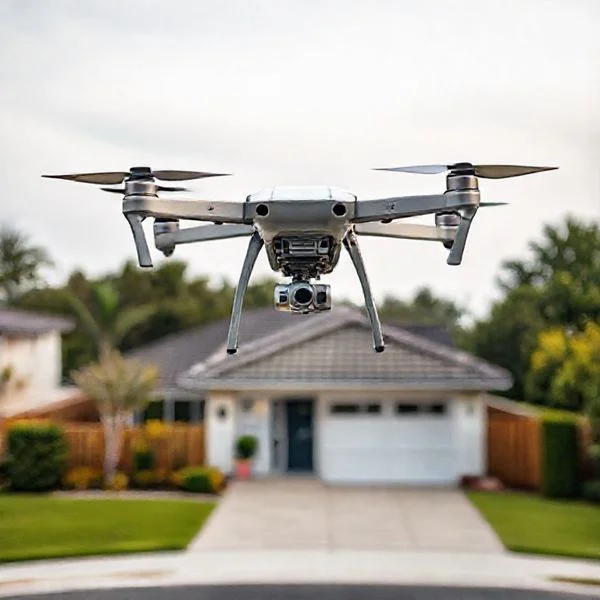
Drone trim is a setting used to counter unintended movement or drifting when the controller sticks are centered. It works by making micro-adjustments to motor speeds, ensuring the aircraft stays perfectly level and stable during a hover.
🎯 Key Takeaways
- Trim corrects constant drifting in a specific direction during hover.
- Pitch, roll, and yaw each have dedicated trim adjustments.
- Trimming balances motor output to compensate for weight distribution.
- Modern GPS drones often handle trimming automatically via software.
- Always trim in a wind-free environment for the most accuracy.
Trim on a drone is a set of fine-tuning adjustments used to counteract unintended drifting while hovering. In a perfect world, your drone would stay perfectly still when you let go of the control sticks. In reality, tiny variances in motor power, weight distribution, or air currents often pull the drone in a specific direction. Trimming allows you to “zero out” these movements by sending micro-adjustments to the flight controller to balance the craft.
Mastering your trim settings is the difference between a stressful flight and a stable one. When your drone is properly trimmed, you do not have to constantly fight the controls to keep it from hitting a wall or drifting away. This stability is crucial for capturing smooth footage, navigating tight spaces, and reducing pilot fatigue during long sessions. Think of it as wheel alignment for your car, but for the sky.
Prime for Young Adults — 6 Months Free
Exclusive Offer Amazon Prime for Young Adults, Students and 18–24s get six months of Prime free, then half price.
Start 6 Months Free As an Amazon Associate I earn from qualifying purchases.The Role of Trim in Drone Flight Stability
Recommended Best Deal Products


The core mechanic of trimming involves balancing the rotational speed of your drone’s motors. Drones move by changing the RPM of specific propellers to create lift or tilt. When a drone drifts, it means one side is producing slightly more lift than the other. Trimming provides a “digital offset” that tells the drone to spin specific motors slightly faster or slower to achieve a level hover.
Balancing Motor RPM and Thrust
Drones rely on four or more motors working in harmony. Even with modern manufacturing, no two motors are identical. One might spin at 10,000 RPM while another at the same voltage spins at 9,950 RPM. This 50 RPM difference is enough to cause a slow, annoying drift. When you apply trim, you are manually telling the flight controller to compensate for these hardware inconsistencies.
- Incremental Adjustments: Trim buttons usually move in “clicks,” providing tiny 1-2% power shifts.
- Counter-Acting Gravity: If the drone leans left, you apply right trim to increase power to the left-side motors.
- Persistent Memory: Most controllers “save” these trim settings for the duration of your flight session.
Managing the Three Axes of Movement
Trimming is not a single setting but a correction for the three primary axes of flight. You must identify which axis is failing to stay neutral before you can fix it. Effective trimming addresses these specific movements:
- Pitch Trim: Fixes forward or backward drifting. If the drone moves toward you without input, you need forward trim.
- Roll Trim: Fixes left or right sliding. If the drone slides toward a wall on the right, you apply left trim.
- Yaw Trim: Fixes unwanted rotation. If the “nose” of the drone slowly spins in a circle, yaw trim forces it to point straight.
Common Causes of Unintended Drone Drifting
Before you start clicking your trim buttons, it is important to understand why your drone is drifting. Sometimes drift is a software issue, but often it is caused by physical factors. If the drift is extreme, trim might only be a temporary bandage for a larger mechanical problem. Identifying the root cause helps you decide if you need a quick trim adjustment or a physical repair.
Weight Distribution and Center of Gravity
Drones are highly sensitive to balance. If your center of gravity (CoG) is off by even a few millimeters, the flight controller has to work harder to keep the craft level. This extra work often manifests as a persistent drift in the direction of the extra weight.
- Battery Placement: If your battery is strapped too far forward, the drone will dive forward, requiring heavy back-pitch trim.
- Add-on Accessories: Heavy landing gear, prop guards, or external cameras (like a GoPro) shift the balance point.
- Loose Components: A battery that slides during flight will cause your trim needs to change mid-air.
Environmental and Hardware Factors
External forces often mimic the behavior of a poorly calibrated drone. Before you assume your drone is “broken,” check your surroundings. Small drones, especially “whoop” style or indoor quads, are highly susceptible to “prop wash” and air currents that feel like mechanical drift.
Propeller Damage: A tiny nick or a slight bend in one propeller blade reduces its efficiency. This motor will produce less lift, causing the drone to dip and drift toward that corner. Always inspect your props before reaching for the trim buttons. If a prop is badly bent, no amount of digital trimming will make the flight feel smooth again.
Prime for Young Adults — 6 Months Free
Exclusive Offer Amazon Prime for Young Adults, Students and 18–24s get six months of Prime free, then half price.
Start 6 Months Free As an Amazon Associate I earn from qualifying purchases.Gyroscope Calibration: Sometimes the drone’s internal “brain” (the IMU) forgets what “level” looks like. If you initialize your drone on a slanted surface, it may think that tilt is the baseline for flat ground. In these cases, it is better to land on a flat surface and recalibrate the sensors rather than relying solely on trim to fight a bad calibration.
Manual Remote Trimming vs. Digital IMU Calibration
Recommended Best Deal Products


While trimming is a vital skill for every pilot, it is important to distinguish between manual adjustments made on your controller and the internal digital “leveling” known as IMU calibration. Understanding this difference will save you a lot of frustration when your drone refuses to stay still.
The “Inner Ear” of Your Drone: The IMU
The Inertial Measurement Unit (IMU) is essentially the drone’s internal compass and level. It tells the flight controller which way is up and how fast the drone is moving. If your IMU is misaligned—perhaps due to a hard landing or extreme temperature changes—your drone will drift because its “brain” thinks tilted is actually level.
- Digital Calibration: This is the foundation. You typically do this on a perfectly flat surface before takeoff. It resets the drone’s internal sensor to zero.
- Manual Trimming: This is the fine-tuning. Even with a perfect IMU, factors like a bent propeller, a slightly heavier battery on one side, or subtle motor wear can cause drift. Manual trim compensates for these physical imperfections during flight.
When to Use Manual Trim vs. Re-calibrating
Think of the IMU as the foundation of a house and manual trim as the decorations inside. If the house is leaning, you need to fix the foundation (IMU calibration). If the house is straight but a picture frame is crooked, you just need a small adjustment (trimming). Generally, if your drone requires excessive trimming to stay level, it is a sign that your sensors need a digital reset rather than just a button press on the remote.
Benefits of Maintaining Precise Trim Settings
Achieving a perfectly trimmed drone is about more than just convenience; it directly impacts the performance and longevity of your equipment. When your drone is properly balanced, every component works in harmony rather than fighting against itself.
Enhanced Battery Efficiency and Motor Longevity
When a drone drifts, it means one or two motors are spinning faster than the others to compensate for the lean. This creates an uneven load. By using trim to balance the flight, you ensure that the power output is distributed evenly across all electronic speed controllers (ESCs) and motors.
- Slower Battery Drain: Constant correction wastes energy. A trimmed drone glides efficiently, extending your flight time.
- Reduced Heat: Overworked motors generate excess heat. Proper trim prevents a single motor from burning out prematurely.
- Reduced Pilot Fatigue: You won’t have to “fight” the sticks for the entire flight, allowing you to focus on navigation rather than survival.
Higher Quality Aerial Media
For those using drones for photography or videography, trim is your best friend. Even with high-end gimbals, a drone that is constantly tilting or sliding makes it difficult to frame the perfect shot. Stable flight leads to smoother pans and more consistent reveals. If your drone is “locked in” and stationary, you can focus on the creative aspects of the camera rather than worrying about the drone drifting into a nearby tree or power line.
Prime for Young Adults — 6 Months Free
Exclusive Offer Amazon Prime for Young Adults, Students and 18–24s get six months of Prime free, then half price.
Start 6 Months Free As an Amazon Associate I earn from qualifying purchases.Conclusion: Mastering the Art of Stability
Recommended Best Deal Products


Understanding what trim is and how it functions is a fundamental step in becoming a proficient drone pilot. It is the bridge between a chaotic, drifting flight and a smooth, professional experience. By mastering manual trim and knowing when to rely on your IMU, you ensure that your drone remains responsive, safe, and efficient every time it leaves the ground.
Next Steps: Before your next flight, take a moment in a low-wind environment to observe your drone’s hover. If you notice even a slight slide, practice applying small trim adjustments until it holds its position. Happy flying, and enjoy the precision of a perfectly balanced drone!
❓ Frequently Asked Questions
Is drone trimming a permanent setting?
No, trim settings are typically saved in the controller’s memory but may need readjustment if you change batteries, propellers, or experience a minor crash.
How do I know if I need to use the Pitch or Roll trim?
Observe the drone’s drift: if it moves forward or backward, adjust the Pitch trim; if it slides left or right, adjust the Roll trim.
Can trimming damage the drone motors over time?
No, trimming is a standard flight operation that simply shifts the baseline power delivery slightly to achieve a balanced hover without straining components.
Why does my drone still drift after applying max trim?
Excessive drift after trimming often indicates a hardware issue, such as a damaged propeller, a bent motor shaft, or a failing electronic speed controller (ESC).
Is trimming necessary for drones with GPS ‘Position Hold’?
Generally no, as the GPS system automatically counters drift to maintain a fixed coordinate, making manual trim buttons unnecessary for most consumer camera drones.
What does it mean to ‘neutralize’ the trim settings?
Neutralizing or centering the trim means resetting all offset values back to zero, which is standard practice before performing a fresh gyro or IMU calibration.