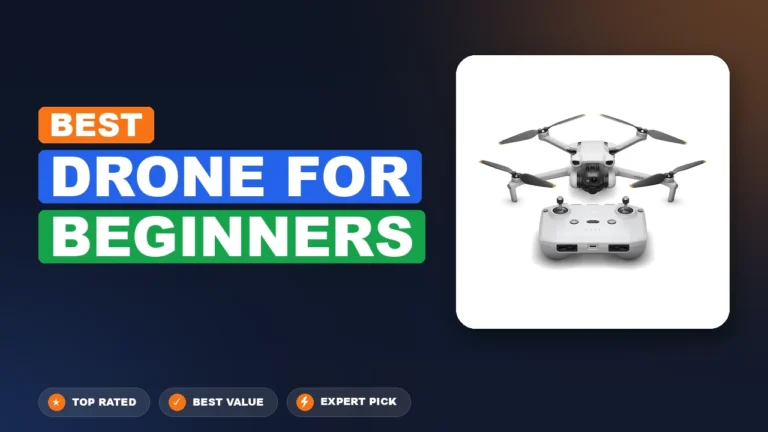
Prioritize camera sensor size and gimbal stabilization to ensure professional-grade imagery and smooth video. Look for ‘must-have’ safety features like obstacle avoidance and GPS return-to-home to protect your investment. Always check local weight regulations (like the 250g limit) to understand registration requirements.
🎯 Key Takeaways
- Takeaway 1:Choose a drone with a 1-inch sensor for high-quality photography.
- Takeaway 2:Ensure 3-axis gimbal stabilization for smooth, professional video footage.
- Takeaway 3:Prioritize obstacle avoidance sensors to prevent crashes and protect your drone.
- Takeaway 4:Select models under 249g to bypass many strict registration requirements.
- Takeaway 5:Invest in extra batteries to extend flight time beyond 30 minutes.
Choosing the right drone requires focusing on three specific pillars: image sensor physics, signal stability, and autonomous safety. In 2024, the market is no longer about just “flying cameras.” It is about how much data the sensor can capture and how effectively the software prevents you from crashing. To find the right fit, you must look past marketing buzzwords and evaluate the hardware that actually impacts your final footage.
Prime for Young Adults — 6 Months Free
Exclusive Offer Amazon Prime for Young Adults, Students and 18–24s get six months of Prime free, then half price.
Start 6 Months Free As an Amazon Associate I earn from qualifying purchases.
Getting these specifications right the first time prevents expensive buyer’s remorse. A drone with a poor transmission system will result in a choppy video feed and lost connections, while a small sensor will produce grainy images in anything but direct sunlight. By prioritizing the technical foundations listed below, you ensure your drone remains a capable tool for years rather than a seasonal toy.
Core Technical Specs: Camera Resolution, Sensor Size, and Gimbals
Recommended Best Deal Products


The quality of your aerial imagery is dictated by the size of the camera sensor, not the megapixel count. A larger sensor allows more light to hit the pixels, reducing “noise” and improving dynamic range. For professional results, aim for a 1-inch CMOS sensor. If you are on a mid-range budget, a 1/1.3-inch sensor is the minimum you should accept to ensure your footage looks crisp on large screens.
Sensor Dynamics and Video Bitrate
While 4K resolution is standard, you must check the frame rates and bitrates. A drone that shoots 4K at 60 frames per second (fps) allows you to slow down your footage in post-production for a cinematic feel. Furthermore, look for a high bitrate (at least 100 Mbps). A higher bitrate means less compression, which keeps the fine details of trees, water, and grass from looking “mushy.”
- 1-inch Sensor: Best for low-light and professional color grading.
- 1/1.3-inch Sensor: The ideal balance for hobbyists and social media creators.
- 10-bit Color: Essential if you plan to edit your colors; it captures over a billion hues.
- D-Log/HLG Profiles: Flat color profiles that preserve detail in highlights and shadows.
Gimbal Mechanics and Signal Reliability
No amount of software can replace a physical 3-axis gimbal. This mechanical stabilizer keeps the camera level even when the drone is tilting 30 degrees to fight the wind. Avoid drones that rely solely on “Electronic Image Stabilization” (EIS), as this crops your image and reduces clarity. Just as important is the transmission technology. Look for proprietary systems like OcuSync or Lightbridge rather than standard Wi-Fi. A dedicated transmission protocol ensures a lag-free, high-definition 1080p live feed to your controller from miles away.
Safety and Intelligence: Obstacle Avoidance and GPS Protocols
Modern drones are essentially flying computers that use a suite of sensors to navigate the physical world. Safety features are not just for beginners; they are insurance for your investment. The primary feature to look for is “Omnidirectional Obstacle Sensing.” This uses wide-angle vision sensors on the front, back, sides, top, and bottom to create a digital map of the environment and prevent collisions.
Advanced Pilot Assistance Systems (APAS)
Top-tier drones do more than just stop when they see a tree. They use APAS to calculate a new flight path in real-time. Instead of a jarring halt, the drone will smoothly bank around an obstacle while continuing to record. This is vital for “ActiveTrack” modes, where the drone follows a moving subject—like a cyclist or a car—autonomously. Without reliable sensing, autonomous tracking is a high-risk activity that often leads to crashes.
- Omnidirectional Sensing: Provides 360-degree coverage, perfect for complex forest or urban flights.
- Downward Vision Sensors: Help the drone maintain a precise hover indoors or in areas without GPS.
- Infrared Sensing: Adds an extra layer of protection in low-light conditions where cameras might fail.
GPS Protocols and Fail-Safes
A reliable drone uses multiple satellite constellations (GPS, GLONASS, and Galileo) to lock its position. This ensures that if you take your hands off the controller, the drone stays pinned in space rather than drifting with the wind. The most critical safety protocol is the “Smart Return to Home” (RTH). In the event of a low battery or signal interference, the drone should be able to trigger an automatic flight back to its exact takeoff point, landing itself within inches of where it started.
Prime for Young Adults — 6 Months Free
Exclusive Offer Amazon Prime for Young Adults, Students and 18–24s get six months of Prime free, then half price.
Start 6 Months Free As an Amazon Associate I earn from qualifying purchases.Look for drones that offer “RTH Bypass,” which allows the aircraft to navigate around objects on its way back to you. This prevents the drone from flying a straight line directly into a building while attempting to save itself. These intelligent protocols transform the flying experience from a stressful task into a creative process.
Portability and Regulatory Compliance: Weight and Signal Range
Recommended Best Deal Products



In the drone world, size isn’t just about convenience—it’s often a matter of legal necessity. Before you click “buy,” you need to understand how the physical build and transmission technology of your drone impact where and how you are allowed to fly.
The Magic of the 249-Gram Limit
You will notice many popular consumer drones, such as the DJI Mini series, weigh exactly 249 grams. This is a deliberate design choice. In the United States (FAA) and many other countries, drones weighing under 250g do not require official registration for purely recreational use. This saves you from paperwork and registration fees right out of the box.
- Ultra-portable: Sub-250g drones usually fold up to the size of a large smartphone, making them perfect for hikers and travelers who need to save space.
- Regulatory Flexibility: In many jurisdictions, lightweight drones are subject to fewer restrictions regarding flying near people compared to heavier, more “professional” models.
- Wind Resistance: Be aware that while light drones are portable, they often struggle more in high winds. If you live in a coastal area, a slightly heavier drone (500g+) might offer better flight stability.
Transmission Reliability and Range
Manufacturer range specs (like “10km range”) are measured in perfect, interference-free conditions. In the real world, signal interference from buildings, trees, and radio towers will reduce this significantly. To ensure a smooth experience, look for drones with dedicated transmission systems rather than those that rely solely on standard Wi-Fi.
- Proprietary Systems: Technologies like DJI’s OcuSync or Autel’s SkyLink offer much higher bitrates and lower latency, meaning the video on your phone won’t “stutter” as you fly further away.
- Urban Interference: If you plan to fly in suburban areas, a robust signal is crucial. Cheaper drones often lose connection just a few hundred feet away due to household Wi-Fi congestion.
- The “Safety Buffer”: Even if you only plan to fly 500 meters away, a drone rated for 10km ensures a rock-solid, crystal-clear link at those shorter distances.
Total Cost of Ownership: Batteries, Storage, and Insurance
The sticker price of a drone is rarely the final amount you will spend. To get the most out of your new hobby without frustration, you need to budget for the essential ecosystem that keeps the drone in the air and your footage safe on the ground.
The Hidden Costs of Power and Storage
Most drones advertise a flight time of 30 to 40 minutes, but this is usually measured from a full charge down to 0%. In practice, you will likely trigger the “Return to Home” safety feature at 20% battery, leaving you with about 22-25 minutes of actual flight time per session. This makes extra batteries a necessity rather than a luxury.
- The “Fly More” Value: Many manufacturers offer bundles (often called “Fly More Combos”) that include three batteries, a multi-charger, and a carrying case. These are almost always cheaper than buying these items individually later.
- High-Speed SD Cards: High-resolution 4K video generates a massive amount of data per second. You will need a microSD card with a “U3” or “V30” rating. Using an old, slow card from a digital camera will result in “choppy” video or even lost files.
Protecting Your Investment
Drones are flying computers that can—and occasionally will—crash. Whether it is an unexpected gust of wind or a “prop strike” against a tree branch, having a safety net is vital for your peace of mind.
Prime for Young Adults — 6 Months Free
Exclusive Offer Amazon Prime for Young Adults, Students and 18–24s get six months of Prime free, then half price.
Start 6 Months Free As an Amazon Associate I earn from qualifying purchases.- Manufacturer Protection Plans: Services like DJI Care Refresh or Autel Care allow you to swap a damaged drone for a replacement for a small fee, even if the crash was your fault.
- Liability Insurance: If you intend to fly in public spaces frequently, consider third-party liability insurance. This covers you in the rare event that your drone causes damage to someone else’s property.
- Spare Propellers: Always keep at least two full sets of spare props in your bag. Even a tiny chip in a blade can cause flight instability and motor strain.
Final Thoughts: Choosing Your Perfect Sky-Bound Companion
Recommended Best Deal Products



Buying a drone in 2024 is an exciting venture that blends technology with pure creative freedom. By prioritizing camera quality, understanding the legal benefits of lightweight models, and budgeting for essential accessories like extra batteries, you ensure that your first flight is just the beginning of a long-term hobby. Remember, the best drone isn’t necessarily the most expensive one; it is the one that fits your specific lifestyle and gives you the confidence to explore the world from a new perspective.
Next Steps: Check your local aviation authority’s website for current drone laws in your area, then browse our latest reviews to find a model that fits your “all-in” budget. Ready to take off? The sky is waiting!
❓ Frequently Asked Questions
How much should I expect to spend on a quality beginner drone?
A reliable entry-level drone with a stabilized camera and GPS usually starts around $300 to $500. Lower-priced models often lack the stabilization needed for clear photos or the safety sensors to prevent flyaways.
Does the weight of the drone matter for legal reasons?
In many regions, drones weighing under 250g are subject to fewer regulations and often don’t require registration for recreational use. Heavier drones must be registered with civil aviation authorities like the FAA or CAA.
What is the difference between OcuSync and Wi-Fi transmission?
OcuSync offers a much longer, more stable range and lower latency than standard Wi-Fi. If you plan to fly in areas with high signal interference or at longer distances, avoid Wi-Fi-only drones.
Are ‘intelligent flight modes’ necessary for hobbyists?
While not strictly necessary, features like ‘Follow Me’ or ‘Waypoints’ allow beginners to capture complex cinematic shots automatically. These modes reduce the pilot’s workload and help produce professional-looking content easily.
Should I buy a drone with a built-in screen on the controller?
Controllers with built-in screens are more convenient because they don’t drain your phone battery and offer better brightness in sunlight. However, they are more expensive than standard controllers that require a smartphone connection.
What are the benefits of a ‘Fly More Combo’?
These bundles typically include two extra batteries, a multi-charger, and a carrying case at a discounted price. Since single batteries have limited flight time, these kits are highly recommended for most users.