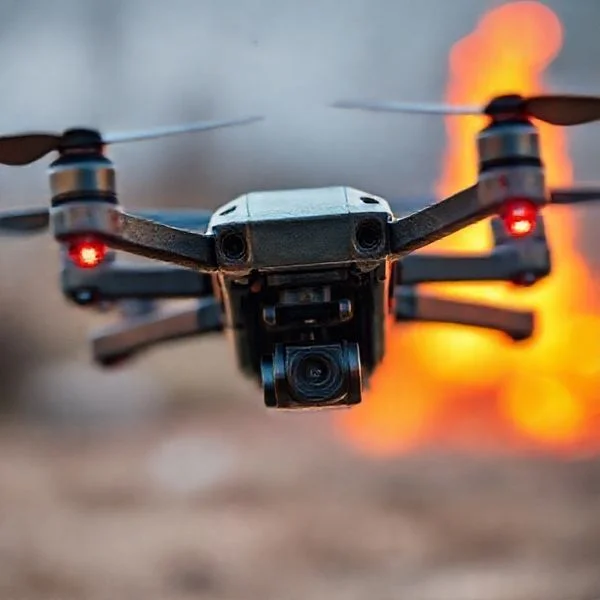
To safely catch a drone, you must grasp the battery compartment from underneath while keeping fingers far away from the high-speed spinning propellers. Professional capture often involves specialized net guns or interceptor drones to mitigate the risk of physical injury or hardware damage. Always utilize cut-resistant Kevlar gloves and eye protection to prevent serious lacerations during manual retrieval.
🎯 Key Takeaways
- Approach the drone from directly below to avoid high-speed propeller blades.
- Wear cut-resistant Kevlar gloves to prevent serious lacerations during manual landings.
- Use handheld net guns for non-destructive capture of unauthorized or stray drones.
- Verify local aviation laws before attempting to intercept or ground third-party aircraft.
- Disable downward obstacle avoidance sensors to prevent the drone from ascending during capture.
Hand-landing a drone isn’t just a professional flair; it is a vital skill for pilots operating from boats, sandy beaches, or dense undergrowth where a flat landing surface is unavailable. To catch a drone safely, you must master the “pinch” technique, approaching the unmanned aircraft systems (C-UAS)”>aircraft
from below the propeller line while it maintains a stable hover. This maneuver requires you to disable downward-facing obstacle avoidance sensors, which otherwise cause the drone to climb away as your hand reaches for the undercarriage.Prime for Young Adults — 6 Months Free
Exclusive Offer Amazon Prime for Young Adults, Students and 18–24s get six months of Prime free, then half price.
Start 6 Months Free As an Amazon Associate I earn from qualifying purchases.
Mastering these physical techniques protects your expensive equipment and ensures your personal safety. Whether you are using your bare hands during a routine flight or specialized capture tools for security recovery, the goal is to neutralize the drone’s propulsion immediately upon contact. Understanding the mechanics of the hand-catch and the tools available for mechanical capture will transform how you handle difficult retrieval scenarios in the field.
Essential Safety Gear and Protective Equipment for Drone Retrieval
Recommended Best Deal Products


Before you ever attempt to grab a drone out of the air, you must respect the physics of the aircraft. High-speed propellers, especially those made of carbon fiber, act like spinning scalpels that can cause deep lacerations in milliseconds. Protective gear is your first line of defense against motor torque and pilot error during a hand-landing.
Hand Protection and Eye Safety
Standard work gloves are often too bulky for drone retrieval, masking the tactile feedback you need to feel the drone’s “kill” vibration. You need gloves that offer a balance of armor and flexibility. Look for Kevlar-lined gloves which provide high slash resistance while remaining thin enough to operate a remote controller if necessary. A leather palm is also beneficial, as it provides the friction needed to prevent the drone from twisting out of your grip if a gust of wind hits during the catch.
Eye protection is equally critical. If a propeller strikes your hand or an object during the retrieval, it can shatter, sending high-velocity shards toward your face. Always wear wrap-around ballistic-rated sunglasses or clear safety goggles. These protect your vision from both debris and the “prop wash”—the high-speed downward air current that can blow dust and sand directly into your eyes as the drone descends toward your hand.
Landing Pads and Physical Extensions
While not worn on the body, certain accessories make the act of catching much safer. High-visibility landing pads serve as a vital reference point, helping you bring the drone to a hover at exactly eye level before you commit to the catch. If your drone model has a very low profile, consider installing landing gear extensions. These “legs” provide a larger, safer handle for you to grab, keeping your fingers significantly further away from the spinning prop arc. Using an extension allows you to maintain a firm “pistol grip” on the aircraft’s frame while your other hand initiates the motor shutdown command on the controller.
- Kevlar Gloves: Essential for protecting against propeller strikes.
- ANSI Z87.1 Goggles: Prevents eye injury from shattered prop fragments.
- Leg Extensions: Increases the safe “grab zone” on the drone’s belly.
- Long Sleeves: Protects your forearms from the prop wash and accidental contact.
How to Catch a Drone Like a Pro: A Practical Walkthrough
Catching a drone, often referred to as a “hand landing,” is an essential skill for every pilot, whether you are operating over water, in tall grass, or on a crowded boat where a flat landing surface is nonexistent. While modern drones are equipped with sophisticated landing sensors, there are many scenarios where manual retrieval is the safest way to prevent damage to your expensive equipment or the environment. This guide covers the physical techniques, software adjustments, and safety protocols required to master the hand-catch without risking your fingers or your aircraft. By following these specific steps, you will transition from a nervous beginner to a confident pilot capable of recovering a drone in almost any terrain.
Step 1: Analyze Your Environment and Wind Direction
What you need: An open area, a basic understanding of wind patterns, and a clear flight path.
Prime for Young Adults — 6 Months Free
Exclusive Offer Amazon Prime for Young Adults, Students and 18–24s get six months of Prime free, then half price.
Start 6 Months Free As an Amazon Associate I earn from qualifying purchases.Instructions: Before attempting to catch a drone, you must evaluate the local weather conditions. Always face into the wind; this allows the drone to use its internal stabilization to push against the breeze while remaining relatively stationary in front of you. If the wind is at your back, the drone may drift toward you unexpectedly, creating a collision hazard. Ensure you have at least a 10-foot radius of clear space around you. If you are on a moving vessel, such as a boat, stand at the highest, clearest point toward the stern to avoid rigging or masts. Identify your “escape route”—a direction you can move quickly if the drone malfunctions or experiences a sudden gust of wind during the approach.
Pro Tip: Never attempt a hand catch if wind speeds exceed 15-20 mph, as the drone’s flight controllers will be working overtime, making its movements twitchy and unpredictable.
Step 2: Equipping Proper Personal Protective Equipment (PPE)
What you need: High-grip leather or reinforced tactical gloves, shatter-resistant eye protection, and closed-toe shoes.
Instructions: Safety is the absolute priority when your hands are inches away from propellers spinning at several thousand RPM. Even small “mini” drones can cause deep lacerations. Wear gloves that offer dexterity but are thick enough to resist a propeller strike; leather work gloves are ideal. Eye protection is critical because if a propeller hits your hand or an object, it can shatter, sending plastic shards toward your face. Ensure your clothing is fitted; loose sleeves or hoodie strings can easily be sucked into the rotors, leading to a catastrophic crash and personal injury. Standing firmly in closed-toe shoes ensures you won’t slip or trip if you need to adjust your stance during the final seconds of the catch.
Pro Tip: Avoid using “winter” gloves or thick mittens, as they reduce your tactile feedback and make it difficult to operate the remote controller sticks simultaneously.
Step 3: Disabling Obstacle Avoidance and Downward Sensors
What you need: Your drone’s remote controller and the flight app (e.g., DJI Fly, Autel Sky).
Instructions: Most modern drones use “Vision Positioning Systems” (VPS) or infrared sensors on the bottom to detect the ground. When you reach out to catch the drone, these sensors will see your hand as an obstacle and automatically “jump” upward to avoid a collision. To prevent this, go into your flight settings and temporarily disable the landing protection or obstacle avoidance sensors. If your drone does not allow you to toggle these quickly, you must be prepared for the drone to fight your hand. By disabling these, the drone will treat your hand as a static landing surface rather than a threat, allowing for a much smoother descent into your palm without the aircraft surging upward unexpectedly.
Prime for Young Adults — 6 Months Free
Exclusive Offer Amazon Prime for Young Adults, Students and 18–24s get six months of Prime free, then half price.
Start 6 Months Free As an Amazon Associate I earn from qualifying purchases.Pro Tip: If you cannot disable the sensors, you must be much more aggressive with the downward throttle stick to “force” the drone to land against its own safety programming.
Step 4: The Approach and Hover Calibration
What you need: A stable GPS lock and a steady hand on the transmitter sticks.
Instructions: Bring the drone toward you slowly. Position the aircraft approximately 2 to 3 feet in front of you and about 1 foot above your head level. It is crucial to let the drone hover for 5-10 seconds at this position. This allows the GPS and IMU (Inertial Measurement Unit) to stabilize after the movement. Do not reach for the drone while it is still moving forward or sideways. You want the aircraft to be perfectly stationary. Keep your eyes on the drone’s orientation; ensure the “nose” or camera is facing away from you. This ensures that if you accidentally push the pitch stick forward, the drone moves away from your body rather than toward your face.
Pro Tip: If the drone is wobbling or cannot hold a steady hover due to interference, abort the hand catch and find a flat surface on the ground instead.
Step 5: Executing the “Pincer” or “Flat Palm” Grip
What you need: A steady reaching arm and focus on the drone’s center of gravity.
Instructions: Reach out with your dominant hand, keeping your arm slightly bent to absorb any sudden movements. Depending on the drone size, use one of two grips. For smaller drones, use a “pincer” grip to grab the landing gear or the main body from underneath, avoiding the battery release buttons. For larger drones, extend a flat palm and let the drone descend onto it. Your hand should be positioned directly under the center of the fuselage, well away from the spinning arcs of the propellers. Keep your hand steady; do not “chase” the drone if it moves. Let the drone come to you. Ensure your fingers are curled downward or tucked away so they cannot be struck by the descending blades.
Pro Tip: Practice this movement first with the drone powered off to build muscle memory of where the “safe zones” are on your specific aircraft frame.
Step 6: The “Kill Switch” and Motor Shutdown
What you need: The remote controller in your non-catching hand.
Instructions: Once the drone makes contact with your hand, do not let go. Immediately use your other hand to pull the throttle stick (usually the left stick) all the way down and hold it there. The drone’s software will realize it has reached a solid surface and will cease motor rotation after 2-3 seconds. Alternatively, if your drone has an “Emergency Motor Kill” command (often pulling both sticks to the bottom inner corners), you can execute that for an instant stop. Some pilots prefer the “Flip Technique,” where you grab the drone and quickly flip it 90 degrees sideways; most drones have a safety feature that kills the motors instantly when they detect a roll angle that exceeds 70-90 degrees. However, the throttle-down method is generally safer for the internal gimbal and motors.
Pro Tip: Be prepared for the drone to “torque” or pull against your hand for a second before the motors shut off. Maintain a firm, unwavering grip until the blades have completely stopped spinning.
Step 7: Post-Retrieval Inspection and Power Down
What you need: A microfiber cloth and a safe place to set the drone.
Instructions: Once the motors are silent, immediately turn off the drone’s power using the physical battery button. This prevents any accidental motor restarts if the sticks are bumped. Inspect the propellers for any hairline fractures that might have occurred if they brushed your glove. Check the gimbal to ensure it is still calibrated and that the motors didn’t strain while you were holding the aircraft. Because hand-catching involves proximity to your body, check the drone’s chassis for any oils or sweat from your hands, especially near the sensors or camera lens, and wipe them down. Finally, log the flight as a “manual recovery” in your pilot’s log to track the performance of the aircraft under manual landing conditions.
Pro Tip: If you used the “flip” method to kill the motors, pay extra attention to the gimbal ribbons, as the sudden movement can sometimes stress the camera’s stabilization cables.
✅ Final Checklist
- Confirm that all downward sensors were disabled or accounted for during the approach.
- Verify that the wind was coming from the front, keeping the drone pushed away from your body.
- Ensure the “kill switch” (throttle down or flip) was held until the propellers reached zero RPM.
- Check that no loose clothing, hair, or jewelry came within 12 inches of the propeller arc.
- Inspect propellers for nicks or damage before the next flight.
Important Notes:
- Safety Warning: Never attempt to catch a drone with large, carbon fiber propellers (such as an Inspire 2 or heavy-lift cinema drones). The torque and power of these motors can cause life-altering injuries even through heavy gloves.
- When to Seek Professional Help: If your drone’s flight controller is showing “IMU Bias” or “Compass Errors,” do not attempt a hand catch. The drone may behave erratically, making manual retrieval extremely dangerous.
- Estimated Time: 2-3 minutes per landing attempt.
- Cost Range: $0 (Assuming you already own basic work gloves and eye protection).
Comparison of Physical Capture Technologies: Net Guns vs. Interceptor Drones
When a drone is unresponsive, stuck in a tree, or needs to be “hunted” for security purposes, manual catching is no longer an option. Physical capture technologies are designed to entangle the rotors and force a controlled descent without relying on electronic jamming, which can be legally restricted or ineffective against autonomous flight paths.
Net Gun Systems for Immediate Recovery
Net guns are the most common handheld solution for short-range drone capture, typically effective within 10 to 20 meters. These devices use compressed CO2 canisters to launch a weighted mesh net that expands in mid-air. When the net makes contact with the drone, the weights wrap around the arms and propellers, instantly stopping the motors. This is a “hard kill” method, meaning the drone will likely fall straight to the ground unless the net is tethered to the launcher.
For recovery purposes, net guns are invaluable when a drone is hovering out of reach in a canopy. Modern net guns feature adjustable PSI settings, allowing you to calibrate the launch force based on the distance. This prevents unnecessary damage to the drone’s gimbal or frame during the capture process. However, the pilot must lead the target slightly, as the net takes a fraction of a second to travel and expand.
The Role of Interceptor Drones
Interceptor drones are specialized UAVs built to take down other aircraft. These are used when the target drone is too high or too fast for a handheld net gun. There are two primary styles of interceptor capture: “net-dropping” and “tethered snatching.” In a net-drop scenario, the interceptor hovers above the rogue drone and releases a mesh from its underbelly, allowing gravity to do the work. This is safer for the interceptor but often results in the destruction of the captured drone.
Tethered snatching is a more advanced technique used by security professionals. The interceptor drone flies with a trailing net; it maneuvers to snag the target drone and then carries it away to a safe landing zone. This prevents the captured drone from falling onto bystanders or into water. This method requires a high-torque interceptor with a significant payload capacity to counter the weight and erratic movements of the captured aircraft.
- Target Identification: Determine the altitude and speed of the drone.
- Deployment: Choose a net gun for low-altitude stationary targets or an interceptor for high-speed tracking.
- Entanglement: Aim for the rotors to ensure the drone loses lift immediately.
- Recovery: Secure the area where the drone will land to prevent secondary damage.
Legal Considerations and Privacy Regulations for Drone Interception
Before you even think about reaching for a drone in mid-air or deploying a capture tool, it is vital to understand the complex legal framework surrounding unmanned aircraft. In many jurisdictions, including the United States, drones are classified as “aircraft” by federal authorities. This means that interfering with a drone in flight can carry the same legal weight as interfering with a manned helicopter or plane. Even if a drone is hovering over your private property, taking physical action against it can lead to significant legal repercussions.
Navigating Federal and Local Drone Laws
The Federal Aviation Administration (FAA) in the U.S. has strict guidelines regarding the “interception” of drones. Using tools like net guns or jamming devices can be seen as a violation of federal law, potentially leading to felony charges. Before you decide to use any capture technology, consider these specific legal points:
- Property Rights vs. Airspace: While you own the land, the federal government typically controls the “navigable airspace” above it. Physical interception is often viewed as a crime against the aircraft’s safety.
- Liability for Damages: If you use a capture tool and damage the drone’s expensive 4K camera or internal sensors, you may be held civilly liable for the full replacement cost, regardless of where the drone was flying.
- Law Enforcement Exceptions: Most high-end drone capture tools, such as signal jammers, are strictly limited to military or law enforcement use and are illegal for civilians to operate.
Privacy and Harassment Safeguards
Privacy is frequently the motivation for drone interception, but the law is often a double-edged sword. While many states have privacy laws that prohibit drones from filming people in “reasonable expectations of privacy” zones (like bathrooms or bedrooms), the act of “snaring” or “catching” a drone can be interpreted as harassment or theft of property. Always document the incident and contact authorities rather than attempting a mid-air “citizen’s arrest” of a drone, as the legal fallout often outweighs the benefit of stopping the flight.
Critical Factors Influencing Hand-Catching Success and Safety
Hand-catching a drone—often necessary when landing on a boat, in tall grass, or on a sandy beach—is a skill that depends heavily on environmental awareness. It is not merely about grabbing the device; it is about anticipating how the drone will react to your presence and the surrounding atmosphere. If you don’t account for these variables, you risk a “flyaway” or, worse, a serious injury from the high-speed propellers.
The Role of Drone Size and Propeller Wash
The physics of a drone change significantly as it nears your hand. This is primarily due to propeller wash, which is the downward thrust of air created by the rotors. Smaller drones are easily tossed around by their own wash reflecting off your hand, while larger drones create enough force to push your arm down unexpectedly. Consider these factors during a catch:
- Momentum and Weight: A heavy enterprise drone won’t stop on a dime. Its momentum can carry it forward even after the pilot cuts the motors, potentially leading to a collision with your torso.
- Propeller Material: Carbon fiber propellers, found on many high-end drones, are significantly more dangerous than plastic ones. They do not flex upon impact and can cut through skin and clothing instantly.
- Wind Gusts: In windy conditions, a drone will “tilt” to maintain its position. When you go to grab it, the drone may lean sharply toward your fingers to compensate for a sudden breeze.
Impact of Visual Obstacle Avoidance Systems
Modern consumer drones are equipped with sophisticated “vision” sensors designed to prevent crashes. While these are great for beginners, they can be a nightmare for hand-catching. When the drone’s bottom sensors detect your hand rising toward it, the onboard computer often interprets your hand as a “ground obstacle” and will automatically power up the motors to climb away. This sudden “jumping” behavior is a leading cause of botched catches. Understanding how to toggle these sensors or how to approach the drone from an angle that doesn’t trigger a safety ascent is a critical piece of the puzzle for any pilot.
Final Thoughts on Safe Drone Capture
Mastering the art of catching a drone requires a balance of technical skill, legal awareness, and the right equipment. Whether you are using specialized capture tools for security purposes or performing a manual hand-landing on a rocky coastline, safety must remain your absolute priority. Drones are powerful machines with spinning blades; one mistake can result in permanent injury or expensive hardware repairs.
To move forward, spend time practicing your landing maneuvers in wide-open, wind-free spaces and stay updated on the latest local flight regulations. If you plan on making hand-landing a regular part of your workflow, consider investing in a pair of reinforced landing gloves to provide an essential layer of protection. Stay safe, respect the airspace, and happy flying!
❓ Frequently Asked Questions
Why would someone choose to hand-catch a drone instead of landing normally?
Hand-catching is often necessary in rugged terrain, on moving boats, or in tall grass where a flat landing surface isn’t available. It prevents dust and debris from entering the motors and protects the delicate gimbal from hitting uneven ground.
What are the risks of using signal jammers to catch a drone?
Signal jammers are highly regulated and often illegal for civilians as they can interfere with critical communications like emergency services. They also cause the drone to enter an unpredictable ‘fail-safe’ mode, which might lead to an uncontrolled crash rather than a safe landing.
How do net guns work for drone capture?
Net guns use compressed air or a small pyrotechnic charge to launch a weighted net that entangles the propellers instantly. Once the rotors are jammed, the drone loses lift and falls, often requiring a parachute attachment for a truly safe descent.
What should I do if a drone propeller hits my hand?
Immediately move away from the drone to prevent further injury, apply pressure to any bleeding, and seek medical attention if the cut is deep. Drone blades rotate at thousands of RPMs and can cause significant nerve or tendon damage that requires professional care.
Can interceptor drones be used for security purposes?
Yes, security teams use ‘hunter’ drones equipped with nets or tethering cables to physically remove unauthorized drones from restricted airspace. These are more precise than ground-based nets and can transport the target drone to a secure location for investigation.
Does hand-catching void a drone’s warranty?
While usually not explicitly stated, any damage caused to the frame, motors, or gimbal during a failed hand-catch is typically considered ‘pilot error.’ It is best to practice with a smaller, cheaper drone before attempting the maneuver with professional-grade equipment.