How to Build a Drone: The Ultimate DIY Assembly Guide
Commercial UAV Pilot & Aerial Cinematography Specialist at Drone Nestle · FAA Part 107 Remote Pilot Certification, Commercial UAS Operations · 10+ Years in Commercial UAV Operations, Flight Hardware Benchmarking & 4K Aerial Cinematography
Building a custom drone requires matching compatible components like the flight controller, ESCs, and motors to ensure optimal flight performance. Success depends on precision soldering and correct firmware configuration using tools like Betaflight to calibrate your sensors and radio link.
🎯 Key Takeaways
- Select a frame that fits your prop size and flight goals.
- Match motor KV ratings to your battery’s cell count (S).
- Use high-quality solder and flux for reliable electrical connections.
- Always use a smoke stopper during the first power-on test.
- Verify motor direction and failsafe settings before the first flight.
Building a custom FPV drone requires a precise mix of hardware integration, soldering skills, and software tuning. You aren’t just plugging parts together; you are creating a high-performance machine where the flight controller, four brushless motors, and an Electronic Speed Controller (ESC) work in a millisecond-perfect loop. Success depends on clean wiring and choosing parts that don’t fry each other the moment you plug in your first battery.

By building your own craft, you gain the ability to fix crash damage instantly and customize flight feel to your exact preference. Instead of being locked into a manufacturer’s ecosystem, you choose the frame geometry, the motor power, and the video transmission strength. This guide moves past the theory and dives straight into the physical assembly and technical logic required to get your quadcopter in the air safely and efficiently.


Essential Components: Understanding the FPV Drone Ecosystem


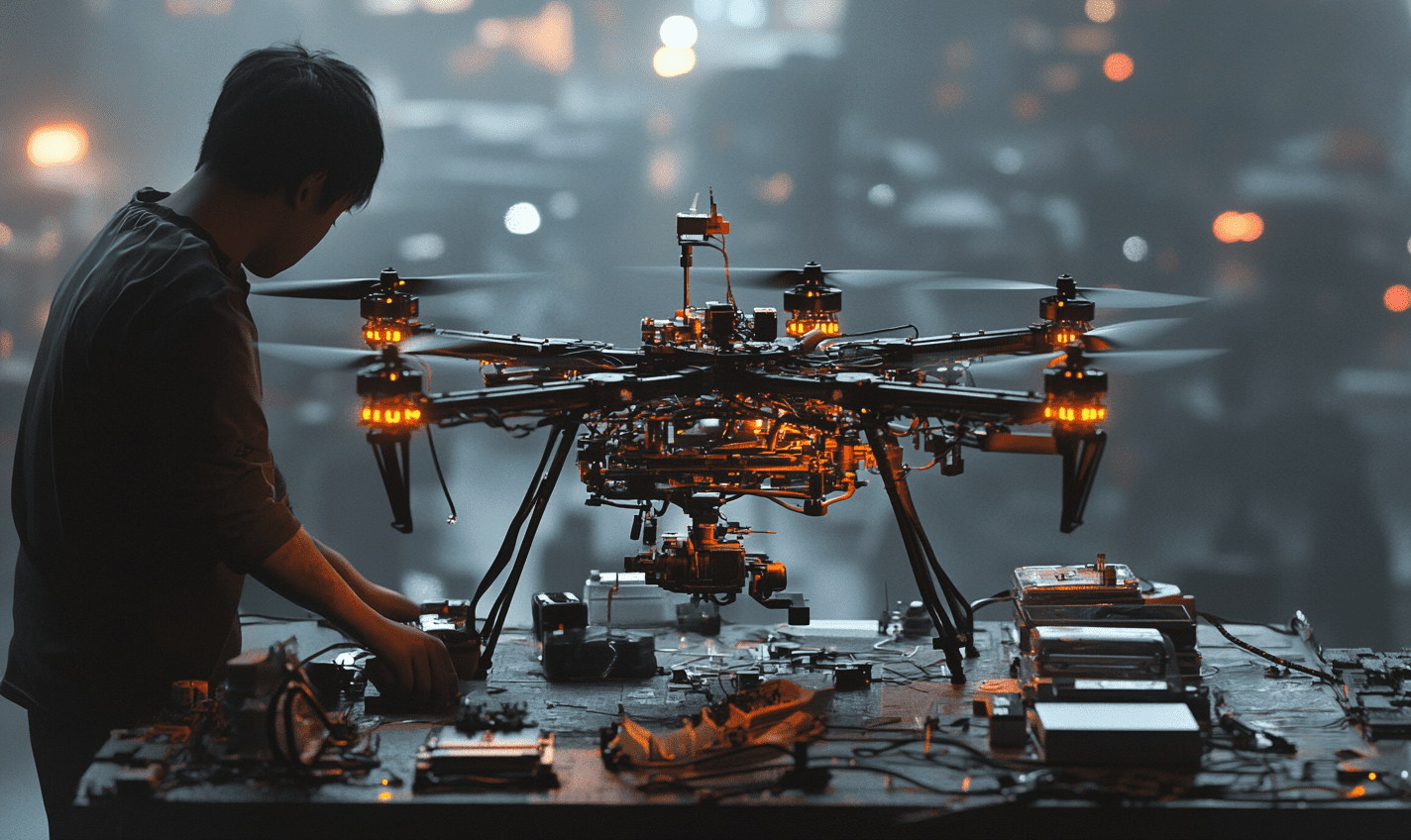
Before you pick up a soldering iron, you must understand how the “stack” functions. The stack is the vertical assembly of the Flight Controller (FC) and the Electronic Speed Controller (ESC). The FC is the brain, processing data from the gyroscope to keep the drone level. The ESC is the muscle, taking signals from the FC and converting battery power into the three-phase current required to spin brushless motors. In modern builds, these are often connected by a single plug-and-play wiring harness, though individual soldering is still required for peripheral components.
The Propulsion and Frame Foundation
The frame is the skeleton that determines your drone’s flight characteristics. For a standard 5-inch freestyle or racing build, you want a carbon fiber frame with a 200mm to 250mm wheelbase. Carbon fiber is chosen for its incredible strength-to-weight ratio, but remember it is electrically conductive; any loose wire touching the frame can cause a short circuit. Your motors are mounted at the ends of the arms, and their size (e.g., 2207 or 2306) must be matched to your propeller choice to ensure the motor doesn’t overheat under load.


- Flight Controller (FC): Look for an F4, F7, or H7 processor. This manages the PID loop and peripheral communication.
- Electronic Speed Controller (ESC): A 4-in-1 ESC is standard. It should be rated for at least 45A-60A for a 5-inch build.
- Brushless Motors: These convert electrical energy into thrust. They are rated by size and KV (RPM per volt).
- Video Transmitter (VTX) and Camera: These provide your first-person view. Digital systems (DJI, Walksnail) offer HD, while analog offers the lowest latency.
- Receiver (RX): The link between your radio and the drone. ExpressLRS (ELRS) is the current industry standard for range and reliability.
The Ultimate DIY FPV Drone Walkthrough
Building your own drone from scratch is one of the most rewarding projects a hobbyist can undertake. Not only does it provide a deep understanding of flight dynamics and electronics, but it also ensures you have the skills necessary to repair your craft after the inevitable crash. This guide focuses on building a 5-inch FPV (First Person View) freestyle drone, the gold standard for performance and versatility. We will cover everything from component selection and delicate soldering to software configuration and your very first takeoff.
Step 1: Planning and Component Selection
What you need: A 5-inch carbon fiber frame, four brushless motors (2207 or 2306 size), a flight controller (FC) and Electronic Speed Controller (ESC) stack, a FPV camera, a Video Transmitter (VTX), a radio receiver (RX), and a set of 5-inch propellers.
Instructions: Success begins with compatibility. Ensure your FC and ESC stack matches the mounting holes of your frame (usually 30.5×30.5mm or 20x20mm). For a 5-inch build, choose motors with a KV rating between 1700KV and 1900KV if you plan to use a 6S LiPo battery, or 2400KV to 2700KV for a 4S setup. Select a VTX that matches your goggles—digital (like DJI or Walksnail) or analog. Purchase a radio receiver that uses the same protocol as your transmitter, with ExpressLRS (ELRS) being the current industry standard for range and reliability. Lay all components out on a clean workspace to visualize the internal layout before you begin assembly.
Pro Tip: Always buy “4-in-1” ESCs for your first build. They sit directly under the flight controller in a neat stack, significantly reducing the amount of complex wiring and making the build much cleaner.
Step 2: Assembling the Frame and Mounting Motors
What you need: Hex driver set (1.5mm, 2.0mm, 2.5mm), blue Loctite (threadlocker), and your carbon fiber frame kit.
Instructions: Start by assembling the base plate and arms of the frame according to the manufacturer’s diagram. Apply a tiny drop of blue Loctite to every metal-to-metal screw to prevent vibrations from backing them out mid-flight. Once the base is solid, mount your four motors to the ends of the arms. Ensure the motor wires are facing inward toward the center of the frame. Tighten the screws in a cross pattern, but be careful: check that the screws are not so long that they touch the copper motor windings inside, as this will cause a catastrophic electrical short the moment you plug in a battery.
Pro Tip: Carbon fiber is conductive and can have sharp edges. Use a fine-grit sandpaper to lightly sand the edges of the frame where wires will pass over it to prevent the frame from cutting through wire insulation over time.
Step 3: Installing the ESC and Tinning Pads
What you need: Soldering iron (set to 350-400°C), leaded solder (60/40 or 63/37), and soldering flux.
Instructions: Place the ESC onto the mounting gummies in the center of the frame. Before soldering anything, “tin” the pads. This involves applying a small amount of flux to the gold pads on the ESC, then touching the soldering iron and solder wire to the pad until a small, shiny bead of solder forms. Do this for the twelve motor pads and the two large battery pads. Next, cut your motor wires to length so they reach the ESC pads with a tiny bit of slack for arm flex. Strip 2mm of insulation off the ends, tin the wire tips, and then fuse the wire to the corresponding bead on the ESC pad. The order of the three motor wires does not matter yet; we can change motor direction in software later.
Pro Tip: Use a “smoke stopper” (a current-limiting fuse) the first time you plug in a battery. If there is a short circuit, the smoke stopper will trip and save your expensive electronics from burning up.
Step 4: Preparing the Flight Controller (FC)
What you need: The FC from your stack, the wiring harness (8-pin cable), and a pair of tweezers.
Instructions: Modern stacks use a “plug-and-play” harness to connect the ESC to the FC. Simply plug the cable into both components. This cable carries power from the battery to the FC and sends motor signals from the FC to the ESC. Mount the FC on top of the ESC using the provided vibration-dampening gummies. Ensure the arrow printed on the FC is pointing toward the front of the drone. If you must mount it sideways due to space constraints, you will need to note the degrees of rotation (e.g., 90 or 270 degrees) to enter into the configuration software later so the drone knows which way is “up” and “forward.”
Pro Tip: Keep the wiring harness slightly tucked between the boards. If it sticks out too far, a propeller could strike it during a crash, instantly disabling your flight controller.
Step 5: Wiring the VTX, Camera, and Receiver
What you need: FPV Camera, Video Transmitter (VTX), Receiver (RX), and silicone hookup wire.
Instructions: This is the most technical soldering phase. Your FC manual will have a wiring diagram. Typically, you will solder the Camera’s 5V, Ground, and Video-Out wires to the FC’s Cam-In pads. The VTX requires power (often 9V or Battery Voltage), Ground, Video-In (to receive the OSD data from the FC), and a “SmartAudio” or “TrampHV” wire for remote channel changing. Finally, solder the Receiver to a spare UART (Universal Asynchronous Receiver-Transmitter) on the FC. This usually requires four wires: 5V, Ground, TX (Transmit), and RX (Receive). Ensure your solder joints are shiny and do not bridge across to adjacent pads, which could cause a short.
Pro Tip: Use different colored wires for different functions (e.g., Red for power, Black for ground, Yellow for video). This makes troubleshooting infinitely easier if a wire breaks later.
Step 6: Betaflight Software Configuration
What you need: A computer with Betaflight Configurator installed and a high-quality USB-C or Micro-USB data cable.
Instructions: Connect your FC to the computer and open Betaflight. Go to the “Ports” tab and enable “Serial RX” for the UART where you soldered your receiver, and select the correct VTX peripheral protocol. In the “Configuration” tab, set your ESC protocol (usually DSHOT600). Most importantly, go to the “Motors” tab (with propellers REMOVED) and plug in a battery. Spin each motor individually to check its direction. If a motor is spinning the wrong way, use the “Motor Direction” toggle to reverse it. Finally, set up your “Modes” tab to assign a switch on your radio for “Arming” (turning the motors on) and another for “Beeper” or “Angle/Acro” modes.
Pro Tip: Always “Calibrate Accelerometer” while the drone is sitting on a perfectly level surface. If you don’t, the drone may drift aggressively in one direction the moment it leaves the ground.
Step 7: Binding and Failsafe Setup
What you need: Your Radio Transmitter and the completed drone.
Instructions: Follow the manufacturer’s instructions to “bind” your receiver to your radio. For ELRS, this usually involves a specific “Binding Phrase” entered into the firmware. Once bound, go to the “Receiver” tab in Betaflight and move your radio sticks; you should see the bars on the screen move in sync. Crucially, test your “Failsafe.” With the drone connected to Betaflight (and propellers OFF), turn off your radio. The “Arm” indicator in the software should immediately turn off. This ensures that if you lose signal while flying, the drone will cut its motors and fall to the ground rather than “fly away” into the horizon.
Pro Tip: Set your “Stage 2 Failsafe” to “Drop” rather than “Land.” In a high-performance drone, trying to land autonomously without GPS often results in more damage than simply falling.
Step 8: Final Assembly and Pre-Flight Check
What you need: Propellers, prop nuts, battery strap, and a LiPo battery.
Instructions: Secure the top plate of the frame using the remaining screws and Loctite. Use a battery strap and a silicone battery pad to mount your LiPo to the top or bottom of the frame (ensure it is tight and won’t slide). Finally, attach your propellers. Pay extremely close attention to the “props in” vs “props out” configuration. Propellers have a specific direction (Clockwise vs Counter-Clockwise); if you put them on backward, the drone will flip over violently the moment you try to take off. Double-check that all screws are tight and no wires are touching the motors or the propellers’ path.
Pro Tip: For your very first flight, go to a wide-open grassy field. Hover at eye level for 30 seconds, then land and feel the motors. If they are burning hot to the touch, you have a mechanical vibration or a software tuning issue that needs to be addressed before flying again.
✅ Final Checklist
- Continuity Check: Use a multimeter to ensure there is no electrical continuity between the positive and negative battery leads.
- Propeller Orientation: Verify that the leading edge of each prop blade is facing the direction the motor is spinning.
- Failsafe Verification: Confirmed that motors stop instantly when the radio transmitter is powered off.
- VTX Antenna: Ensure the VTX antenna is securely attached; powering a VTX without an antenna can burn out the transmitter in seconds.
- Motor Clearances: Verified that no motor mounting screws are touching the internal copper windings of the motors.
Important Notes:
- Safety First: Never, ever plug in a battery with propellers attached while the drone is connected to a computer or sitting on your workbench.
- Seek Help: If you struggle with soldering, watch videos by “Joshua Bardwell” or “Oscar Liang,” who are the gold standards for FPV education.
- Estimated Time: A first-time build usually takes 6 to 10 hours. Experienced builders can finish in 2 hours.
- Estimated Cost: A high-quality 5-inch build typically ranges from $300 to $600 USD for the drone itself, excluding the radio and goggles.
Component Compatibility: Matching Motors, ESCs, and Batteries
Compatibility is where most beginners fail. The most critical relationship to understand is the “Voltage to KV” ratio. KV represents how many revolutions per minute a motor will turn for every one volt applied. If you use a high-voltage 6S LiPo battery (22.2V) with high-KV motors (e.g., 2400KV), the motors will attempt to spin faster than they are physically capable of, drawing massive amounts of current and burning out your ESC or the motor windings instantly.

The 4S vs. 6S Debate


For a modern high-performance build, 6S is the standard. It provides more consistent power throughout the battery’s discharge cycle and experiences less “sag” during punch-outs. However, your components must be rated for this higher voltage. Always check that your FC and ESC are “6S capable.” If you choose a 6S setup, you must pair it with low-KV motors, typically between 1700KV and 1950KV. If you prefer a 4S setup (14.8V), you will need higher-KV motors, usually between 2300KV and 2750KV, to achieve comparable thrust.
Current Draw and Mounting Patterns


Your ESC must be the “strongest” link in the chain. If your motors pull a maximum of 40A at full throttle, your ESC should be rated for at least 50A. This overhead prevents the ESC from overheating during aggressive maneuvers. Additionally, ensure your mounting patterns match. Standard frames use 30.5×30.5mm or 20x20mm hole spacing. You cannot fit a 30.5mm stack into a frame designed only for 20mm electronics without specialized adapters, which add unnecessary weight and height.
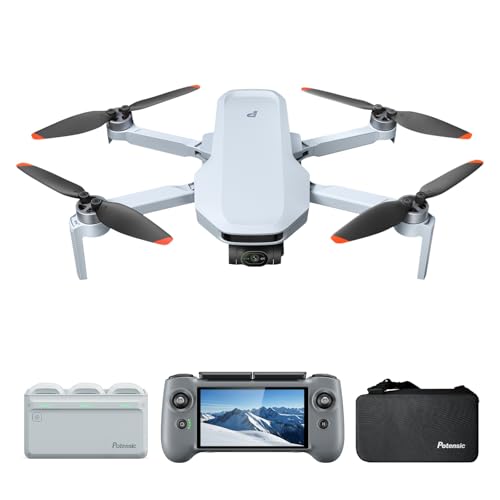

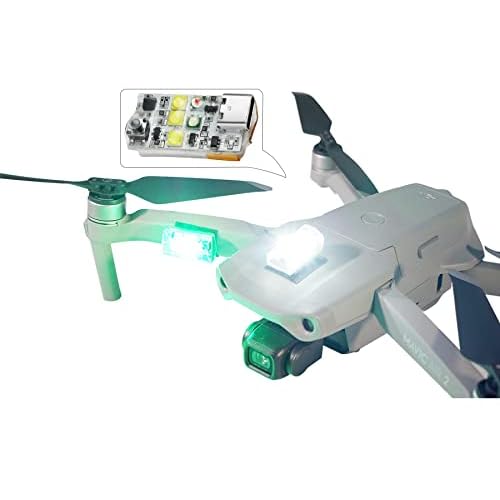
- Motor KV: 1700-1950KV for 6S batteries; 2300-2750KV for 4S batteries.
- ESC Amperage: Always aim for 10A-15A of overhead above your motor’s peak draw.
- Stack Size: Verify 30.5mm vs 20mm mounting holes on both frame and electronics.
- Battery Connector: Use an XT60 connector for 5-inch builds; XT30 is only for smaller, “toothpick” style drones.
- UART Availability: Ensure your FC has enough UARTs (serial ports) for your RX, VTX, and optional GPS.
Software and Firmware: Navigating the Betaflight Interface


Once your hardware is assembled, the “brain” of your drone needs its operating system. In the world of DIY FPV drones, Betaflight is the gold standard. This open-source firmware allows you to communicate with your flight controller, fine-tune motor outputs, and customize how the drone reacts to your stick movements. Think of it as the bridge between your mechanical components and your flight experience.
Customizing the Flight Experience


The Betaflight Configurator is incredibly deep, offering control over everything from LED colors to advanced PID tuning. For beginners, the focus should be on the Configuration Tab and the Receiver Tab. These sections ensure that your drone understands which way is up and that your radio controller is talking to the flight controller correctly. You can also set up an On-Screen Display (OSD), which overlays vital stats like battery voltage and flight time directly onto your goggles.
- Modes Tab: This is where you assign switches on your radio to functions like “Arm” (turning the motors on) or “Angle Mode” (auto-leveling).
- PID Tuning: While defaults are great for beginners, PIDs control how the drone compensates for wind and sharp turns.
- Rates: These determine how sensitive the drone is to your inputs. Lower rates make for smoother, cinematic cinematic flights.
Firmware Updates and Compatibility
Keeping your firmware updated is crucial for accessing new features like “Rescue Mode” or improved filtering. However, always ensure your hardware version matches the firmware build. A common mistake is flashing the wrong target file, which can temporarily “brick” the controller. Pro tip: Always take a “CLI Dump” (a text-based backup of your settings) before updating so you can restore your configuration in seconds if something goes wrong.
Safety Protocols and Pre-Flight Hardware Calibration


Before you take your creation to the local park, you must perform a series of safety checks. A DIY drone is a high-speed machine with sharp propellers; treating it with respect is the difference between a successful maiden flight and an expensive trip to the repair bench—or worse, the emergency room.
The “Smoke Test” and Power Safety
The very first time you plug in a battery, use a Smoke Stopper. This simple device acts as a circuit breaker. If there is a short circuit in your soldering, the Smoke Stopper trips and saves your electronics from burning up. Visual inspections are equally vital. Look for stray solder balls or wires that might vibrate against the carbon fiber frame, as carbon fiber is conductive and can cause a short mid-flight.


- Props-Off Testing: Never, under any circumstances, plug in your battery with propellers attached while working on the bench.
- Fail-Safe Setup: Ensure your drone is programmed to drop out of the sky if it loses radio connection, rather than flying away into the distance.
- Battery Health: Inspect your LiPo batteries for “puffing” or damage to the cells before every flight session.
Sensor and Motor Calibration
Calibration ensures the drone’s internal gyroscope knows exactly what “level” looks like. If the calibration is off, the drone will drift aggressively the moment it leaves the ground. You should also verify motor direction. In a standard “Props In” configuration, each motor must spin in a specific direction to create lift and yaw. Using the motor testing tool in your software allows you to spin each motor individually (without props!) to confirm they are rotating correctly and that the numbering matches the software layout.
Conclusion: Your Journey Into the Skies
Building a drone is more than just a DIY project; it is an entry point into a community of engineers, pilots, and creators. By understanding the synergy between your hardware, the Betaflight firmware, and essential safety protocols, you have transitioned from a hobbyist to a drone technician. The satisfaction of seeing a machine you built with your own hands take flight for the first time is unmatched.
Your next steps are to practice in a flight simulator to build muscle memory and then find a wide-open field for your first real-world hover. Remember, crashing is a part of the learning process—and since you built it, you already know exactly how to fix it! Grab your goggles, head outside, and enjoy the view from above.
❓ Frequently Asked Questions
How do I choose the right motor KV for my build?
Motor KV selection depends on your battery voltage; higher KV motors (2400KV+) are suited for 4S batteries, while lower KV (1700-1900KV) are optimized for 6S setups to maintain efficiency.
Why is the Flight Controller (FC) considered the ‘brain’ of the drone?
The FC processes data from the gyroscope and your radio receiver thousands of times per second to send specific speed commands to each motor via the ESCs.
What is the difference between an AIO board and a Stack?
An AIO (All-In-One) combines the FC and ESC on a single circuit board for weight savings, while a Stack uses separate, replaceable layers connected by pins or wires.
Can I build a drone without soldering?
While some ‘plug-and-play’ components exist, the vast majority of custom builds require soldering to ensure secure, low-resistance connections that can withstand flight vibrations.
How do I ensure my radio transmitter is compatible with my receiver?
You must ensure both devices use the same protocol, such as ExpressLRS (ELRS), Crossfire, or FrSky, and that they are operating on the same frequency (e.g., 2.4GHz).
What are the most common mistakes for first-time builders?
Common errors include installing propellers upside down, reversing motor directions in software, and failing to set a failsafe, which can lead to a ‘flyaway’ situation.

Similar Posts