How to Pick a Drone: The Ultimate 2024 Buyer’s Guide
Commercial UAV Pilot & Aerial Cinematography Specialist at Drone Nestle · FAA Part 107 Remote Pilot Certification, Commercial UAS Operations · 10+ Years in Commercial UAV Operations, Flight Hardware Benchmarking & 4K Aerial Cinematography
To pick the right drone, you must align your specific use case—such as travel photography or racing—with technical specs like sensor size and flight duration. Focus on safety features like obstacle avoidance to ensure a long-lasting investment regardless of your skill level.
🎯 Key Takeaways
- Identify your primary purpose, such as professional photography, FPV racing, or casual hobbyist flying.
- Prioritize a 3-axis gimbal for smooth, professional-looking aerial video and stable photos.
- Check flight time specs; most consumer drones offer 20 to 35 minutes per battery.
- Look for obstacle avoidance sensors to prevent crashes, especially if you are a beginner.
- Verify local weight regulations, as drones over 250g often require government registration.
Choosing the right drone in 2024 comes down to a single question: What is your primary mission? Whether you are capturing cinematic landscapes, racing through forest trails at 60 mph, or simply learning the ropes in your backyard, your choice should be dictated by specific use-cases rather than just the highest price tag. The “perfect” drone is the one that balances flight time, camera stability, and ease of use against your realistic budget and skill level.
Understanding these trade-offs is critical because the drone market has specialized rapidly. A high-end photography drone will feel sluggish to a racer, while a professional FPV rig lacks the automated safety features a beginner needs to avoid a costly crash. By focusing on your intended output first, you ensure your investment translates into usable footage and enjoyable flight time rather than technical frustration. This guide breaks down the essential criteria to help you navigate the sea of specs and find your ideal aircraft.
Core Technical Specifications to Evaluate Before Buying
Before looking at specific brands, you must understand the hardware pillars that define a drone’s performance. These specs are not just marketing numbers; they dictate how long you stay in the air and how much “work” you have to do to get a clear shot. Focusing on these four areas will prevent you from buying a drone that you outgrow in a month.

Stability and Safety Systems
If your goal is high-quality media, a 3-axis mechanical gimbal is non-negotiable. Digital stabilization (EIS) works for action cameras, but a physical gimbal compensates for wind and jerky movements, ensuring your 4K footage looks professional and smooth. For beginners, Obstacle Avoidance Sensors (forward, backward, and downward) act as a vital safety net. These sensors automatically stop the aircraft before it hits a tree or wall, protecting your investment from common pilot errors.
- GPS Integration: This enables “Return to Home” (RTH) and rock-solid hovering. Without it, the drone will drift with the wind.
- Sensors: Look for “Tri-directional” or “Omnidirectional” avoidance if you plan on flying in complex environments like forests or urban areas.
- Weight: Drones under 249 grams often bypass strict registration requirements in many regions, making them ideal for casual travelers.
Transmission and Endurance
Flight time is often quoted by manufacturers based on ideal, windless conditions. In reality, you should expect about 20% less than the advertised number. For a productive session, look for drones with at least 30 minutes of rated battery life. This gives you enough “usable” time to frame your shots and return safely. Equally important is the transmission system. A strong, high-bitrate signal ensures your live feed doesn’t lag or cut out when the drone is behind a light obstacle or a few kilometers away. Look for proprietary systems like DJI’s OcuSync or Autel’s SkyLink for the most reliable connection.
The Ultimate Drone Selection Walkthrough
Choosing the right drone can be an overwhelming experience given the massive influx of technology in the consumer market over the last decade. Whether you are looking to capture cinematic landscapes, inspect a roof, or simply zip around your backyard, this guide will walk you through the precise technical specifications, legal requirements, and hardware considerations necessary to make an informed purchase. Following these steps ensures you don’t overspend on features you don’t need or, conversely, end up with a “toy” that fails to meet your professional expectations.
Step 1: Define Your Primary Flight Mission
What you need: A notepad, a pen, and a clear vision of your end-use case (e.g., photography, racing, or recreation).
Instructions: Before looking at models, you must categorize your needs. Are you a “Cinematographer” looking for stable 4K video? A “Traveler” needing something under 250 grams to avoid registration? Or a “Racer” looking for FPV (First Person View) goggles and high-speed agility? For example, if you want to film real estate, you require a drone with a 3-axis mechanical gimbal for stability. If you just want to learn the basics of flight, a “Mini” drone under $100 might be a better sacrificial starter. Write down your top three “must-have” functions to filter your search effectively.
Pro Tip: Be honest about your skill level. High-end professional drones are easier to fly due to GPS stabilization, but they are much more expensive to crash than a basic trainer drone.
Step 2: Navigate the 250-Gram Weight Threshold
What you need: Knowledge of local aviation authority regulations (FAA in the US, EASA in Europe, CAA in the UK).
Instructions: In many jurisdictions, drones weighing 250 grams (0.55 lbs) or more must be registered with the government. For instance, the FAA requires a $5 registration fee and the placement of a Remote ID broadcast module for drones over this weight. If you choose a “Sub-250g” drone, you can often bypass some of these bureaucratic hurdles for recreational use. Research whether you are willing to deal with registration and the “Part 107” commercial license if you plan to make money with your drone. This weight limit is the most significant fork in the road for most buyers.
Pro Tip: Even if your drone is under 250g, you are still legally required to follow all airspace restrictions and “No Fly Zones” via apps like B4UFLY or DJI Fly.
Step 3: Analyze Camera Specs and Sensor Size
What you need: A basic understanding of photography terms like Aperture, ISO, and Resolution.
Instructions: For photography, look beyond just “4K.” The most critical spec is the sensor size. A 1-inch sensor will perform significantly better in low light and provide more dynamic range than a 1/2.3-inch sensor. Look for drones that support RAW photo output (DNG format) and high bitrates (100 Mbps or higher) for video. If you are serious about color grading, ensure the drone supports 10-bit D-Log or HDR profiles. A 3-axis gimbal is non-negotiable for smooth video; avoid drones that rely solely on “Electronic Image Stabilization” (EIS) for professional-looking results.
Pro Tip: “Digital Zoom” is usually just a crop that loses quality; always prioritize optical quality or higher resolution (5.4K) that allows for cropping in post-production.
Step 4: Evaluate Battery Life and Real-World Flight Time
What you need: Manufacturer spec sheets and third-party review videos for “real-world” testing.
Instructions: Manufacturers often list flight times based on “ideal conditions” (no wind, constant low speed). If a box says “31 minutes,” expect about 22-25 minutes of actual usable flight time before the “Low Battery” RTH (Return to Home) triggers. When picking a drone, calculate the cost of “Fly More” combos. These usually include three batteries, which is the industry standard for a productive day of shooting. Check the charging time as well; some batteries take 90 minutes to charge, meaning you’ll need a multi-charger to keep the drone in the air consistently.
Pro Tip: Always land your drone when the battery hits 20% to prolong the lifespan of the Lithium Polymer (LiPo) cells and prevent emergency forced landings.
Step 5: Compare Transmission Range and Connection Stability
What you need: Information on the transmission protocol (e.g., OcuSync, Lightbridge, or standard Wi-Fi).
Instructions: The connection between your controller and the drone is its lifeline. Avoid drones that rely purely on standard mobile Wi-Fi, as they often lose signal or experience “lag” (latency) after just 100 meters. Look for proprietary transmission systems like DJI’s O3+ or Autel’s SkyLink. These offer ranges of 10km or more and, more importantly, provide a clear 1080p live feed even when there is interference from trees or buildings. Check the frequency used; dual-band (2.4GHz and 5.8GHz) is preferred to automatically switch to the cleanest channel available in your environment.
Pro Tip: High transmission range isn’t for flying miles away (which is often illegal), but for maintaining a rock-solid signal within your Visual Line of Sight (VLOS).
Step 6: Inspect Safety Features and Obstacle Avoidance
What you need: A list of the drone’s sensor arrays (Forward, Backward, Downward, Upward, Lateral).
Instructions: If you are a beginner, look for “Tri-directional” or “Omnidirectional” obstacle avoidance. This uses vision sensors to stop the drone before it hits a wall or tree. Advanced drones feature APAS (Advanced Pilot Assistance Systems) which can autonomously steer around objects. Also, verify that the drone has a robust “Return to Home” (RTH) feature that triggers if the signal is lost or the battery is low. This feature uses GPS to bring the drone back to its exact takeoff point within a few inches of accuracy. Without GPS, a drone is much harder to hover and will drift with the wind.
Pro Tip: Obstacle sensors often fail in low light or against thin objects like power lines and bare tree branches. Never rely on them 100%.
Step 7: Choose the Controller Ecosystem
What you need: Your smartphone or a preference for “Smart Controllers” with built-in screens.
Instructions: Most entry-level drones require you to clip your smartphone into the controller to see the camera view. This is cost-effective but can be interrupted by phone calls or overheating in the sun. Consider if you want to upgrade to a “Smart Controller.” These have high-brightness screens (often 1000 nits) that are much easier to see in direct sunlight and offer a faster setup time since you don’t have to cables or sync your phone. Also, check the app compatibility; ensure your specific phone model and OS version are supported by the manufacturer’s flight app (e.g., DJI Fly, Autel Sky).
Pro Tip: If using a phone, put it in “Do Not Disturb” or “Airplane Mode” (with Bluetooth/Wi-Fi on as needed) to prevent distractions during critical flight maneuvers.
Step 8: Calculate the “Total Cost of Ownership”
What you need: A calculator and a browsing window for accessories.
Instructions: The price on the box is rarely the final price. You must factor in: 1) A high-speed microSD card (U3 or V30 rated) for 4K video ($20-$50); 2) Drone insurance or a replacement plan like “DJI Care Refresh” ($50-$150); 3) ND (Neutral Density) filters for cinematic motion blur ($50); 4) A landing pad for dusty or grassy areas ($15). Sum these up alongside the drone’s price. If the total exceeds your budget, it is better to buy a slightly cheaper drone model and afford the necessary safety gear and batteries than to buy a high-end drone you can’t afford to crash or maintain.
Pro Tip: Budget for a dedicated hard-shell carrying case if the drone doesn’t come with one; soft bags offer very little protection against the crushing forces of travel.
✅ Final Checklist
- Confirmed the drone’s weight and checked if government registration is required.
- Verified the camera sensor size (ideally 1/2-inch or 1-inch for high quality).
- Confirmed the drone uses a 3-axis mechanical gimbal (not just EIS).
- Ensured the package includes at least 2-3 batteries for sufficient flight time.
- Verified that my smartphone is compatible with the manufacturer’s flight app.
Important Notes:
- Safety: Never fly near airports, over crowds of people, or near moving vehicles. Check local “No Fly Zone” maps before every takeoff.
- Professional Help: If you plan to use the drone for any business purpose (even if you just post a monetized video on YouTube), you must obtain a commercial drone pilot certificate (FAA Part 107 in the USA).
- Estimated Time and Cost: Researching and buying takes 3-5 hours. Costs range from $300 (entry-level GPS drone) to $2,000+ (professional prosumer rigs).
Identifying Your Drone Category: Photography, FPV, or Toy
Drones are no longer “one size fits all.” Identifying which bucket you fall into will immediately eliminate 80% of the market. This categorization saves you from overspending on professional cinema features if you just want to fly for fun, or from buying a toy that can’t handle a light breeze.
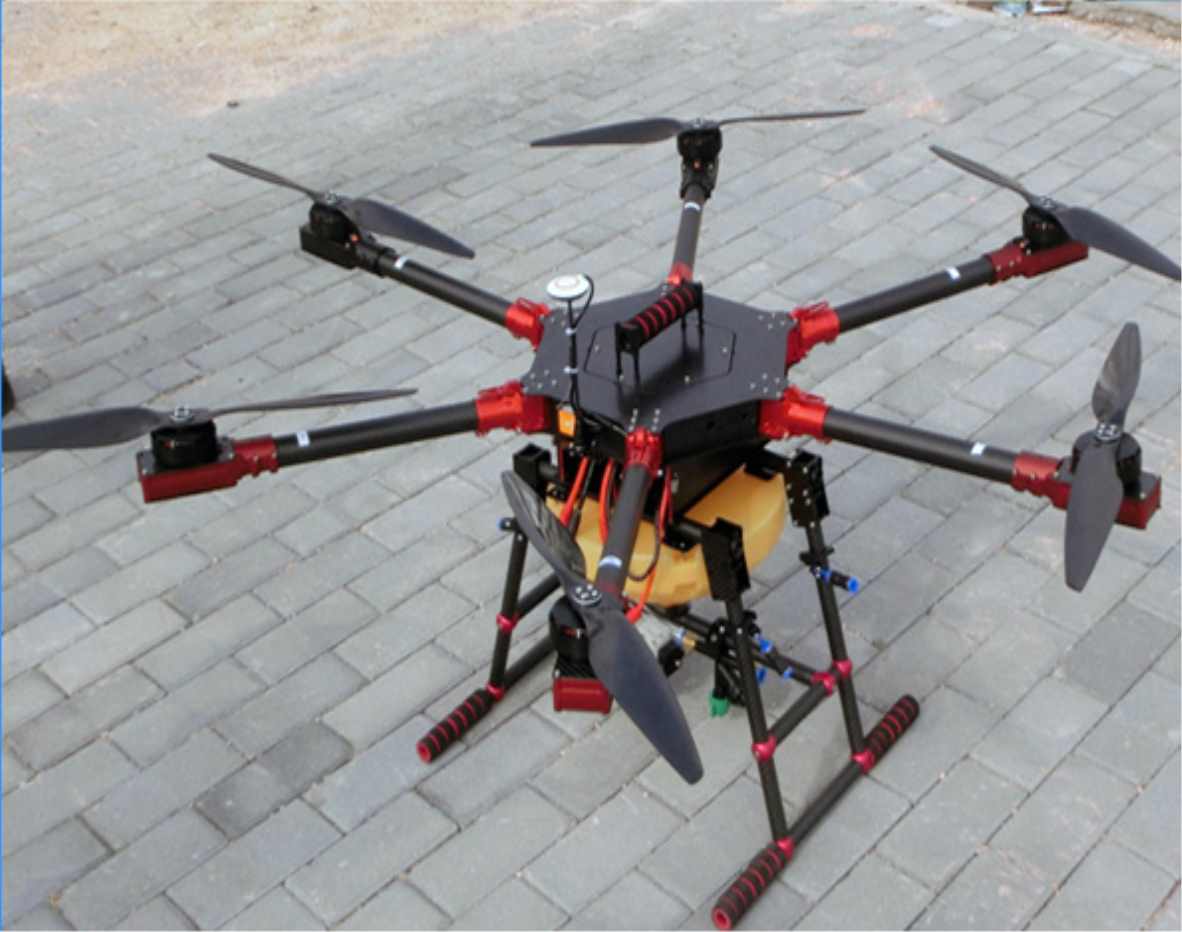
The Cinematic Powerhouse (Photography and Videography)
These are “flying cameras” designed for stability and image quality. They feature high-resolution sensors—ideally a 1-inch or CMOS 4/3 sensor for better low-light performance. If you want to capture stunning travel vlogs or professional real estate shots, this is your category. These drones prioritize ease of use, often allowing you to take complex, orbiting shots with a single tap on your smartphone screen. They are designed to stay perfectly still in the sky, even in moderate winds, so you can focus on the art of the shot.
- Best for: Travelers, content creators, and professional inspectors.
- Key feature: High dynamic range (HDR) video and automated “QuickShot” modes.
- Expect to pay: $450 to $2,000 depending on the camera sensor size.
Speed and Immersion (FPV Drones)
First-Person View (FPV) drones are built for adrenaline and creative freedom. You wear goggles to see exactly what the drone sees in real-time, creating a highly immersive experience. Unlike photography drones, these often lack GPS-assisted hovering and require manual skill to keep level. “Cinewhoops” are a popular sub-category here; they have protected propellers for safe filming near people or indoors. If you want to dive down the side of a building or chase a mountain biker at high speed, FPV is the only way to do it.
- Best for: Thrill-seekers, racing enthusiasts, and dynamic filmmakers.
- Key feature: Unmatched maneuverability and the ability to fly at 60+ mph.
- Learning curve: High; most pilots require 10-20 hours in a flight simulator before their first real flight.
Entry-Level Learning (Toy and Micro Drones)
If you have never touched a controller, starting with a micro drone is a low-risk way to build muscle memory. These usually weigh less than 100 grams and lack high-end stabilized cameras. They are meant for indoor use or very calm days in the backyard. While they won’t capture “National Geographic” footage, they teach you the basics of orientation and throttle control. If you crash a $50 toy drone into a sofa, you learn a lesson; if you crash a $1,000 professional rig, you lose a significant investment.
- Best for: Kids, absolute beginners, and indoor hobbyists.
- Key feature: Propeller guards and durable, lightweight frames.
- Budget: Usually under $100 for a complete “Ready to Fly” (RTF) kit.
Budget Tiering: What Features to Expect at Every Price Point
The drone market in 2024 is more diverse than ever, meaning you can find a high-quality machine whether you have $300 or $3,000. Understanding these tiers helps you avoid paying for professional features you may never use, or conversely, buying a “toy” that leaves you frustrated with poor image quality.
Entry-Level and Budget Drones ($150 – $450)
In this range, you are typically looking at “Mini” drones that weigh under 249 grams. This weight class is vital because it bypasses several registration requirements in many countries. While you won’t get professional cinema quality, modern budget drones are surprisingly capable.
- Image Quality: Expect 2.7K or basic 4K video with smaller sensors that struggle in low light.
- Stabilization: Most use a 2-axis or 3-axis mechanical gimbal, which is essential for smooth footage.
- Flight Time: Usually 20 to 30 minutes per battery.
- Example: The DJI Mini 4K or the Potensic Atom SE are perfect examples of high value in this tier.
Mid-Range and Enthusiast Drones ($500 – $1,200)
This is the “sweet spot” for hobbyists and content creators. At this price point, you begin to see advanced sensors and smarter flight automation. These drones can handle wind better and offer much more reliable transmission signals, allowing you to fly further with a clear video feed.
- Sensors: Larger 1/1.3-inch or even 1-inch sensors for vibrant colors and high dynamic range (HDR).
- Safety: Advanced obstacle avoidance sensors (forward, backward, and downward) become standard.
- Smart Features: Features like “ActiveTrack” allow the drone to follow a subject autonomously while dodging trees.
- Example: The DJI Air 3 or the Autel EVO Lite+ dominate this category with professional-grade optics.
Essential Safety Features and Regulatory Considerations
Before you hit the “buy” button, you must consider the hidden costs of drone ownership: safety and legality. A drone is a flying computer, and without the right safety net, a single mistake can result in a total loss of your investment. In 2024, certain features are no longer “extras”—they are necessities.

The “Safety Trio”: GPS, RTH, and Obstacle Avoidance
If you are a beginner, do not buy a drone that lacks a robust GPS module. GPS allows the drone to hover perfectly in place even if you let go of the sticks. This technology enables the most important safety feature: Return to Home (RTH). If the drone loses connection with your controller or the battery gets too low, it will automatically fly back to its takeoff point and land.
Pro Tip: Look for “Omnidirectional Obstacle Avoidance” if your budget allows. This means the drone has sensors on all sides, making it nearly impossible to crash into walls or branches during automated flight modes.
Navigating the 2024 Regulatory Landscape
The rules for flying changed significantly over the last year. Most modern drones now come equipped with Remote ID, a digital license plate that broadcasts the drone’s location to authorities. When picking a drone, ensure it is compliant with your local aviation authority (like the FAA in the US or EASA in Europe).
- The 250g Rule: Drones under 250 grams (like the DJI Mini series) often don’t require the same rigorous registration or “Remote ID” hardware as heavier models for recreational use.
- No-Fly Zones: Many drones include “Geofencing” software that prevents you from accidentally taking off near airports or high-security areas.
- Insurance: Consider picking a brand that offers a replacement plan (like DJI Care Refresh), which covers water damage and total crashes for a small annual fee.
Conclusion
Picking the right drone in 2024 comes down to balancing your creative goals with your realistic budget. Whether you need a sub-250g traveler for vacation photos or a heavy-duty flagship for professional cinematography, the most important factor is choosing a platform that feels safe and intuitive to fly. Focus on getting the best stabilization and safety features your budget allows, as these will ensure your drone spends more time in the air than in the repair shop.
Next Steps: Narrow your choice down to two models, then head to YouTube to watch “real-world” signal test videos for those specific drones. Once you’ve made your choice, check your local regulations to see if you need a quick registration. The sky is waiting—get out there and start capturing a whole new perspective!
❓ Frequently Asked Questions
What is the difference between a toy drone and a hobbyist drone?
Toy drones usually lack GPS and stabilized cameras, making them difficult to fly outdoors. Hobbyist drones include advanced flight controllers and high-quality optics for a reliable and high-resolution experience.
Should I buy an FPV drone for my first aircraft?
FPV drones have a steep learning curve and often require manual control skills. Most beginners are better off starting with a stabilized camera drone unless they specifically intend to get into drone racing.
How does transmission range affect my choice?
Transmission range determines how far you can fly while maintaining a clear video feed. Look for digital transmission systems like OcuSync for the most reliable connection in signal-heavy areas.
What accessories are essential for a new drone buyer?
You should prioritize extra batteries, a high-quality microSD card, and a protective carrying case. Propeller guards and a landing pad are also excellent for protecting the hardware during early flights.
Is a 4K camera worth the extra investment?
Yes, 4K provides significantly more detail and allows you to crop or stabilize your footage in post-production without losing quality, which is the current industry standard.
Does brand choice matter when picking a drone?
Established brands offer better firmware updates, more reliable customer support, and easier access to replacement parts, which ensures your drone remains functional for years.

Similar Posts