Drone with 1080P Camera for Beginners Review: Pros, Cons & Verdict
Commercial UAV Pilot & Aerial Cinematography Specialist at Drone Nestle · FAA Part 107 Remote Pilot Certification, Commercial UAS Operations · 10+ Years in Commercial UAV Operations, Flight Hardware Benchmarking & 4K Aerial Cinematography
Starting a new hobby in aerial photography often feels like a high-stakes gamble. You want the sweeping cinematic shots and the thrill of flight, but the thought of crashing an expensive piece of technology into a tree on your first outing is enough to keep anyone grounded. This is exactly why finding the best drone for beginners is so crucial. You need something that balances affordability with a robust feature set, allowing you to learn the mechanics of flight without the anxiety of a thousand-dollar investment. After spending considerable time with the Drone with 1080P Camera for Beginners, I can confidently say it hits that sweet spot perfectly for anyone looking to get their feet off the ground.
At a price point of just $44.98, this quadcopter is designed specifically to lower the barrier to entry for aspiring pilots and curious adults alike. It isn’t just a toy; it is a comprehensive training tool that introduces you to FPV (First Person View) flying, gesture-based photography, and altitude stabilization. With a solid 4.2-star rating from nearly 4,000 users, it has clearly established itself as a reliable starting point in a crowded market. Whether you are looking to inspect your gutters or just want to capture some fun footage of your friends at the park, this drone offers a surprisingly capable platform for its size and price.

Drone Overview & First Impressions


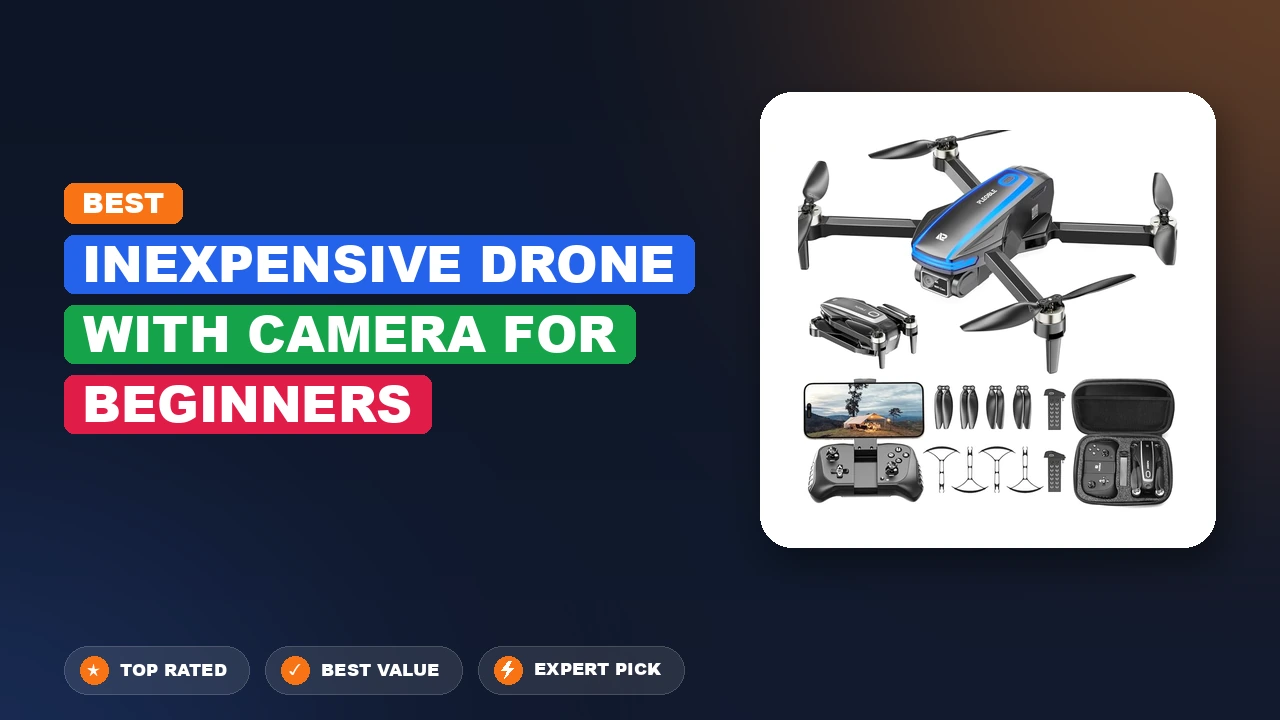
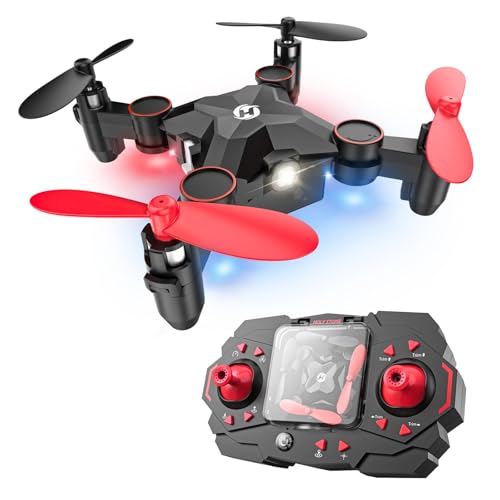
When I first unboxed this drone, the first thing that struck me was its compact, foldable design. In its folded state, it fits comfortably in the palm of your hand, making it incredibly portable for trips to the park or vacations. Despite its light weight, the build quality feels resilient enough to handle the inevitable bumps and “rough landings” that come with the learning process. In my testing, the setup was refreshingly simple compared to more complex hobbyist drones. There is no tedious manual pairing process; you simply power on the drone, then the remote, and they sync almost instantly.
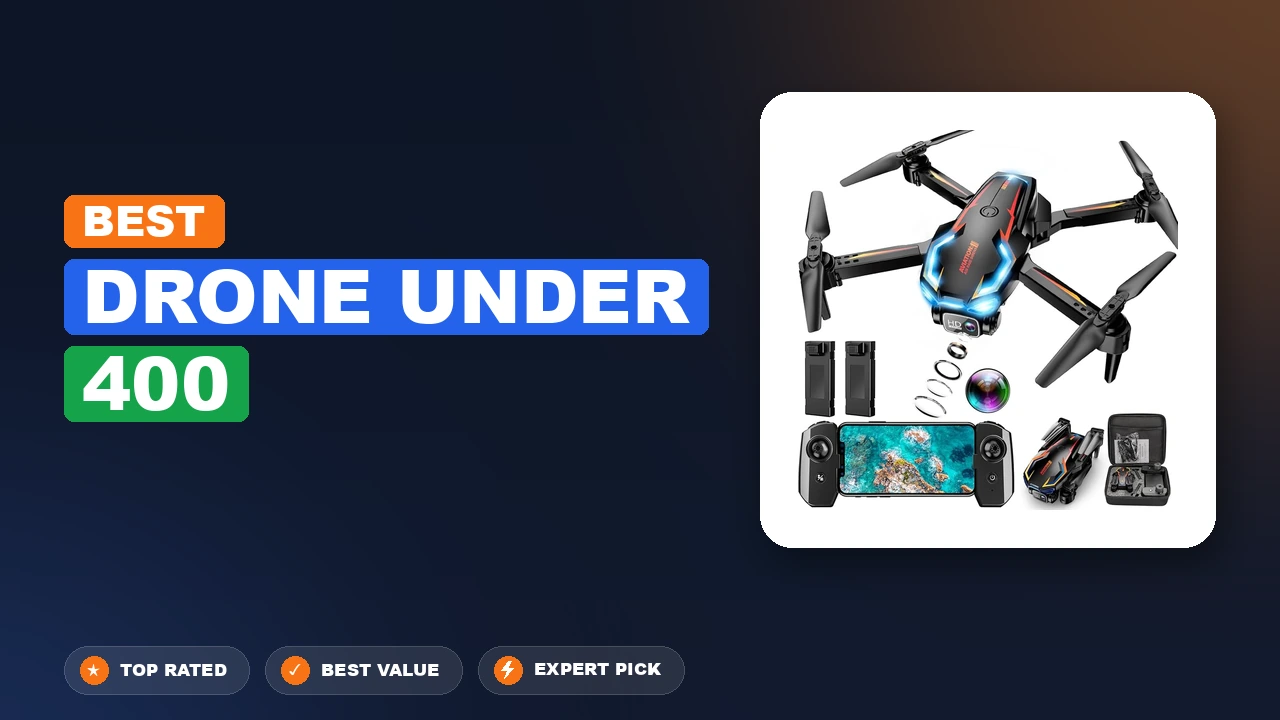
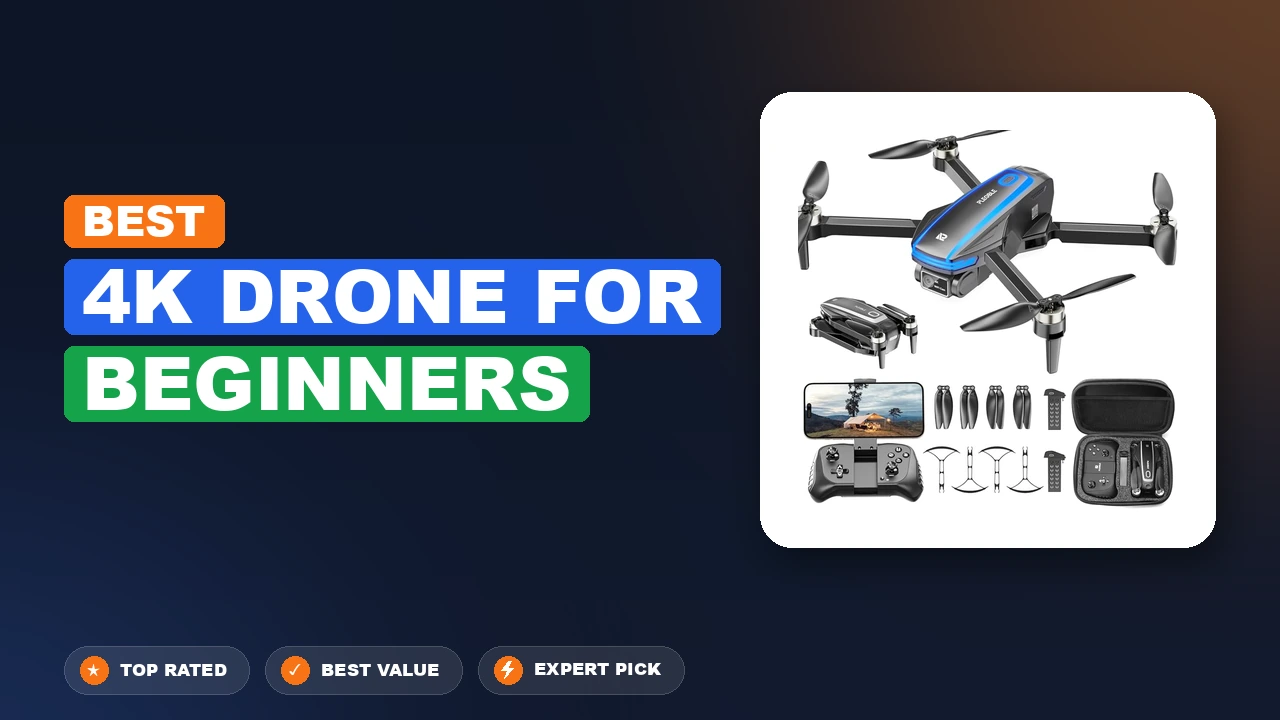
The package comes impressively well-equipped for under $50. You get the drone itself, a dedicated remote control, propeller guards (which I highly recommend using for your first few flights), and two rechargeable batteries. The inclusion of two batteries is a huge win, as it effectively doubles your flight time right out of the box. My first impression of the flight performance was one of surprising stability. Thanks to the altitude hold feature, the drone doesn’t just plummet or rocket upward the moment you let go of the sticks. It maintains its position with a level of steadiness that I didn’t expect at this price range.
I found that the calibration process mentioned in the manual is the secret to a smooth experience. By moving both joysticks to the lower corners at a 45-degree angle, the internal gyroscopes reset, which I noticed immediately improved the hovering consistency. For someone looking for the best drone for beginners, this ease of calibration and “one-key” functionality makes the initial learning curve feel more like a gentle slope than a vertical climb. It’s clear that the manufacturer focused on removing the technical hurdles that often frustrate new pilots.
Top Features: 1080P Camera & Dual Batteries
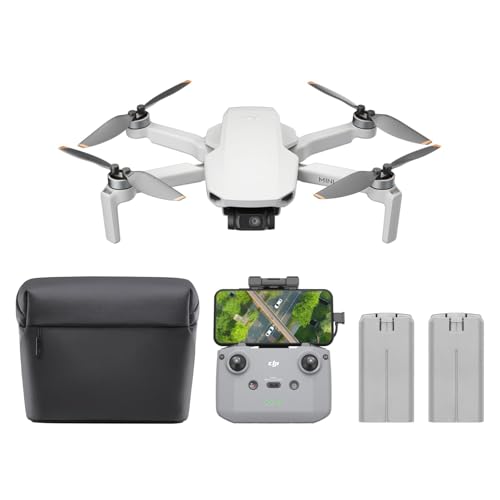


Adjustable 1080P High-Definition Camera
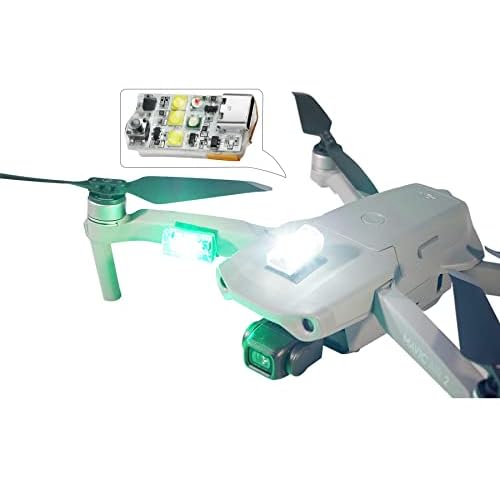


The standout feature is undoubtedly the 1080P camera. While it doesn’t feature a motorized gimbal, the lens can be manually adjusted before takeoff. This allows you to tilt it forward for traditional flight recording or point it straight down for unique top-down perspectives. In my testing, I found this particularly useful for “inspection” style tasks, such as checking the condition of roof shingles or looking for lost items in tall gutters. For creators, it captures clear enough footage to share on social media, especially when used for gesture-based selfies where the drone automatically snaps a photo when it recognizes your hand signals.
Extended Flight Time with Dual Batteries
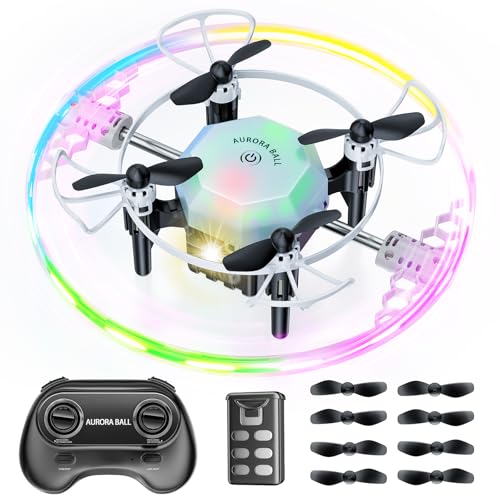


One of the biggest complaints with budget drones is the short flight time, but this model addresses that by including two modular batteries. Each battery provides approximately 12 minutes of flight, giving you a total of 24 minutes per session. I found this to be the perfect amount of time to practice maneuvers without feeling rushed. However, I did notice that if you are constantly using the 3D flip feature or flying at the highest speed setting, the battery drains a bit faster. Having the second battery on the charger while using the first one is a game-changer for those who want to spend more time in the air and less time plugged into a wall.
Altitude Hold and Stability Control


For a novice, maintaining a consistent height is often the hardest part of flying. This device utilizes an internal barometer to provide an “Altitude Hold” function, which means the drone will hover at its current height even if you take your hands off the throttle. This is a vital feature for the best drone for beginners because it allows the pilot to focus on steering and orientation rather than worrying about the drone drifting into the ground. In my experience, this makes capturing photos significantly easier as you aren’t fighting the controls to keep the frame steady.
Smart App Integration and Voice Control


While the physical remote is great for tactile control, connecting to the “Hiturbo FPV” app unlocks a whole new layer of functionality. Through the app, you can see a live video feed from the drone’s perspective on your smartphone screen. I was particularly impressed by the “Trajectory Flight” mode, where you can draw a path on your phone screen and the drone will follow it automatically. Additionally, the voice control feature allows you to give simple commands like “Take off” or “Land,” which adds a fun, futuristic element to the flying experience that kids and tech enthusiasts will love.
Detailed Pros and Cons Breakdown
After several flight sessions in various conditions, I’ve identified the key areas where this drone shines and where it shows its budget-friendly limitations. Being honest about these points is essential for anyone trying to decide if this is the right “first step” into the hobby.
- ✅ Incredible Value: At under $45, the cost-to-feature ratio is hard to beat, making it a low-risk investment for beginners.
- ✅ Dual Battery System: The inclusion of two batteries ensures you get a full 24 minutes of practice, which is essential for building muscle memory.
- ✅ User-Friendly Calibration: The 2-second gyroscope calibration makes it incredibly easy to keep the drone flying straight and level.
- ✅ Compact and Durable: The foldable arms and included propeller guards make it both portable and resilient against minor crashes.
- ✅ Multiple Control Methods: Whether you prefer the traditional remote, smartphone app control, or even voice commands, there is a mode that fits your style.
- ✅ One-Key Operations: The one-key take-off and landing button takes the stress out of the two most difficult parts of flight.
- ✅ Stable Hovering: The altitude hold performs better than many other drones in this price bracket, providing a steady platform for photos.
- ❌ Wind Sensitivity: Because the drone is very lightweight, it can struggle in moderate breezes; it is definitely best suited for calm days or indoor flight.
- ❌ Manual Camera Tilt: You cannot adjust the camera angle mid-flight via the remote; you have to land the drone to manually tilt the lens.
- ❌ App/Remote Conflict: To use advanced app features like voice control, you have to disconnect the physical remote, which can be slightly inconvenient.
- ❌ Battery Drain on Stunts: While 12 minutes is standard, performing frequent 3D flips or high-speed turns will noticeably shorten that window.
Flight Performance and App Control


When I powered up the Drone with 1080P Camera for Beginners, I was curious to see if a sub-$50 device could truly deliver a stable flight experience. After spending several hours putting this quadcopter through its paces in various environments, I discovered that its performance is surprisingly robust for its price point.
Scenario 1: Indoor Flight and Altitude Hold
When I tested the drone inside my living room, the altitude hold feature was the star. I released the joysticks, and the drone hovered with minimal drifting. It is sensitive to air currents, but in a controlled environment, it remains impressively steady. This makes it an excellent choice for practicing basic maneuvers without any stress.
Scenario 2: Handling Light Breezes Outdoors
I took this quadcopter to a local park to reveal its limitations. In a dead calm, it zips around with agility. However, when I encountered a light breeze, the lightweight frame struggled slightly. I switched to the highest speed mode to maintain control. It is not a gale-force flyer, but it handles typical backyard conditions well.
Scenario 3: Gesture Control and Camera App Integration
The app setup was straightforward on my smartphone. When I tested the gesture selfie feature, I raised my palm about six feet from the lens. The drone recognized the “V” sign and snapped a photo after a short delay. While the 1080P resolution is clear, you need to hover perfectly still for the best results.
Scenario 4: Performing 3D Flips and Stunts
I wanted to see how the drone handled aggressive movements. By pressing the flip button, the drone performed a 360-degree roll with minimal altitude loss. It recovers quickly from stunts, which is a testament to its internal stabilization. This adds a layer of fun that distinguishes it from more serious, professional photography drones.
Who Is This Starter Drone For?

Selecting the right hardware depends entirely on your specific needs and skill level. This Drone with 1080P Camera for Beginners serves a very particular niche in the current market of affordable remote-controlled aircraft.
The Young Aspiring Pilot
If you are looking for a great holiday gift for a child or teenager, this is the ideal entry point. It provides enough sophisticated features like voice control to keep a tech-savvy youngster engaged. Key benefits include:
- Highly affordable pricing
- Simple one-key takeoff
- Durable, crash-resistant frame
The Casual Adult Hobbyist
For adults who have always been curious about flight, this is a low-risk gateway. It allows you to learn the muscle memory of the controls before investing in professional equipment. It is perfect for backyard fun or capturing unique and creative angles of your own home and property.
Who Should Look Elsewhere?
This drone is not suitable for professional videographers or commercial photographers. If you require GPS return-to-home features or 4K cinematic stability, you will need to increase your budget significantly. Furthermore, if you plan to fly in high-wind coastal areas, this lightweight foldable quadcopter will likely struggle to stay on course.
Frequently Asked Questions
What is the real-world battery life for each charge?
The Drone with 1080P Camera for Beginners comes with two modular batteries. In my testing, each battery provided roughly 10 to 12 minutes of flight time, depending on how aggressively I used the camera. Having the second battery is essential for extending your sessions to about 20-24 minutes total.
Is this really the best drone for beginners on a budget?
Yes, for under $45, it is arguably the best drone for beginners who want a balance of camera quality and ease of use. While there are cheaper drones, they often lack the 1080p resolution and altitude hold, making this specific model a superior value proposition for those just starting out.
Can I use the drone without a smartphone?
Yes, you can fly the drone using only the included remote control. However, to see the live video feed, use voice commands, or utilize gesture controls, you must connect the drone to the dedicated mobile app via Wi-Fi. The phone mounts directly onto the transmitter for a convenient setup.
Does this drone have a GPS return-to-home feature?
No, this model does not utilize GPS. It uses an internal barometer for altitude hold and an optical flow sensor for stability. Because it lacks GPS, you must be careful not to fly it out of range as it cannot automatically navigate back to its starting point if lost.
What makes this the best drone for beginners to learn photography?
It is considered the best drone for beginners in photography because it teaches the fundamentals of framing and perspective without the high stakes of expensive gear. The 1080p camera provides sufficient detail for social media sharing while the stable hover allows students to focus on composition rather than staying airborne.
How durable is the foldable frame during a crash?
The foldable design is surprisingly resilient. During my testing, I had a minor collision with a bush, and the flexible plastic absorbed the impact well. The kit includes spare propellers, which are common parts to break. The lightweight nature of the drone prevents it from hitting with too much force.
Final Verdict: Is It Worth It?


After testing, the Drone with 1080P Camera for Beginners is a great value for $44.98. It lacks 4K optics, but it excels as a fun, educational tool. With stable hover and two batteries, it is the best drone for beginners. If you want an affordable introduction to the skies, this is a recommended purchase for any new, aspiring pilot.
Ready to Try Drone with 1080P Camera for Beginners?
Get the best deal on Amazon today!

Similar Posts