How to Use Drone Parts in Last War: Survival Guide
Commercial UAV Pilot & Aerial Cinematography Specialist at Drone Nestle · FAA Part 107 Remote Pilot Certification, Commercial UAS Operations · 10+ Years in Commercial UAV Operations, Flight Hardware Benchmarking & 4K Aerial Cinematography
To use drone parts in Last War: Survival, you must reach HQ Level 10 to unlock the Drone Center building and menu. These parts are essential for crafting and upgrading four specific gear components—the Radar, Gun, Armor, and Chip—to significantly boost your squad’s combat power.
🎯 Key Takeaways
- Reach HQ Level 10 to unlock the Drone Center menu.
- Differentiate between Drone Parts for gear and Data for leveling.
- Access components via the Drone icon in the unit menu.
- Prioritize upgrading the Drone Gun for immediate damage boosts.
- Merge lower-tier parts to create high-rarity Epic or Legendary gear.
To use drone parts in Last War: Survival, you must navigate to the Drone Center building within your base or tap the Drone icon located on the main hero HUD. This menu is your primary hub for installing, upgrading, and synthesizing components that directly increase your squad’s power. You cannot simply “click” a part in your bag to use it; you must enter the dedicated Drone interface to assign parts to the four specific equipment slots: the Radar, Gun, Armor, and Chip.


Properly managing your drone parts is the fastest way to gain an edge in both PvE and PvP combat. While hero levels and gear provide a baseline, drone components offer percentage-based stat boosts that scale as you progress. Understanding how to navigate this menu and distinguish between different resource types ensures you don’t waste rare materials on low-tier gear that will eventually be replaced.
Understanding the Drone Component System and Rarity Tiers


The drone is not just a single unit; it is a platform for four distinct pieces of hardware. To access these, go to your base and locate the Drone Center. Once you tap the building, select the Component button. If you are currently viewing your hero squad, you can often find a shortcut to this menu by clicking the small drone hovering near your squad leader. Inside this menu, you will see four circular slots surrounding your drone’s holographic image.


The Four Core Component Slots
Each slot requires a specific type of drone part. You cannot swap a Gun part into a Radar slot, so your upgrades must be balanced across all four categories to maximize efficiency:
- Drone Gun: Directly increases your squad’s Attack power. This is the highest priority for players looking to clear higher levels of the Zombie Invasion.
- Drone Armor: Boosts Defense and HP. This keeps your front-line tanks alive longer during heavy boss fights.
- Drone Radar: Improves Accuracy and Dodge stats. This is critical for ensuring your heroes don’t miss attacks against high-level opponents.
- Drone Chip: Enhances Critical Rate and specialized combat procs. This is often the hardest part to find but provides the most significant “burst” damage potential.
Rarity Tiers and Color Coding


Just like hero gear, drone parts follow a strict color-coded rarity system. Using the right tier is essential for unlocking secondary stat bonuses. You can view the rarity of your current parts in the Component Warehouse tab within the Drone Center. The tiers are as follows:


- Common (Gray/White): Basic parts used for early-game filler.
- Uncommon (Green): Slight stat improvements, easily obtained from basic chests.
- Rare (Blue): The standard for mid-game players.
- Epic (Purple): Where the significant power spikes begin.
- Legendary (Gold): High-tier parts that require significant synthesis or “Parts Chest” rewards.
- Mythic (Red): End-game components that provide massive percentage-based squad buffs.
The Ultimate Drone Parts Walkthrough
In the high-stakes world of Last War: Survival Game, your drone is more than just a mechanical companion; it is a critical force multiplier that can determine the outcome of a siege or a resource raid. Understanding how to manage, upgrade, and synthesize drone parts is the difference between a mid-tier commander and a top-ranking elite. This guide covers the granular details of the drone part system, ensuring you maximize your combat power (CP) and resource efficiency from the moment you unlock your first component. Following these steps will prevent you from wasting rare resources on low-tier gear and help you build a mechanical beast that shreds through zombie hordes and enemy squads alike.
Step 1: Unlocking and Accessing the Drone Interface
What you need: Headquarters (HQ) Level 10 or 11 (depending on server age) and the completed Drone Center construction.
Instructions: Before you can use drone parts, you must ensure your Drone Center is operational. Once built, navigate to the main screen of your base and tap on the Drone Center building. Inside the menu, you will see several tabs; select the “Component” or “Drone Parts” tab. This interface serves as your command hub for equipping and viewing all available hardware. Initially, your slots will be empty. Take a moment to familiarize yourself with the four primary slots: the Weapon (Attack), the Armor (Defense), the Radar (Utility/Crit), and the Engine (Speed/HP). Accessing this menu daily is vital for checking if new parts have been acquired through loot crates or mission rewards.
Pro Tip: Don’t wait until you have “perfect” parts to open this menu. Even basic grey parts provide a baseline stat boost that can help you clear early-game campaign stages faster.
Step 2: Identifying Part Types and Rarities
What you need: An inventory containing at least one Drone Part chest or individual components.
Instructions: Drone parts in Last War follow a color-coded rarity tier system: Grey (Common), Green (Uncommon), Blue (Rare), Purple (Epic), and Gold (Legendary). Each part type specializes in a specific stat. The Drone Weapon significantly boosts your squad’s overall Attack power. The Drone Armor increases the damage reduction and HP of your front-row heroes. The Radar is essential for critical hit rates and accuracy, while the Engine focuses on troop movement speed and auxiliary health. When you receive a “Drone Part Choice Chest,” always prioritize the Weapon or Armor first, as these provide the most immediate impact on your ability to survive high-level zombie encounters.
Pro Tip: Avoid spreading your resources thin. Focus on getting a full set of Blue parts before attempting to push a single piece to Gold rarity.
Step 3: Equipping and Matching Parts to Your Strategy
What you need: At least four drone parts (one for each slot).
Instructions: To equip a part, tap on the corresponding empty slot in the Drone menu. A list of available components will appear. Select the highest rarity part available and hit “Equip.” If you have multiple parts of the same rarity, look at the sub-stats. For a PvP-focused build (Player vs. Player), prioritize parts that offer “Hero Attack” or “Damage Reduction.” For PvE (Player vs. Environment), focus on “Unit Attack.” The game allows you to swap parts freely without a resource cost, so if you are struggling with a specific boss, try swapping a speed-focused Engine for one that provides more HP to sustain your heroes longer during the fight.
Pro Tip: Always double-check that your drone is “deployed” with your primary squad. A fully geared drone does nothing if it isn’t attached to your active marching queue.
Step 4: Upgrading Parts with Drone Components
What you need: Drone Components (the gear-shaped resource) and gold coins.
Instructions: Equipping a part is only the beginning; you must level it up to stay competitive. Tap on an equipped part and select the “Upgrade” button. This requires “Drone Components,” which are separate from the drone parts themselves. Each level increases the base stat of the part. For example, a Level 10 Purple Weapon provides significantly more Attack than a Level 1 Blue Weapon. You should aim to keep your part levels balanced. It is more cost-effective to have four parts at Level 10 than one part at Level 30 and three at Level 1. The resource requirements scale exponentially, so distribute your Drone Components evenly across all four slots to maximize the CP gain per resource spent.
Pro Tip: The “Auto-Upgrade” button is convenient but can drain your gold reserves quickly. Use it sparingly if you are saving gold for HQ or Tech Research upgrades.
Step 5: Synthesizing and Fusing Parts for Higher Rarity
What you need: Multiple duplicate parts of the same rarity and type.
Instructions: Synthesis is how you turn low-tier “trash” gear into high-tier “treasure.” In the Drone menu, look for the “Synthesis” or “Combine” tab. Generally, the rule is that combining three parts of the same rarity (e.g., three Green Weapons) will produce one part of the next rarity level (one Blue Weapon). This is the primary way to obtain Gold Legendary parts without spending significant amounts of real-world money. Be careful not to use parts that are currently equipped in your secondary squads as “fodder” for synthesis unless you have replacements ready. Prioritize fusing your Weapons first, as the Attack boost from a Gold Weapon is the single largest stat jump in the drone system.
Pro Tip: Never sell or dismantle drone parts for gold. The value of the stats gained through synthesis far outweighs the small amount of gold you would receive from selling them.
Step 6: Optimizing Drone Skill Chips
What you need: Drone Skill Chips (acquired from the Secret Task Map or special events).
Instructions: As your drone grows in power, you will unlock “Skill Slots” that are separate from the physical part slots. These slots hold “Skill Chips” which interact directly with the drone parts you have equipped. For instance, some chips provide a percentage-based boost to the stats provided by your Drone Armor. To use these, go to the “Skill” tab in the Drone Center. Select an open slot and insert a chip that complements your highest-level part. If you have a highly leveled Drone Weapon, use an “Attack Boost” chip to amplify that specific stat. This synergy between physical parts and software chips is what separates top-tier players from the rest of the field.
Pro Tip: Skill chips can be leveled up just like parts. Use low-level “Data Chips” to feed into your primary combat chips to increase their percentage modifiers.
Step 7: Farming Resources for Drone Maintenance
What you need: Stamina, Secret Task refreshes, and Radar energy.
Instructions: Maintaining a high-level drone requires a constant influx of Drone Components and Part Chests. The best way to farm these is through the “Secret Task” map. Focus on tasks that specifically list “Drone Component” or “Part Chest” as a reward. Additionally, participate in the “Arms Race” events and “Alliance Exercise” challenges. These events often have milestones that reward “Legendary Drone Part Chests,” which allow you to pick exactly which part you need to complete a synthesis set. Check the Daily Shop as well; occasionally, Drone Components are sold for a significant discount using Diamonds or Alliance Credits. Consistency in these daily tasks ensures you never hit a “wall” in drone progression.
Pro Tip: Save your “Drone Part Choice Chests” in your bag until you are exactly one part away from a synthesis upgrade. This prevents you from getting duplicate parts you can’t use yet.
✅ Final Checklist
- Are all four drone slots (Weapon, Armor, Radar, Engine) filled with your highest rarity parts?
- Have you distributed your Drone Components evenly to keep all parts at a similar level?
- Did you check the Synthesis tab to see if you have enough duplicates to upgrade a part’s rarity?
- Are your Drone Skill Chips synchronized with your highest-level equipped parts?
- Is your drone actively attached to your strongest hero squad (First March)?
Important Notes:
- Resource Priority: Always prioritize the Weapon and Armor parts first. In Last War, damage output and survivability are significantly more important than movement speed in 90% of game scenarios.
- When to Reset: Some versions of the game allow for a “Part Reset” to reclaim components. Only do this if you are pivoting your strategy entirely (e.g., moving from a Tank-heavy squad to an Aircraft-heavy squad).
- Estimated Time and Cost: Reaching a full set of Purple (Epic) parts typically takes 4-6 weeks of active F2P (Free to Play) play. Gold (Legendary) sets can take 3-6 months depending on event participation and alliance success.
Drone Parts vs. Microchips: Key Resource Distinctions


New players often confuse Drone Parts (the actual equipment) with Drone Microchips (the leveling currency). To use your parts effectively, you must understand that they serve two completely different functions within the UI. In the Drone Center, the “Upgrade” button uses Microchips to increase the level of the drone itself, while the “Components” tab is where you physically slot the parts you have collected or crafted.
What are Drone Parts (Components)?


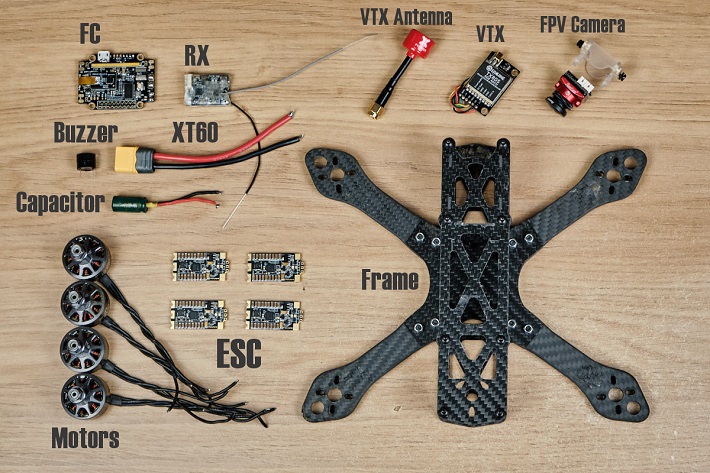
Drone parts are physical items found in your inventory that must be “Equipped” to the drone. You typically acquire these through Drone Component Chests, Alliance rewards, or the VIP shop. If you have a better part available, a red notification dot will appear on the specific slot in the Drone Center. Clicking the slot will allow you to “Replace” or “Equip” the new part. These parts can be synthesized; by combining multiple parts of the same rarity, you can “Rank Up” a part to the next color tier.


The Role of Microchips and Data Chips


While parts provide the “frame” and specialized stats, Microchips are the fuel used to level up your drone’s base stats. You use these in the main Drone Center menu to increase your drone’s level, which in turn unlocks higher level caps for your components. Here is how they interact:
- Microchips: Used for general level-ups. These are earned through daily tasks and the Secret Task agency.
- Data Chips: Used for specialized “Research” within the drone menu to unlock passive buffs like increased gathering speed or damage against specific enemy types.
- Interaction: You cannot equip a high-tier Legendary part if your drone level is too low. You must balance using Microchips for levels and Parts for the actual gear slots.
To apply these resources, always check the Drone Information screen. If you see a green arrow pointing up on a component slot, it means you have the necessary parts in your inventory to upgrade that specific piece of gear. Simply tap the component and hit Promote to consume the lower-tier parts and boost the main part’s stats.
Impact of Drone Gear on Total Squad Combat Power


In the high-stakes environment of Last War: Survival, your drone is more than just a flying companion; it is a massive stat stick for your entire squad. Drone parts provide the underlying foundation that allows your heroes to perform at their peak. Without high-quality components, even the strongest legendary heroes will struggle against well-optimized opponents.
Boosting Hero Attributes and Synergy
Each piece of drone gear you equip provides specific stat boosts that translate directly into your squad’s total Combat Power (CP). While the visual of the drone attacking is great, the real value lies in the passive attribute bonuses. For example, high-tier chips and data chips significantly increase Attack and HP percentages for all units in the squad. This scaling effect means that as your heroes level up, the drone parts provide even more value because they are modifying higher base numbers.
- Attack Components: Essential for clearing PvE stages and winning offensive rallies.
- Armor Components: Critical for your front-line tanks to survive long enough for your back-line damage dealers to trigger their skills.
- Utility Parts: Often provide critical hit rates or damage reduction, which can be the “X-factor” in close PvP battles.
The Difference Between Victory and Defeat in PvP
When you look at battle reports, you will often see squads with similar hero levels but vastly different outcomes. The secret is usually the drone part tier. A squad with a Level 40 drone equipped with Epic (Purple) or Legendary (Orange) parts will almost always dismantle a squad using basic Blue components. This is because drone parts offer non-linear power spikes; the jump from Rare to Epic is much larger than the jump from Common to Rare.

Resource Management Strategies for Drone Part Accumulation

Accumulating enough drone parts to make a difference requires a disciplined approach to resource management. Because these parts are rarer than standard building resources, you cannot afford to spend them haphazardly. Knowing where to look and when to invest is the hallmark of a top-tier player.
Maximizing Event Rewards and Shops
The most efficient way to gather drone parts is through consistent participation in daily and weekly events. The Arms Race and Alliance Duel are your primary sources for component chests. Smart players often save their resource chests for specific days when the event rewards coincide with drone upgrades, effectively doubling their progression speed.
- The Honor Shop: Always check the Honor Shop and Alliance Store. Priority should be given to Drone Component Chests over generic speed-ups.
- Daily Tasks: Completing your full circuit of daily missions ensures a steady, albeit slower, trickle of parts that adds up over a month.
- Secret Tasks: Keep an eye on high-rarity secret tasks that specifically offer drone-related rewards.
Strategic Upgrading and Component Conversion
It is tempting to spread your drone parts across multiple squads, but the most effective strategy is vertical investment. Focus on your primary “A-Squad” first. In Last War, one unstoppable squad is far more valuable than three mediocre ones. Additionally, remember that low-level parts can be combined into higher-tier versions. Never let “trash” components sit in your inventory; keep converting them upward to reach the Legendary tier faster.
Pro Tip: During limited-time crossover events, drone parts are often tucked away in event-exclusive shops. These are frequently “discounted” compared to standard acquisition methods, making them a must-buy for F2P and low-spending players alike.
Conclusion
Mastering the use of drone parts is a journey from simple survival to total battlefield dominance. By understanding how these components impact your squad’s total combat power and managing your resources with a long-term vision, you ensure that your base remains a fortress that others fear to challenge. Remember, the drone is the silent engine of your military strength—keep it upgraded, keep it optimized, and it will carry you through the toughest waves the wasteland has to offer.
Next Steps: Take a moment to audit your current drone inventory. Check if you have enough components to merge into a higher tier and prioritize your next Arms Race to maximize your chest rewards. Stay vigilant, Commander, and let your drone lead the way to victory!
❓ Frequently Asked Questions
What is the difference between Drone Parts and Drone Data?
Drone Parts are specialized materials used to craft and upgrade the four gear pieces, whereas Drone Data is the ‘XP’ used to increase the drone’s overall level.
How do I obtain more Drone Parts in Last War?
Parts are primarily found in Drone Component Chests, which are rewards for Daily Tasks, Alliance Store purchases, and Arms Race events.
Which drone component should I prioritize for upgrades?
Most high-level players recommend focusing on the Drone Gun and Radar first to maximize offensive capabilities and clear PvE content efficiently.
What are the benefits of upgrading drone part rarity?
Moving from Common to Rare or Epic tiers provides massive jumps in stat multipliers and unlocks additional sub-attributes for your heroes.
Is there a specific building required for using parts?
Yes, you must construct and interact with the Drone Center building, which becomes available once your Headquarters reaches level 10.
Can I use drone parts if my HQ is below level 10?
No, all drone gear mechanics, including the use of parts and the component UI, remain locked until the HQ 10 milestone is reached.

Similar Posts