Hacking Your Drone For Better Performance
Commercial UAV Pilot & Aerial Cinematography Specialist at Drone Nestle · FAA Part 107 Remote Pilot Certification, Commercial UAS Operations · 10+ Years in Commercial UAV Operations, Flight Hardware Benchmarking & 4K Aerial Cinematography
Looking to take your drone flying skills to the next level? Want to squeeze every bit of performance out of your drone? In this article, I’ll show you how to hack your drone for better performance. From optimizing flight settings to unlocking advanced features, you’ll learn simple yet effective tips and tricks that will enhance your drone’s capabilities. Whether you’re a beginner, enthusiast, or professional, this guide has something for everyone. So get ready to elevate your drone game and soar to new heights with these expert hacks.


Understanding Drone Performance
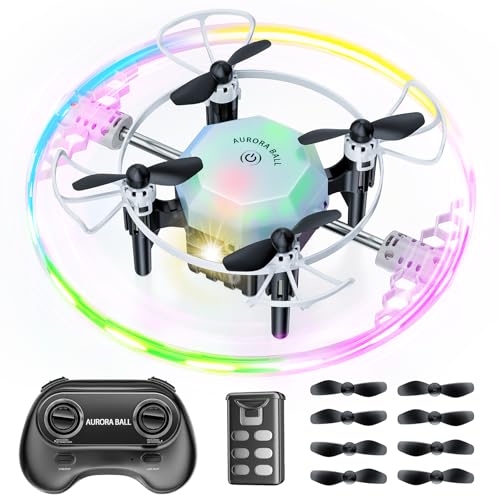


Drones have become increasingly popular in recent years, serving various purposes from recreational flying to professional filmmaking and aerial surveillance. As drone technology continues to evolve, so does the demand for optimizing their performance. Understanding drone performance is essential for maximizing their capabilities and achieving the best flying experience. In this article, we will explore the factors that affect drone performance, common performance issues, and various methods for improving and customizing drone performance.
The Importance of Drone Performance


Drone performance directly impacts the user experience and the quality of the tasks it can accomplish. Whether you are a beginner, enthusiast, or professional drone pilot, ensuring optimal performance is crucial. An underperforming drone may struggle with stability, control, battery life, and camera quality, leading to frustrating experience and limited capabilities. By understanding the various aspects of drone performance and implementing necessary optimizations, you can enhance your drone’s performance and achieve better results in your aerial endeavors.



Factors That Affect Drone Performance


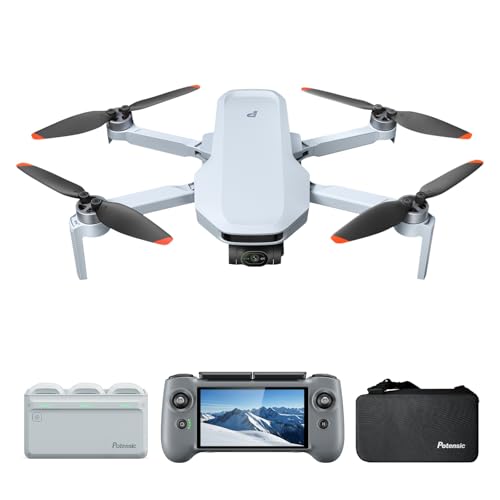
Several factors contribute to the overall performance of a drone. Understanding these factors will help you identify areas for improvement and customization. Here are some key factors that influence drone performance:
Firmware: The software that runs on your drone’s flight controller plays a vital role in its performance. Regularly checking for firmware updates and ensuring that you have the latest version installed can optimize flight stability and add new features or improvements.
Sensors and Components: Proper calibration of sensors such as gyroscopes, accelerometers, and compasses is necessary for accurate flight control. Additionally, keeping all components in good working condition and regularly checking for any damaged or malfunctioning parts can prevent performance issues.
Battery Health: The battery is the lifeline of your drone, and its health directly affects flight time and performance. Ensuring proper battery maintenance, including correct charging and storage practices, will help maintain optimal performance and prolong battery life.
Flight Modes: Different flight modes offer varying levels of performance and control options. Understanding and adjusting flight modes according to your needs can enhance maneuverability, stability, and specialized features such as tracking or cinematic shots.
Control Sensitivity: Fine-tuning the control sensitivity of your drone allows customization based on your flying style and preferences. Adjusting the control sensitivity can improve responsiveness and precision in controlling your drone.
Obstacle Avoidance Systems: Advanced drones are equipped with obstacle avoidance systems, which use sensors and algorithms to detect and navigate around obstacles. Setting up and optimizing these systems can prevent collisions and improve overall flight safety.
These are just some of the factors that directly impact drone performance. By understanding and addressing these factors, you can optimize your drone’s performance and achieve better flight experiences.


Common Performance Issues


While drones are sophisticated machines, they can still encounter performance issues. Here are some common performance issues that drone pilots may face:
Drifting or Instability: If your drone drifts or struggles to maintain stability during flight, it could be due to sensor calibration issues, uneven motor performance, or wind conditions. Regularly calibrating sensors and ensuring proper motor function can help address these issues.
Limited Flight Time: Battery life is a common limitation in drones. If your drone has a short flight time, it could be due to an aging or damaged battery, excessive payload, or inefficient power management. Optimizing battery health and reducing the payload can help improve flight time.
Poor Control Responsiveness: If your drone feels sluggish or unresponsive to controls, it may be due to incorrect control sensitivity settings or an overloaded flight controller. Adjusting control sensitivity to match your preferences and ensuring your flight controller can handle the drone’s demands can alleviate this issue.
Inconsistent Video Quality: Videos captured by drones can suffer from issues such as vibrations, jitters, and washed-out colors. This can be caused by unbalanced propellers, suboptimal camera settings, or lack of stabilization. Balancing propellers, adjusting camera settings, or using camera gimbals can improve video quality.
These are just a few examples of common performance issues. Troubleshooting and resolving these issues will enhance your drone’s performance and improve your overall flying experience.


Pre-flight Preparation
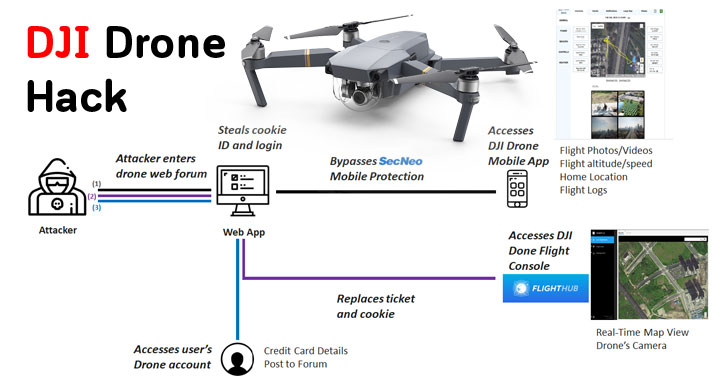
Before taking your drone for a flight, proper pre-flight preparation is essential. This includes taking care of firmware updates, calibrating sensors and components, and ensuring the battery’s health. Let’s delve into each of these pre-flight preparations in more detail.
Checking and Updating Firmware
Firmware is the software that runs on your drone’s flight controller. Manufacturers often release firmware updates to enhance performance, add new features, or address bugs and vulnerabilities. Before each flight or periodically, you should check for firmware updates specific to your drone model. Most drone manufacturers provide firmware updates through their official websites or dedicated apps.
To update the firmware, follow these steps:
- Visit the manufacturer’s website or open the drone’s dedicated app.
- Locate the firmware section or update tab.
- Download the latest firmware compatible with your drone model.
- Connect your drone to your computer or mobile device using the appropriate cable.
- Follow the instructions provided by the manufacturer to initiate the firmware update process.
- Wait for the update to complete and confirm that the firmware is successfully installed.
Updating the firmware ensures that your drone’s flight controller has the latest improvements and bug fixes, maximizing its performance and reliability.
Calibrating Sensors and Components


Calibrating sensors and components is crucial for accurate flight control and stability. Sensor calibration ensures that your drone can accurately perceive its orientation, position, and movement. Here are the steps to calibrate the sensors:
- Ensure your drone is on a level surface away from any magnetic or metallic interference.
- Power on your drone and transmitter/controller.
- Open the drone’s dedicated app or flight controller software on your computer.
- Access the calibration settings (usually found in the settings or configuration menu).
- Follow the on-screen instructions to calibrate each sensor, such as the gyroscope, accelerometer, and compass.
- Once calibration is complete, power off and restart your drone.
Calibrating sensors regularly, especially after any crashes or rough landings, will help maintain accurate flight control and stability.


Ensuring Proper Battery Health


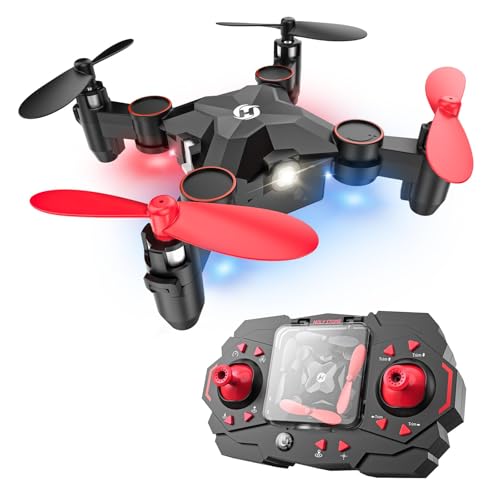
The battery is a critical component that directly affects flight time and overall performance. To ensure proper battery health, follow these guidelines:
- Charge the battery using the manufacturer’s recommended charger and procedure. Avoid using third-party chargers that may not provide the correct voltage or current.
- Allow the battery to cool down before charging or discharging. Excessively high temperatures can damage the battery and affect its performance.
- Avoid completely draining the battery during flights. Landing with approximately 20% battery capacity remaining helps extend the battery’s overall lifespan.
- Store the battery in a cool, dry place when not in use. Extreme temperatures and humidity can affect the battery’s performance and lifespan.
- Periodically check the battery for any visible damage, such as swelling or leakage. Damaged batteries should be replaced immediately to ensure safety and optimal performance.
By following these battery maintenance practices, you can ensure longer flight times and reliable performance from your drone.
Optimizing Flight Settings
Flight settings play a significant role in drone performance. Customizing these settings according to your preferences and flying style can enhance maneuverability, stability, and specialized flight features. Here are some flight settings you can optimize:
Adjusting Flight Modes


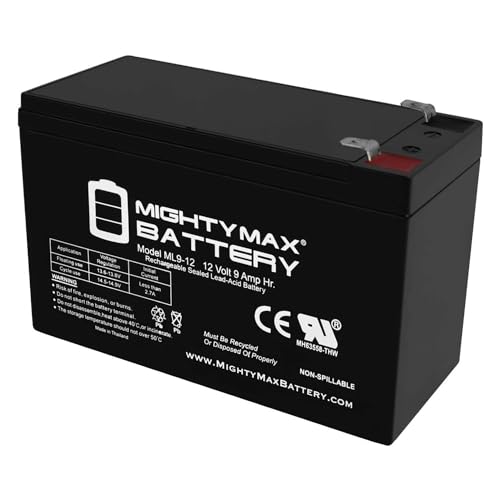
Most drones come with various flight modes that provide different levels of control and functionality. Understanding and utilizing these modes can significantly enhance your flying experience. Here are some common flight modes:
Beginner Mode: Ideal for novice pilots, this mode simplifies controls and limits flight range to ensure safe and stable flights.
GPS Mode: This mode utilizes GPS technology to provide precise positioning and stability. It is particularly useful for aerial photography and cinematography.
Sport Mode: Sport mode increases the drone’s agility and speed, allowing for more dynamic flight maneuvers and fast-paced flying. This mode is suitable for experienced pilots seeking action-packed flights.
Follow-me Mode: Designed for action sports or outdoor activities, follow-me mode enables the drone to track and follow a designated target, such as a person or a moving vehicle.
To adjust flight modes, access the settings menu in your drone’s dedicated app or flight controller software. Select the desired flight mode and configure any additional settings specific to that mode. Experimenting with different flight modes will allow you to unlock the full potential of your drone and achieve the desired performance for various scenarios.
Fine-tuning Control Sensitivity
Control sensitivity determines how responsive your drone is to your inputs. Some pilots prefer a more sensitive control setup for precise maneuvering, while others may prefer a less sensitive setup for smoother, gradual movements. Fine-tuning control sensitivity according to your preferences can greatly improve your flight experience.
To adjust control sensitivity, follow these steps:
- Access the settings menu in your drone’s dedicated app or flight controller software.
- Locate the control settings or sensitivity adjustments.
- Adjust the sensitivity sliders or numerical values to increase or decrease control responsiveness.
- Test the new settings during a flight to evaluate the impact on your drone’s performance.
It may take some experimentation to find the control sensitivity settings that suit your flying style. Start with small adjustments and gradually increase or decrease sensitivity until you find the optimal setup.
Setting up Obstacle Avoidance Systems
Many modern drones are equipped with obstacle avoidance systems to enhance flight safety and prevent collisions. These systems rely on various sensors, including cameras, ultrasonic, and infrared sensors, to detect and navigate around obstacles. Optimizing the settings and configurations of these systems can significantly enhance their performance.
To set up obstacle avoidance systems, follow these steps:
- Access the settings menu in your drone’s dedicated app or flight controller software.
- Locate the obstacle avoidance settings or configurations.
- Enable the obstacle avoidance system if it is not already enabled.
- Adjust any available settings related to obstacle detection range, responsiveness, or avoidance behavior.
- Consider the limitations of obstacle avoidance systems, such as their effectiveness in low-light conditions or with certain types of obstacles.
Optimizing obstacle avoidance systems can help prevent accidents and ensure a safer flying experience. However, it is important to note that these systems may not be foolproof, and maintaining situational awareness is still crucial during flight.
Modifying Physical Components
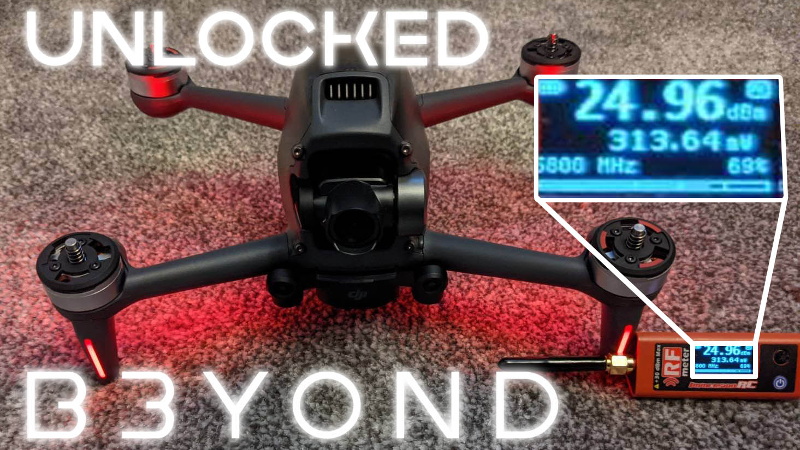
Modifying the physical components of your drone allows for more significant performance enhancements and customization. While this may require more technical expertise and potentially voiding warranties, it can be a worthwhile endeavor for experienced drone enthusiasts seeking to push the limits of their drones. Here are some physical modifications you can consider:
Upgrading Motors and Propellers
The motors and propellers are crucial components that directly affect a drone’s performance and capabilities. Upgrading these components can improve thrust, maneuverability, and flight performance. When considering motor and propeller upgrades, ensure compatibility with your drone model and follow manufacturer guidelines.
To upgrade motors and propellers, follow these steps:
Research and identify compatible motors and propellers suitable for your drone.
Follow the manufacturer’s instructions and guidelines for replacing the motors and propellers. This may involve disassembling the drone’s frame, removing the existing components, and installing the upgraded ones.
Ensure proper alignment and balancing of the propellers to minimize vibration and optimize performance.
Upgrading motors and propellers should be done with caution and thorough research. Incompatible or incorrectly installed components can damage your drone and compromise its performance.
Enhancing Battery Capacity
Battery capacity directly affects flight time, and enhancing it can significantly extend your drone’s airborne capabilities. Increasing battery capacity typically involves replacing the stock battery with a higher-capacity or extended-life battery. However, it is crucial to consider the weight and physical dimensions of the new battery to ensure compatibility with your drone’s frame and power supply system.
To enhance battery capacity, follow these steps:
Identify higher-capacity or extended-life batteries compatible with your drone.
Purchase the new battery from a reputable manufacturer or authorized dealer.
Power off your drone and disconnect the existing battery.
Remove the existing battery from its compartment carefully.
Insert the new battery into the compartment, ensuring proper alignment and connection.
Power on your drone and verify that the new battery is recognized and functioning correctly.
Enhancing battery capacity can significantly increase flight time but may also increase the weight and affect the drone’s overall flight characteristics. It’s essential to find the right balance between flight time and overall performance.
Installing Lightweight Materials for Better Agility
Reinforcing or replacing certain components with lightweight materials can improve agility and responsiveness. Carbon fiber, for example, is a popular choice due to its high strength-to-weight ratio. However, modifying physical components with lightweight materials requires caution, as structural integrity and compatibility must be considered.
To install lightweight materials, follow these steps:
Identify the components or parts that can benefit from lightweight materials, such as the drone’s frame, arms, or landing gear.
Research lightweight material options suitable for your drone model and intended use.
Using manufacturer instructions or professional guidance, replace or reinforce the selected components with the lightweight materials.
Conduct thorough testing to ensure the modified components maintain structural integrity and do not compromise flight performance.
Installing lightweight materials can enhance agility and maneuverability, but it must be done carefully to maintain overall reliability and safety.
Customizing Software
Software customization provides advanced options for optimizing drone performance according to your specific requirements. By exploring third-party flight controllers, adjusting PID settings, and creating custom flight modes, you can fine-tune and personalize your drone’s performance. Here are some software customization options to consider:
Exploring Third-Party Flight Controllers
Third-party flight controllers offer advanced features, flexibility, and compatibility with various drones. These controllers often come with dedicated software that allows customization and optimization of flight parameters. Before replacing your existing flight controller, research and ensure compatibility with your drone model.
To explore third-party flight controllers, follow these steps:
Research and identify third-party flight controllers suitable for your drone model.
Purchase the preferred flight controller from a reputable manufacturer or authorized dealer.
Follow the manufacturer’s instructions to replace the existing flight controller with the new one.
Install the dedicated software provided with the third-party flight controller.
Familiarize yourself with the software interface and available customization options.
Exploring third-party flight controllers can provide advanced features and customization options that may not be available with the stock flight controller. However, it is crucial to conduct thorough research and understand the potential risks and implications of replacing the flight controller.
Adjusting PID Settings
Proportional-Integral-Derivative (PID) settings control the behavior and response of your drone during flight. Adjusting these settings allows for fine-tuning flight stability, responsiveness, and maneuverability. PID settings can be adjusted using the dedicated software provided by the flight controller manufacturer or third-party software compatible with your flight controller.
To adjust PID settings, follow these steps:
Access the PID settings in the flight controller software or third-party software.
Familiarize yourself with the available parameters and their impact on flight behavior.
Start with small adjustments and evaluate the impact on the drone’s flight performance.
Fly the drone in a controlled environment to assess the changes made. Observe stability, responsiveness, and overall flight behavior.
Fine-tuning PID settings can be a complex process that requires patience and experimentation. Make small adjustments at a time and observe the changes made before making further modifications.
Creating Custom Flight Modes and Maneuvers
Custom flight modes and maneuvers allow for specialized performance tailored to specific tasks or scenarios. By creating custom flight modes, you can define unique parameters, such as flight speed, altitude, or camera settings. These modes can be useful for aerial photography, cinematography, or specialized missions.
To create custom flight modes and maneuvers, follow these steps:
Access the flight controller software or dedicated app providing the option to create custom flight modes.
Define the desired parameters and behavior for the custom flight mode. This may include flight speed, altitude range, camera settings, or other specific requirements.
Save the custom flight mode and give it a descriptive name. Ensure it is easily accessible during flight.
Test the custom flight mode in a controlled environment to assess its behavior and suitability.
Creating custom flight modes and maneuvers provides a high degree of customization and control over your drone’s performance. However, careful consideration should be given to safety, legal restrictions, and potential risks associated with customized flight parameters.

Optimizing Camera Performance
Many drones are equipped with cameras, allowing for aerial photography and videography. Optimizing camera performance can significantly enhance the quality and results of your aerial media. Here are some ways to optimize camera performance:
Installing Aftermarket Lenses
Aftermarket lenses can enhance image quality, reduce lens aberrations, and provide different fields of view. By selecting lenses suitable for your specific requirements, you can enhance your drone’s camera performance. However, it is crucial to ensure compatibility with your drone and assess the potential impact on overall flight performance.
To install aftermarket lenses, follow these steps:
Research and identify aftermarket lenses compatible with your drone’s camera model.
Purchase the preferred lens from a reputable manufacturer or authorized dealer.
Carefully remove the existing lens from your drone’s camera. Refer to manufacturer instructions or seek professional guidance if necessary.
Install the aftermarket lens according to the manufacturer’s instructions, ensuring proper alignment and connection.
Conduct test flights and capture sample images to evaluate the impact of the aftermarket lens on image quality and overall camera performance.
Installing aftermarket lenses provides the flexibility to achieve desired image quality and characteristics. However, it is important to consider the weight and balance of the drone, as well as the potential impact on flight dynamics and stabilization systems.
Adjusting Camera Settings for Better Image Quality
Camera settings play a critical role in image quality. By understanding and optimizing camera settings, you can achieve better results in terms of exposure, white balance, contrast, and color reproduction. Each drone model may have different camera settings, so consult the user manual or manufacturer’s website for specific instructions.
Here are some common camera settings to consider:
Exposure: Adjusting exposure settings allows you to control the amount of light entering the camera. Experiment with exposure compensation to achieve the desired balance between highlights and shadows.
White Balance: White balance settings help achieve accurate color representation under different lighting conditions. Choose the appropriate white balance preset or manually adjust it to match the lighting scenario.
Image Format: Select the image format that best suits your needs, such as JPEG or RAW. RAW format offers more flexibility for post-processing, but occupies more storage space.
Resolution and Frame Rate: Determine the desired resolution and frame rate for your purpose. Higher resolutions and frame rates provide better image quality and smoother video, but may require more storage space.
Color Profile and Picture Style: Some drones offer color profiles or picture styles that allow customization of color rendering and tonal characteristics. Experiment with different profiles or styles to achieve the desired look.
Optimizing camera settings requires experimentation and understanding of photography principles. It is recommended to capture sample images and videos in different scenarios to evaluate the impact of the settings on image quality and desired results.
Using Camera Gimbals for Stabilized Footage
Camera gimbals provide stabilized footage by counteracting unwanted movements and vibrations during flight. Gimbals use motors and sensors to keep the camera level and steady, resulting in smooth and professional-looking footage. If your drone does not have a built-in gimbal, consider purchasing and installing a compatible gimbal for improved stabilization.
To install a camera gimbal, follow these steps:
Research and select a camera gimbal suitable for your drone model and camera setup.
Purchase the preferred gimbal from a reputable manufacturer or authorized dealer.
Disconnect your camera from the drone, taking note of the connections and mounting points.
Carefully install the gimbal using the manufacturer’s instructions and guidelines. Ensure proper alignment, balance, and connection to the drone’s frame.
Reconnect your camera to the gimbal according to the manufacturer’s instructions.
Power on the drone and verify that the gimbal is functioning correctly and stabilizing the camera.
A camera gimbal provides smooth and stabilized footage, allowing for professional-quality aerial photography and videography. However, it is important to adjust the gimbal’s settings and conduct test flights to ensure proper balancing and stabilization.
Improving Range and Signal Strength
Range and signal strength are crucial for maintaining a reliable connection between the drone and the controller. Enhancing range and signal strength can significantly expand the drone’s operational capabilities. Here are some ways to improve range and signal strength:
Using Signal Boosters and Antenna Mods
Signal boosters and antenna modifications can amplify and extend the range of your drone’s control signal. These modifications involve replacing or augmenting the existing antennas with higher-gain antennas or using signal boosters and range extenders.
To use signal boosters and antenna mods, follow these steps:
Research and identify signal boosters or replacement antennas compatible with your drone’s controller.
Purchase the preferred signal booster or antenna from a reputable manufacturer or authorized dealer.
Follow the manufacturer’s instructions to replace or install the signal booster or antenna.
Conduct range tests in controlled environments to assess the impact on signal strength and range.
Signal boosters and antenna modifications can significantly enhance the range and signal strength of your drone. However, it is important to adhere to local regulations and ensure that these modifications do not interfere with other communication systems or violate any restrictions.
Upgrading to Long-Range Communication Systems
Some drones offer the option to upgrade to long-range communication systems, such as Long-Range Identification and Tracking (LRIT) or Long-Range Control Links. These systems provide extended range capabilities and advanced communication features that are particularly useful for professional applications and long-distance flights.
To upgrade to long-range communication systems, follow these steps:
Research and identify long-range communication systems compatible with your drone model.
Purchase the preferred long-range communication system from a reputable manufacturer or authorized dealer.
Follow the manufacturer’s instructions to install or integrate the long-range communication system with your drone’s existing communication setup.
Familiarize yourself with the extended range capabilities and advanced communication features provided by the system.
Upgrading to long-range communication systems requires technical expertise and compliance with local regulations. It is crucial to familiarize yourself with the system’s capabilities, limitations, and legal requirements before undertaking long-range flights.
Minimizing Interference for a Reliable Connection
Interference from other electronic devices or signal sources can disrupt the drone’s control signal, compromising range and reliability. Minimizing interference is essential for maintaining a stable and reliable connection. Here are some steps to minimize interference:
Choose Appropriate Frequencies: Selecting the appropriate frequency band for your drone’s controller and communication system can minimize interference from other devices operating on the same frequency. Follow local regulations and guidelines for choosing frequency bands.
Avoid Dense Electromagnetic Environments: Flying in areas with dense electromagnetic interference, such as near power lines or congested urban areas, can disrupt the control signal. Choose open areas away from potential sources of electromagnetic interference.
Power Off Nearby Electronics: Powering off or moving away from other electronic devices, particularly those emitting electromagnetic signals, can reduce interference. This includes devices such as Wi-Fi routers, smartphones, or radio transmitters.
Use Shielding and Filters: Applying shielding or using signal filters can help reduce electromagnetic interference. Consult with professionals or experts in drone modifications to determine the most appropriate shielding or filtering options for your drone.
Minimizing interference requires situational awareness and consideration of external factors that may affect your drone’s control signal. By taking precautionary measures and selecting suitable flying locations, you can ensure a reliable connection and minimize performance issues caused by interference.
Enhancing Safety Features
Safety should always be a top priority when operating drones. Enhancing safety features can help prevent accidents, mitigate risks, and comply with regulations. Here are some ways to enhance safety features on your drone:
Adding Additional Sensors for Better Obstacle Detection
While many modern drones come equipped with obstacle avoidance sensors, adding additional sensors can enhance obstacle detection capabilities and improve flight safety. These additional sensors can provide redundancy and more comprehensive coverage, minimizing the risk of collisions.
To add additional sensors, follow these steps:
Research and identify compatible obstacle detection sensors suitable for your drone model.
Purchase the preferred sensors from a reputable manufacturer or authorized dealer.
Follow the manufacturer’s instructions to install or integrate the additional sensors with your drone’s existing obstacle detection system.
Configure the drone’s software and flight settings to utilize the additional sensors effectively.
Adding additional sensors requires technical knowledge and familiarity with your drone’s hardware and software. Conduct thorough testing and evaluate the impact of the added sensors on obstacle detection accuracy and flight performance.
Setting up Geofencing and Virtual Boundaries
Geofencing and virtual boundaries help prevent drones from flying into restricted or unsafe areas. Many drones come with built-in geofencing capabilities, allowing you to define virtual boundaries and ensure compliance with local regulations.
To set up geofencing and virtual boundaries, follow these steps:
Consult the drone’s user manual or manufacturer’s website to understand the geofencing capabilities and limitations specific to your drone model.
Access the drone’s dedicated app or flight controller software to define virtual boundaries by specifying coordinates or drawing on a map.
Set up alerts or warnings to notify you if the drone approaches or enters restricted areas.
Familiarize yourself with local regulations and guidelines to ensure compliance with designated no-fly zones and restricted airspace.
Setting up geofencing and virtual boundaries promotes safe and responsible drone flying by preventing unintentional flights in restricted areas such as airport airspace, military installations, or crowded public spaces.
Installing Parachute or Emergency Landing Systems
Parachute or emergency landing systems provide an additional layer of safety by mitigating the risk of crashes or uncontrolled descents. These systems are designed to deploy in emergency situations to slow down the drone’s descent, minimize impact forces, and protect both the drone and surrounding objects or people.
To install parachute or emergency landing systems, follow these steps:
Research and identify parachute or emergency landing systems compatible with your drone model.
Purchase the preferred system from a reputable manufacturer or authorized dealer.
Follow the manufacturer’s instructions to install or integrate the parachute or emergency landing system with your drone.
Familiarize yourself with the deployment mechanisms and triggers of the system, ensuring they are functional and reliable.
Installing parachute or emergency landing systems should be approached with caution. Thoroughly test the system in a controlled environment to ensure proper functionality and assess its impact on flight performance.
Enhancing safety features on your drone is essential to promote safe flying practices and mitigate the risk of accidents. While these measures can enhance flight safety, it’s important to remember that responsible piloting and adherence to local regulations are the foundation of safe drone operations.
Legal Considerations
Modifying your drone may have legal implications, and it is crucial to understand and comply with local drone regulations. Before making any modifications, familiarize yourself with the laws and restrictions specific to your location. Here are some legal considerations:
Understanding Local Drone Regulations
Different countries and regions have their own drone regulations, which cover aspects such as flight restrictions, safety requirements, and privacy concerns. Research and understand the drone regulations applicable to your location before making any modifications to your drone. This will help you ensure compliance and avoid legal consequences.
To understand local drone regulations, follow these steps:
- Visit the official website of your country’s aviation authority or regulatory body to access the drone regulations and guidelines.
- Read and familiarize yourself with the rules and restrictions specific to recreational flying, commercial operations, and modified drones.
- Note any additional permits, certificates, or licenses required for modified drones and specialized operations.
- Keep up-to-date with any changes or updates to the regulations that may affect your drone modifications or operations.
Understanding and complying with local drone regulations is essential to fly your modified drone legally and responsibly.
Obtaining Necessary Permits for Modifications
Some modifications to your drone may require additional permits or approvals, depending on the jurisdiction and the nature of the modifications. For example, certain modifications may require certification or authorization from aviation authorities or regulatory bodies. Research the specific requirements for your drone modifications and obtain the necessary permits or approvals before undertaking any modifications.
To obtain necessary permits for modifications, follow these steps:
Consult the specific drone regulations and guidelines applicable to your location to identify the requirements for modified drones or specific modifications.
Contact the relevant aviation authorities, regulatory bodies, or certification organizations to inquire about the specific permits or approvals needed for your intended modifications.
Submit the required documentation, including technical specifications, safety assessments, or test results as requested by the authorities.
Follow the application process and await confirmation or approval before proceeding with the modifications.
Obtaining necessary permits ensures that your modifications comply with aviation regulations, eliminates legal risks, and promotes responsible drone ownership.
Ensuring Compliance with Flight Restrictions
Drone flight restrictions vary depending on the specific location and the nature of the flight operation. Restricted airspace, no-fly zones, and privacy-sensitive areas are some examples of flight restrictions that drone pilots must adhere to. Before each flight, consult relevant resources, such as flight planning apps or local aviation authorities, to ensure compliance with flight restrictions.
To ensure compliance with flight restrictions, follow these steps:
Use flight planning apps or websites that provide up-to-date information on restricted airspace, no-fly zones, or temporary flight restrictions (TFRs).
Familiarize yourself with the geographical boundaries of restricted airspace, no-fly zones, or TFRs in your location.
Prior to each flight, verify if any new restrictions or temporary flight limitations have been imposed due to ongoing events or special circumstances.
Respect privacy-sensitive areas and avoid flying over private properties or public areas where privacy may be compromised.
Adhering to flight restrictions promotes safety, privacy, and responsible drone operations. Failure to comply with flight restrictions may result in legal consequences and damage the public perception of drones.
Testing and Troubleshooting
After making modifications to your drone or implementing performance optimizations, it is crucial to perform test flights and troubleshoot any issues that may arise. Testing allows you to evaluate the impact of modifications, validate performance improvements, and detect any potential issues or malfunctions. Here is a suggested approach for testing and troubleshooting:
Performing Test Flights After Modifications
Performing test flights after modifications is essential to assess the impact on flight performance and stability. Here are some steps to consider during test flights:
Choose a controlled and open area for test flights, away from people, vehicles, and potential hazards.
Conduct basic flight maneuvers, such as takeoff, landing, hovering, forward flight, and turns, to observe the behavior and responsiveness of your modified drone.
Observe for any abnormal vibrations, excessive heat, or inconsistent flight behavior that may indicate potential issues or adjustments needed.
Systematically test each modification or optimization individually to evaluate its impact on your drone’s performance.
Gradually increase the complexity of flight maneuvers once you are confident with the modifications and their impact on flight performance.
Capturing flight data during test flights is beneficial for further analysis and troubleshooting. Some drone models allow data logging, which can be reviewed and analyzed later to identify any anomalies or performance trends.
Monitoring and Analyzing Flight Data
Monitoring and analyzing flight data allows you to gain insights into your drone’s performance, identify potential issues, and make informed decisions for further optimizations or adjustments. Here are some methods for monitoring and analyzing flight data:
Telemetry Systems: Many drones come with built-in telemetry systems that provide real-time flight data, including altitude, speed, GPS coordinates, and battery voltage. Monitoring telemetry data during flights can help assess performance metrics and identify any abnormalities or performance deviations.
Flight Logs: Some drones allow logging flight data, which can be downloaded and analyzed later using dedicated software. Flight logs provide detailed information on flight parameters, sensor readings, and control inputs. Analyzing flight logs can help identify performance issues, fine-tune settings, or detect potential malfunctions.
Performance Metrics: Establishing performance metrics based on your objectives can help evaluate the effectiveness of performance enhancements or modifications. For example, measure metrics such as flight time, speed, stability, or camera image quality before and after modifications to quantify improvements.
Regularly monitoring and analyzing flight data allows you to track the impact of modifications, identify performance trends, and address any issues promptly. It is an essential step in optimizing drone performance and achieving desired results.
Troubleshooting Common Issues
During test flights, you may encounter common issues that can impact your drone’s performance. Identifying and troubleshooting these issues promptly will help maintain optimal performance and prevent further problems. Here are some common performance issues and troubleshooting tips:
Drifting or Instability: If your drone drifts or struggles to maintain stability during flight, it could be due to sensor calibration issues or wind conditions. Re-calibrate the sensors in a level and interference-free environment, and avoid flying in windy conditions.
Limited Flight Time: If your drone has a short flight time, it could be due to an aging or damaged battery, excessive payload, or inefficient power management. Consider replacing the battery, reducing the payload, or optimizing power settings to extend flight time.
Poor Control Responsiveness: If your drone feels sluggish or unresponsive to controls, it may be due to incorrect control sensitivity settings or an overloaded flight controller. Adjust control sensitivity to your preference and ensure the flight controller can handle the drone’s demands.
Inconsistent Video Quality: Videos captured by drones can suffer from issues such as vibrations, jitters, or washed-out colors. These issues can be caused by unbalanced propellers, suboptimal camera settings, or lack of stabilization. Balance propellers, adjust camera settings, or consider using camera gimbals to improve video quality.
Troubleshooting common issues requires a systematic approach, patience, and attention to detail. By identifying and addressing issues promptly, you can optimize your drone’s performance and achieve the desired flight experience.
Conclusion
Understanding and optimizing drone performance allows you to unlock the full potential of your aerial platform. By considering factors that affect performance, such as firmware, sensors, battery health, flight settings, and physical modifications, you can enhance your drone’s capabilities and achieve better results in various applications. Safety considerations, legal compliance, and thorough testing are essential throughout the process of optimizing and modifying your drone. By following the guidelines and recommendations provided in this article, you can take your drone flying experience to new heights while ensuring safety, compliance, and optimal performance. Remember to always fly responsibly, respect privacy, and follow local regulations to preserve the positive reputation of drones as a versatile and innovative technology.
Call to Action: We hope this comprehensive guide on understanding drone performance and optimizing its capabilities has been helpful. Remember to share your thoughts in the comments below, and don’t forget to explore our other articles for more valuable insights and resources on all things related to drones. Happy flying!

Similar Posts