Top Platforms for DJI FPV Drone Setups and Build Lists
Commercial UAV Pilot & Aerial Cinematography Specialist at Drone Nestle · FAA Part 107 Remote Pilot Certification, Commercial UAS Operations · 10+ Years in Commercial UAV Operations, Flight Hardware Benchmarking & 4K Aerial Cinematography
The best places to find DJI FPV drone setups are community-driven build galleries like RotorBuilds and specialized FPV retailers like GetFPV or RaceDayQuads. These platforms provide detailed part lists, tuning profiles, and pre-built BNF options utilizing DJI’s O3 digital technology.
🎯 Key Takeaways
- Use RotorBuilds to browse hardware lists and community-tested DJI FPV configurations.
- Purchase pre-built ‘Bind-and-Fly’ (BNF) setups from reputable retailers like GetFPV.
- Join the DJI FPV Subreddit for real-world tuning tips and troubleshooting.
- Check AirVuz for visual inspiration and performance examples of specific builds.
- Verify compatibility between the O3 Air Unit and specific drone frames.
Finding the right DJI FPV drone setup starts with knowing where the pro pilots share their hardware secrets. You can find detailed build lists on community platforms like RotorBuilds or purchase high-performance, ready-to-fly kits from specialized retailers like GetFPV and RaceDayQuads. These sources allow you to skip the trial-and-error phase of piecing together compatible digital VTX systems, flight controllers, and frames.


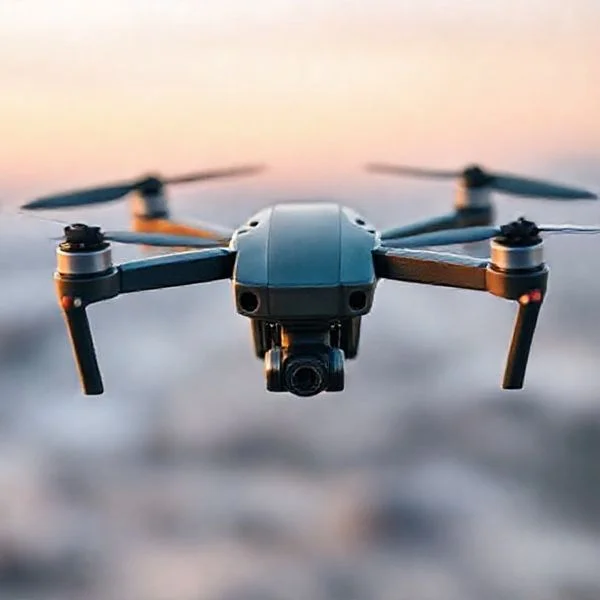
Accessing these curated setups is critical because the DJI digital ecosystem operates on specific compatibility requirements. Whether you are looking for the cinematic 4K capabilities of the O3 Air Unit or the lightweight Caddx Vista/Link systems, the right platform provides you with a verified parts list and real-world performance data. This ensures your goggles, remote controller, and air unit communicate perfectly from the first flight.
Top Community Platforms for DJI FPV Build Inspiration and Hardware Lists


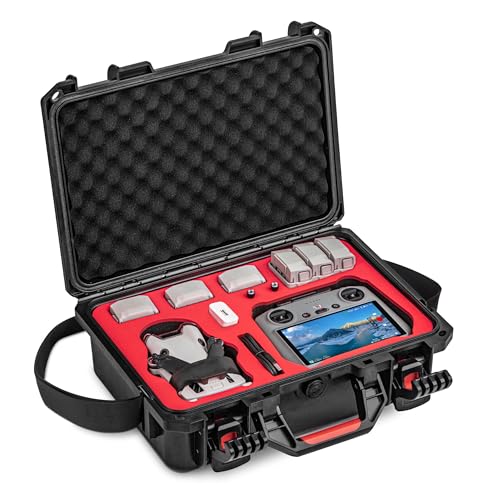
When you want to see exactly how a DJI digital system fits into a specific frame, community-driven platforms are your best resource. These sites function as living libraries where pilots document their successes and failures. You can see how others managed wire routing for the O3 Air Unit or where they mounted the dual antennas for maximum range.


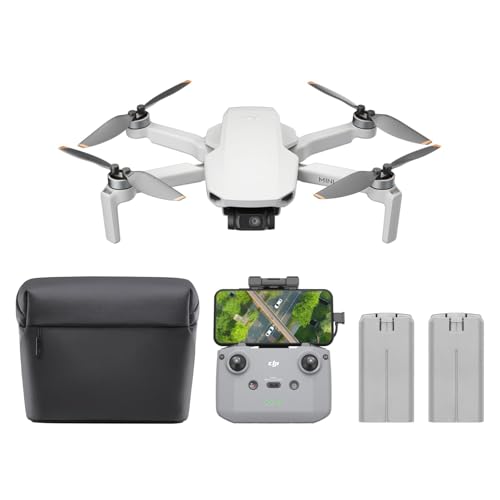

RotorBuilds: The Ultimate Parts Database
RotorBuilds is the most comprehensive tool for anyone looking to mimic a proven DJI FPV configuration. It allows you to filter thousands of user-submitted builds by specific components. If you have a DJI Goggles 2 headset and want to build a 5-inch freestyle quad around them, you can search for “O3” and “Freestyle” to see exactly what frames and motors others are using.
- Complete BOM: Every build includes a Bill of Materials (BOM) with direct purchase links.
- Build Logs: Users often post photos of their assembly process, showing exactly where the bulky DJI air units fit.
- Weight and Specs: Most entries include the final “dry weight” and battery recommendations for the digital setup.
- Compatibility Warnings: Comments sections often highlight if a specific flight controller has issues with DJI plug-and-play cables.
AirVuz and Specialized FPV Forums
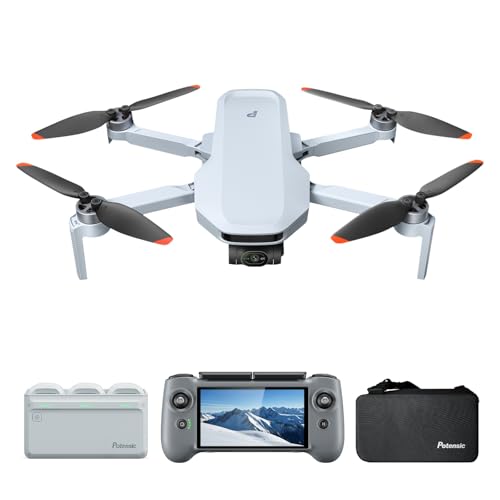


While RotorBuilds focuses on the hardware, AirVuz focuses on the results. You can search for videos captured with the DJI O3 system to see the actual flight characteristics of specific setups. Additionally, the r/FPV and r/DJIFPV subreddits serve as real-time troubleshooting hubs. If a new firmware update breaks compatibility between your goggles and a third-party air unit, these communities will have the fix before the manufacturers even post an official bulletin.


The Ultimate DJI FPV Drone Setup Walkthrough
Finding the perfect DJI FPV drone setup can be an overwhelming task because the term “setup” refers to both the official DJI “Ready-to-Fly” (RTF) packages and custom-built drones that utilize the DJI O3 Air Unit digital transmission system. This guide will walk you through the precise locations, platforms, and methodologies for sourcing the best hardware configurations, community-vetted build lists, and retail bundles. By following these steps, you will avoid the common pitfalls of purchasing incompatible gear and ensure you have a setup that matches your specific flight goals, whether you are interested in cinematic cruising or high-speed freestyle acrobatics.
Step 1: Explore Community Build Repositories
What you need: A web browser and a basic understanding of FPV terminology (e.g., “O3 Air Unit,” “BNF,” “6S”).
Instructions: Start your search at RotorBuilds.com. This is the gold standard for finding DJI-based setups. Use the search bar to filter by components like “DJI O3” or “Caddx Vista.” Look for builds with high “likes” and recent dates, as these represent proven, modern configurations. Read the “Parts List” section of each build carefully. Pay attention to the frame choices (like the SpeedyBee Master 5 or AOS 5) and the specific ESC/FC stacks that pilots are successfully pairing with DJI’s digital system. This site provides real-world blueprints that go far beyond what a manufacturer’s marketing page will tell you.
Pro Tip: Look for builds labeled “BNF” (Bind-and-Fly) within these repositories; even if you plan to build your own, these lists show you exactly what professional manufacturers consider a balanced setup.
Step 2: Source via Specialized FPV Retailers
What you need: Access to regional FPV-specific websites like GetFPV, PyroDrone (USA), or Unmanned Tech (UK).
Instructions: Avoid general retailers like Amazon for specialized setups. Instead, go to a dedicated FPV store and navigate to the “RTF/BNF Drones” category. Filter the results specifically for “DJI Digital FPV” or “O3 System.” These retailers curate setups from top-tier brands like iFlight, GEPRC, and Happymodel that are pre-configured to work with DJI Goggles 2, Goggles Integra, or Goggles V2. Look for the “iFlight Nazgul Evoque” or “GEPRC Mark5” series, which are widely considered the benchmark for DJI-integrated drone setups. These listings provide detailed specifications on motor KV ratings and battery requirements.
Pro Tip: Always check if the drone comes with a “Receiver” (like ELRS or TBS Crossfire) or if it relies on the DJI Remote Controller 2. If you use the DJI Remote, ensure the drone is listed as “Plug-and-Play” (PNP).
Step 3: Utilize Technical YouTube Reviewers
What you need: A YouTube account and a notepad to jot down specific component recommendations.
Instructions: Search for “Best DJI O3 Drone Setups 2024” or “DJI Avata vs Custom FPV.” Focus on channels like Joshua Bardwell (the “FPV Know-it-All”), Chris Rosser, and Mad’s Tech. These creators perform rigorous “bench tests” and flight trials on specific setups. When you find a setup that looks promising, check the video description for “Affiliate Links” or “Build Sheets.” These links often lead to pre-populated shopping carts on retail sites, saving you the trouble of finding individual parts. Watch the “Flight Performance” segment of the video to see if the drone’s handling matches your personal style.
Pro Tip: Pay close attention to the “PID Tunes” or “Presets” mentioned in these videos; a great hardware setup can fly poorly without the right software configuration.
Step 4: Engage with Reddit and Discord Communities
What you need: A Reddit account (r/fpv, r/dji) and access to the Discord servers of major FPV brands.
Instructions: Join the r/fpv subreddit and use the search function for “DJI setup advice.” You will find hundreds of threads where pilots discuss the pros and cons of specific frames and electronics. For more real-time advice, join the “DJI FPV” or “FPV Chat” Discord servers. Go to the #build-advice or #digital-fpv channels. Post your intended use case (e.g., “I want a 5-inch drone for mountain surfing with DJI Goggles 2”) and ask for current setup recommendations. The community is excellent at spotting “bottlenecks” in your parts list, such as choosing motors that are too small for a heavy O3-equipped frame.
Pro Tip: When asking for advice, always state your budget and your current gear (goggles/radio) to get the most accurate setup suggestions.
Step 5: Review Official DJI Ecosystem Documentation
What you need: Access to the DJI official website and the “Downloads” section for the O3 Air Unit.
Instructions: If you are looking for the most stable, “official” setup, visit the DJI Store and look at the DJI FPV Combo or the DJI Avata 2. For those building custom setups, download the “DJI O3 Air Unit User Manual.” This document contains critical specifications regarding voltage input (7.4V to 26.4V) and dimensions. Use this information to cross-reference third-party frames to ensure the camera and air unit will actually fit. Many modern frames are specifically marketed as “DJI O3 Compatible,” meaning they have the correct 20x20mm or 30x30mm mounting holes and enough clearance for the wider DJI camera lens.
Pro Tip: If buying the official DJI FPV Drone (the “Potato”), check for “Fly More” combos, which offer significantly better value for batteries and charging hubs.
Step 6: Scan the Second-Hand Market Carefully
What you need: Facebook Marketplace, eBay, or the “FPV Marketplace” groups.
Instructions: Search for “DJI FPV,” “O3 BNF,” or “Caddx Vista Drone.” This is where you can find high-end setups for 40-60% off retail prices. However, you must be diligent. Look for listings that include “Goggles,” “Radio,” and “Batteries” as a complete package. Ask the seller for a “DVR recording” of the most recent flight to verify the video transmission and motor health. Check the “About” section of the seller’s profile in FPV groups to see if they are an active member of the community; reputable pilots usually take better care of their electronics and soldering.
Pro Tip: Never buy used LiPo batteries unless they are included as a “throw-in” with the drone; you cannot verify their internal resistance or safety through a screen.
Step 7: Finalize Compatibility Verification
What you need: A spreadsheet or a checklist to compare your chosen components.
Instructions: Once you have found a setup you like, you must verify three things: Power, Signal, and Physicality. 1. Power: Ensure your ESC can handle the battery cells (4S vs 6S) recommended for the motors. 2. Signal: Ensure the drone’s receiver (ELRS, Crossfire, or DJI) matches your handheld remote controller. 3. Physicality: Ensure the frame is wide enough so the propellers do not appear in the DJI O3 camera’s “Ultra-Wide” view. Use the “FPVKnowItAll” website to cross-reference your final list against known “Good Parts” lists. Only after this triple-check should you proceed to purchase.
Pro Tip: If you are buying a pre-built (BNF) drone, read the product description three times to check if it says “PNP” (No receiver included) or “BNF” (Receiver included).
✅ Final Checklist
- Confirmed the drone transmission system (O3, Vista, or Air Unit) matches your Goggles version.
- Verified the Remote Controller protocol (ELRS, Crossfire, or DJI) is compatible with your radio.
- Ensured the frame is specifically designed for DJI’s larger camera dimensions to avoid “prop-in-view.”
- Calculated the total cost including the “hidden” extras like a LiPo charger, fireproof bags, and spare propellers.
- Checked for the latest firmware compatibility between the drone’s flight controller and the DJI digital system.
Important Notes:
- Safety First: FPV drones are high-performance machines. Always perform your first “maiden flight” in a wide-open field away from people and property.
- Professional Help: If soldering small pads on a Flight Controller seems daunting, stick to “BNF” (Bind-and-Fly) setups from reputable brands like iFlight or GEPRC.
- Estimated Cost: A complete DJI FPV setup (Drone, Goggles, Radio, Batteries) typically ranges from $900 to $1,600 USD depending on the generation of gear.
- Time Investment: Researching and sourcing a setup usually takes 5-10 hours, while the initial software setup/binding takes roughly 1-2 hours.
Leading Retailers for Purchasing Pre-Built DJI Digital FPV Kits (BNF)


If you prefer to skip the soldering iron, the “Bind-and-Fly” (BNF) market is where you should look. These are professionally assembled drones that come with DJI digital hardware pre-installed. All you have to do is bind your DJI goggles and remote to the aircraft. The retailers listed below are the industry leaders for sourcing these high-end digital setups.

GetFPV and RaceDayQuads (RDQ)


These two retailers are the primary hubs for DJI digital gear in North America. They offer dedicated categories for “DJI Digital FPV” which filter out all the older analog equipment. This is the fastest way to find a drone that is guaranteed to work with your DJI ecosystem. They stock popular brands like iFlight, GEPRC, and Lumenier, all of which have dedicated DJI-compatible lines.


- Expert Curation: They only stock BNF drones that have been tested for digital signal reliability.
- Customer Support: If your O3 Air Unit arrives DOA, these retailers handle the warranty process more efficiently than international marketplaces.
- In-House Builds: Sites like GetFPV often offer “standardized” builds that use their own flight-tested configurations.
PyroDrone and International Specialists


PyroDrone is known for carrying boutique frames and “top-shelf” components that are often optimized for the DJI system. Their site is excellent for finding high-performance racing or cinematic drones that prioritize the low-latency DJI link. For those outside the US, manufacturers like iFlight and GEPRC sell directly from their websites. These brands are the heavy hitters of the DJI BNF world, producing the famous Nazgul and Cinelog series respectively, which are widely considered the benchmark for DJI-integrated flight performance.
By focusing on these specialized retailers, you avoid the “toy-grade” drones found on generic marketplaces. You are buying hardware designed specifically for the high-bandwidth requirements of the DJI digital HD protocol, ensuring your investment doesn’t end in a signal drop-out.
Essential Community Hubs for DJI FPV Tuning and Software Optimization


Finding the right hardware is only half the battle; the “secret sauce” of a high-performing DJI FPV setup often lies in the software configuration. Because the DJI Digital FPV System—including the O3 Air Unit and the legacy Vista systems—interacts specifically with flight controllers, specialized communities have emerged to share tuning profiles that maximize video clarity and flight stability.
Discord Servers and Specialized Forums
For real-time advice and access to “bleeding-edge” setups, Discord is the gold standard. Servers like the DJI FPV Owners Group or the Betaflight Open Source channel have dedicated threads for DJI users. These hubs are excellent for finding specific CLI dumps and diff all files tailored for DJI’s high-definition link. Unlike static websites, these forums allow you to see live feedback on how a specific tuning preset performs in different environments, such as high-interference urban areas or wide-open mountain ranges.
- Facebook Groups: Search for the “DJI Digital FPV System” group for a massive repository of user-shared photos and wiring diagrams.
- IntoFPV Forum: A great place for deep-dive technical discussions regarding DJI firmware compatibility and custom mounting solutions.
- GitHub Repositories: Many pro pilots host their specific Betaflight presets here, optimized specifically for the weight and latency characteristics of DJI gear.
Expert Tuning Presets and Video Documentation
Many pilots now rely on “Presets” within the Betaflight configurator. Influential tuners often publish DJI-specific presets that adjust PID loops and filters to compensate for the slightly heavier weight of DJI Air Units compared to analog gear. Watching accompanying video breakdowns on platforms like YouTube helps you understand the why behind a setup, ensuring you aren’t just blindly copying settings that might not suit your flying style.


Key Factors to Consider When Selecting a DJI Digital FPV Setup


When you are browsing through build lists on RotorBuilds or PCPartPicker-style drone sites, it is easy to get overwhelmed by the options. However, a DJI-based build has unique requirements that differ from traditional analog setups. You need to ensure that the “recipe” you are following accounts for the physical and electrical demands of the DJI ecosystem.
Frame Compatibility and Thermal Management
The DJI O3 Air Unit and the original Air Units are significantly bulkier than analog transmitters. When selecting a setup, verify that the frame is labeled as “DJI Compatible.” This ensures there is enough 20x20mm or 30x30mm mounting space and, more importantly, enough room for the camera, which is wider than standard micro cameras. Furthermore, DJI units generate significant heat; a good setup list will prioritize frames with high airflow or include custom 3D-printed mounts that act as heat sinks.
- Voltage Regulation: Ensure the build list includes a flight controller or PDB that can handle the 9V-25V input requirements without brownouts.
- Weight Distribution: DJI setups tend to be “top-heavy.” Look for builds that suggest bottom-mounted batteries to lower the center of gravity.
- Antenna Placement: Effective setups use rigid TPU mounts to keep the sensitive DJI LHCP antennas away from the carbon fiber frame to prevent signal shielding.
Latency vs. Image Quality Trade-offs
Depending on whether you are looking for a racing setup or a cinematic long-range build, your component choice will shift. A racing-focused DJI setup will prioritize the Caddx Vista or Link for its lighter weight and lower latency, whereas a cinematic setup found on a build list will almost always feature the O3 Air Unit for its 4K onboard recording capabilities. Always check the “purpose” tag on a build list before committing to the parts.
Conclusion
Finding the perfect DJI FPV drone setup is a journey that combines exploring curated build galleries, engaging with active community hubs, and understanding the specific technical needs of digital flight. By leveraging platforms like RotorBuilds for inspiration and Discord for real-time tuning advice, you can avoid the common pitfalls of mismatched components and poor signal performance.
Your next step should be to identify your primary goal—whether it is professional cinematography or freestyle acrobatics—and then cross-reference at least three different build lists to find the common hardware threads. Once you have your parts list ready, join a specialized DJI FPV group to verify your component compatibility with experienced pilots. The digital FPV world offers unparalleled clarity; with the right setup, you are just one flight away from a truly immersive experience. Happy flying!
❓ Frequently Asked Questions
What is RotorBuilds and how does it help with DJI setups?
RotorBuilds is a community database where pilots upload photos and full part lists for their custom drones. It is invaluable for seeing which frames and motors work best with the DJI O3 Air Unit or the older Vista systems.
What does ‘BNF’ mean when shopping for DJI FPV setups?
BNF stands for ‘Bind-and-Fly,’ meaning the drone comes fully assembled with a DJI-compatible receiver or Air Unit. You simply need to bind it to your own DJI Goggles and Remote Controller to start flying.
Why should I look at Discord servers for DJI FPV setups?
Discord servers, such as those run by Joshua Bardwell, provide real-time feedback on specific PID tunes and hardware compatibility. They are the best place for hyper-specific technical support that static websites might miss.
Are there specific retailers that specialize in DJI-compatible gear?
Yes, specialized FPV shops like GetFPV and Pyrodrone carry ‘DJI Digital’ categories that filter for drones equipped with the O3 system or Link/Vista units. These shops offer better support for FPV gear than general electronics retailers.
Can I find custom ‘tune’ profiles for DJI digital setups?
Many pilots share their Betaflight CLI dumps and PID profiles on GitHub or specialized tuning forums. This helps you achieve the smooth ‘locked-in’ feel that is characteristic of high-end DJI FPV setups.
Is it better to buy a turnkey DJI FPV drone or a custom setup?
Turnkey drones like the DJI Avata are great for beginners, but custom setups from shops like RDQ offer more durability and repairability. Searching community builds allows you to find the perfect balance between cinematic quality and freestyle performance.

Similar Posts